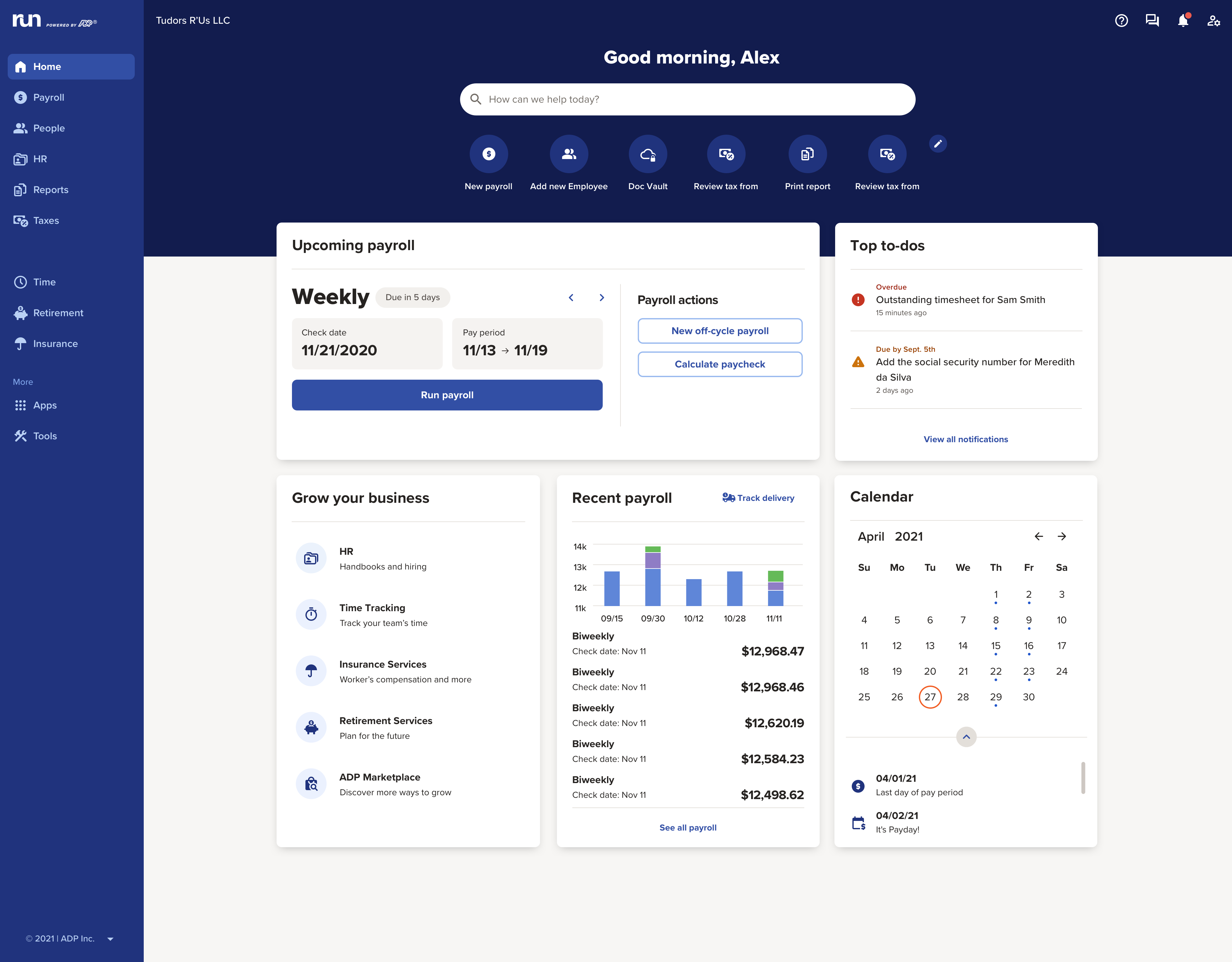
The RUN Powered by ADP® cloud-based solution is used to pay employees. It also includes HR and hiring tools, as well as benefits, helping small businesses grow and manage their teams.
N/A
OnPay
Score9.9 out of 10
N/A
OnPay's payroll and HR is designed for people who want to spend more time running their business, and less on back-office tasks. The application aims to enable users to: • Run payroll • Automate taxes • Let employees do more themselves • Simplify HR processes • Offer benefits in any state OnPay is $49 plus $6 per person each month. The monthly fee includes integrations with QuickBooks, Xero, and time-tracking software, as well as all quarterly and year-end…
$49
per month +$6 per month, per person
Pricing
RUN Powered by ADP®
OnPay
Editions & Modules
No answers on this topic
No answers on this topic
Offerings
Pricing Offerings
RUN Powered by ADP®
OnPay
Free Trial
Yes
Yes
Free/Freemium Version
No
No
Premium Consulting/Integration Services
No
No
Entry-level Setup Fee
No setup fee
No setup fee
Additional Details
—
First month free, then $49 + $6 per employee each month.
The payroll side of RUN is pretty similarly useful as other products, but the HR side is definitely more useful. I appreciate the ability to talk with a rep about specific questions and the fact that there are so many articles, webinars, and podcasts available.
A de minimis incentive was given to thank the reviewer for their time. The incentive was not used to bias or drive a particular response, nor was the incentive contingent on a positive endorsement. TR verified that a representative sample of customers was invited. More Info
A de minimis incentive was given to thank the reviewer for their time. The incentive was not used to bias or drive a particular response, nor was the incentive contingent on a positive endorsement. More Info
Verified User
Chose OnPay
ADP run was very slow and clunky. It probably has the ability to do a lot but the actual process of entering payroll was not user-friendly and literally took all Day sometimes. Onboarding with Paychex felt really repetitive and sometimes HR would have to enter information after …
A de minimis incentive was given to thank the reviewer for their time. The incentive was not used to bias or drive a particular response, nor was the incentive contingent on a positive endorsement. More Info
A de minimis incentive was given to thank the reviewer for their time. The incentive was not used to bias or drive a particular response, nor was the incentive contingent on a positive endorsement. More Info
ADP offers a wide range of options beyond just running payroll. We appreciate the flexibility to select options that best suit our company, such as having Workers' Compensation administered through ADP. During the COVID pandemic, our payroll experts and legal team proved invaluable in navigating special pay circumstances. We have also accessed the HR application to navigate and seek advice on how to administer situations that could be tricky. I would say less appropriate would be putting all our eggs in one basket when it comes to employee benefits - we have a dedicated broker team that we have used for nearly 30 years, and we carry our own HSA and POP insurance, and circumstances when we carry compliant coverage from other sources do not translate to our file with ADP.
A de minimis incentive was given to thank the reviewer for their time. The incentive was not used to bias or drive a particular response, nor was the incentive contingent on a positive endorsement. More Info
I'd say if you had someone who wasn't educated on how Payroll should be setup and function OnPay is less ideal. But even then you've got things so well setup and cost efficient, they could afford to put some focus on training. In my mind I imagine OnPay is the best solution for small to mid, even early large, company Payroll processing. We're a small company so I'm unaware of the options provided to streamline importing of large group payrolls, but that might be an area where the interface could provide challenges.
A de minimis incentive was given to thank the reviewer for their time. The incentive was not used to bias or drive a particular response, nor was the incentive contingent on a positive endorsement. More Info
I would like to see a change in the payroll processing so that when you have to save for later, you don't have to reenter all the information you have already entered.
Make it easier for the employees to track their used vacation and PTO hours.
A de minimis incentive was given to thank the reviewer for their time. The incentive was not used to bias or drive a particular response, nor was the incentive contingent on a positive endorsement. TR verified that a representative sample of customers was invited. More Info
You can add additional additions or benefit items such as a car allowance. The process required me to contact a representative as that wasn't as easy to navigate.
The process for handling additional withholdings for pre-payed taxes required support to ensure the calculations were accurate.
Process for on-boarding is a little tricky if you don't start the process from the point of hire. You can add various things easily but it reflects differently in terms of completion of an Employee file.
I have been using this system for years and they have actually made it easier and easier. The system is always making great upgrades that don't necessarily require any additional information or training. I love when I log in and see a new feature or button that I get to use to make my life easier!
A de minimis incentive was given to thank the reviewer for their time. The incentive was not used to bias or drive a particular response, nor was the incentive contingent on a positive endorsement. More Info
OnPay is very easy to use. The computer interface is setup very well. You can quickly add people, enter your Payroll, print reports, etc. If your Payroll doesn't change from pay period to pay period (example, salaried employees) it takes mere seconds to enter in your Payroll.
A de minimis incentive was given to thank the reviewer for their time. The incentive was not used to bias or drive a particular response, nor was the incentive contingent on a positive endorsement. More Info
ADP Run loads a bit slowly at times, once I put in my credentials. However, that said, I think my perception of the time it takes is impacted by our "instant gratification" expectation of being able to get into everything quickly.
A de minimis incentive was given to thank the reviewer for their time. The incentive was not used to bias or drive a particular response, nor was the incentive contingent on a positive endorsement. More Info
A de minimis incentive was given to thank the reviewer for their time. The incentive was not used to bias or drive a particular response, nor was the incentive contingent on a positive endorsement. TR verified that a representative sample of customers was invited. More Info
A de minimis incentive was given to thank the reviewer for their time. The incentive was not used to bias or drive a particular response, nor was the incentive contingent on a positive endorsement. More Info
I have looked at both of these products and they both have great services but the support I have received from ADP really keeps me here. My rep is amazing and I honestly have not seen anything on another platform that would make me change at this time.
A de minimis incentive was given to thank the reviewer for their time. The incentive was not used to bias or drive a particular response, nor was the incentive contingent on a positive endorsement. TR verified that a representative sample of customers was invited. More Info
Every summer, we hire three new college interns who have to be entered into the system. They can enter their information themselves, which takes a load off me. The onboarding is quite straightforward, and today's college kids are techy enough to be able to understand it.
A de minimis incentive was given to thank the reviewer for their time. The incentive was not used to bias or drive a particular response, nor was the incentive contingent on a positive endorsement. More Info
The costs add up with all the services such as running payroll, adding timekeeping, running background checks, and mailing w-2's.
We save money on background checks because the first two are free.
We lower risk of employee time, penalties, and lawsuits by allowing RUN Powered by ADP® to handle so much of the payroll such as calculations and tax reporting.
Massive time savings. Wonderfully easy to use interface.
I've loved the Chat feature. It's provided quick clear direction from your staff for me at times when it was needed.
I've had very minimal worry about the tax filings and am grateful for that component of your automation.
During the recession we experienced as a result of COVID19 I was particularly grateful we were able to have guidance from your team on how we needed to handle ERC credits. We did run into filing issues there, but were able to resolve them in the end.
A de minimis incentive was given to thank the reviewer for their time. The incentive was not used to bias or drive a particular response, nor was the incentive contingent on a positive endorsement. More Info