OneTrust Privacy Automation vs. Syskit Point

Overview
ProductRatingMost Used ByProduct SummaryStarting Price
OneTrust Privacy Automation
Score 8.3 out of 10
N/A
The OneTrust Privacy Automation solution is used to simplify compliance, improve operational efficiency, and enable risk-informed decisions.N/A
Syskit Point
Score 9.0 out of 10
N/A
SysKit Point is a Automated Office 365 Governance and Security tool, from SysKit in Zagreb. It is designed to enable users to get a full overview of an Office 365 environment and ownership across Microsoft Teams, SharePoint Online, Office 365 Groups, and OneDrive in a central web interface. With it, the vendor says users can create easy-to-read security reports and proactively manage users and access.
$1
per month
Pricing
OneTrust Privacy AutomationSyskit Point
Editions & Modules
No answers on this topic
Offerings
Pricing Offerings
OneTrust Privacy AutomationSyskit Point
Free Trial
NoYes
Free/Freemium Version
NoNo
Premium Consulting/Integration Services
NoNo
Entry-level Setup FeeNo setup feeNo setup fee
Additional Details
More Pricing Information
Community Pulse
OneTrust Privacy AutomationSyskit Point
User Ratings
OneTrust Privacy AutomationSyskit Point
Likelihood to Recommend
9.0
(7 ratings)
-
(0 ratings)
Availability
9.0
(1 ratings)
-
(0 ratings)
Performance
4.0
(1 ratings)
-
(0 ratings)
Support Rating
9.0
(2 ratings)
-
(0 ratings)
Online Training
7.0
(1 ratings)
-
(0 ratings)
Product Scalability
9.0
(1 ratings)
-
(0 ratings)
User Testimonials
OneTrust Privacy AutomationSyskit Point
Likelihood to Recommend
OneTrust
I strongly recommend it for general management of personal data privacy programs and risk and contract management, it complies with all major world legislation in addition to being easy and fast. Not recommended for data discovery still requires refinement.
Read full review
Syskit
No answers on this topic
Pros
OneTrust
  • Reputable website scanner, which verify and screen the traffic.
  • The data mapping from OneTrust is another merit, very articulate.
  • OneTrust offers the required assessment automation, very outstanding.
  • Finally, OneTrust has the breach scan, and incident response.
Read full review
Syskit
No answers on this topic
Cons
OneTrust
  • There are irritating inconsistencies in the user interface between the various modules
  • Reporting capabilities are limited
  • The platform does not reveal its secrets easily. You will be rewarded if you can allocate a team member to specialize on the platform.
Read full review
Syskit
No answers on this topic
Reliability and Availability
OneTrust
We have used a shared hosted tenant managed by OneTrust for over three years with only one instance of a lengthy (4+ hours) unexpected outage which happened years ago.
Read full review
Syskit
No answers on this topic
Performance
OneTrust
We selected a European hosting location based on our initial use case, however, our usage of the OneTrust platform has expanded globally to where the majority of users sit in the Americas or Asia-Pacific regions. There is a noticeable lag when navigating the platform for users located far away from the hosting location.
As a user, you can mitigate any sluggish response time by the aggressive use of multiple browser tabs. I commonly have one tab open on an Inventory detail screen, another tab on an Assessment window, and maybe another tab on a customized inventory list screen. If one tab is slow I hop to another tab and work on that tab while the first tab responds.
Read full review
Syskit
No answers on this topic
Support Rating
OneTrust
Both our customer rights access and cookie consent advisors were responsive and helpful in getting us trained on using the platform and the various assets implemented on our website. We had multiple training sessions that were more than enough in getting all of the users on our team familiar with what we needed to do.
Read full review
Syskit
No answers on this topic
Online Training
OneTrust
An implementation specialist worked with us remotely during our initial deployment. Due to the diverse geographic locations of my organization's participants, the implementation and training had to be done remotely (this was before COVID-driven remote work).
The implementation specialist was knowledgeable and helpful but to really get full benefit from the platform I encourage organizations to dedicate a specialist within your company to really study and learn the platform.
Read full review
Syskit
No answers on this topic
Alternatives Considered
OneTrust
First, when we compare OneTrust Privacy and Data Governance Cloud to the software I mentioned above, OneTrust Privacy and Data Governance Cloud software was way more affordable than the other 2. Also, along with the other 2 software, OnTrust was one of the most user friendly tool/software we've ever used.
Read full review
Syskit
No answers on this topic
Scalability
OneTrust
The platform has exceptional capabilities to customize the user interface, reports, and recorded information. In most cases, the customization can be compartmentalized so that if the customization performed for Department A is determined to not impact Department B, the customization can be hidden from Department B.
We have four different departments using the IT Risk Management module. Three departments share their work in what we call the 'shared data risk management zone'. Another department is using IT Risk Management for a bespoke portfolio risk management task, and the customization for this department is largely hidden from the other departments.
Read full review
Syskit
No answers on this topic
Return on Investment
OneTrust
  • Populates metadata into a centralized and easily searchable data catalog.
  • Ensures data regulatory requirements are understood.
  • Orchestrates data governance activities.
  • Monitors and flag violations across our data ecosystem.
Read full review
Syskit
No answers on this topic
ScreenShots

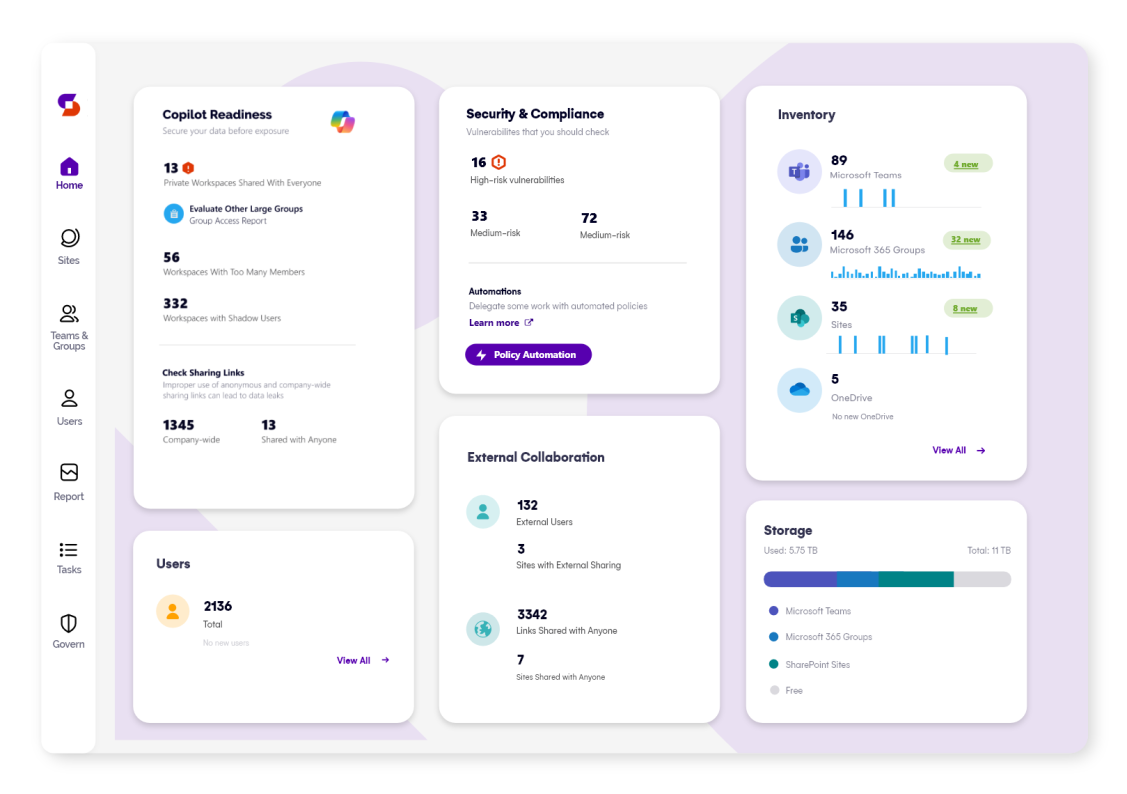
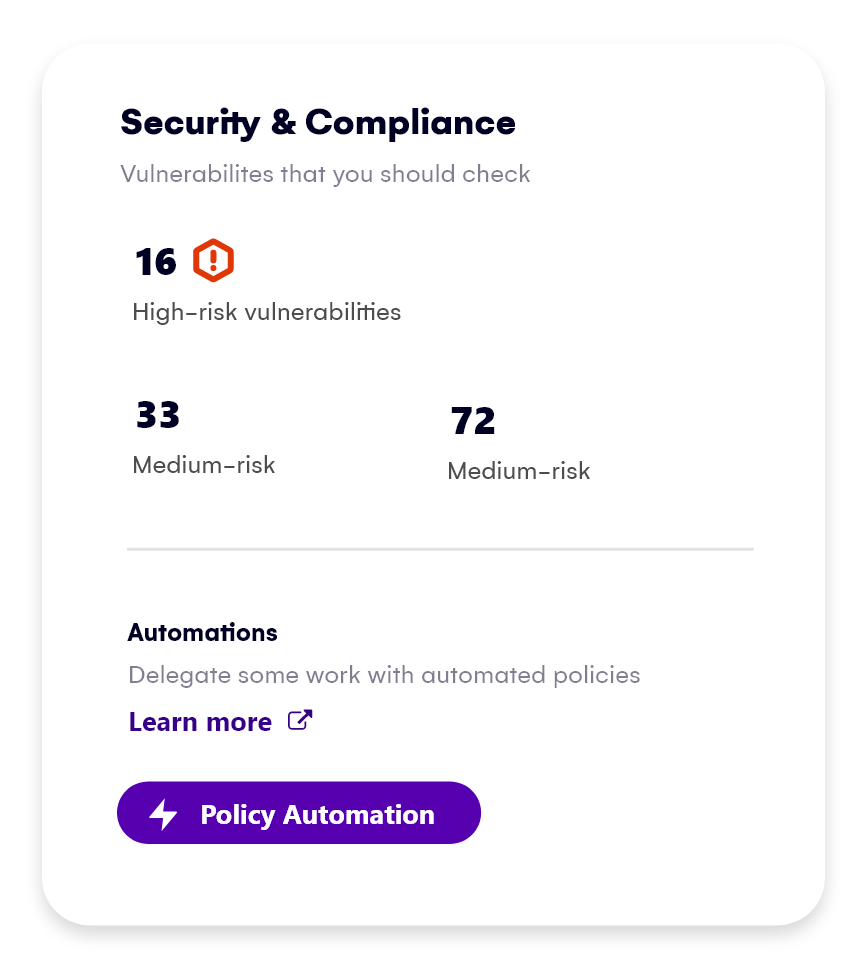
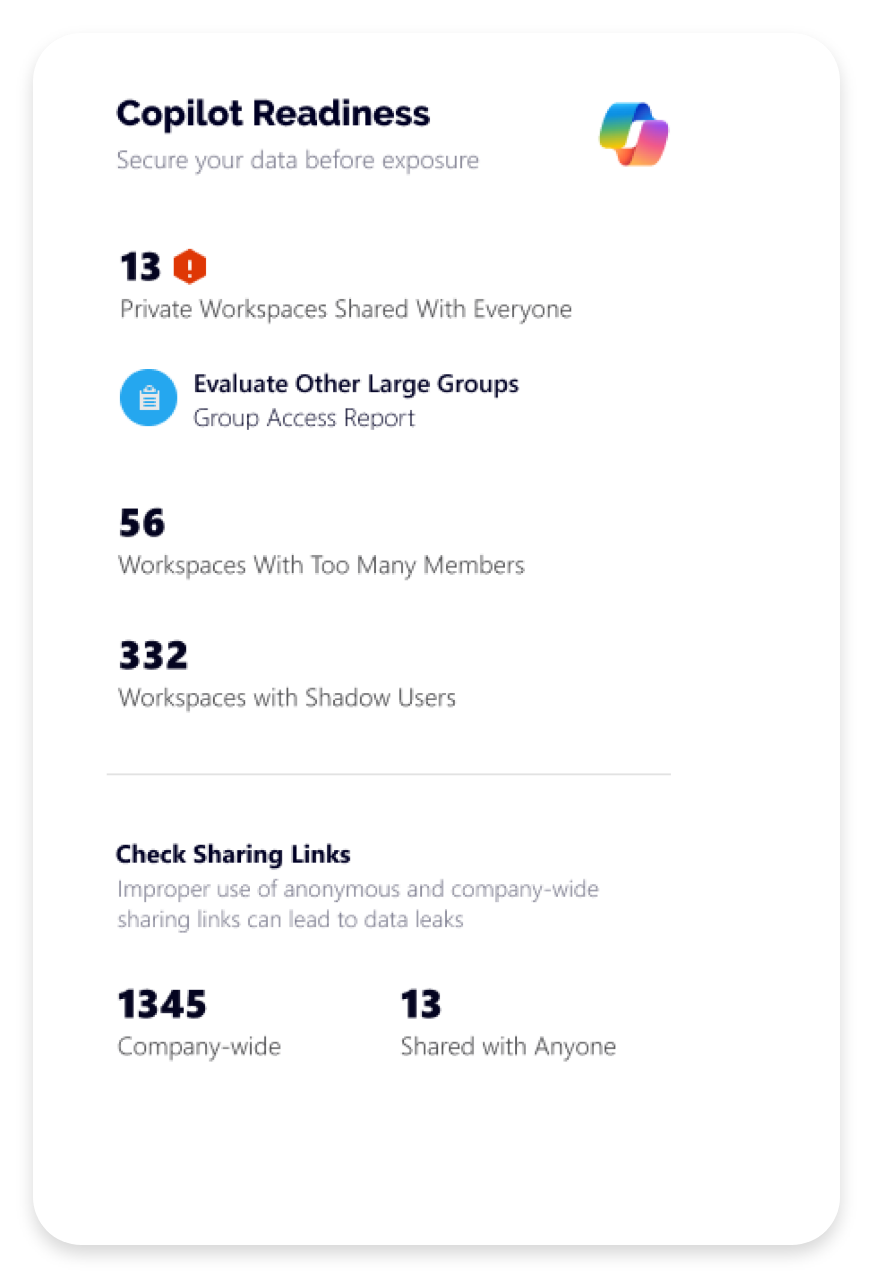
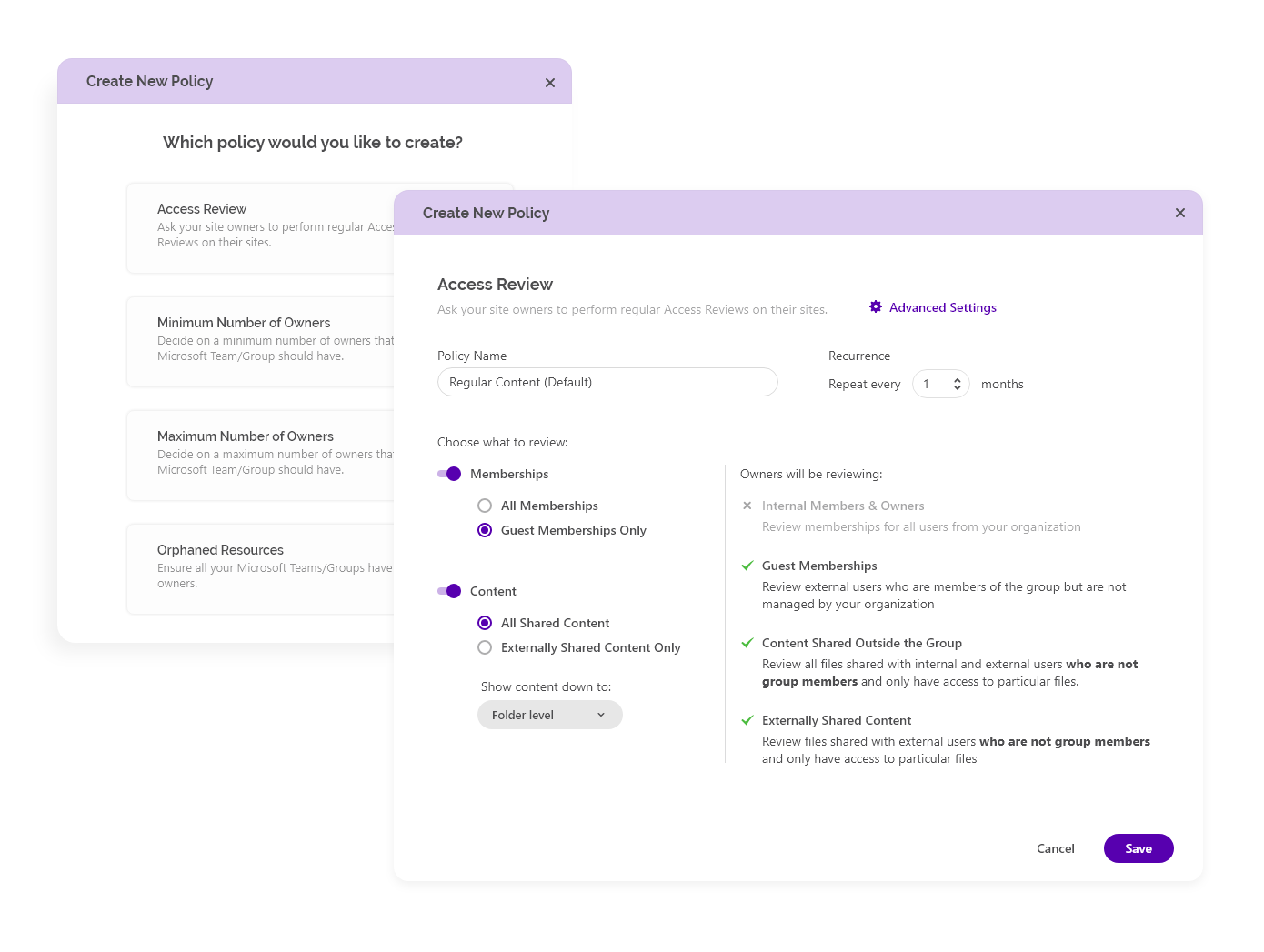
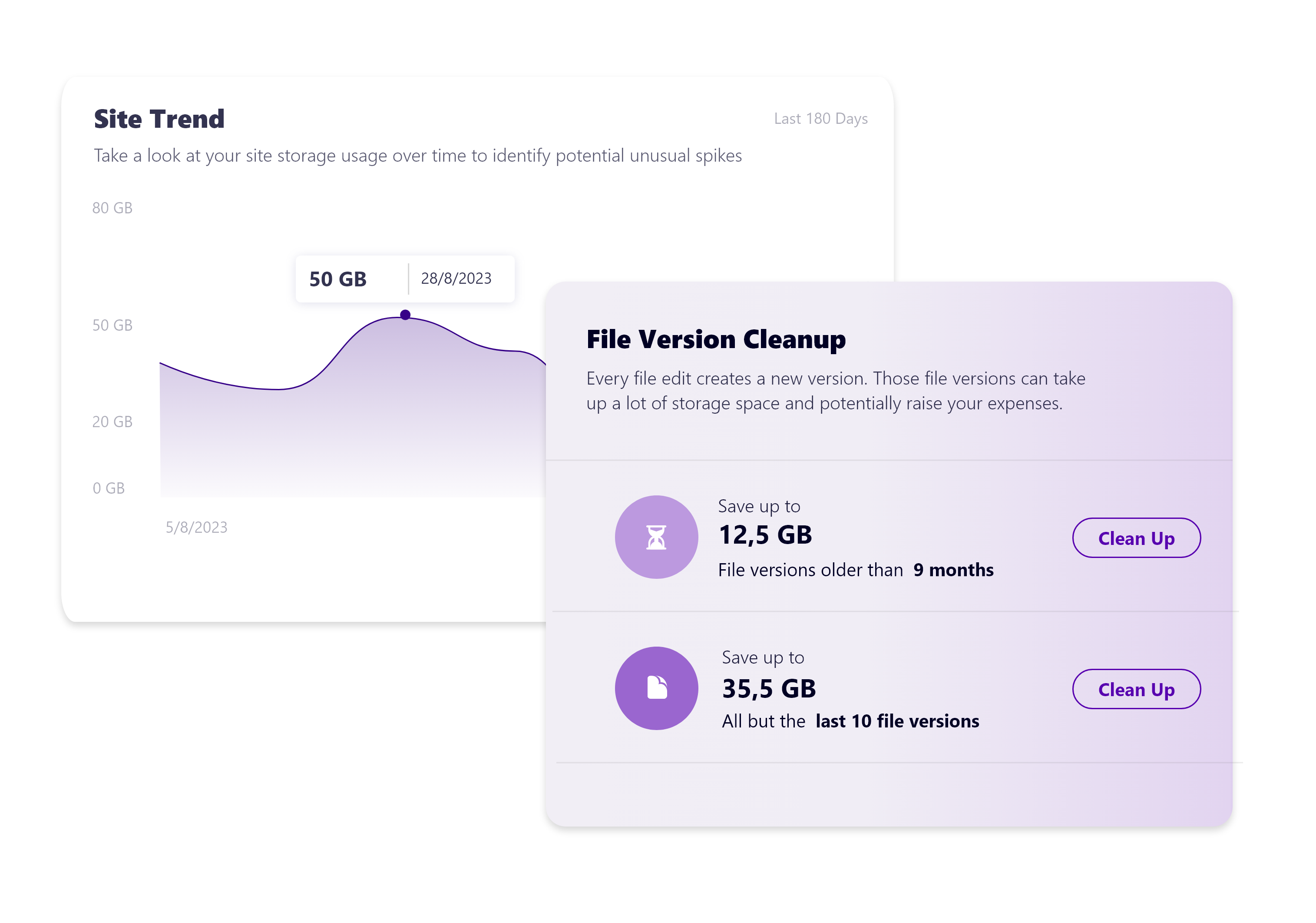
Syskit Point Screenshots

Screenshot of Syskit Point’s dashboard, which offers a centralized view of yoan ur entire Microsoft 365 environment. This offers visibility across Microsoft Teams, SharePoint, OneDrive, Microsoft 365 Groups, and Power Platform. Viewers can quickly identify who has access to what, monitor external sharing, and spot potential risks before they become issues. With real-time insights, detailed reports, and automated governance workflows, the Syskit Point dashboard helps stay in control, simplify management, and protect sensitive data.Screenshot of Syskit Point’s Security & Compliance Dashboard, which provides a centralized view of permissions, user activity, and external sharing across a Microsoft 365 environment. Users can monitor who has access to sensitive data, enforce policies, and take immediate action to prevent unauthorized access or data leaks. With built-in compliance and security checks, the dashboard helps to ensure regulatory alignment and quickly mitigate potential risks.Screenshot of how Syskit Point helps prepare a Microsoft 365 environment for Copilot by ensuring only secure, relevant data is accessible. It identifies oversharing risks, enforces access controls, and provides visibility into sharing activity, so Copilot delivers accurate, trustworthy outputs without exposing sensitive information. With proactive permission reviews and workspace lifecycle management, Syskit Point ensures data is clean, compliant, and Copilot-ready.Screenshot of how Syskit Point simplifies Microsoft 365 governance with automated access reviews and workspace lifecycle management. It empowers resource owners to regularly review access, manage permissions, and keep workspaces secure and well-organized. With policy-based automation, storage optimization, and clear ownership responsibilities, Syskit Point helps prevent oversharing, reduce unnecessary access, and ease the governance burden on IT teams.Screenshot of how Syskit Point provides clear visibility into SharePoint storage usage, helping resource owners track storage trends, identify oversized workspaces, and spot unnecessary file versions. With built-in cleanup options and customizable policies, owners can remove outdated or redundant data, optimize storage, and prevent capacity issues. This proactive approach supports cost savings, improves workspace organization, and helps maintain a healthy Microsoft 365 environment.