OneSpan Sign vs. Scrive eSign

Overview
ProductRatingMost Used ByProduct SummaryStarting Price
OneSpan Sign
Score 8.0 out of 10
Enterprise companies (1,001+ employees)
OneSpan Sign (formerly eSignLive) is an e-signature solution for secure document signing processes that enables organizations to digitize business processes and eliminate costly paper and inconvenient “wet” signatures.
$0
Free for 30 Days
Scrive eSign
Score 7.5 out of 10
N/A
Scrive, headquartered in Stockholm, touts a compliant, secure esignature solution for companies along with an API supporting a branded and well-integrated enterprise esign solution.
$30
per month
Pricing
OneSpan SignScrive eSign
Editions & Modules
Free Trial
$0
Free for 30 Days
Professionnal
$20
Per User per Month
Enterprise
Call for Pricing
Enterprise
Call for pricing
Contract
One
$30
per month
Team
$450
per month
Company
$1,500
per month
Offerings
Pricing Offerings
OneSpan SignScrive eSign
Free Trial
YesYes
Free/Freemium Version
NoNo
Premium Consulting/Integration Services
NoNo
Entry-level Setup FeeNo setup feeNo setup fee
Additional Details
More Pricing Information
Community Pulse
OneSpan SignScrive eSign
User Ratings
OneSpan SignScrive eSign
Likelihood to Recommend
8.6
(0 ratings)
7.5
(0 ratings)
Likelihood to Renew
8.0
(0 ratings)
-
(0 ratings)
Usability
9.1
(0 ratings)
-
(0 ratings)
Support Rating
7.9
(0 ratings)
10.0
(0 ratings)
Online Training
9.1
(0 ratings)
-
(0 ratings)
User Testimonials
OneSpan SignScrive eSign
Likelihood to Recommend
It is well suited for financial professional field. At the moment, i cannot think of area that will be less appropriate. It all comes down to if the admin office or head office can accept OneSpan as authorized software. Often enough, program can be very good but not recognized by head office due to its compliance issue. For example, in the Canadian regulatory rules for investments, sometimes it requires companies to process/store documents in the same country. If there is a cross border issue, it will be a big compliance issue.
Read full review
Scrive is really well suited to managing legal documents and contracts. There are many instances where it would work best, including international forms and signatures, such as point-of-sale forms for buying products. It also works for managing large amounts of forms and red tape, especially in larger groups where everyone needs access.
Read full review
Pros
  • One can set up a workflow in which one can specify the order in which signatures have to be done.
  • Customer service is great and always ready to go the extra mile.
  • Pricing is very transparent, and there are no hidden charges.
Read full review
  • Helps various departments collaborate well to create documents
  • e-sign any kind of document
  • easily store all documents at one place
  • integrate with various CRM tools
  • send and receive documents with other users
Read full review
Cons
  • Search capabilities can be improved by a great extent. We still can't search documents by name of the signatory
  • Pricing seems a bit high when compared with other players in the market
  • Data importing and exporting capabilities can be improved drastically
Read full review
  • Tracking changes.
  • Simpler interface.
Read full review
Likelihood to Renew
I don't see any reasons to change as their solution covers all my need for now. I could make even more integrations but that might be something that I will do down the road. I'm used to working with the interface and my data is all there as well.
Read full review
No answers on this topic
Usability
Easy to use design and tool
Read full review
No answers on this topic
Support Rating
The product is so well designed and built that we rarely need to reach out to customer service. But we have reached out to them in case of downtime, and we have always gotten a satisfactory response. We never had to follow up, as customer service executives were very responsible.
Read full review
Customer support was incredible, they helped when I had one question about a bug with the archiving function. They got it sorted out, helped me understand what I did wrong, and even released a patch months later to prevent future users from falling into the same trap. I don't think there even was a language barrier, despite Scrive being a Swedish company.
Read full review
Alternatives Considered
My experience with OneSpan in the customer service has been very positive. However, since my experience with OneSpan is much more recent, most of my technical experience with OneSpan includes technical areas that were not available in other products at the time I was working with other products.
Read full review
It is more intuitive and does not require its users to get any formal training to use the product. It allows automatic follow-ups with users who use the product. It can be deployed on all operating system and is compatible with most of the devices including mobile phone, laptop or personal computer.

Read full review
Return on Investment
  • It has done what we got it for. It has made it much easier for our advisers to do business with clients in remote areas.
  • It has significantly reduced the time that it used to take to open a new account.
Read full review
  • The ability to sign documents online rather than in person is a must for any modern business
  • Less travel costs and paper costs
  • All documents able to be digitised
Read full review
ScreenShots

OneSpan Sign Screenshots

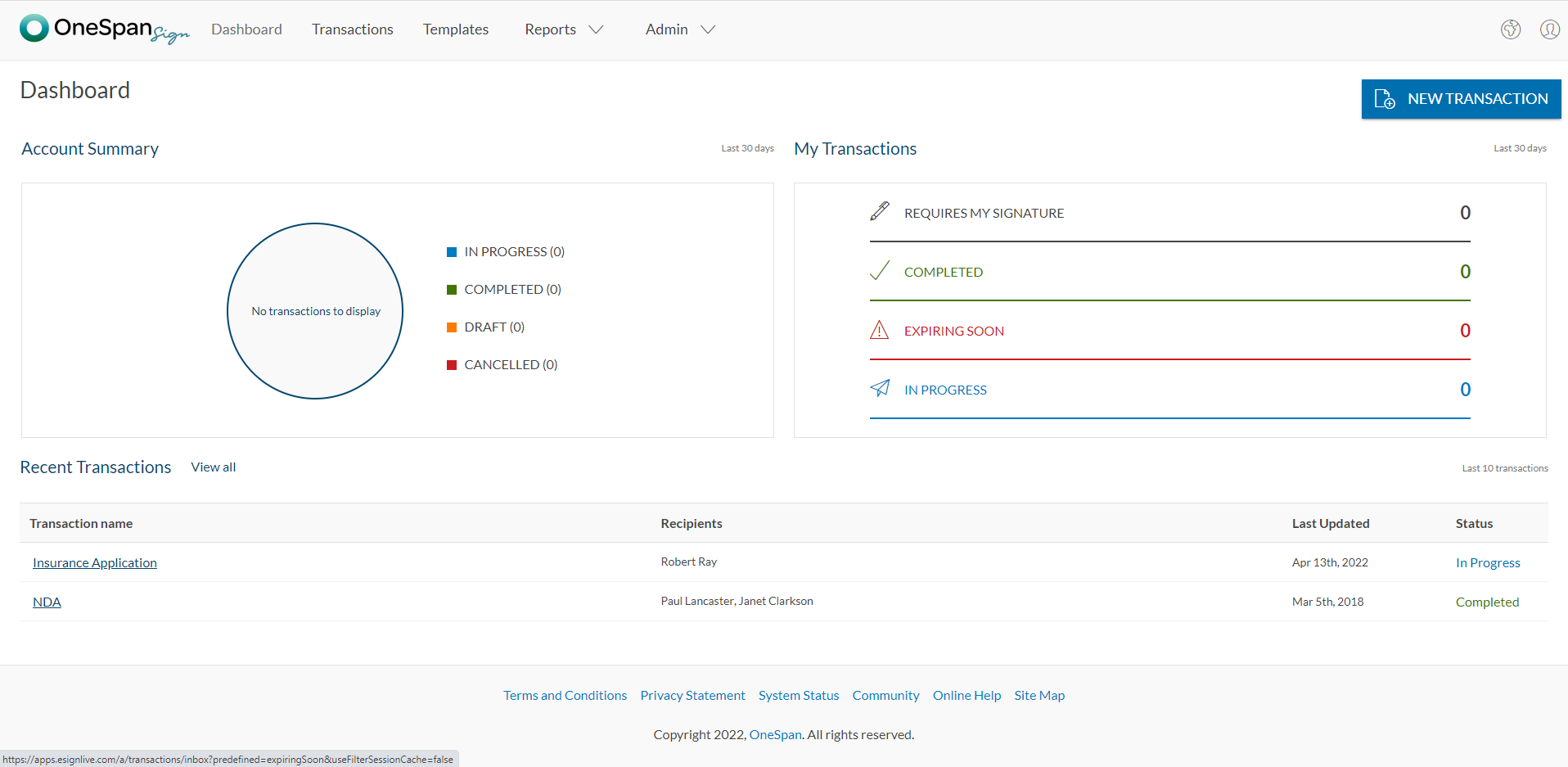
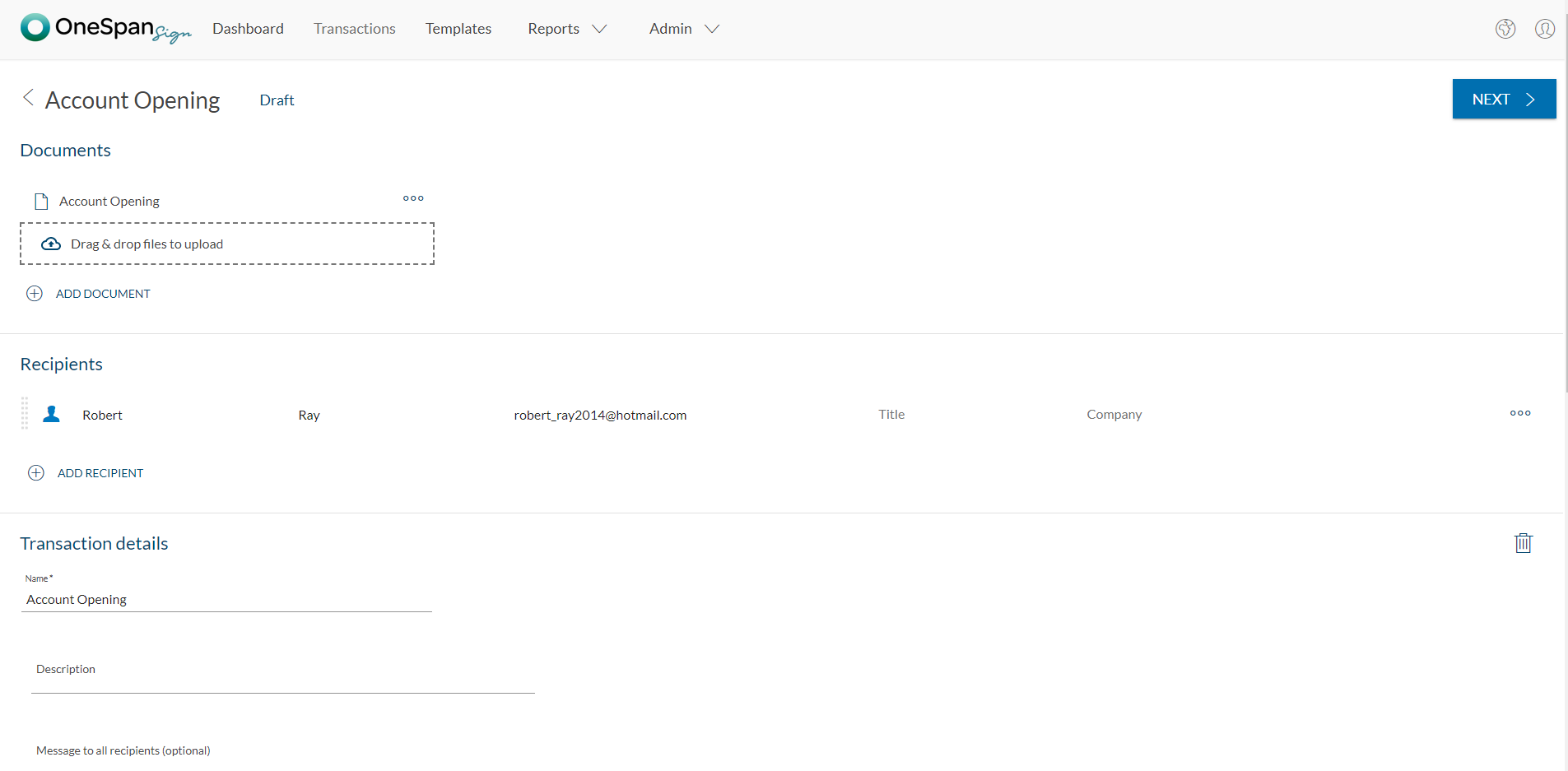
Screenshot of User initiates the e-signature process by clicking 'New Transaction'.Screenshot of The user adds the necessary documents and signers to the transaction. Additional options like signer authentication & identification, in-person signing, reminders & notifications, and more are available in OneSpan Sign.Screenshot of Add signature blocks to desired locations on your document for your recipients to sign. Simply drag-and-drop the signature blocks into the document. Click the ‘Send to Sign’ button to route your document for signing.Screenshot of The signer can click-to-sign to complete the signing of the account opening application.Screenshot of The signing process is intuitive and easy for your signers. OneSpan Sign offers an optimized signing experience so your signers can sign anywhere, anytime, and across multiple devices.

Scrive eSign Screenshots

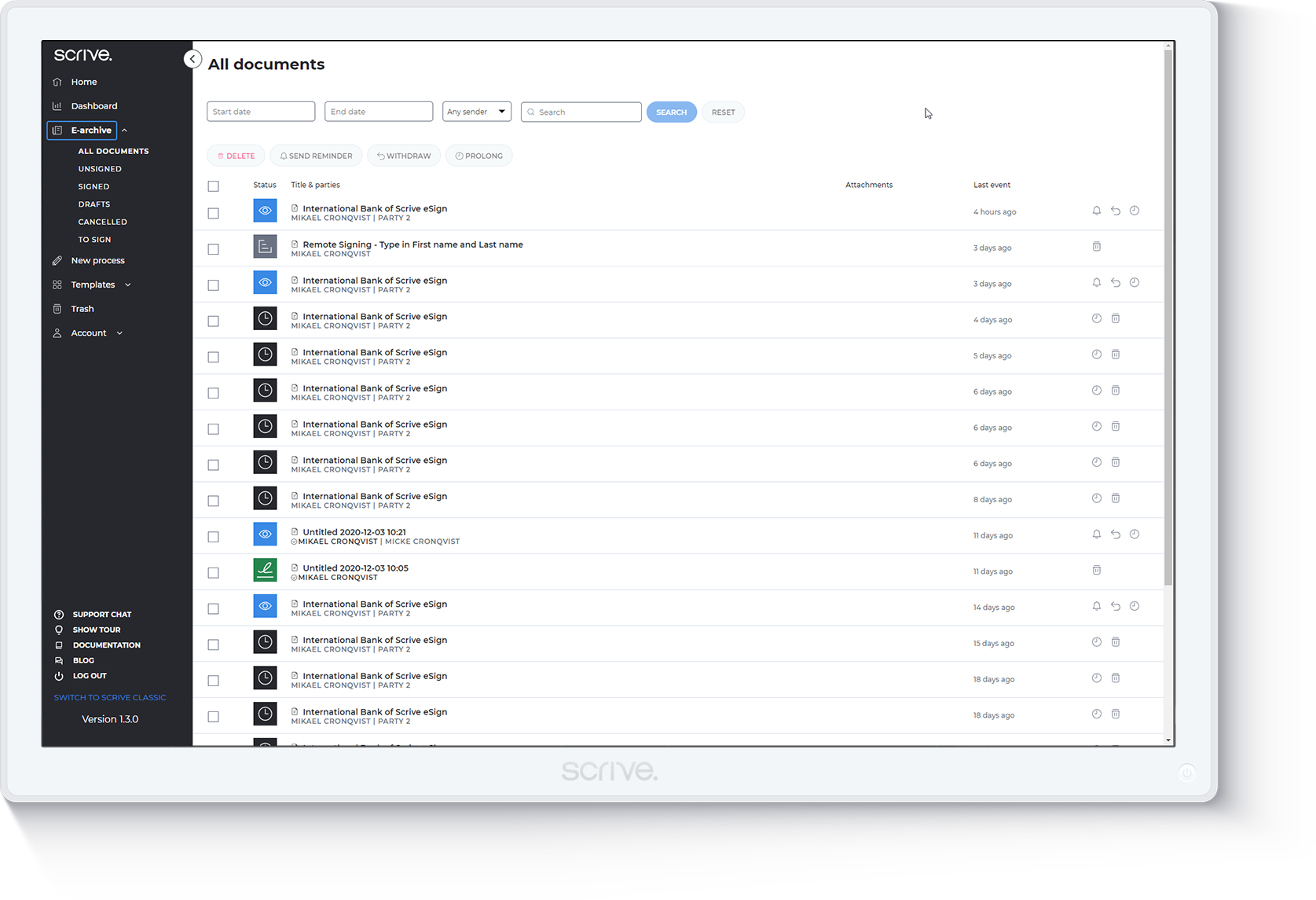
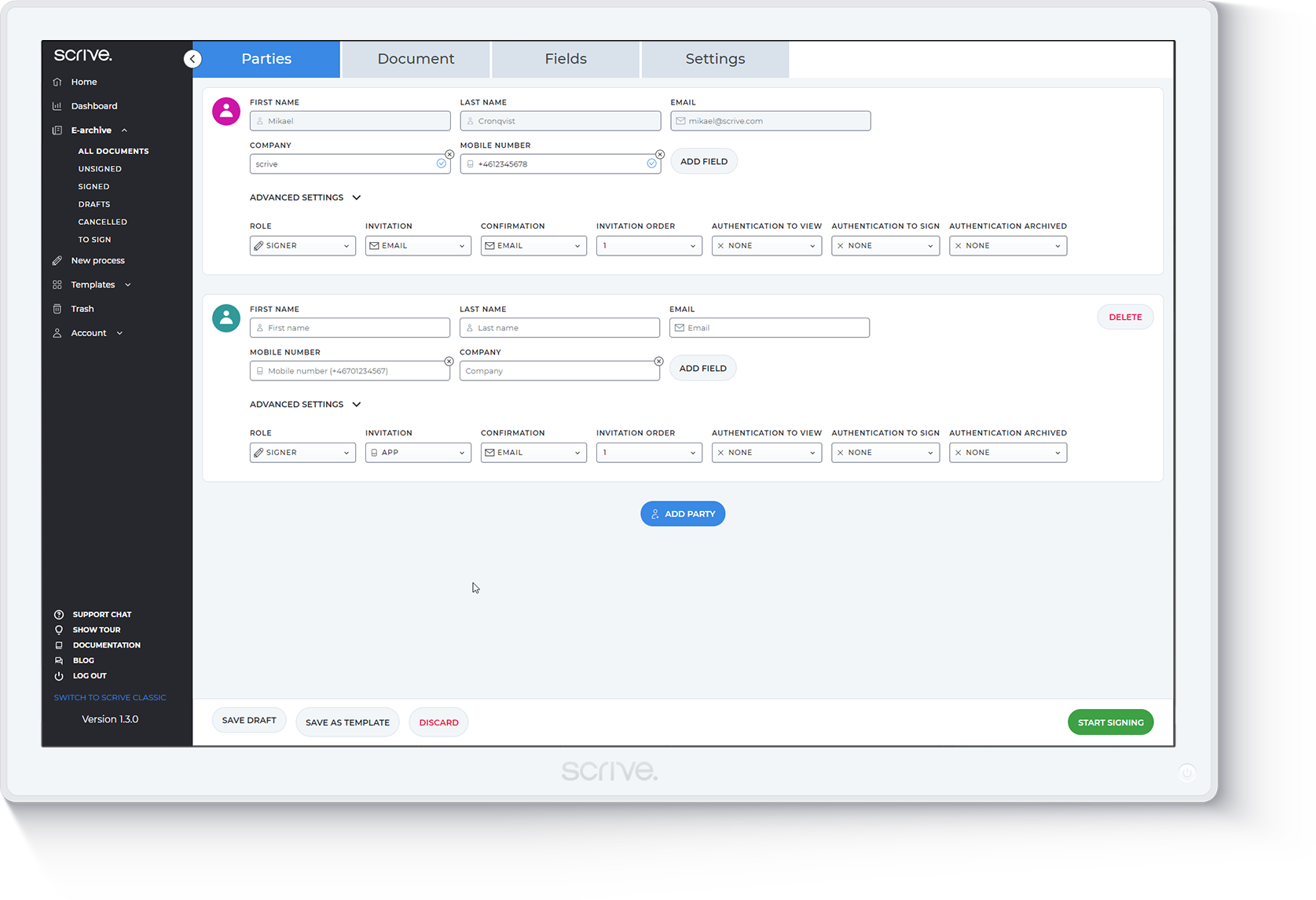
Screenshot of DashboardScreenshot of eArchiveScreenshot of Demo agreementScreenshot of ProcessScreenshot of Signing parties