ObservePoint vs. Syskit Point

Overview
ProductRatingMost Used ByProduct SummaryStarting Price
ObservePoint
Score 10.0 out of 10
N/A
ObservePoint’s Web Governance platform automates website scans, from the highest traffic pages and user paths to the dark corners of a company’s web presence. The software provides the ability to see what’s performing below acceptable standards, trace it back to the source, and quickly see a path to improvement.
$598
per month
Syskit Point
Score 9.0 out of 10
N/A
SysKit Point is a Automated Office 365 Governance and Security tool, from SysKit in Zagreb. It is designed to enable users to get a full overview of an Office 365 environment and ownership across Microsoft Teams, SharePoint Online, Office 365 Groups, and OneDrive in a central web interface. With it, the vendor says users can create easy-to-read security reports and proactively manage users and access.
$1
per month
Pricing
ObservePointSyskit Point
Editions & Modules
Essentials
$599
per month up to 4,000 page scans /month
Professional
$2,400
per month up to 20,000 page scans /month
Enterprise
Custom ($0.0325 - $0.11 / page)
Starting at 20,000+ page scans /month
No answers on this topic
Offerings
Pricing Offerings
ObservePointSyskit Point
Free Trial
YesYes
Free/Freemium Version
YesNo
Premium Consulting/Integration Services
NoNo
Entry-level Setup FeeNo setup feeNo setup fee
Additional Details
More Pricing Information
Community Pulse
ObservePointSyskit Point
User Ratings
ObservePointSyskit Point
Likelihood to Recommend
8.8
(9 ratings)
-
(0 ratings)
Likelihood to Renew
9.1
(1 ratings)
-
(0 ratings)
Usability
9.1
(1 ratings)
-
(0 ratings)
Availability
9.1
(1 ratings)
-
(0 ratings)
Performance
7.3
(1 ratings)
-
(0 ratings)
Support Rating
10.0
(2 ratings)
-
(0 ratings)
In-Person Training
9.1
(1 ratings)
-
(0 ratings)
Online Training
9.1
(1 ratings)
-
(0 ratings)
Implementation Rating
9.1
(1 ratings)
-
(0 ratings)
Configurability
9.1
(1 ratings)
-
(0 ratings)
Ease of integration
9.1
(1 ratings)
-
(0 ratings)
Product Scalability
9.1
(1 ratings)
-
(0 ratings)
Vendor post-sale
9.1
(1 ratings)
-
(0 ratings)
Vendor pre-sale
9.1
(1 ratings)
-
(0 ratings)
User Testimonials
ObservePointSyskit Point
Likelihood to Recommend
ObservePoint
ObservePoint is a great tool for automating page testing and standardizing campaigns to observe accurate customer insights. You can identify customer mapping journey. They also help in data protection and insights which are very important and essential these days. They should work more on easy interface designs. Overall, it is the best.
Read full review
Syskit
No answers on this topic
Pros
ObservePoint
  • The UI for ObservePoint is intuitive and robust. This makes training new engineers and using the product easy and productive.
  • All Audit exports are formatted as tab delimited text files making the data easy to analyze and manipulate in a Spreadsheet or database.
  • The list of tag vendors that are discoverable is comprehensive making it easy to interrogate most any tagging implementation.
  • Standard reporting within the UI is robust and easy to consume.
Read full review
Syskit
No answers on this topic
Cons
ObservePoint
  • Page details, although interesting, are not very useful as the data is too granular and not possible to integrate with other analytics data for insights.
  • Some of the custom tagging may be a little complicated, so sometimes we need an engineer or an ObservePoint tech to help us out.
Read full review
Syskit
No answers on this topic
Likelihood to Renew
ObservePoint
ObservePoint has a robust solution that is well supported and is continually innovating to meet new business and technology needs.
Read full review
Syskit
No answers on this topic
Usability
ObservePoint
It's easy to navigate and learn. The reporting and output are intuitive and robust features for finding and identifying actionable insight.
Read full review
Syskit
No answers on this topic
Reliability and Availability
ObservePoint
I've only experienced one system availability issue in the 3 years we've been using it.
Read full review
Syskit
No answers on this topic
Performance
ObservePoint
Sometimes it can get a bit slow when auditing particularly huge sites but recent upgrades in infrastructure have done a lot to mitigate this behavior.
Read full review
Syskit
No answers on this topic
Support Rating
ObservePoint
Support is very strong indeed and has been consistent over the last 4 years. They are also friendly and tag nerds like me!
Read full review
Syskit
No answers on this topic
In-Person Training
ObservePoint
Instructor was knowledgeable and delivered the content well.
Read full review
Syskit
No answers on this topic
Online Training
ObservePoint
It's easy to find the information you need when you need it and it is easy to consume.
Read full review
Syskit
No answers on this topic
Implementation Rating
ObservePoint
Start with small audits until you have determined what you might want to filter out.
Read full review
Syskit
No answers on this topic
Alternatives Considered
ObservePoint
I have not used any other product other than ObservePoint for my requirements. there are a number of features for which it has proved helpful. Technology Governance ensures our data collection tools and processes are executing as planned, so our organization can make better decisions based on better data and so on
Read full review
Syskit
No answers on this topic
Scalability
ObservePoint
I have not reached an unreasonable product limitation as of yet.
Read full review
Syskit
No answers on this topic
Return on Investment
ObservePoint
  • ObservePoint has helped us quickly (within minutes) catch when a process or pathing on the website breaks, which allows us to fix it quickly. Whether technical/dev or analytics issues, without ObservePoint, they could have been undetected for weeks.
Read full review
Syskit
No answers on this topic
ScreenShots

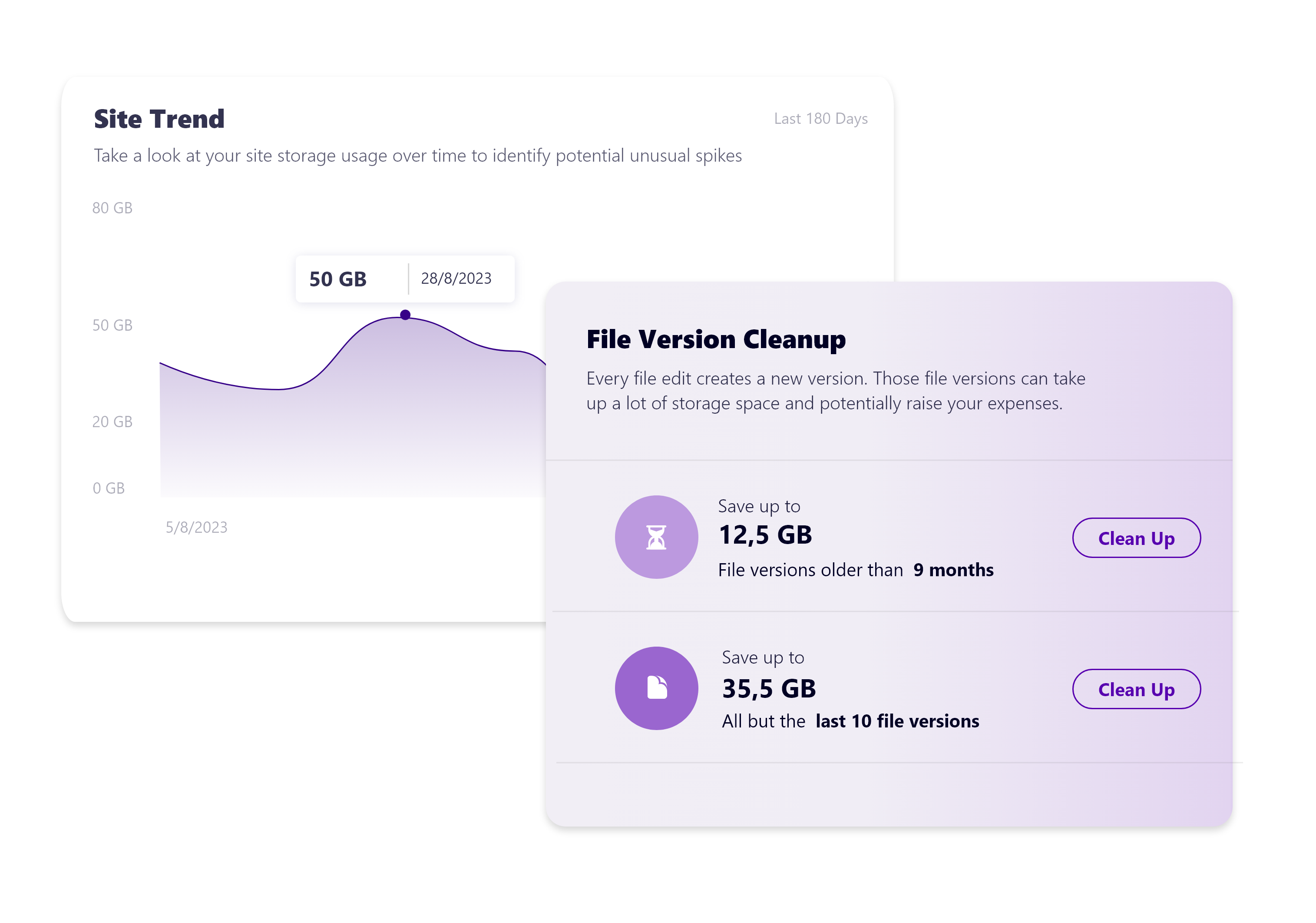
Syskit Point Screenshots

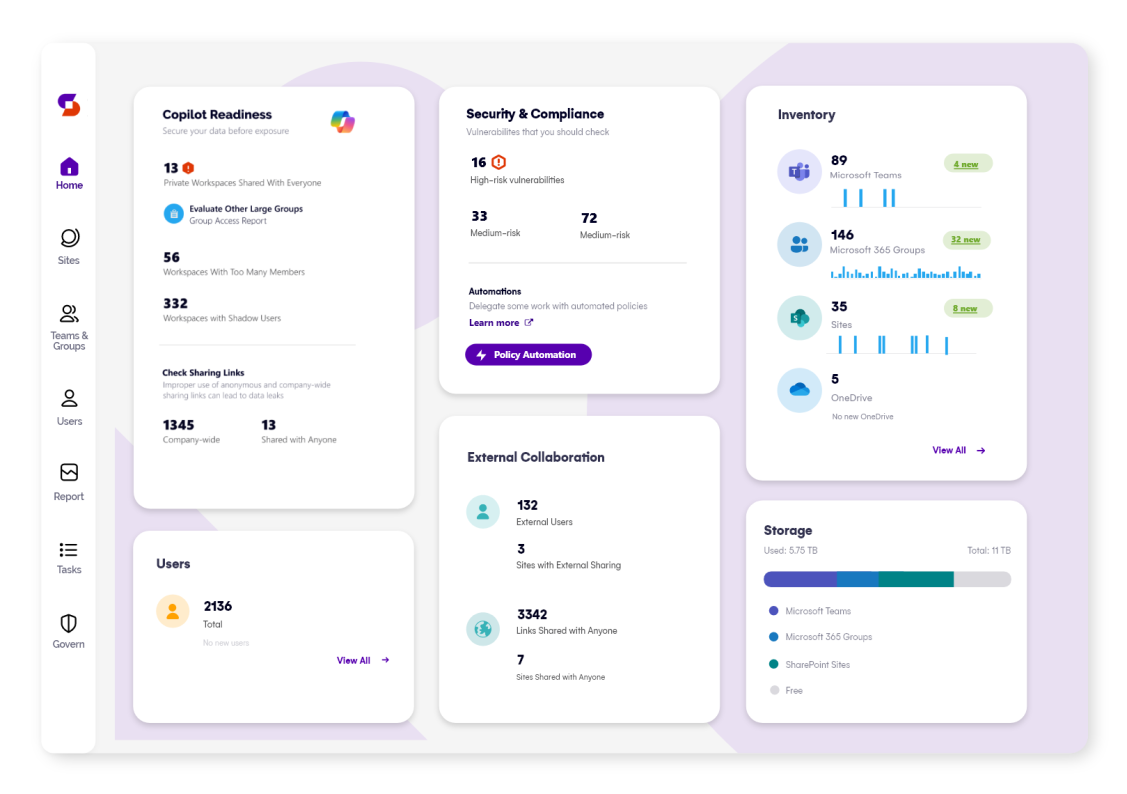
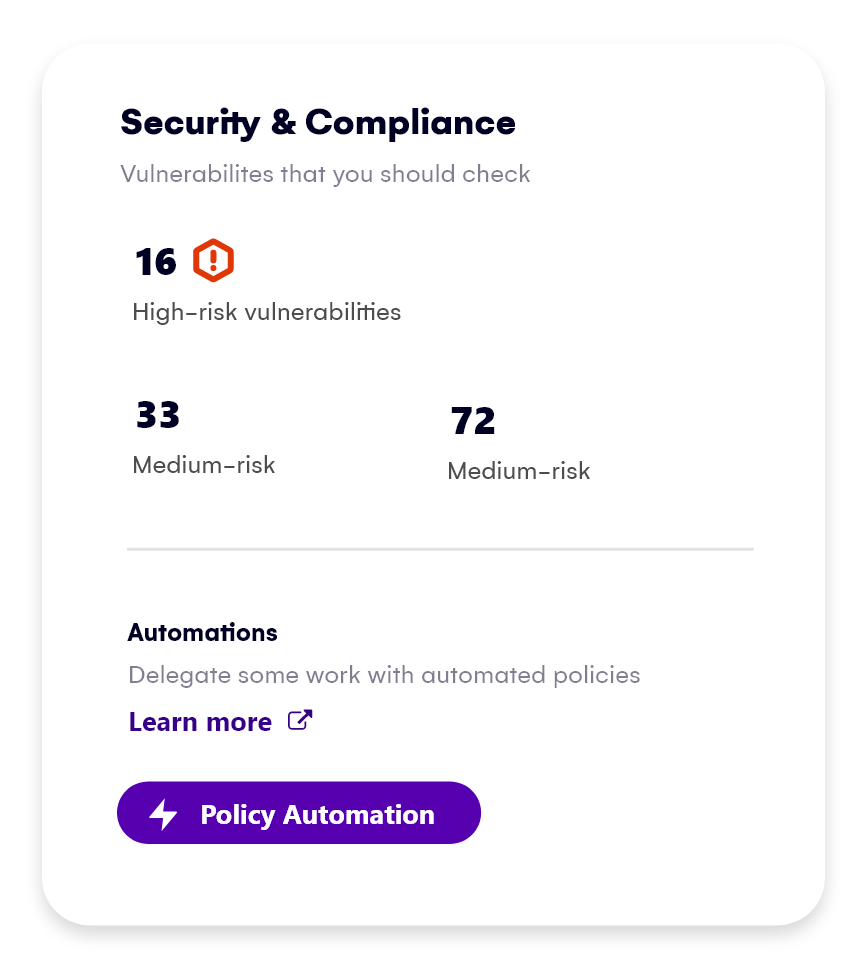
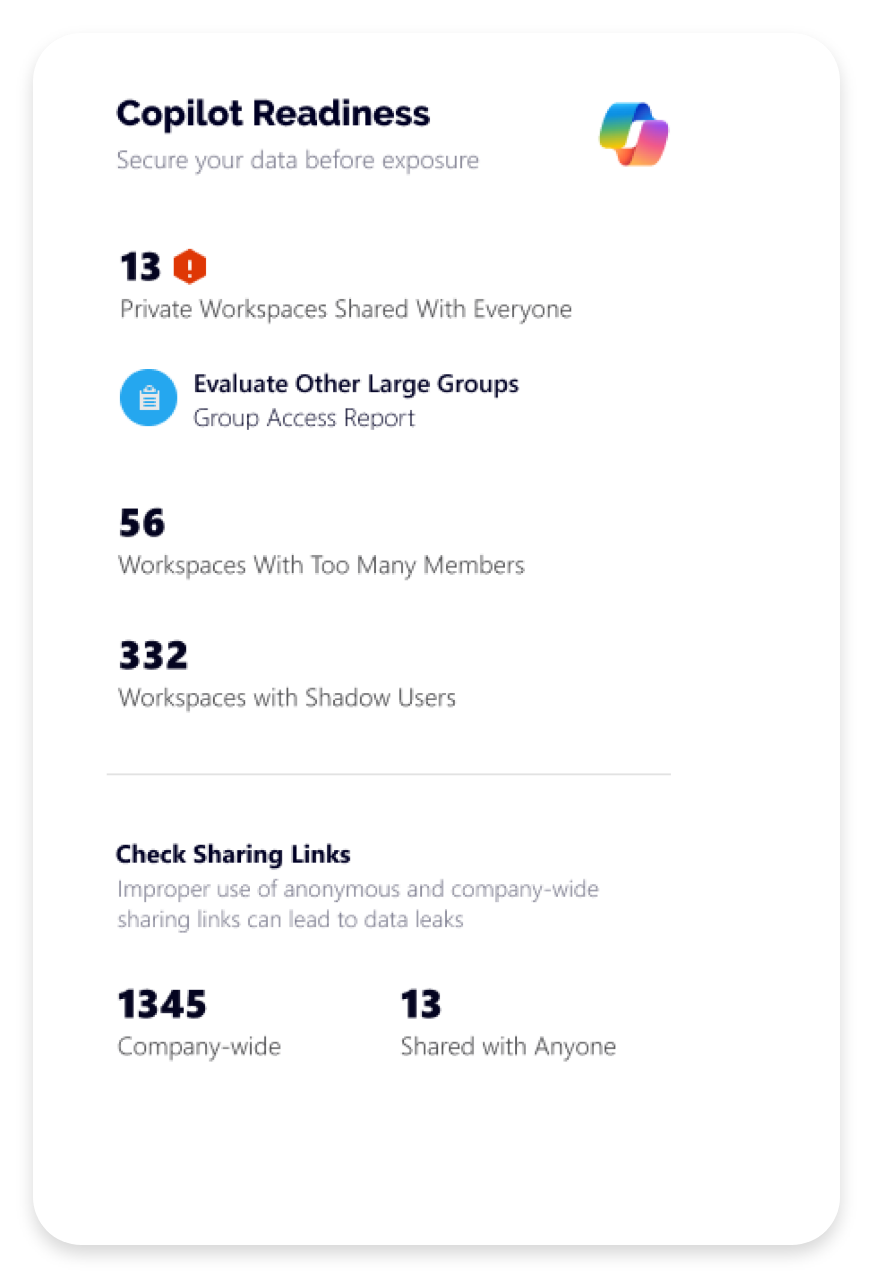
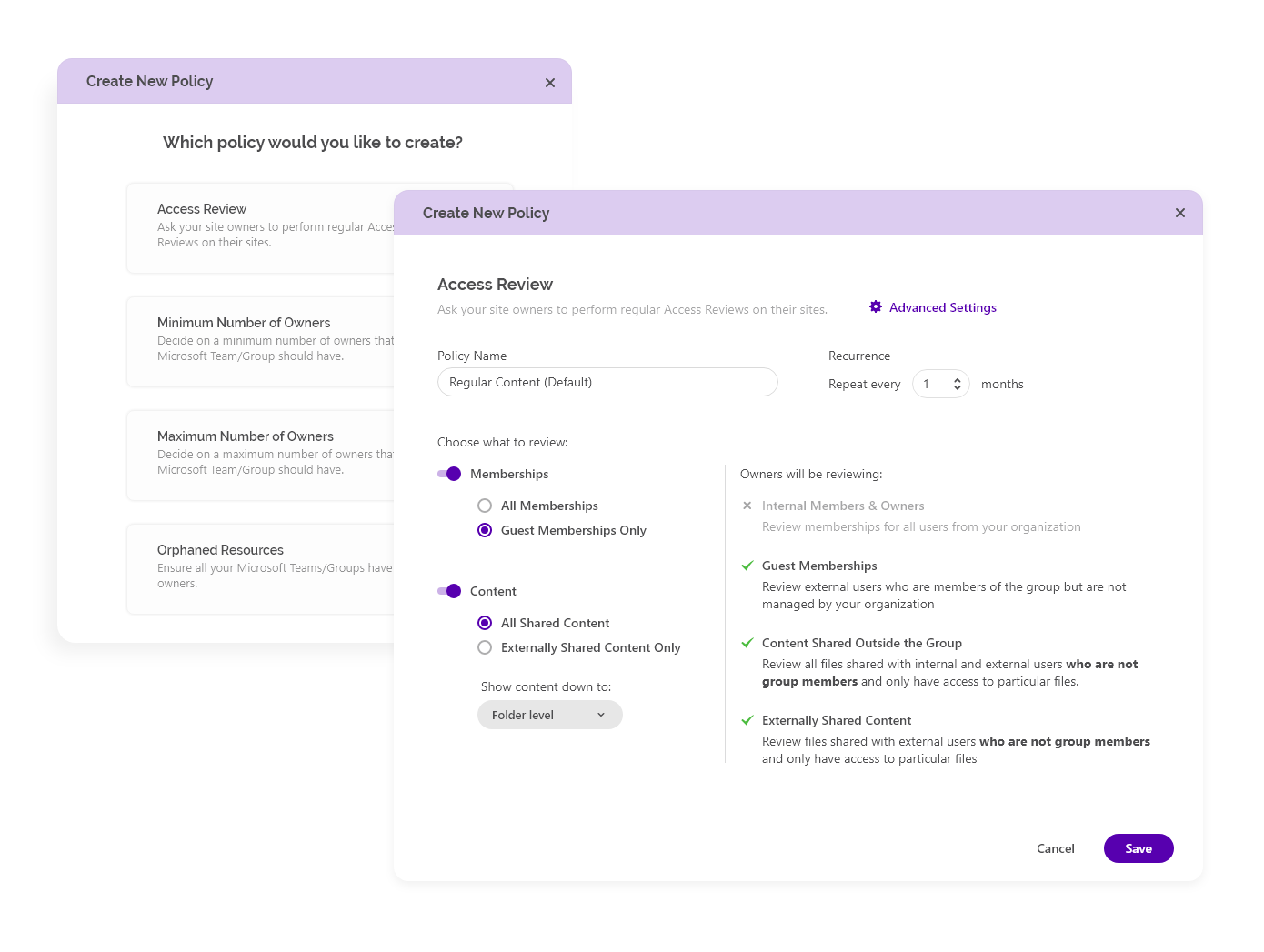
Screenshot of Syskit Point’s dashboard, which offers a centralized view of yoan ur entire Microsoft 365 environment. This offers visibility across Microsoft Teams, SharePoint, OneDrive, Microsoft 365 Groups, and Power Platform. Viewers can quickly identify who has access to what, monitor external sharing, and spot potential risks before they become issues. With real-time insights, detailed reports, and automated governance workflows, the Syskit Point dashboard helps stay in control, simplify management, and protect sensitive data.Screenshot of Syskit Point’s Security & Compliance Dashboard, which provides a centralized view of permissions, user activity, and external sharing across a Microsoft 365 environment. Users can monitor who has access to sensitive data, enforce policies, and take immediate action to prevent unauthorized access or data leaks. With built-in compliance and security checks, the dashboard helps to ensure regulatory alignment and quickly mitigate potential risks.Screenshot of how Syskit Point helps prepare a Microsoft 365 environment for Copilot by ensuring only secure, relevant data is accessible. It identifies oversharing risks, enforces access controls, and provides visibility into sharing activity, so Copilot delivers accurate, trustworthy outputs without exposing sensitive information. With proactive permission reviews and workspace lifecycle management, Syskit Point ensures data is clean, compliant, and Copilot-ready.Screenshot of how Syskit Point simplifies Microsoft 365 governance with automated access reviews and workspace lifecycle management. It empowers resource owners to regularly review access, manage permissions, and keep workspaces secure and well-organized. With policy-based automation, storage optimization, and clear ownership responsibilities, Syskit Point helps prevent oversharing, reduce unnecessary access, and ease the governance burden on IT teams.Screenshot of how Syskit Point provides clear visibility into SharePoint storage usage, helping resource owners track storage trends, identify oversized workspaces, and spot unnecessary file versions. With built-in cleanup options and customizable policies, owners can remove outdated or redundant data, optimize storage, and prevent capacity issues. This proactive approach supports cost savings, improves workspace organization, and helps maintain a healthy Microsoft 365 environment.