NinjaOne automates the hardest parts of IT, delivering visibility, security, and control over endpoints. The NinjaOne endpoint management platform increases productivity for IT teams and managed service providers, and comes with unlimited onboarding, training, and support.
N/A
RealVNC Connect
Score 7.0 out of 10
N/A
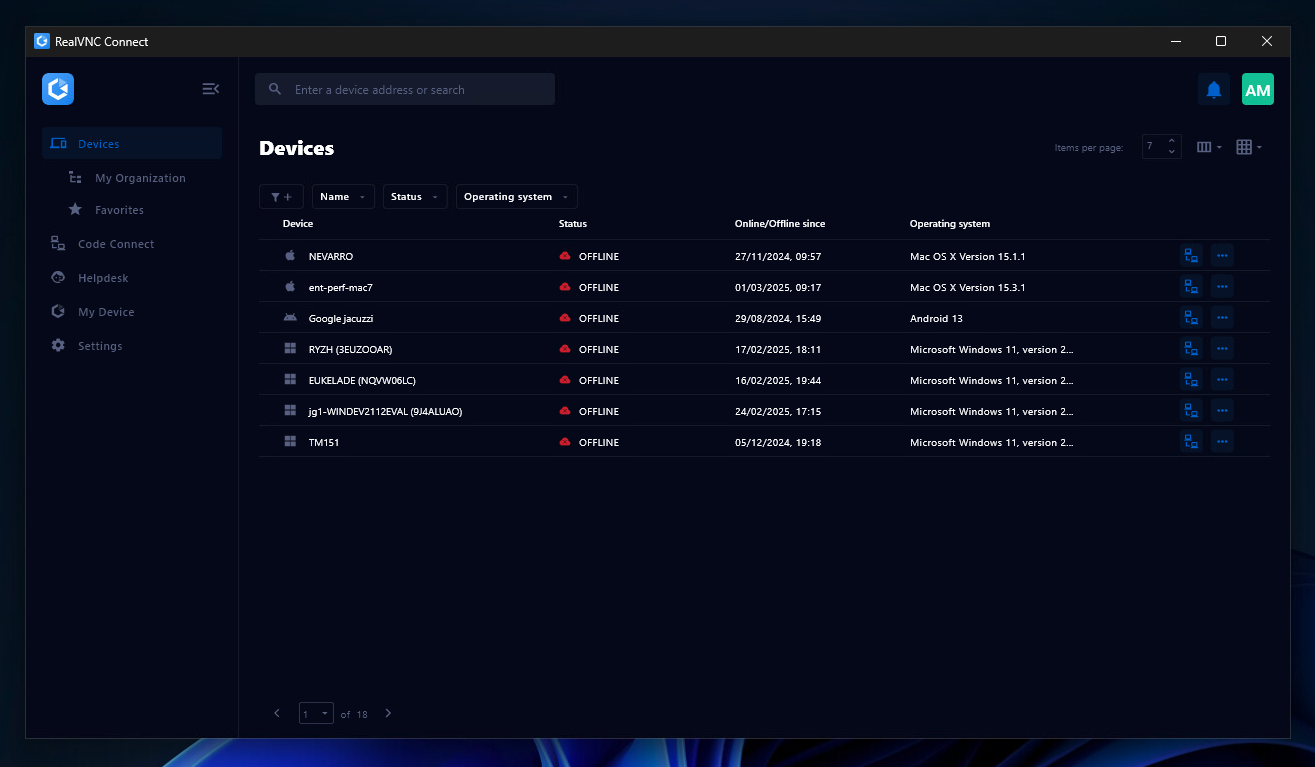
RealVNC® Connect is a secure remote access solution from RealVNC. It can be used to connect to a remote device anywhere in the world to view its desktop in real-time and take control as though sitting in front of it.
$8.25
per month (billed annually) per concurrent session
Pricing
NinjaOne
RealVNC Connect
Editions & Modules
No answers on this topic
Essentials
$8.25
per month (billed annually) per concurrent session
Plus
$16.50
per month (billed annually) per concurrent session (add up to 3)
Premium
$29.75
per month (billed annually) per concurrent session (add up to 5)
Enterprise
Custom Pricing
per year
Enterprise
Custom Pricing
Offerings
Pricing Offerings
NinjaOne
RealVNC Connect
Free Trial
Yes
Yes
Free/Freemium Version
No
Yes
Premium Consulting/Integration Services
No
No
Entry-level Setup Fee
No setup fee
No setup fee
Additional Details
NinjaOne is a subscription service with a charge rate per month. For more detailed pricing information, contact NinjaOne directly to request a demo or to start 14-days free trial.
Plans work on a Per Concurrent Session basis. Each plan gives access to a bundled number of devices, but limits apply to the amount of devices that can be connected at any given time.
The Premium plan includes On-Demand Assist, a useful tool for providing just-in-time remote support to end-users without them needing RealVNC Connect installed on their device.
More Pricing Information
Community Pulse
NinjaOne
RealVNC Connect
Features
NinjaOne
RealVNC Connect
Monitoring Tasks
Comparison of Monitoring Tasks features of Product A and Product B
NinjaOne
8.9
Ratings
18% above category average
RealVNC Connect
-
Ratings
Remote monitoring
8.80 Ratings
00 Ratings
Network device monitoring
7.50 Ratings
00 Ratings
Activity Monitoring
8.40 Ratings
00 Ratings
Management Tasks
Comparison of Management Tasks features of Product A and Product B
NinjaOne
8.6
Ratings
14% above category average
RealVNC Connect
-
Ratings
Patch Management
8.90 Ratings
00 Ratings
Policy-based automation
8.80 Ratings
00 Ratings
Remote Administration
Comparison of Remote Administration features of Product A and Product B
NinjaOne
-
Ratings
RealVNC Connect
7.3
Ratings
11% below category average
Screen sharing
00 Ratings
9.00 Ratings
File transfer
00 Ratings
8.00 Ratings
Instant message
00 Ratings
6.10 Ratings
Secure remote access with Smart Card authentication
Whether you are an MSP who needs an all-in-one solution for device management, or you are in-house IT who needs a single pane of glass to manage your devices, NinjaOne fits the bill as a top tier solution. The amount of flexibility in scaling to your organization's size is impressive as the platform can be as simple as just using it for remote access, all the way up to deploying comprehensive automation packages in the form of a compound condition that bases its actions on the results of other conditions or scripts.
It is very easy to use if the remote device is already set up to receive connections, so if you are setting up devices before deploying them, it is a great tool to have. It is well-suited to use when shadowing users or using it as a teaching tool. There are other products that are better if you are trying to help someone on a one-use basis.
With Ninja, we are able to have all of our IT tools and management under one umbrella making it extremely easy to keep an eye on all of our servers and workstations.
Their support team is OUTSTANDING and gives quick and helpful answers to our questions. Our account manager calls us personally to review any issues and ensure we are running smoothly.
Ninja gives us automated patch management of our important devices, and has a nice security log to see what's been done.
Some of the confusion of VNC upon installation is you need to be connected to the internet for it to function. This is not the case, but is unclear upon installation.
The licensing model is not ideal for locations that do not use the internet and function off of the grid.
I have not had any real issues with NinjaOne and as long as it keeps doing what it is meant to do, I do not plan on looking elsewhere. I need software to be stable and NinjaOne is stable.
VNC is a solid product for the price. It simply works and its reliable across different platforms. Some products state they work well in the Mac environment but don't deliver. This one does what it says. Connections are reliable, but of course, this depends on internet connections. The product works well over wireless connections as well. It delivers on what a remote tool should deliver on. My technicians are happy with the product and customers appreciate the ease of use when letting us connect to their systems. Some also appreciate the remote support while they are multi-task.
Ninja's interface is clean and simple. Overall usability from an interface perspective is good. Some items, policies and scripting for instance, are a bit cumbersome and it's really not clear how to implement with a best practice mind-site. Ninja RMM got the job done for us but as we pushed our needs more into automation and efficiency we felt it wasn't keeping up with our speed of growth. There is definitely usability in the product, and it will get the job done, but there are other RMM's out there that fit better in our business.
It's a niche product and in that niche they try to cater to as many use cases as they can. Other as a TCO aspect i don't see many use cases where you can't use this product as the one tool for all remote session use cases in your company
Support has been very responsive and my account rep Brian K. has communicated with me continuously making sure we had everything we need. Not like other MDMs where they sign you up and that's the last you hear from them. NinjaOne makes sure you use the product to its best application and you are successful and continue as the product features grow.
VNC Connect is a reliable product that has been around for a long time. It is reasonably priced and works well in the Mac & PC environment. When you have a small team that supports many users we need tools that we can rely upon and that will get the job done on the first try. Many customers appreciate the quick assistance and can multi-task while our team works on their computer issues remotely. From a customer service point of view, this tool gives us transparency and efficient effectiveness.
Easy to learn and all of the functions and features were easy to learn. Once I started learning all of the features and functions, it made my everyday tasks much easier and more productive. The user interface is very easy to use. If I did have any questions, the Ninja Dojo was a big help.
It was nice and self paced learning. The sections were easy to understand and the functionality was very worthwhile. The online training was very easy to learn and intuitive. I did not feel the need to ask for any clarification or assistance with any of the sections. I am still learning a lot of the functions but fined it very easy to use.
The training is very informative, quick and to the point. All of the details one would need are present so the user doesn't have to go searching for additional information just to use the application. The layout of the training was also neat and concise, some of the other training sessions for other companies I've done in the past were confusing and not well thought out, this one is much more superior
We used Auto Task and Datto. We felt that NinjaOne was a more user friendly platform. There was a large training curve for new employees to learn to use Auto Task. We have noticed a shortened training curve for NinjaOne. We really like the layout and the Ninja Academy.
VNC Connect stacks up very well to other competitors. With this simple program, you can remotely connect and access other computers with the same VNC Connect agent installed. The only reason we're moving away from using this is that our current Ninja RMM Tools computer monitoring agent includes the TeamViewer tool for us to use.
NinjaOne is a monthly payment with no commitment, this is much better suited to an MSP than other competitors that try to wrap you up into a 3-5-year contract. As an MSP, we could lose a client at any moment and it sucks to be stuck in a contract where we can't lower our agent counts.
NinjaOne helps my techs be more efficient and productive. Saving time and money.
I have just used the software for about 1 month and so far so god. I am saving time whenever I can access my client's computers from my desk as opposed to having to leave my office to go to their offices. Saves me time and the client money.