NICE CXone Mpower is a cloud-based contact center platform that manages customer interactions across multiple communication channels. It includes features such as automatic call distribution (ACD), interactive voice response (IVR), omnichannel routing, workforce optimization, feedback management, and interaction analytics.
$71
per month per user
Playvox
Score7 out of 10
N/A
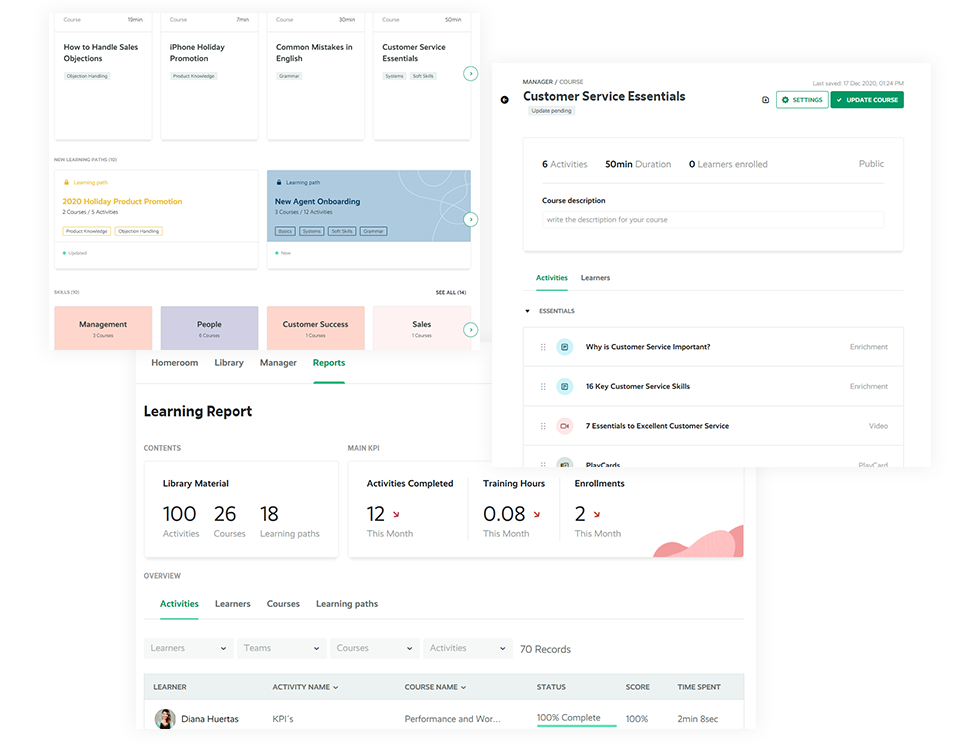
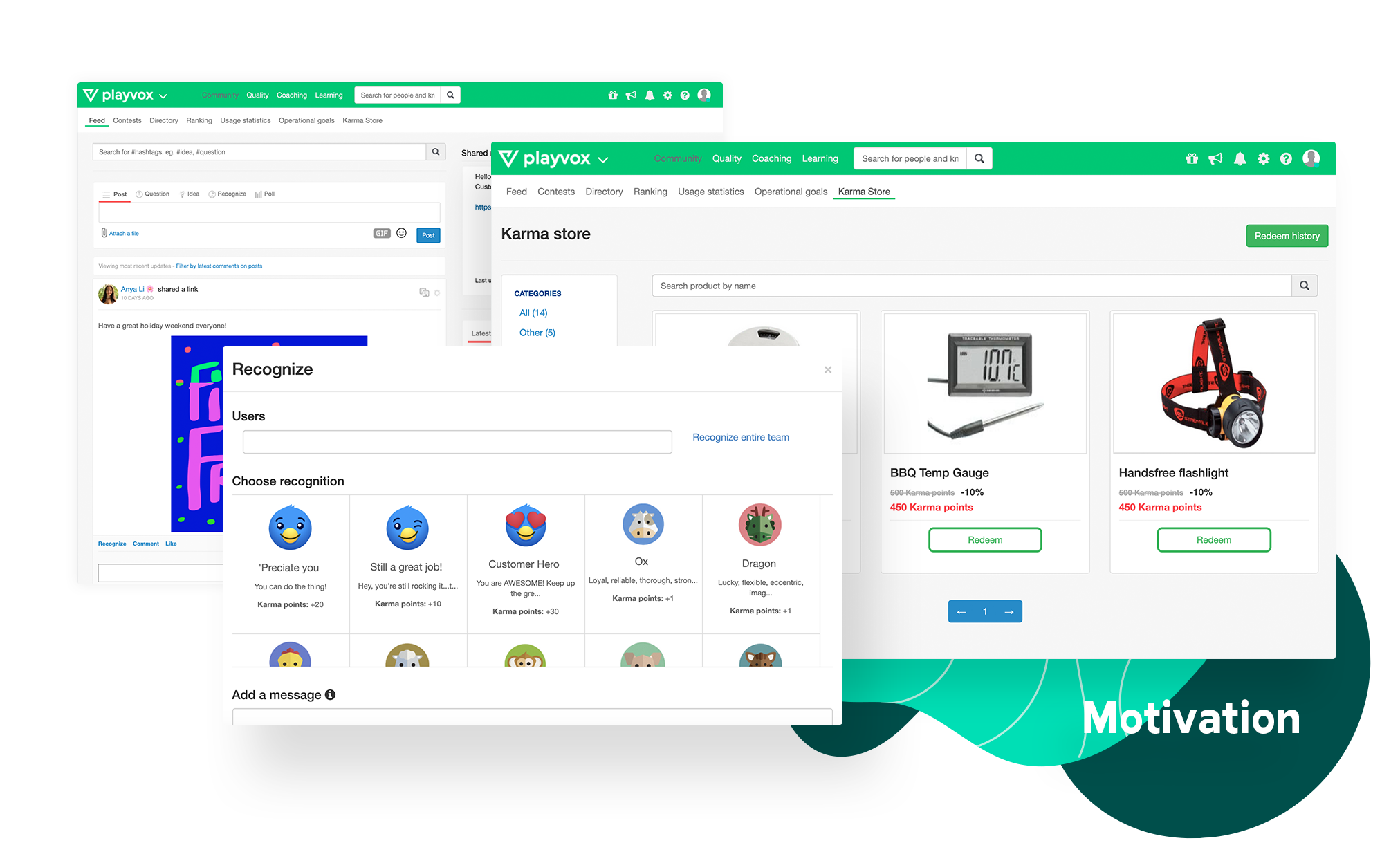
Playvox, headquartered in Sunnyvale, California, offers their call center agent monitoring, coaching and QA platform, designed to motivate and improve the performance of call center agents and reps.
NICE CXone Mpower offers a great suite of products and tools appropriate for contact centers. It is a one stop shop for all of the monitoring, scheduling, reporting, and quality tools a large or small contact center may need. It is very feature rich and has many components, some of which we haven't even grown to adopt yet but may in the near future.
A de minimis incentive was given to thank the reviewer for their time. The incentive was not used to bias or drive a particular response, nor was the incentive contingent on a positive endorsement. More Info
Playvox is well suited to rate and track process adherence and work quality percentual. It is also great to document coaching and track advisors' development, as well as to do knowledge checks through quizzes. It is not so appropriate if you need to see the previous coachings made, since those cannot be opened when they finished.
A de minimis incentive was given to thank the reviewer for their time. The incentive was not used to bias or drive a particular response, nor was the incentive contingent on a positive endorsement. More Info
A de minimis incentive was given to thank the reviewer for their time. The incentive was not used to bias or drive a particular response, nor was the incentive contingent on a positive endorsement. More Info
A de minimis incentive was given to thank the reviewer for their time. The incentive was not used to bias or drive a particular response, nor was the incentive contingent on a positive endorsement. More Info
There can be changes in interface of the app, however it's still very good
I would appreciete detailed web page with all necessary information, but when I need anything, the customer support is very quick and provide all the information
A de minimis incentive was given to thank the reviewer for their time. The incentive was not used to bias or drive a particular response, nor was the incentive contingent on a positive endorsement. More Info
The speed of loading the chat that I am evaluating for the customer service representative because sometimes it shows that there is an error in the load.
A de minimis incentive was given to thank the reviewer for their time. The incentive was not used to bias or drive a particular response, nor was the incentive contingent on a positive endorsement. More Info
Nice made it possible for employees to work from anywhere with access to the internet, it made it possible to extract data from contacts in a very thorough way. In addition, the meticaes can be fully customized and the day-to-day monitoring of the operation is more visible.With nice, contacts with clients abroad became easier.
A de minimis incentive was given to thank the reviewer for their time. The incentive was not used to bias or drive a particular response, nor was the incentive contingent on a positive endorsement. More Info
I do not think my organization has and 2nd thought of changing the Playvox because I am sure they cannot find another option that is as easy and smooth. There is no other option at all. Playvox is being used here in every department and the company cannot run without this. Now it is a basic need of this business
A de minimis incentive was given to thank the reviewer for their time. The incentive was not used to bias or drive a particular response, nor was the incentive contingent on a positive endorsement. More Info
The lack of written SOPs makes some features (WFM / Performance management) very difficult to use. The training provided by NICE is extensive, but it's hard to remember everything shared in the hour. We spend so much time on the platform just trying to figure out how to use the features; it would be much easier with written instructions and screenshots.
A de minimis incentive was given to thank the reviewer for their time. The incentive was not used to bias or drive a particular response, nor was the incentive contingent on a positive endorsement. More Info
Playvox is an easy-to-use platform, all features are intuitive, which makes navigation easy. I never found navigation problems, I was always able to find all the items I needed, all the information is well separated, what could improve is the possibility of moving some items, putting the ones that I use the most in evidence.
NICE inContact CXone is available when you need it. I have been using it for about a year and I have never suffered any issues that caused my not to have access to the product. If there are updates, they must be downloaded and install in the background because I do not see them
A de minimis incentive was given to thank the reviewer for their time. The incentive was not used to bias or drive a particular response, nor was the incentive contingent on a positive endorsement. TR verified that a representative sample of customers was invited. More Info
A de minimis incentive was given to thank the reviewer for their time. The incentive was not used to bias or drive a particular response, nor was the incentive contingent on a positive endorsement. More Info
NICE inContact CXone performs very well even on old computers that are limited in resources. I use a older computer with limited memory and it seems to handle NICE inContact CXone very well in most cases. There will be times when it acts up for whatever reason bust over ninety percent of the time.
A de minimis incentive was given to thank the reviewer for their time. The incentive was not used to bias or drive a particular response, nor was the incentive contingent on a positive endorsement. TR verified that a representative sample of customers was invited. More Info
do pages load quickly? yes / Do reports complete in a reasonable time frame, given their complexity? yes i think / If Playvox integrates with any other software or systems, does it tend to slow them down? i don't know
A de minimis incentive was given to thank the reviewer for their time. The incentive was not used to bias or drive a particular response, nor was the incentive contingent on a positive endorsement. More Info
inContact only allows specific users to contact them for support. Even though I use the product daily and it accounts for a large amount of my workload, I still have to contact an authorized user to create an incident. These users are managers and their schedules are very busy. This can result in delays in incidents being opened and resolved.
A de minimis incentive was given to thank the reviewer for their time. The incentive was not used to bias or drive a particular response, nor was the incentive contingent on a positive endorsement. More Info
We have had multiple live trainings (Zoom). The training at the beginning of the set up was top notch. We had some additional questions about coaching and they jumped on the opportunity to help us. We have a designated trainer and account manager.
A de minimis incentive was given to thank the reviewer for their time. The incentive was not used to bias or drive a particular response, nor was the incentive contingent on a positive endorsement. More Info
The In-person training was fine for a general overview. I think it would have been really helpful to have a review of pre-built reports and how to use them as tools.
A de minimis incentive was given to thank the reviewer for their time. The incentive was not used to bias or drive a particular response, nor was the incentive contingent on a positive endorsement. More Info
I would rate 10, since the explanations were far enough to catch all the usabilities.I would rate 10, since the explanations were far enough to catch all the usabilities.I would rate 10, since the explanations were far enough to catch all the usabilities.I would rate 10, since the explanations were far enough to catch all the usabilities.
A de minimis incentive was given to thank the reviewer for their time. The incentive was not used to bias or drive a particular response, nor was the incentive contingent on a positive endorsement. More Info
We love the use of our new tools. However, NICE staff turnover was frustrating. We lost ground each time a new team took over. Some people were good some were not as much. Some people did great training while others were not as helpful
A de minimis incentive was given to thank the reviewer for their time. The incentive was not used to bias or drive a particular response, nor was the incentive contingent on a positive endorsement. More Info
From the day first, we were active on Playvox and happy with the features. It does not take much time to understand its features and its performance. A few training sessions with 'How to use' and we are experts using Playvox.
A de minimis incentive was given to thank the reviewer for their time. The incentive was not used to bias or drive a particular response, nor was the incentive contingent on a positive endorsement. More Info
When it comes to this specific situation (cell centers) NICE definitely has an ADP beat. The analytics, scheduling, and forecasts are extremely well-tailored for this situation. ADP has a more comprehensive solution in my opinion - I feel their UI and mobile app are also more user-friendly. But in terms of performance management functionality, NICE has a more robust system and is able to create additional metrics if we need them When I used ADP there were no custom options available.
A de minimis incentive was given to thank the reviewer for their time. The incentive was not used to bias or drive a particular response, nor was the incentive contingent on a positive endorsement. More Info
I selected Playvox as it is the platform my organization uses. I've never worked with another platform like this. In other companies I worked, procedures, communications, and training were not saved, they were only communicated verbally and sometimes a document with what should be done, but nothing compared to the ease of using a Playvox.
A de minimis incentive was given to thank the reviewer for their time. The incentive was not used to bias or drive a particular response, nor was the incentive contingent on a positive endorsement. More Info
I rated 10, because Nice CX one is very much functional. You can simply acess it by website Nice, in any navigator, desktop, notebook or mobile, so you can in a fast way run on every departament of the company.
A de minimis incentive was given to thank the reviewer for their time. The incentive was not used to bias or drive a particular response, nor was the incentive contingent on a positive endorsement. More Info
A de minimis incentive was given to thank the reviewer for their time. The incentive was not used to bias or drive a particular response, nor was the incentive contingent on a positive endorsement. More Info
A de minimis incentive was given to thank the reviewer for their time. The incentive was not used to bias or drive a particular response, nor was the incentive contingent on a positive endorsement. More Info
Playvox directly impacts our Happiness ratings. From an average of 85% great ratings to 90% great ratings in a matter of 3-6 months.
Playvox impacts the number of responses our team has to send in order to find a solution for the customer. Dropping average replies to solution from 3 to 2.
A de minimis incentive was given to thank the reviewer for their time. The incentive was not used to bias or drive a particular response, nor was the incentive contingent on a positive endorsement. More Info