NGINX vs. Postman

Overview
ProductRatingMost Used ByProduct SummaryStarting Price
NGINX
Score 9.2 out of 10
Enterprise companies (1,001+ employees)
NGINX, a business unit of F5 Networks, powers over 65% of the world's busiest websites and web applications. NGINX started out as an open source web server and reverse proxy, built to be faster and more efficient than Apache. Over the years, NGINX has built a suite of infrastructure software products o tackle some of the biggest challenges in managing high-transaction applications. NGINX offers a suite of products to form the core of what organizations need to create…N/A
Postman
Score 8.8 out of 10
N/A
Postman, headquartered in San Francisco, offers their flagship API development and management free to small teams and independent developers. Higher tiers (Postman Pro and Postman Enterprise) support API management, as well as team collaboration, extended support and other advanced features.
$0
Pricing
NGINXPostman
Editions & Modules
No answers on this topic
Postman Free Plan
$0.00 US Dollars
Postman Basic Plan
$12 US Dollars
per month per user
Postman Professional Plan
$29 US Dollars
per month per user
Postman Enterprise Plan
$99 US Dollars
per month per user
Offerings
Pricing Offerings
NGINXPostman
Free Trial
YesNo
Free/Freemium Version
YesYes
Premium Consulting/Integration Services
NoNo
Entry-level Setup FeeOptionalNo setup fee
Additional Details1. Postman Free plan: Start designing, developing, and testing APIs at no cost for teams of up to three people. 2. Postman Basic plan: Collaborate with your team to design, develop, and test APIs faster; $12/month per user, billed annually 3. Postman Professional plan: Centrally manage the entire API workflow; $29/month per user, billed annually 4. Postman Enterprise plan: Securely manage, organize, and accelerate API-first development at scale; $99/month per user, billed annually
More Pricing Information
Community Pulse
NGINXPostman
Features
NGINXPostman
Application Servers
Comparison of Application Servers features of Product A and Product B
NGINX
7.8
Ratings
2% below category average
Postman
-
Ratings
IDE support7.20 Ratings00 Ratings
Security management8.00 Ratings00 Ratings
Administration and management7.00 Ratings00 Ratings
Application server performance8.00 Ratings00 Ratings
Installation9.70 Ratings00 Ratings
Open-source standards compliance7.00 Ratings00 Ratings
API Management
Comparison of API Management features of Product A and Product B
NGINX
-
Ratings
Postman
7.6
Ratings
9% below category average
API access control00 Ratings8.00 Ratings
Rate limits and usage policies00 Ratings7.10 Ratings
API usage data00 Ratings8.10 Ratings
API user onboarding00 Ratings8.30 Ratings
API versioning00 Ratings6.50 Ratings
Usage billing and payments00 Ratings8.00 Ratings
API monitoring and logging00 Ratings7.00 Ratings
Best Alternatives
NGINXPostman
Small Businesses
Apache HTTP Server
Apache HTTP Server
Score 8.4 out of 10
NGINX
NGINX
Score 9.2 out of 10
Medium-sized Companies
Apache Tomcat
Apache Tomcat
Score 7.9 out of 10
NGINX
NGINX
Score 9.2 out of 10
Enterprises
Apache Tomcat
Apache Tomcat
Score 7.9 out of 10
NGINX
NGINX
Score 9.2 out of 10
All AlternativesView all alternativesView all alternatives
User Ratings
NGINXPostman
Likelihood to Recommend
8.8
(0 ratings)
9.0
(0 ratings)
Likelihood to Renew
9.1
(0 ratings)
-
(0 ratings)
Usability
9.0
(0 ratings)
8.5
(0 ratings)
Support Rating
8.1
(0 ratings)
7.1
(0 ratings)
Ease of integration
-
(0 ratings)
9.0
(0 ratings)
User Testimonials
NGINXPostman
Likelihood to Recommend
Nginx is well suited for serving any static content - whether that be images, JS files, HTML files, CSS files, videos, etc. If you have a high-traffic website, Nginx will be a great fit because it handles large number of requests extremely efficiently. Nginx has full support on Unix systems, but only has limited support on Microsoft Windows machines.
Read full review
Postman is good for organising your API credentials, vendor settings, environments etc. It's also a good way of getting stared with APIs as you get to use a GUI which can help you understand what we mean by a 'body' or 'bearer token'. I think people generally gravitate towards GUI tools for getting started in a new technology area.
Read full review
Pros
  • Straight-forward configuration format that users of all skill levels can learn, and yet is powerful enough for the huge breadth of features that Nginx provides.
  • Massive scale right out the box. We've never had a Nginx instance overwhelmed by requests, and if we did it would be trivial to spin up more Nginx instances to handle the load.
  • SSL termination means that we can deliver content over HTTPS without needing our individual services to require TLS support. This saves us a lot of time and headache while keeping us secure.
  • Nginx is open-source and free, meaning that anyone can use it to power their services, from individual projects to billion-dollar websites.
Read full review
  • It has opened a door for me to explore more out of it, as it is associated with so many APIs that I never felt any difficulty in finding the right API template, which are well organized and easily available.
  • It is very secure to use and provides great services which are user-friendly.
  • Due to this software I have got rid of the excessive emails and the slack channels, Now I am using my own private API and even it give me an option to produce my personal Postman’s API Builder from its Private API Network and this features has shared my excessive workload.
Read full review
Cons
  • Nginx often requires some initial configuration. It's worth doing, because you'll end up with great results, but it can be slightly daunting for someone to get started using it. Apache might have a leg up in that regard--When you install Apache, typically it's just about ready to do what you want already. But the issue with Apache is that most people skip the extensive tuning phase required after that, and with nginx it becomes more just a part of the configuration process.
  • Sometimes, the configuration syntax, even though it's powerful and terse, isn't the most intuitive. Luckily there's plenty of documentation about what things mean and how to accomplish certain things. There may not be much that can be done about this--to have a powerful web server, you need a powerful-enough configuration language.
  • The nginx brand is somewhat fragmented, and it can be confusing. There's the open source nginx web server, which I've primarily been referring to. But then there's NGINX Plus, a premium subscription-based service which works with a range of other NGINX products (NGINX WAF, NGINX Amplify, NGINX Controller). I've met a number of people who weren't very familiar with nginx, and instinctively went to nginx.com first, and from there it seems like everything costs money. It's only when they realize there's a different site, nginx.org, that they find what they went looking for.
Read full review
  • Wherever you need to automate tests that involve database verification or rely on data from databases, Postman is less suitable.
  • Postman's disc usage is extremely high, and it occasionally causes the computer to fade.
  • It doesn't have the ability to generate random data. To achieve randomness in my tests, I've been working around scripts.
Read full review
Likelihood to Renew
Great value for the product
Read full review
No answers on this topic
Usability
Front end proxy and reverse proxy of Nginx is always useful. I always prefer to Nginx in overall usability when you have application server and database or multiple application servers and single database i.e. clustered application. Nginx provides really good features and flexibility which helps the system administrator in case of troubleshooting and also from the administration perspective. Also, Nginx doesn't delay any request because of internal performance issues.
Read full review
1. Friendly user friendly - when I started using Postman, I was a beginner to the API world, and it gave me a friendly view to begin its usage 2. Postman offers many features, including API testing, monitoring, documentation, and mock servers 3. Environment variables simplify testing across multiple environments (dev, prod) without repetitive configuration.
Read full review
Support Rating
Community support is great, and they've also had a presence at conferences. Overall, there is no shortage of documentation and community support. We're currently using it to serve up some WordPress sites, and configuring NGINX for this purpose is well documented.
Read full review
There is a lot of in-depth documentation for Postman available online, including detailed guides with screenshots and videos. They provide example APIs for new users to explore while learning how to use the tool. Generally, bugs in the client are quickly addressed through frequent free updates. Community and professional support options are available - most of the time, the free/community level support is adequate
Read full review
Alternatives Considered
I have found that [NGINX] seems to perform better throughout the years with less issues although I've used Apache more. I would definitely recommend [NGINX] for any high volume site and I've seen this to usually be the case from most provided web hosts who will pick [NGINX] over alternatives
Read full review
Previous to using Postman, I would either use browser tools directly, or write an in-house tool to send requests. Postman eliminates that need while providing a much better experience and more features. At the base level, Postman is as simple as typing in the address as you would in a browser. Authentication can be provided simply as well.
Read full review
Return on Investment
  • When we first migrated our primary bidding environment architecture to Nginx, it was under duress due to Apache's inability to keep up when we consolidated away from an HAproxy model to a central HTTP proxy. So we even when we did not know what we were doing, we were able to make it work in a bad situation, and everyone was quite happy.
  • The biggest complaint I have is that I find the module compilation requirements for nginx+ rather burdensome. If we pay for Nginx+, I'd love to see then have pre-built modules for ready for each release of more modules. We are spending our own time engineering an in-house solution for module testing for nginx+ releases, which is disappointing.
  • I've also, as the primary Nginx person at my organization, inserted my expertise into other projects, and have saved our company lots of money getting rid of big $$$ appliances for general SSL proxying.
  • Speaking of Nginx replacing SSL appliances, we had an instance where we had to suddenly enable elliptic-curve SSL ciphers and our big $$$ appliances (you know who they are), were falling over. Even their SSL accelerator cards, after all, are just a few extra cores to process SSL. But in an environment of our size, we use DNS to spread the load to hundreds of frontend proxies with dozens of cores each to spread this load out, all at a lower price than ONE of the appliance pairs running Nginx. We couldn't even tell the change in load in our Nginx architecture when we enabled the ciphers.
Read full review
  • Postman is free (although there's a paid tier that offers more features) so using it for testing APIs comes with little to no risk (besides learning curve).
  • The learning curve is a little steep for non-developer users, but developers should find it easy to pick up and use right out of the box, so to speak.
Read full review
ScreenShots

NGINX Screenshots

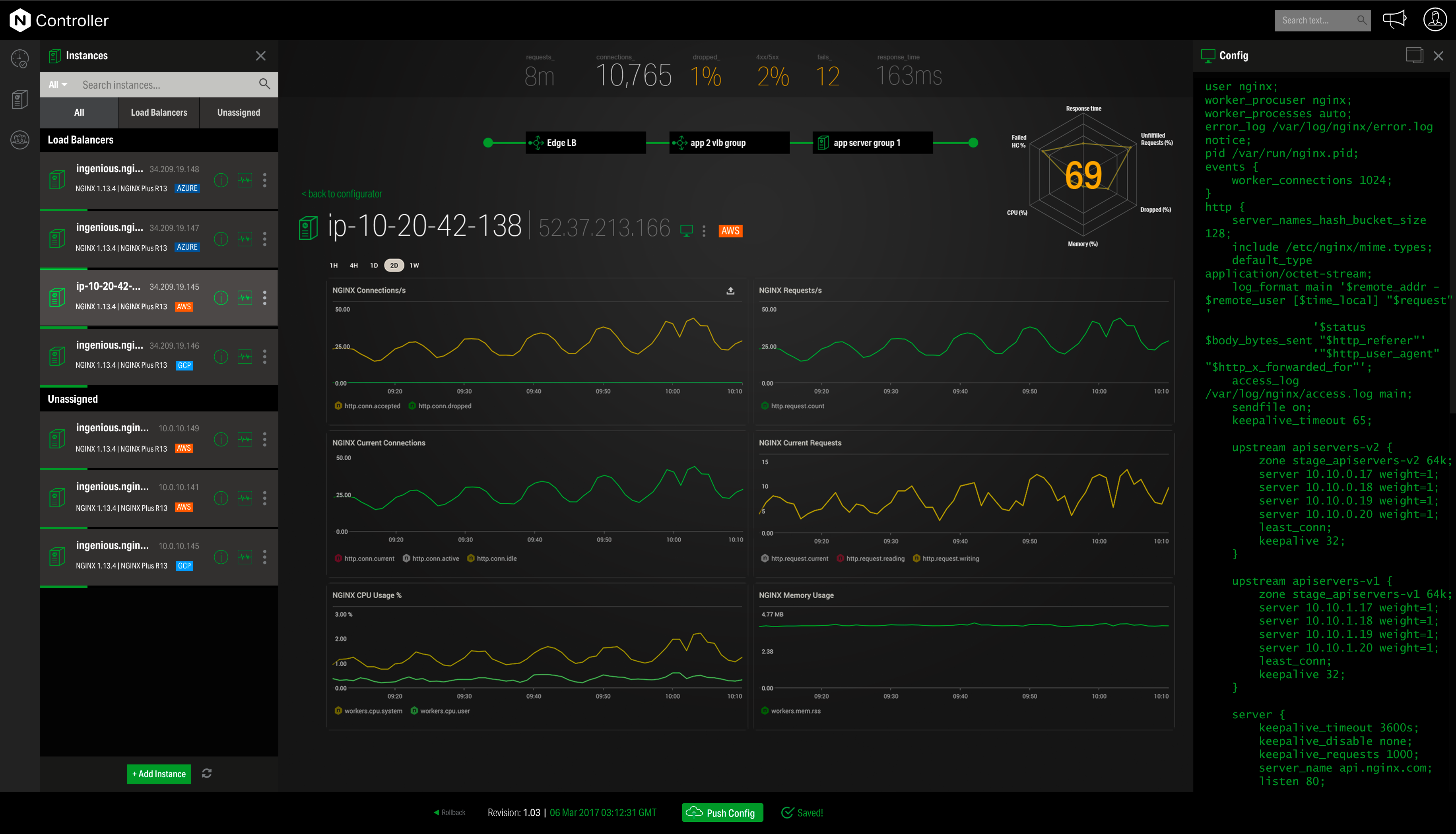
Screenshot of Overview of the NGINX Application PlatformScreenshot of NGINX Controller - MonitoringScreenshot of NGINX Controller - Configuration

Postman Screenshots

Screenshot of API design - You can design your API specifications in Postman using OpenAPI, RAML, GraphQL, or SOAP formats. Postman’s schema editor makes it easy to work with specification files of any size, & it validates specifications with a built-in linting engine.Screenshot of API documentation - Postman automatically generates documentation & supports markdown-enabled and machine-readable documentation. Docs automatically include request details & sample code. Share the docs with your team, in a public workspace, or in a dedicated portal.Screenshot of API testing - Build and run functional, integration, & regression tests directly in Postman or as part of your CI/CD pipeline with Newman (Postman’s a command-line Collection Runner that enables you to run & test a collection from the command line).Screenshot of Public workspaces - Public workspaces allow you to share your APIs publicly with anyone. You can use public workspaces to gather feedback on your APIs, onboard developers quickly, or just showcase your work.Screenshot of Reporting - Postman generates reports that enable you to visualize data for team metrics and usage, & for API activities such as creation, collection execution, and test runs. Use reports to get insights on performance, troubleshooting, & SLA adherence.