CatalogExpress vs. SQL Server Integration Services

Overview
ProductRatingMost Used ByProduct SummaryStarting Price
CatalogExpress
Score 0.0 out of 10
N/A
nexoma's software solution "CatalogExpress" is a versatile SaaS tool for data syndication. It consolidates product data from one or multiple sources and file formats (CSV, XML, JSON, XLSX, etc.) and prepares these datasets for customer-specific target formats. The desired exchange formats (e.g., XLSX, BMEcat, xChange, FAB DIS) including classifications such as ETIM or ECLASS, are then exported with optimized product data and distributed manually or on a schedule to customers,…N/A
SSIS
Score 6.5 out of 10
N/A
Microsoft's SQL Server Integration Services (SSIS) is a data integration solution.N/A
Pricing
CatalogExpressSQL Server Integration Services
Editions & Modules
No answers on this topic
Offerings
Pricing Offerings
CatalogExpressSSIS
Free Trial
NoNo
Free/Freemium Version
NoNo
Premium Consulting/Integration Services
NoNo
Entry-level Setup FeeRequiredNo setup fee
Additional Details
More Pricing Information
Community Pulse
CatalogExpressSQL Server Integration Services
Features
CatalogExpressSQL Server Integration Services
Data Source Connection
Comparison of Data Source Connection features of Product A and Product B
CatalogExpress
-
Ratings
SQL Server Integration Services
7.5
Ratings
11% below category average
Connect to traditional data sources00 Ratings8.80 Ratings
Connecto to Big Data and NoSQL00 Ratings6.20 Ratings
Data Transformations
Comparison of Data Transformations features of Product A and Product B
CatalogExpress
-
Ratings
SQL Server Integration Services
8.1
Ratings
1% below category average
Simple transformations00 Ratings8.50 Ratings
Complex transformations00 Ratings7.70 Ratings
Data Modeling
Comparison of Data Modeling features of Product A and Product B
CatalogExpress
-
Ratings
SQL Server Integration Services
7.4
Ratings
7% below category average
Data model creation00 Ratings8.60 Ratings
Metadata management00 Ratings7.10 Ratings
Business rules and workflow00 Ratings8.20 Ratings
Collaboration00 Ratings7.30 Ratings
Testing and debugging00 Ratings6.10 Ratings
Data Governance
Comparison of Data Governance features of Product A and Product B
CatalogExpress
-
Ratings
SQL Server Integration Services
6.9
Ratings
16% below category average
Integration with data quality tools00 Ratings7.40 Ratings
Integration with MDM tools00 Ratings6.40 Ratings
Best Alternatives
CatalogExpressSQL Server Integration Services
Small Businesses

No answers on this topic

Skyvia
Skyvia
Score 9.9 out of 10
Medium-sized Companies

No answers on this topic

IBM InfoSphere Information Server
Score 8.0 out of 10
Enterprises

No answers on this topic

IBM InfoSphere Information Server
Score 8.0 out of 10
All AlternativesView all alternativesView all alternatives
User Ratings
CatalogExpressSQL Server Integration Services
Likelihood to Recommend
-
(0 ratings)
8.0
(0 ratings)
Likelihood to Renew
-
(0 ratings)
10.0
(0 ratings)
Usability
-
(0 ratings)
9.3
(0 ratings)
Performance
-
(0 ratings)
8.8
(0 ratings)
Support Rating
-
(0 ratings)
8.2
(0 ratings)
Implementation Rating
-
(0 ratings)
10.0
(0 ratings)
User Testimonials
CatalogExpressSQL Server Integration Services
Likelihood to Recommend
No answers on this topic
Ideal for daily standard ETL use cases whether the data is sourced from / transferred to the native connectors (like SQL Server) or FTP. Best if the company uses MS suite of tools. There are better options in the market for chaining tasks where you want a custom flow of executions depending on the outcome of each process or if you want advanced functionality like API connections, etc.
Read full review
Pros
No answers on this topic
  • SSIS works very well pulling well-defined data into SQL Server from a wide variety of data sources.
  • It comes free with the SQL Server so it is hard not to consider using it providing you have a team who is trained and experienced using SSIS.
  • When SSIS doesn't have exactly what you need you can use C# or VBA to extend its functionality.
Read full review
Cons
No answers on this topic
  • SSIS memory usage can be quite high particularly when SSI and SQL server are on the same machine
  • SSIS is not available on any environment other than Microsoft Windows
  • SSIS does not function with any database engine back-end other than Microsoft SQL Server
Read full review
Likelihood to Renew
No answers on this topic
SSIS is responsible for running core business processed managing core business data. It can be managed, improved and expanded using minimal internal resources. It is also able to support all of our current data infrastructure. Replacing SSIS would be time consuming and costly with no apparent ROI.
Read full review
Usability
No answers on this topic
SSIS has a drag and drop based developer interface, so it is relatively straight forward to get started. You can start to get into the weeds pretty quickly as your solution becomes more complex. However, most of the base functions are right in front of you for a developer. You can also set project and solution level parameters, so when you deploy to new environments, you don't have to jump into each package to change your variables and settings. (For example, default directory to ingest flat files).
Read full review
Performance
No answers on this topic
Raw performance is great. At times, depending on the machine you are using for development, the IDE can have issues. Deploying projects is very easy and the tool set they give you to monitor jobs out of the box is decent. If you do very much with it you will have to write into your projects performance tracking though.
Read full review
Support Rating
No answers on this topic
The support, when necessary, is excellent. But beyond that, it is very rarely necessary because the user community is so large, vibrant and knowledgable, a simple Google query or forum question can answer almost everything you want to know. You can also get prewritten script tasks with a variety of functionality that saves a lot of time.
Read full review
Implementation Rating
No answers on this topic
The implementation may be different in each case, it is important to properly analyze all the existing infrastructure to understand the kind of work needed, the type of software used and the compatibility between these, the features that you want to exploit, to understand what is possible and which ones require integration with third-party tools
Read full review
Alternatives Considered
No answers on this topic
I think SQL Server Integration Services is better suited for on-premises data movement and ADF is more suited for the cloud. Though ADF has more connectors, SQL Server Integration Services is more robust and has better functionality just because it has been around much longer
Read full review
Return on Investment
No answers on this topic
  • Without this, we would have to manually update a spreadsheet of our SQL Server inventory
  • We would also have poor alerting; if an instance was down we wouldn't know until it was reported by a user
  • We only have one other person who uses SQL Server Integration Services , he's the expert. It would fall to me without him and I would not enjoy being responsible for it.
Read full review
ScreenShots

CatalogExpress Screenshots

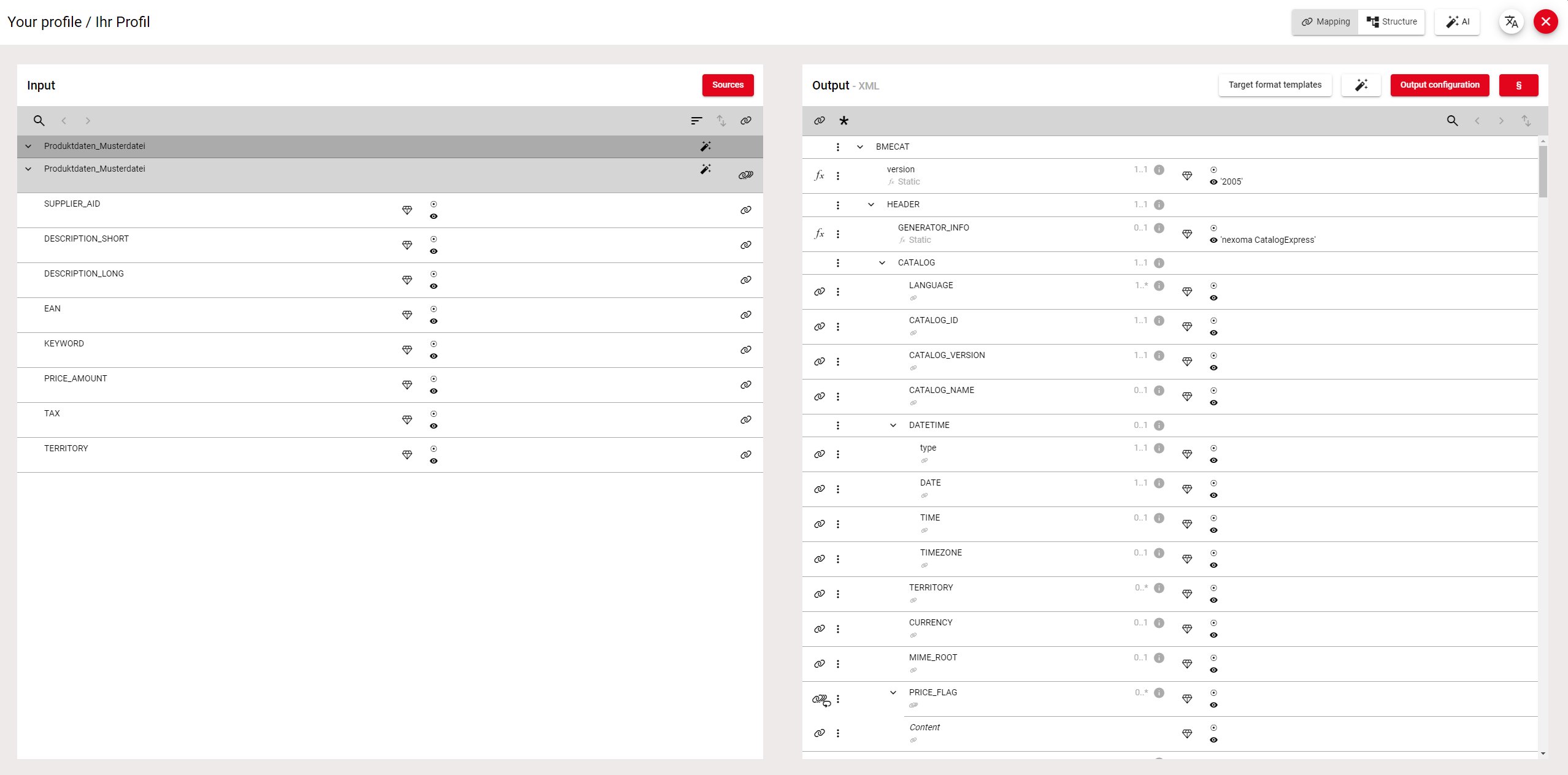
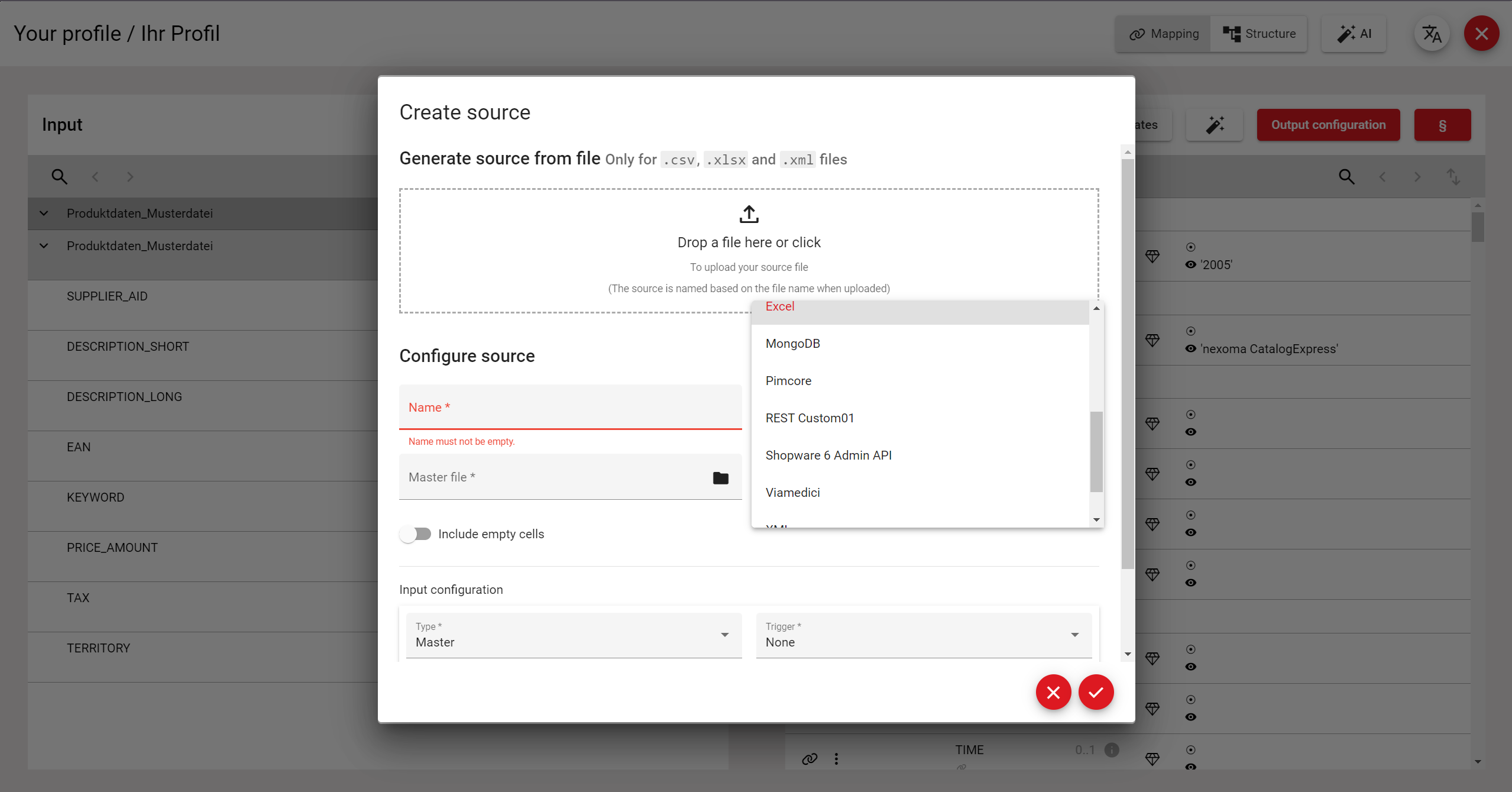
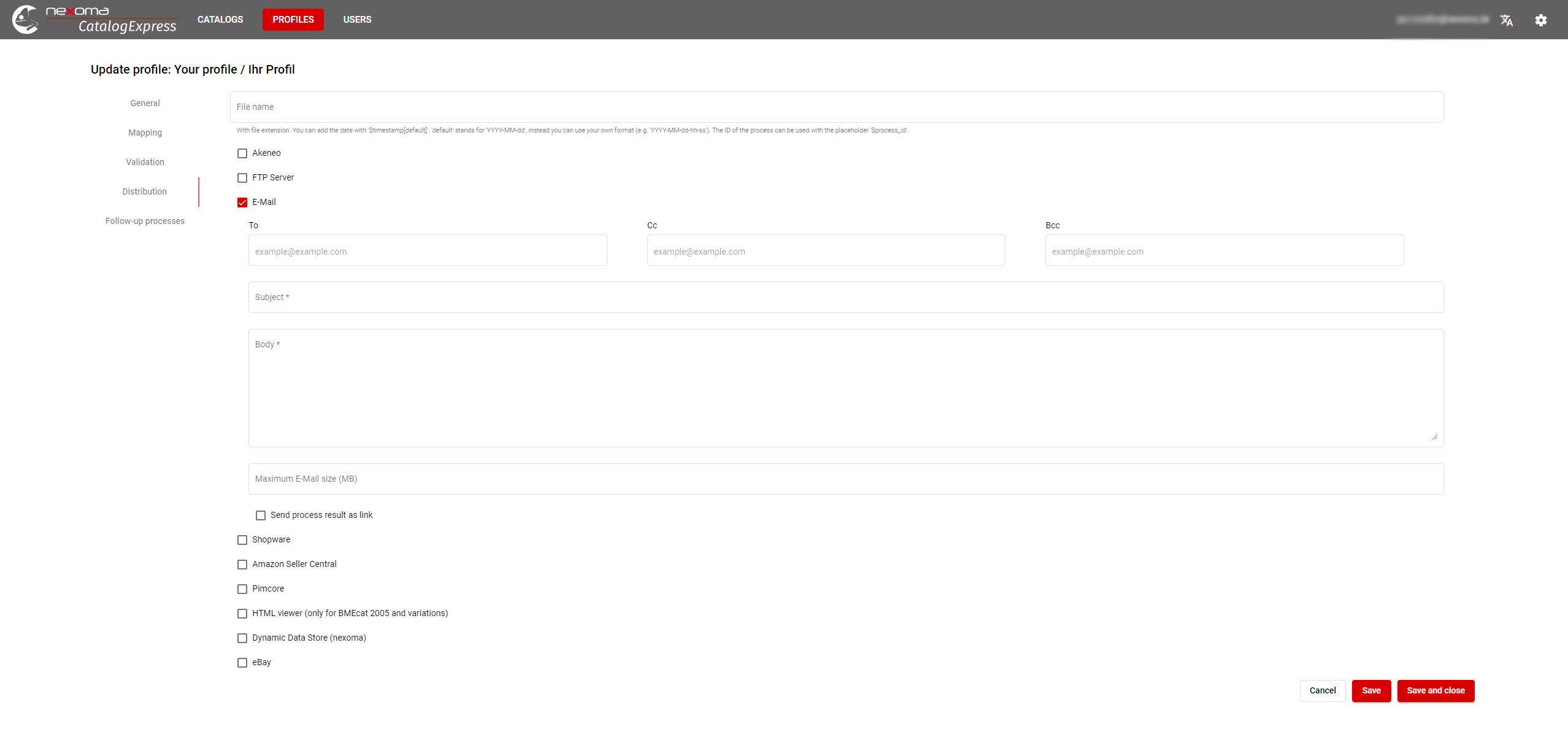
Screenshot of the CatalogExpress login page. The SaaS feed management solution consolidates and optimizes product data for seamless distribution across various channels and formats. It is currently operable in English, German, and Spanish, with more languages to be implemented sequentially.Screenshot of where CatalogExpress consolidates product data from various sources (CSV, XML, JSON, XLSX) and prepares it for customer-specific formats. This screenshot shows the data mapping UI, where source data can be mapped to corresponding target data fields. After mapping, the data can be verified against respective XSD schemas and generated in various formats (e.g., XLSX, BMEcat, ETIM xChange, and many more).Screenshot of the workflow where CatalogExpress consolidates data from multiple sources, including different file formats (e.g., single CSV tables) and several systems (PIM, ERP, DAM, MDM, and more), with existing connectors to systems like Akeneo, ATAMYA/eggheads, Contentserv, Crossbase, OMN by Apollon, Oxid, Pimcore, Shopware, and Viamedici.Screenshot of the interface in CatalogExpress where users can automatically distribute their generated data via email, SFTP, or API, ensuring compliance with quality standards through data verification against standard schemas or custom mechanisms.