Netmon 1U Server Appliance vs. SolarWinds Network Configuration Manager (NCM)

Overview
ProductRatingMost Used ByProduct SummaryStarting Price
Netmon 1U Server Appliance
Score 0.0 out of 10
Mid-Size Companies (51-1,000 employees)
Netmon is an all-in-one network monitoring appliance solution featuring real-time packet sniffing technology, device performance monitoring, syslog & event log monitoring and custom alerting in a centralized platform. With this solution, users can monitor their entire network with no device limits or per device license fees.
$5,995
Installation
SolarWinds Network Configuration Manager (NCM)
Score 8.3 out of 10
N/A
SolarWinds Network Configuration Manager is network diagnostics and troubleshooting technology, from Austin-based SolarWinds.N/A
Pricing
Netmon 1U Server ApplianceSolarWinds Network Configuration Manager (NCM)
Editions & Modules
Netmon Software Edition (Netmon-VM-250)
$5,995.00
Installation
Netmon 1U Server Appliance
$9,995.00
Appliance
No answers on this topic
Offerings
Pricing Offerings
Netmon 1U Server ApplianceSolarWinds Network Configuration Manager (NCM)
Free Trial
YesYes
Free/Freemium Version
NoNo
Premium Consulting/Integration Services
NoNo
Entry-level Setup FeeRequiredOptional
Additional DetailsNetmon Maintenance Package - Appliance Edition - $1,595 /USD - Annual Subscription: Toll Free Technical Support, Software Upgrades, Software Updates and Patches, Limited Hardware Warranty Netmon Maintenance Package - Appliance Edition - $1,095 /USD - Annual Subscription: Toll Free Technical Support, Software Upgrades, Software Updates and Patches
More Pricing Information
Community Pulse
Netmon 1U Server ApplianceSolarWinds Network Configuration Manager (NCM)
User Ratings
Netmon 1U Server ApplianceSolarWinds Network Configuration Manager (NCM)
Likelihood to Recommend
-
(0 ratings)
9.4
(0 ratings)
Likelihood to Renew
-
(0 ratings)
8.1
(0 ratings)
Usability
-
(0 ratings)
7.1
(0 ratings)
Support Rating
-
(0 ratings)
7.7
(0 ratings)
Online Training
-
(0 ratings)
10.0
(0 ratings)
Implementation Rating
-
(0 ratings)
9.1
(0 ratings)
User Testimonials
Netmon 1U Server ApplianceSolarWinds Network Configuration Manager (NCM)
Likelihood to Recommend
No answers on this topic
There was a need to find an old configuration of a network switch that was accidentally wiped clean. Fortunately, SolarWinds Network Configuration Manager (NCM) kept and archived a backup copy of the switch device in question! We were easily able to upload the configuration file to the switch and restore the device back on the network in a matter of minutes!
Read full review
Pros
No answers on this topic
  • Integrates with Network Performance Management for Alerting and Reporting.
  • NetPath and detects issues due to Configuration Change.
  • Keeps a record of which user made the change.
  • Which devices are not being backed up, devices where backups are failing, dashboard and alerting available.
Read full review
Cons
No answers on this topic
  • For our use case, it does everything great and some of the features we underutilize but I would like to be able to set a configuration baseline when initially adding a node instead of after the configuration is pulled but it's not a particularly big deal to let it pull the configuration then set it as the baseline.
Read full review
Likelihood to Renew
No answers on this topic
Medium complexity to set up in the beginning if using any non-standard devices or configurations, else fairly easy (e.g. Cisco Nexus or IOS-based devices). Reports are fairly straightforward to set up. Updates to the platform are fairly straightforward and don't take a major effort. Easy to add or remove devices.
Read full review
Usability
No answers on this topic
The user interface is lacking. It is difficult to navigate at times and things can be done multiple ways. Quite often I am confused by how their notification structure works. It is not very intuitive. They do offer a free Academy. They also offer a community of other technical folks. I have enjoyed both.
Read full review
Support Rating
No answers on this topic
To be fair, I have not had to involve Support in a number of years, but when I did, I was greeted with enthusiastic engineers who wanted to understand and solve the issue. It was a fairly complex scenario and I have discovered in my most recent implementation that engineering included that option as a standard now.
Read full review
Online Training
No answers on this topic
Solarwinds has actually produced new training since I last used it that is available on their site at any time. Their previous training was more than enough to get us started but now there is significantly more content. Since I'm comfortable with the Orion platform and the products we use I haven't checked the new training out yet but we have new staff go through portions of that training and they always come away with an understanding of the platform and ready to use it
Read full review
Implementation Rating
No answers on this topic
Change management played a key role in our organisation. We didn't have any major downtime but it was crucial for us to get his product.
Read full review
Alternatives Considered
No answers on this topic
At the time SolarWinds was the biggest player in the space and their whole portfolio was very comprehensive. As time progressed and newer technologies came about (i.e. SDWAN) their products couldn't keep up with the consumer demands and changing market. Security became such a big focus that once Solarwinds got hacked we had to remove all their products from our environment
Read full review
Return on Investment
No answers on this topic
  • Saves 100s of hours a year in man hours over manual configuration.
  • Saved easily 50k in lost revenue when a switch rebooted with months old unsaved configuration. NCM let us quickly restore a snapshot of the running config from the previous day.
  • Saves us several man hours per week of config auditing by reducing all changes to a summary email.
Read full review
ScreenShots

Netmon 1U Server Appliance Screenshots
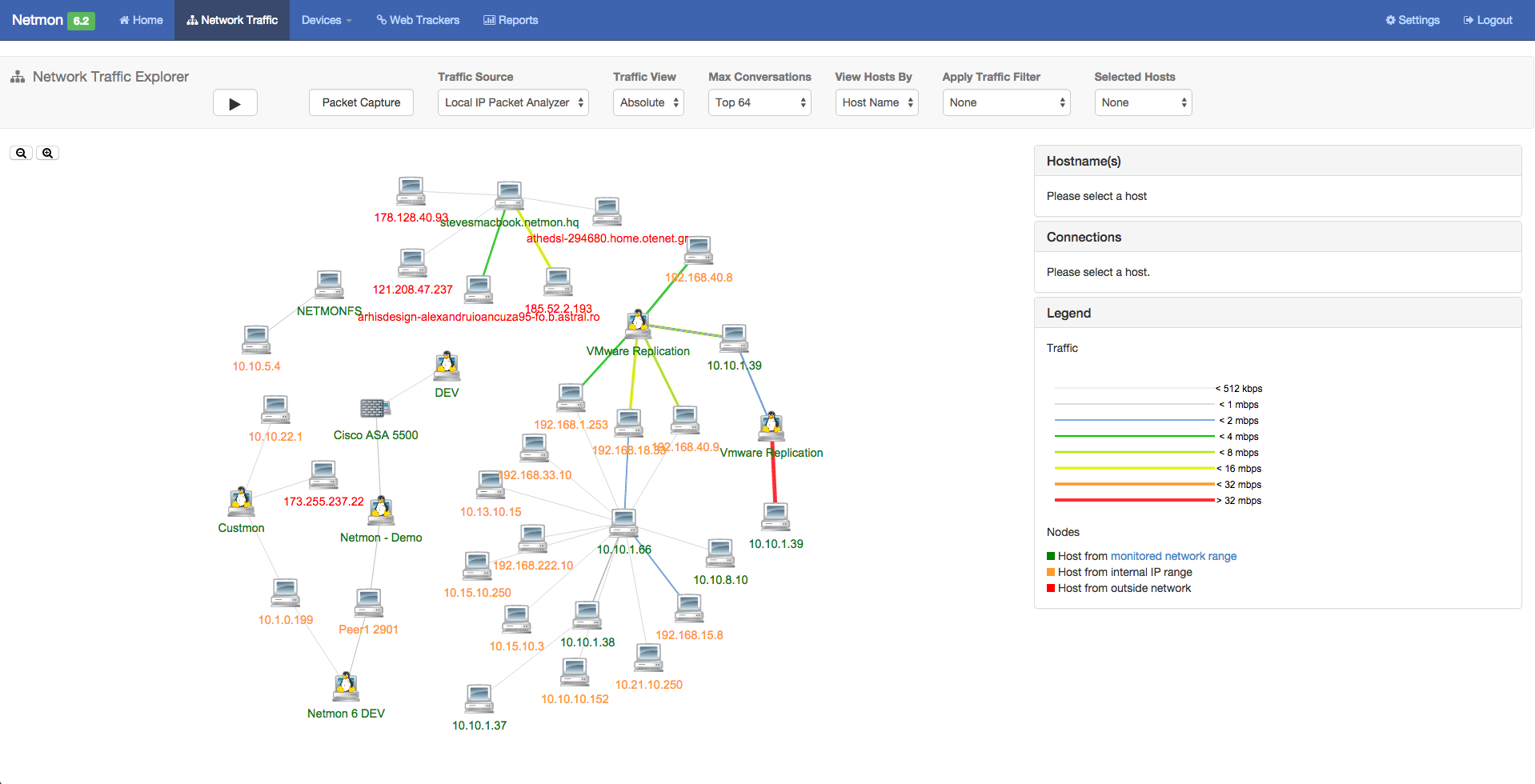
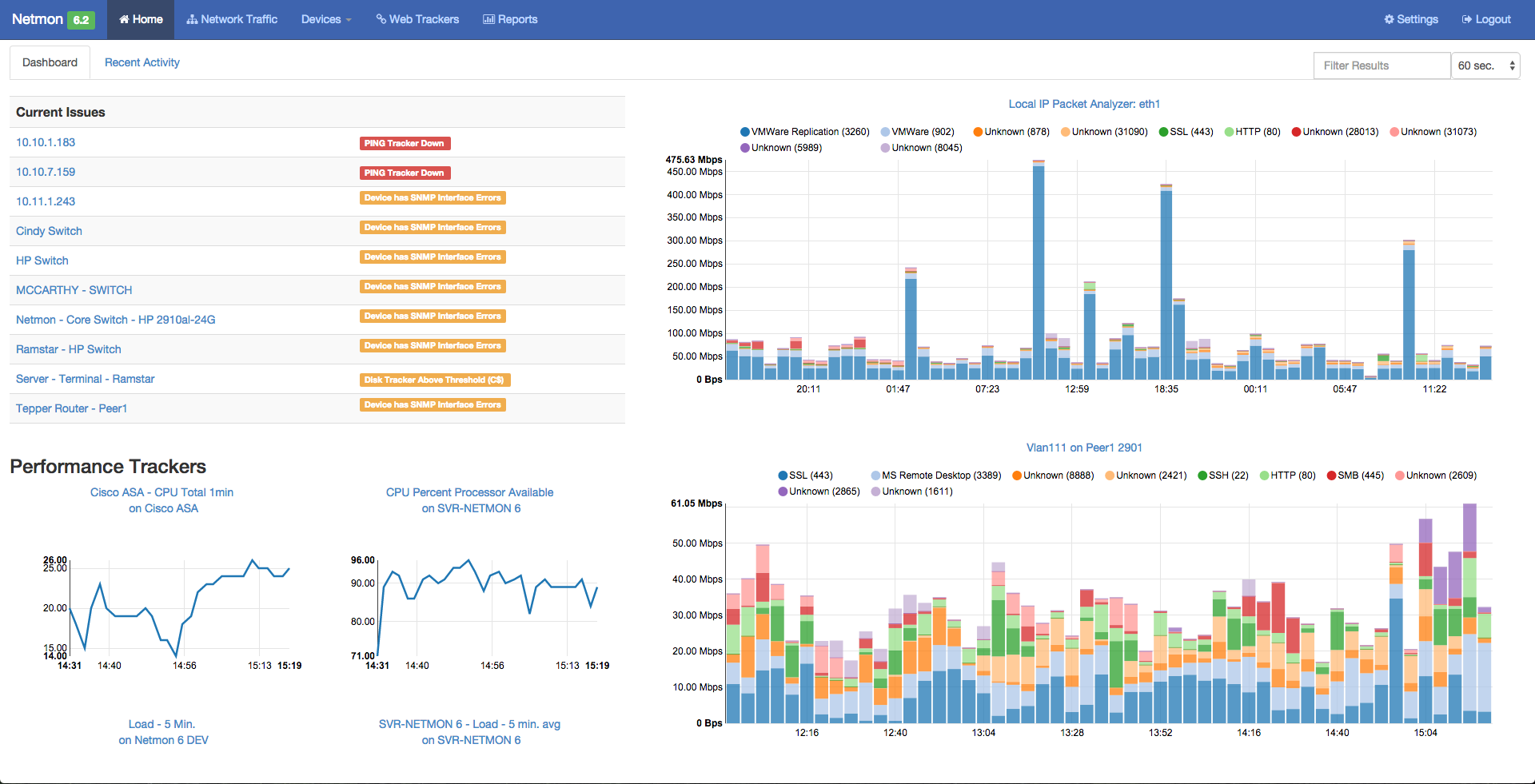
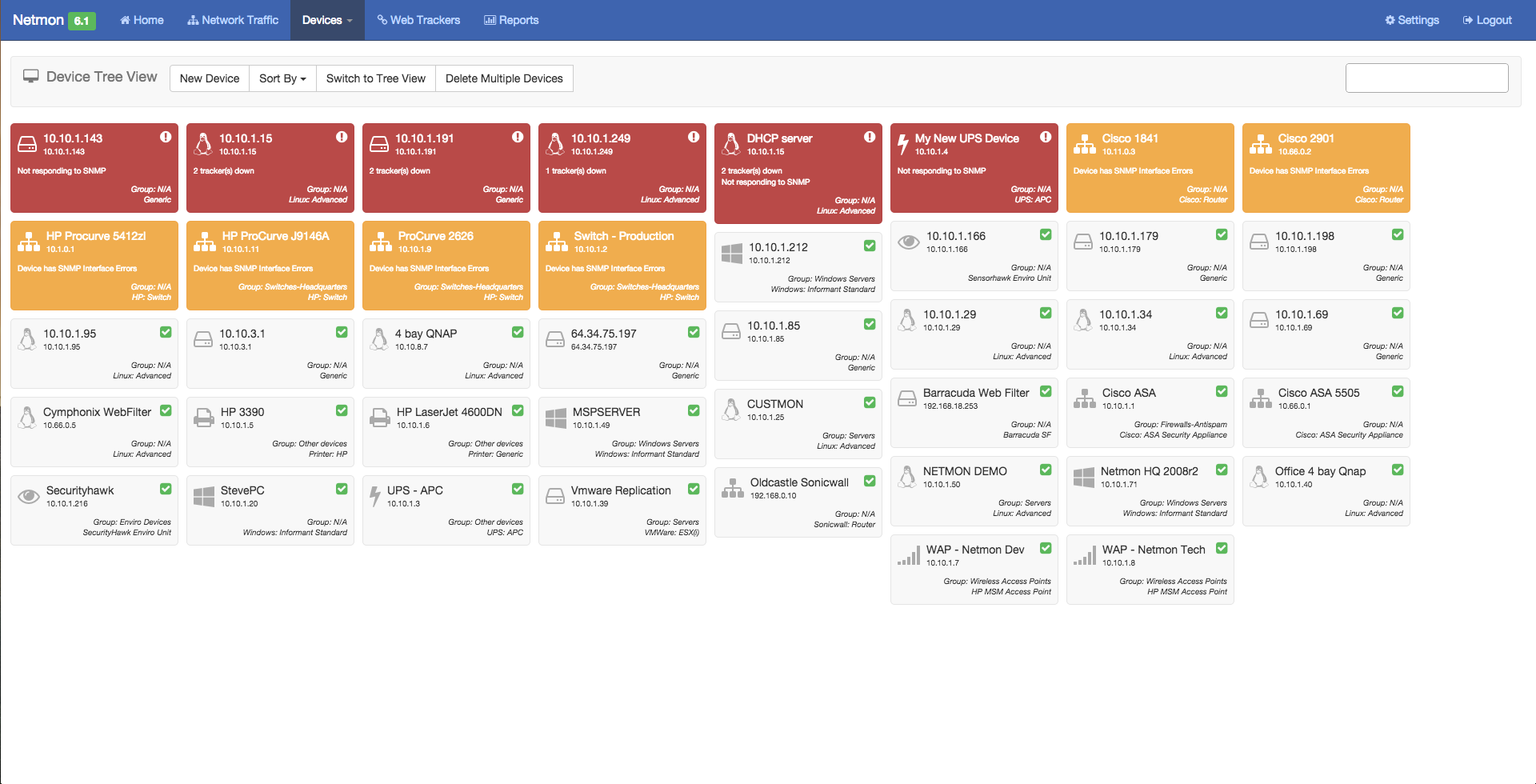
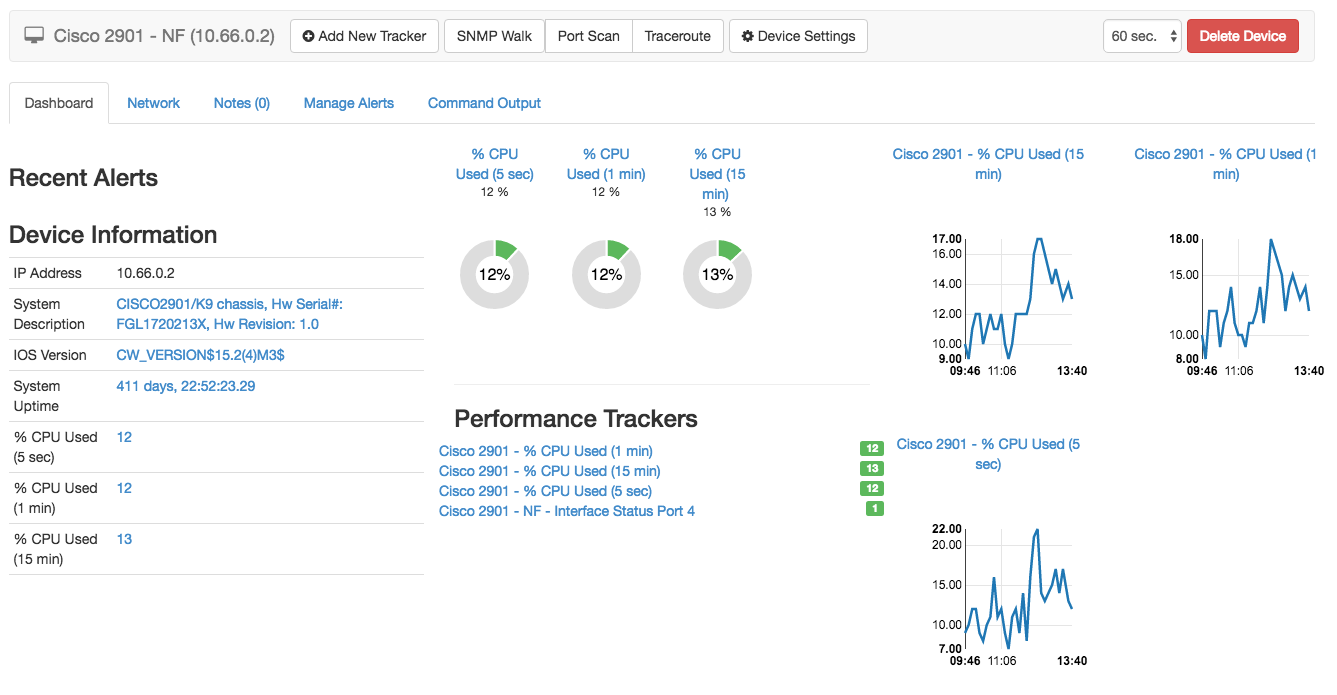
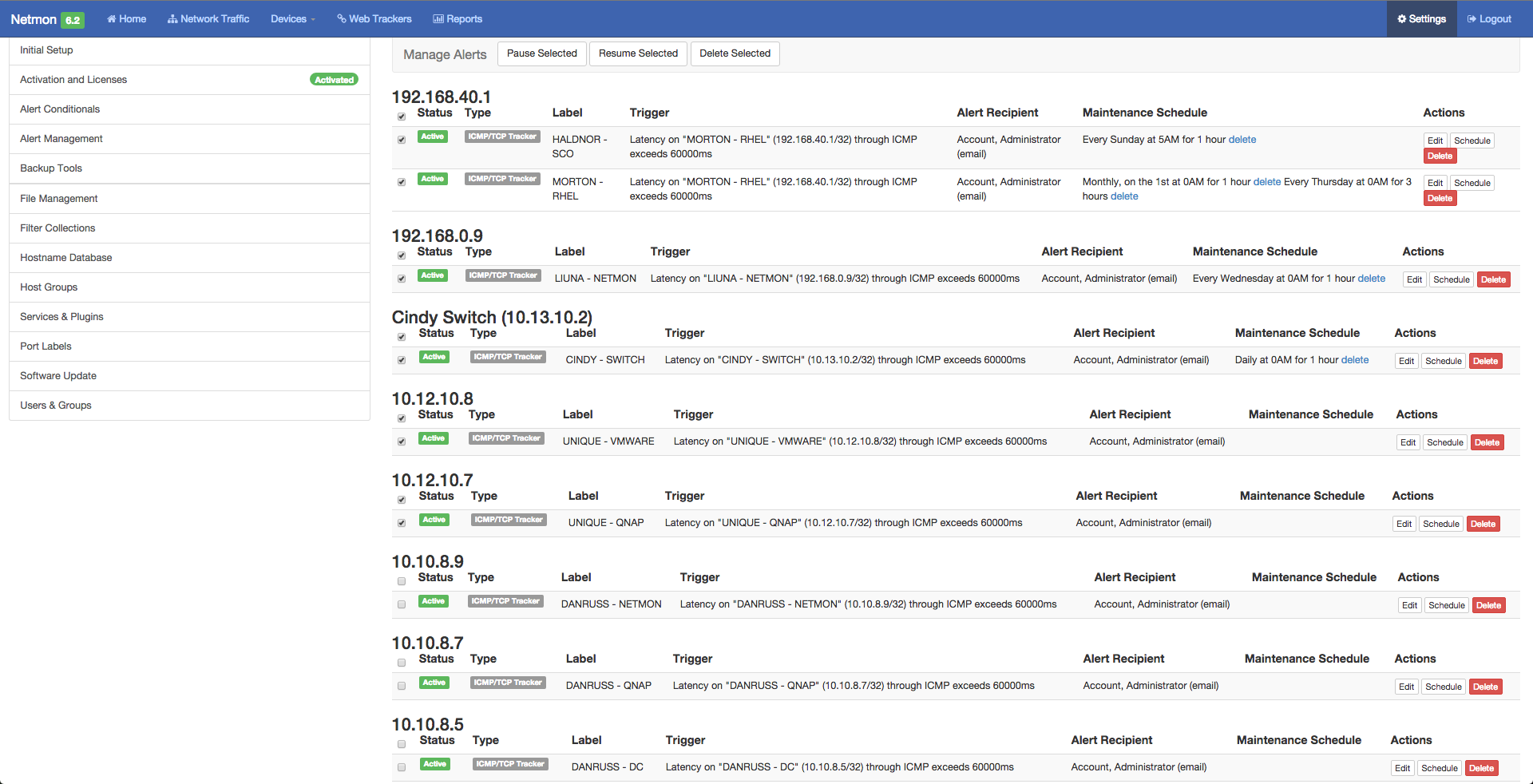
Screenshot of Netmon 6.2 - Home Dashboard - Showing  (Left) Alerts, Device Performance and (Right) Network Traffic AnalyzerScreenshot of Netmon 6.2 - Visual Network Explorer (VNE) - Showing Real-Time Internal and External Network Conversations and Bandwidth UsageScreenshot of Netmon 6.2 - Network Activity Report - Showing Source, Destination, Bandwidth Used and Ports.Screenshot of Netmon 6.2 - Network Devices Dashboard -Widget View - Showing Device Name, Type, Status and Alerts.Screenshot of Netmon 6.2 - Device Performance Dashboard - Showing Device information, CPU & RAM utilization, server processes & servicesScreenshot of Netmon 6.2 - Alert Management - Showing Centralized Alert Management View allows full network alert management with flexible and recurring scheduling.

SolarWinds Network Configuration Manager (NCM) Screenshots
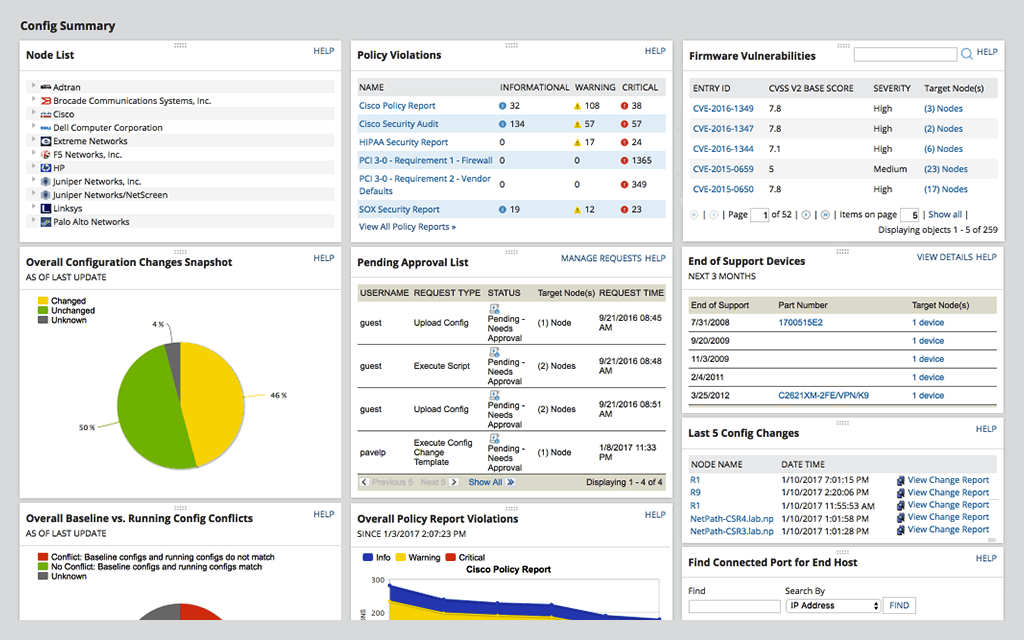
Screenshot of Network Automation -  manage rapid change across complex and multi-vendor networks, reduce time needed to complete repetitive tasks, and maintain standards and service levels for uninterrupted ITScreenshot of Config Backup - rest easy knowing you can locate the most current configuration and quickly apply it to a replacement spare, or to roll back a blown configuration.Screenshot of Vulnerability Scanning - Take the hassle out of vulnerability scanning using NCM's integration with the National Vulnerability Database and access to the most current CVE’s to identify vulnerabilities in your Cisco devices.Screenshot of Inventory Management - Be able to know what devices are connected to your network, their hardware and software configurations, and when they approach end-of-service and end-of-life, with NCM device configuration management tool.Screenshot of User Management - Use NCM's integrated console to lock down devices from unauthorized access, delegate who can view device details and make configuration changes, and determine when network changes can occur.Screenshot of Baselines and Diffs - IT professionals can get a more comprehensive view by leveraging baselines across multiple nodes. Diff view in NCM’s network configuration management tool is designed to highlight only those lines that changed.