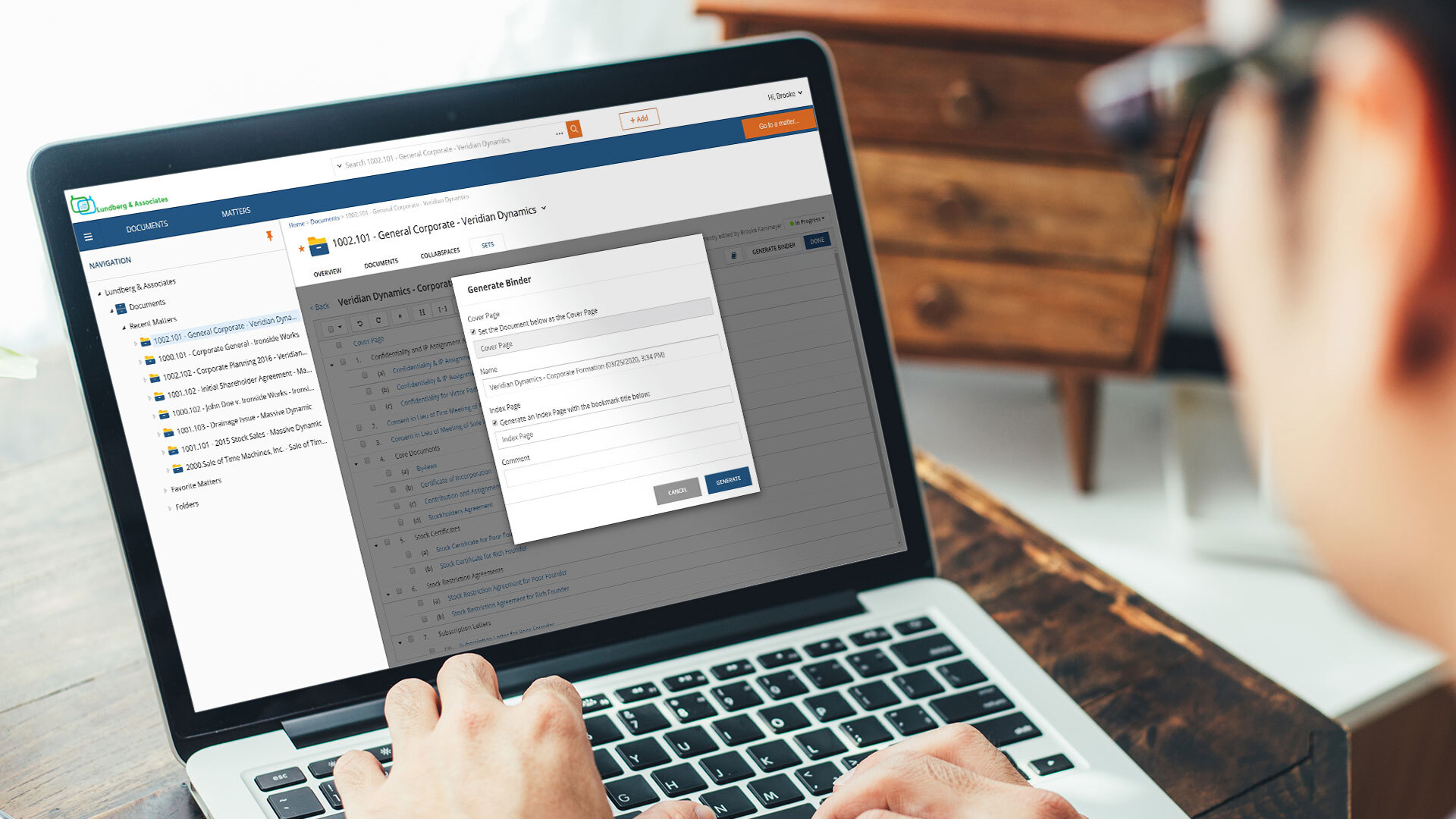
NetDocuments is a document management solution from the company of the same name in Lehi, Utah.
N/A
TextSniper
Score 8.2 out of 10
Small Businesses (1-50 employees)
TextSniper is a desktop Mac OCR app that can extract and recognize non-searchable and editable text on a Mac's screen, and can turn text into speech. It is presented as an alternative to difficult and complicated optical character recognition tools. The tool aims to make extracting text from images, paper documents, PDFs or videos easy. It is accessible from the menu bar and boasts a simple user interface. The vendor says working with TextSniper is like using a built-in mac's screen capture…
NetDocuments positioned itself to work in the legal industry, and it has done a very good job. It's kept pace with the challenges presented by the law and it's grown in its offerings. Any organization that must balance mobility and security would benefit from the use of NetDocuments as a platform.
TextSniper is well suited if you are doing any work where you deal with OCR files, noneditable and nonsearchable text you can use TextSniper to edit and copy those texts and update and use in your project or document, this is best when you use zoom or any video chatting and having any text and related text to copy or nonsearchable text to use, TextSniper is best for to make your life easier and save your time.
File Organization. Netdocuments is a great tool to neatly organize your virtual files and separate them by workspaces (matters). Each workspace contains folders (document types) that can be customized according to users' needs and preference.
Searching your data base. All the documents and emails saved in Netdocuments are searchable. The search feature works great.
Cloud based document management system. Simply put, Netdocuments can be accessed from ANY web-enabled device. This is becoming more and more important in the age of satellite offices, working on-the-go, and telecommuting.
Disaster preparedness. Should something happen to your office, your documents are safe, secure and accessible.
Seamless integration with Microsoft Applications. Netdocuments provides users with Microsoft applications integrations that can be easily installed on each individual machine.
Support. There is an extensive on-line help library which provides incredibly helpful articles with step-by-step instructions. If you cannot find solution on-line, telephone support is staffed by courteous and knowledgeable people.
Security. This is especially important for a law firm. A designated administrator can put in force workspace, folder, document, or profile-based security.
In my opinion, VERY Expensive. You can not find documents without OCR. OCR doubles your storage cost as they save the OCRd document as a second version.
In my experience, very annoying latency, even when trying to preview documents. As a result, folks in my office often try to save locally as opposed to storing in the cloud.
I orginally signed up for NDMax. However, it would only process one document at a time. I am not a transactional firm, so, in my opinion, this was essentially worthless.
The product is simple to learn and adheres to well-known web user protocols. The NetDocuments team spends a lot of time talking to customers regarding how to improve their interface, and are pretty quick about implementing good ideas. The system is reliable and repeatable, and similar functions are laid out consistently and in formats that users are used to.
NetDocuments is a performant web app. It is reliable and provides all the functionality of a sophisticated document management system. It also can serve, through its APIs, as a base system for other applications, which enhances its value. Other vendors find the company easy to work with, and it consistently seems to be the first to offer new features and technologies to its customers.
I've never had to contact support, but I won't give it a ten. We've had a few hiccups along the way, but nothing that couldn't be fixed within 24 hours.
WatchDox and WorldDox both provided what looked like similar features but too much of the technical requirements fall on the customer and they, at the time of my evaluation, were not true cloud products. They were client \ server-based product hosted in the cloud. If you do not know the difference, research until you do. iManger is a viable alternative if you are just not able to get the internet speed you need for NetDocuments. But heads up it is not the Swiss Army knife for security features like NetDocuments.
TextSniper is more reliable and secure, you can trust the UI of this software and it's more easy and more fun to use. Rossum is more costly and a very less number of people recommend me to go with Rossum. TextSniper is more popular and has some great features for the users who are really interested in such tools.