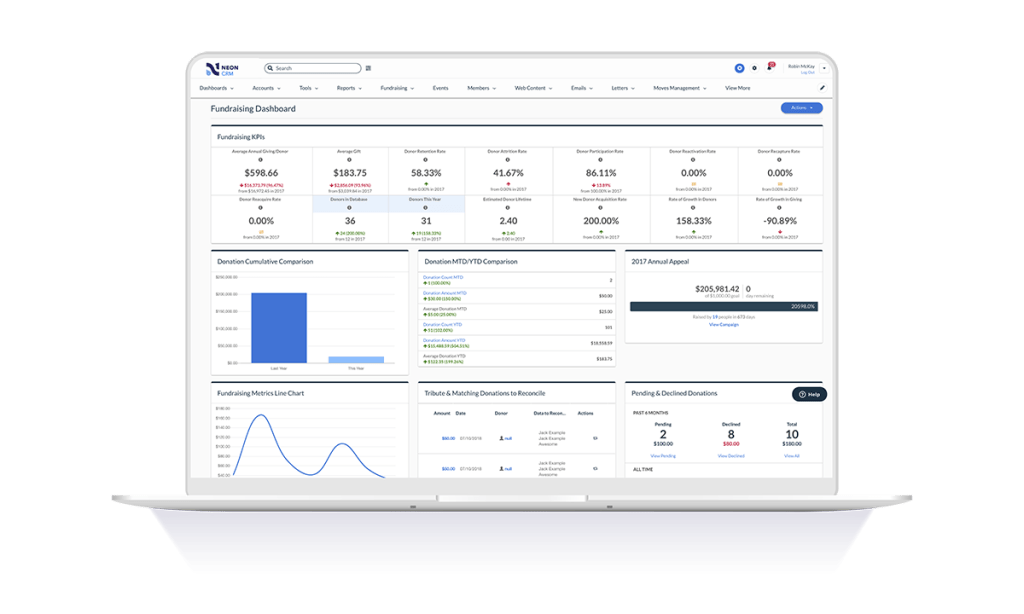
Neon CRM is a constituent management platform designed for nonprofits and membership associations. Its relationship-focused system offers a comprehensive view of supporters and members, to enable more engagement and revenue. It can be used to manage fundraising campaigns, events, communications, and it offers reporting tools to give stronger insights into the user's organization. It automates processes like email marketing, workflows, volunteer management, and payment processing so that users…
$99
per month
Salesforce Nonprofit Cloud
Score9 out of 10
N/A
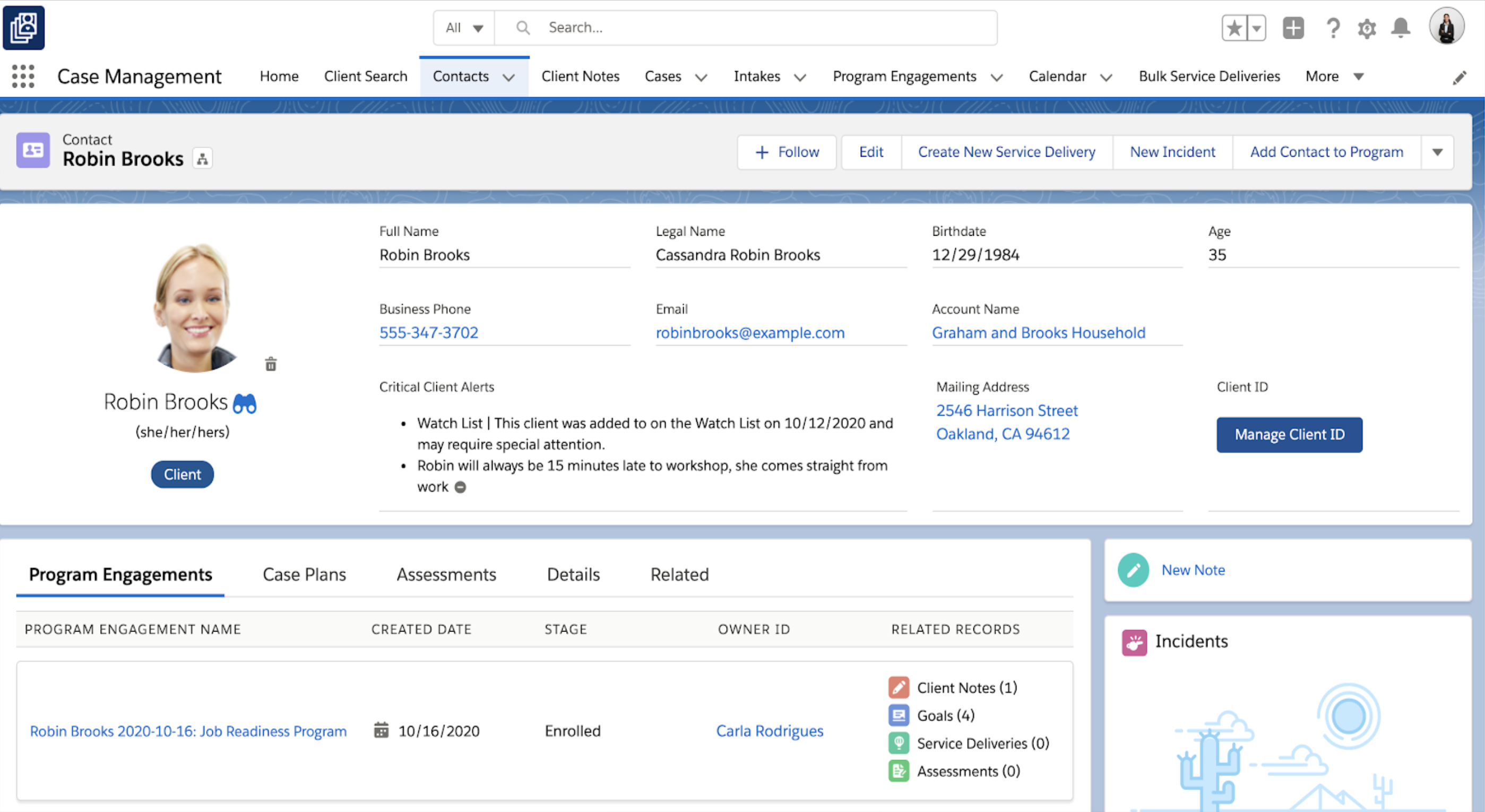
Salesforce for Nonprofits, the Salesforce.org Nonprofit Cloud, is a nonprofit constituent relationship management platform from Salesforce, which supports constituent engagement, fundraising, and grants. Nonprofit editions contain Salesforce Lightning Edition along with the former Nonprofit Success Pack (NPSP) combined.
$36
per month per user
Pricing
Neon CRM
Salesforce Nonprofit Cloud
Editions & Modules
Essentials
$99
per month
Impact
$199
per month
Empower
$399
per month
Sales Cloud - EE
$36
per month per user
Sales + Service Cloud - EE
$48
per month (billed annually) per user
Nonprofit Cloud - EE
$60
per month (billed annually) per user
Nonprofit Cloud - UE
Contact
Offerings
Pricing Offerings
Neon CRM
Salesforce Nonprofit Cloud
Free Trial
No
No
Free/Freemium Version
No
No
Premium Consulting/Integration Services
Yes
No
Entry-level Setup Fee
Optional
No setup fee
Additional Details
All plans include unlimited system users, unlimited records, unlimited online forms, and unlimited ticket support. Essentials is a streamlined version of Neon CRM designed for smaller nonprofits. Premium support options are included with Empower. All pricing is based on the organization's revenue.
Director of Leadership Engagement at Auschwitz Birkenau Memorial Foundation (Non-Profit Organization Management, 1-10 employees)
Chose Neon CRM
Salesforce was over-complicated and overly expensive to use. The learning curve was huge and a real disincentive to use. It needed to be customized which was very expensive. Neon was easy to learn and we are still building it and figuring out how to maximize all of its …
A de minimis incentive was given to thank the reviewer for their time. The incentive was not used to bias or drive a particular response, nor was the incentive contingent on a positive endorsement. More Info
Operations Manager at The Forge Initiative, Inc. (Civic & Social Organization, 1-10 employees)
Chose Salesforce Nonprofit Cloud
We used Zoho as a database before we knew we needed a CRM. We even thought of creating our own database. We then tried Neon for a couple of years and then eTapestry. We found a few features missing with each of the packages when trying to manage our complicated family …
A de minimis incentive was given to thank the reviewer for their time. The incentive was not used to bias or drive a particular response, nor was the incentive contingent on a positive endorsement. TR verified that a representative sample of customers was invited. More Info
Verified User
Chose Salesforce Nonprofit Cloud
DonorPerfect appeared to be a decent enough solution, fairly robust. eTapestry and NeonCRM left much to be desired from a UX standpoint. Ultimately, Salesforce would compare with solutions like Microsoft Dynamics, etc. since it's a well-rounded CRM solution and platform that …
A de minimis incentive was given to thank the reviewer for their time. The incentive was not used to bias or drive a particular response, nor was the incentive contingent on a positive endorsement. More Info
If you are looking for a quick and easy database option, which integrates breezily with email clients like MailChimp and Constant Contact, and has built-in credit/debit card processing capabilities, NeonCRM is a very good option. An affordable alternative to Salesforce or Raiser's Edge, it does lack some of their "bells and whistles" but gets the job done. On the one hand, Neon features a shallow learning curve and solid user interface, and is web based and mobile friendly. On the other hand, Neon might not be totally appropriate for large or national level organizations because some of the reporting seems less "robust" than pricier alternatives...
A de minimis incentive was given to thank the reviewer for their time. The incentive was not used to bias or drive a particular response, nor was the incentive contingent on a positive endorsement. More Info
If you only want to track donations, I'd go with something simpler. If you want to track donations and programs and connections between them, there may be nothing better. If you have no technical abilities and no budget, restricted yourself solely to what it does as described exactly in the manual. If you can't devote about 0.25FTE to the constant maintenance and upgrades, don't go with it.
A de minimis incentive was given to thank the reviewer for their time. The incentive was not used to bias or drive a particular response, nor was the incentive contingent on a positive endorsement. More Info
NeonCRM allows you to build events, take registrations, and customize those events. Customizations include different ticketing options, add-ons, promotions, etc.
NeonCRM does a good job helping you track donors' activities/engagements.
It also provides a variety of reporting mechanisms - from dashboard snapshots to graphical reports - that allow you to review programs at a glance or in-depth.
A de minimis incentive was given to thank the reviewer for their time. The incentive was not used to bias or drive a particular response, nor was the incentive contingent on a positive endorsement. More Info
A de minimis incentive was given to thank the reviewer for their time. The incentive was not used to bias or drive a particular response, nor was the incentive contingent on a positive endorsement. TR verified that a representative sample of customers was invited. More Info
Learning the ropes is largely accomplished by reading manuals and watching videos. I don't learn that way. I'd much prefer to be shown. I guess I'm old school.
They can be stingy with the customer support. We bought the big package and I still wind up going back to my salesperson to help me cut through any red tape to get what I need.
A de minimis incentive was given to thank the reviewer for their time. The incentive was not used to bias or drive a particular response, nor was the incentive contingent on a positive endorsement. More Info
A de minimis incentive was given to thank the reviewer for their time. The incentive was not used to bias or drive a particular response, nor was the incentive contingent on a positive endorsement. More Info
Neon CRM was difficult and frustrating to use without IT experience, and way to costly for the a small to mid-sized nonprofit. We believe that we lost donors due to the inaccurate report system in Neon CRM
A de minimis incentive was given to thank the reviewer for their time. The incentive was not used to bias or drive a particular response, nor was the incentive contingent on a positive endorsement. More Info
The Neon CRM system is confusing (we had to watch video tutorials and html code to understand many of the features, many of which we did not need). Around 2022, Neon started to go downhill. Bells and whistles were added that were of no benefit (to our nonprofit) and the system became even harder to use
I think Salesforce has so much functionality that it makes it difficult in terms of overall usability. Once you can figure it out, it's a 10/10, it's just getting there. If you're willing to do the work to figure it out then you're golden. For what it's worth, I don't know if you're going to find something with this level of functionality that's easier to figure out
A de minimis incentive was given to thank the reviewer for their time. The incentive was not used to bias or drive a particular response, nor was the incentive contingent on a positive endorsement. More Info
As stated before, they push you to read the manual or watch the video when what I want is a human being to walk/talk me through it. Like I said, maybe I am old school but that's how I learn. It's been a challenge.
A de minimis incentive was given to thank the reviewer for their time. The incentive was not used to bias or drive a particular response, nor was the incentive contingent on a positive endorsement. More Info
I have never had bad conversations with any support people with Salesforce but we also have not used them very much. I put it a little less because we are struggling to switch to lightning (some of our custom features do not migrate well) and it feels like the help and support for a little organization is not incredibly helpful unless we want to spend a lot of money.
A de minimis incentive was given to thank the reviewer for their time. The incentive was not used to bias or drive a particular response, nor was the incentive contingent on a positive endorsement. More Info
It works. It's easy to customize for nonprofit and industry-specific categories. It does what it does well, and integrates with platforms that specialize in those areas rather than trying to be everything to all users.
A de minimis incentive was given to thank the reviewer for their time. The incentive was not used to bias or drive a particular response, nor was the incentive contingent on a positive endorsement. More Info
As a cloud native organization with no previous Microsoft infrastructure, Salesforce was a more logical and effective option for us. The suite of products was also far more comprehensive and required less customization. We were able to adopt a "configure not code" approach to our development of systems to support our mission that lowered the cost of upgrades.
A de minimis incentive was given to thank the reviewer for their time. The incentive was not used to bias or drive a particular response, nor was the incentive contingent on a positive endorsement. More Info
A de minimis incentive was given to thank the reviewer for their time. The incentive was not used to bias or drive a particular response, nor was the incentive contingent on a positive endorsement. More Info
Salesforce has allowed us to easily track donor communications in one area, which I believe has improved our donor communication overall.
Salesforce for Nonprofits has made it easier on my org to track and pull donation-related information and has reduced the amount of time we need to do these regular tasks.
A de minimis incentive was given to thank the reviewer for their time. The incentive was not used to bias or drive a particular response, nor was the incentive contingent on a positive endorsement. More Info