FileCloud vs. MyWorkDrive

Overview
ProductRatingMost Used ByProduct SummaryStarting Price
FileCloud
Score 8.0 out of 10
Mid-Size Companies (51-1,000 employees)
FileCloud is a secure content collaboration platform (CCP) that provides compliance, data governance, data leak protection, data retention and digital rights management capabilities. Workflow automation and granular control of content sharing across most enterprise platforms is fully integrated into the complete CCP stack. The platform offers file sharing, sync, and mobile access capabilities on public, private, and hybrid clouds. FileCloud is headquartered in Austin, Texas and…
$40
per user
MyWorkDrive
Score 8.5 out of 10
Enterprise companies (1,001+ employees)
MyWorkDrive Secure Remote File Access MyWorkDrive aims to make file share remote access easy, safe and fast.
$4
per user
Pricing
FileCloudMyWorkDrive
Editions & Modules
FileCloud
$40
per user
FileCloud Online
$96
per user
Enterprise
$4.00
per user
Offerings
Pricing Offerings
FileCloudMyWorkDrive
Free Trial
YesYes
Free/Freemium Version
NoNo
Premium Consulting/Integration Services
NoNo
Entry-level Setup FeeOptionalNo setup fee
Additional DetailsSelf-hosted FileCloud requires a starter pack ($999 per year) and it comes with 20 users. Additional users are charged at 40$ per user. FileCloud Online requires a minimum of 5 users ($480 per year). It comes with 1 TB storage and you can have upto 5 users.
More Pricing Information
Community Pulse
FileCloudMyWorkDrive
Features
FileCloudMyWorkDrive
Enterprise Content Management
Comparison of Enterprise Content Management features of Product A and Product B
FileCloud
7.2
Ratings
10% below category average
MyWorkDrive
-
Ratings
File sync, storage & archiving8.00 Ratings00 Ratings
Document management8.00 Ratings00 Ratings
Content search & retrieval6.00 Ratings00 Ratings
Enterprise content collaboration7.00 Ratings00 Ratings
Security, risk management & information governance7.00 Ratings00 Ratings
User Ratings
FileCloudMyWorkDrive
Likelihood to Recommend
6.0
(0 ratings)
9.1
(0 ratings)
User Testimonials
FileCloudMyWorkDrive
Likelihood to Recommend
FileCloud is perfect for an environment where they have to adhere to certain audit requirements and where it forces companies to keep their data on-premise. Doing this, companies can still do all of their DLP scans, File Integrity Management, and other things and still make their data easily accessible via HTTPS or other means like FileCloud Drive. If a company is able to utilize cloud-based storage such as Dropbox, One Drive, etc. Then perhaps FileCloud would not be as suited for that particular company.
Read full review
In general, the market has many storage alternatives but when you're working with Azure cloud, MyWorkDrive especially shines brighter than the competition. It goes hand in hand with the native Azure technology and communicating changes between both platforms is a breeze. In case of disaster, the last saved copy automatically gets restored to the server that was mentioned in the configuration.
Read full review
Pros
  • Access internal file server data from anywhere on the planet with an internet connection.
  • Send out emails with expiration dates, password links, and access control.
  • Ability to send out attachments that are over the email limits for downloading.
  • It integrates with NTFS and Active Directory.
  • Integration plugin for Outlook and Office applications.
Read full review
  • Remote Work Facilitation
  • File Sharing and Collaboration Hub
  • Reduced IT Overhead
Read full review
Cons
  • Updates need to be more apparent to FileCloud Drive
  • Uninstall/Reinstall was needed to fix most issues
  • Cost
Read full review
  • This is not meant for large video files.
  • On the browser side, GUI can be a bit better.
  • Client Software Support for MAC is not as great as Windows Client.
Read full review
Alternatives Considered
The one thing FileCloud has over all other cloud products I have used such as OneDrive, Dropbox, and Box is that you are hosting everything on your own server. You don't have to rely on Microsoft or any other company to maintain the servers and hope that they don't have a large issue to where you can't access your files. As long as you can access your server, you can get to your files.
Read full review
1.MyWorkDrive is the most user-friendly and simple interface as compared to its competitors. 2. Its security features like 2-tier authentication and Minimum Data Loss (2FA) make it unique.
Read full review
Return on Investment
  • Allowed us to share our files easily
  • Allowed us to manage our cloud shares as we saw fit
  • The need to uninstall/reinstall after every other update was a little time consuming
Read full review
  • Not integrated too well with Mac required mainly window focus.
  • Mobile integration is lacking required computer access for file sharing.
  • Easy to learn with a nice interface make going through file sharing easier for team members.
Read full review
ScreenShots

FileCloud Screenshots

Screenshot of Login PageScreenshot of User DashboardScreenshot of Admin DashboardScreenshot of Compliance CenterScreenshot of Workflow Automation

MyWorkDrive Screenshots

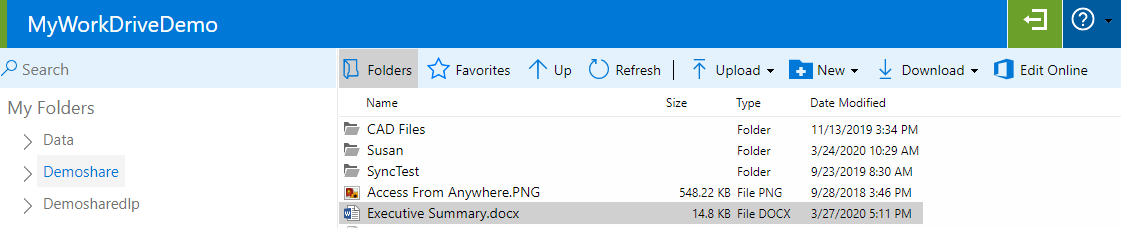
Screenshot of Web File ManagerScreenshot of Office Online EditScreenshot of Mapped Drive ClientScreenshot of Teams AppScreenshot of Mobile App