MySQL Workbench vs. Redgate Monitor

Overview
ProductRatingMost Used ByProduct SummaryStarting Price
MySQL Workbench
Score 6.5 out of 10
N/A
MySQL Workbench is a unified visual tool for database architects, developers, and DBAs. MySQL Workbench provides data modeling, SQL development, and comprehensive administration tools for server configuration, user administration, and backup. MySQL Workbench is available on Windows, Linux and Mac OS X. It is available free through its Community edition, and an Enterprise edition is available for a commercial license as well, supported by Oracle.
$0
Redgate Monitor
Score 8.7 out of 10
N/A
Redgate’s SQL Monitor helps teams looking after SQL servers be more proactive. SQL Monitor enables monitoring environments custom to the user’s SQL server to recognize issues before they impact users. It supports monitoring on-premises and cloud-based servers from a single interface.
$1,164
per year per server
Pricing
MySQL WorkbenchRedgate Monitor
Editions & Modules
Community Edition
$0
Enterprise Edition
licensed through Oracle
No answers on this topic
Offerings
Pricing Offerings
MySQL WorkbenchRedgate Monitor
Free Trial
YesYes
Free/Freemium Version
YesNo
Premium Consulting/Integration Services
NoYes
Entry-level Setup FeeNo setup feeOptional
Additional DetailsAll prices are per server and include one year’s support and upgrades.
More Pricing Information
Community Pulse
MySQL WorkbenchRedgate Monitor
User Ratings
MySQL WorkbenchRedgate Monitor
Likelihood to Recommend
7.0
(1 ratings)
10.0
(5 ratings)
Usability
5.0
(1 ratings)
7.0
(1 ratings)
Support Rating
-
(0 ratings)
10.0
(1 ratings)
User Testimonials
MySQL WorkbenchRedgate Monitor
Likelihood to Recommend
Oracle
It is good software when we have to connect the database of the remote server but it is not as good as phpMyAdmin. When local server is concerned, phpMyAdmin is way better because it has more cleaner UI than Workbench. Workbench is preferred only because phpMyAdmin does not support the connection of remote servers.
Read full review
Redgate
Redgate SQL Monitor is well suited for database administrators or companies who implement software that relies on SQL servers. It will help them test new changes and ensure this will not impact the performance of their software. It is a last resort for MSPs to use to get to the bottom of an ongoing performance issue with their SQL server.
Read full review
Pros
Oracle
  • Readily available too for quick and easy SQL queries
  • Maintains upgrades
  • Works across multiple OS platforms
Read full review
Redgate
  • It will tell you if your server is under attack.
  • You can quickly see how your server is performing and which queries are taking the longest
  • I gives you the feeling that you are in control of your database, that you know what is going on for when they users ring up and tell you that the server is slow
Read full review
Cons
Oracle
  • There are a lot of menus, some of them aren't needed or users who only need to send queries. I had to watch a videos on youtube to learn how to use workbench. It would be great to have some videos inside software (or links to videos on youtube)
Read full review
Redgate
  • Incremental releases can be buggy
  • Isn't the best for pinpointing performance issues
  • Web interface can be sluggish
Read full review
Usability
Oracle
MySQL Workbench is useful for specifically remote databases. Remote databases generally does not have any UI and we have to connect the server via SSH and on CLI, we write the queries and it shows the data, which is quite tiering and more prone to make mistakes whereas MySQL Workbench provides cleaner way to connect and provides lot of tools, so that we do not have to write queries all the time.
Read full review
Redgate
Access to metrics is simple but I like easy access to top SQL
Read full review
Support Rating
Oracle
No answers on this topic
Redgate
Fast support responses from Redgate
Read full review
Alternatives Considered
Oracle
It's like comparing a VW to an performance car like a Ferrari. If you need the performance, bells and whistles you'll want PhpStorm. If you just need to get from one place to another, MySQL Workbench will do just fine.
Read full review
Redgate
Redgate SQL Monitor is a lot cheaper than SolarWinds Database Performance Analyzer. I prefer the SolarWinds' design and that it offers integration with other SolarWinds products we already use. SolarWinds supports more than SQL servers (Oracle, MySQL, Maria DB, IBM DB2) and the analysis seems to be much better. The Spiceworks SQL Server monitoring is a free tool and is ideal for monitoring small business SQL instances.
Read full review
Return on Investment
Oracle
  • It provides good features and saves the time.
  • When we use remote server, we can connect without using ssh etc. so saves the time and easy to understand.
  • Do not have to write the queries to check the schema, so saves the time.
Read full review
Redgate
  • The quality of the product and give a negative investment impression, on the plus side when it does work it is a god send.
  • Day to day tasks as made simpler, and a feeling of security of realised. Just don't change anything.
Read full review
ScreenShots

Redgate Monitor Screenshots

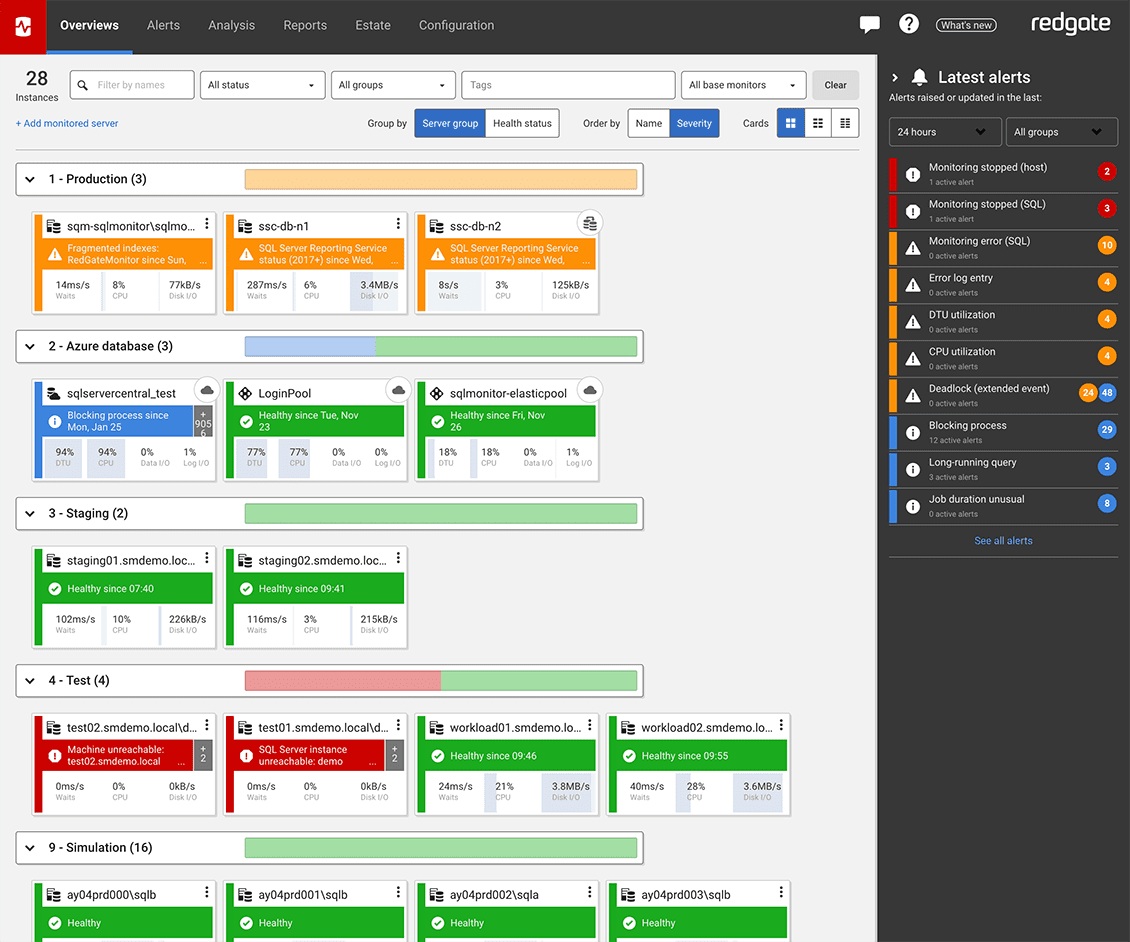
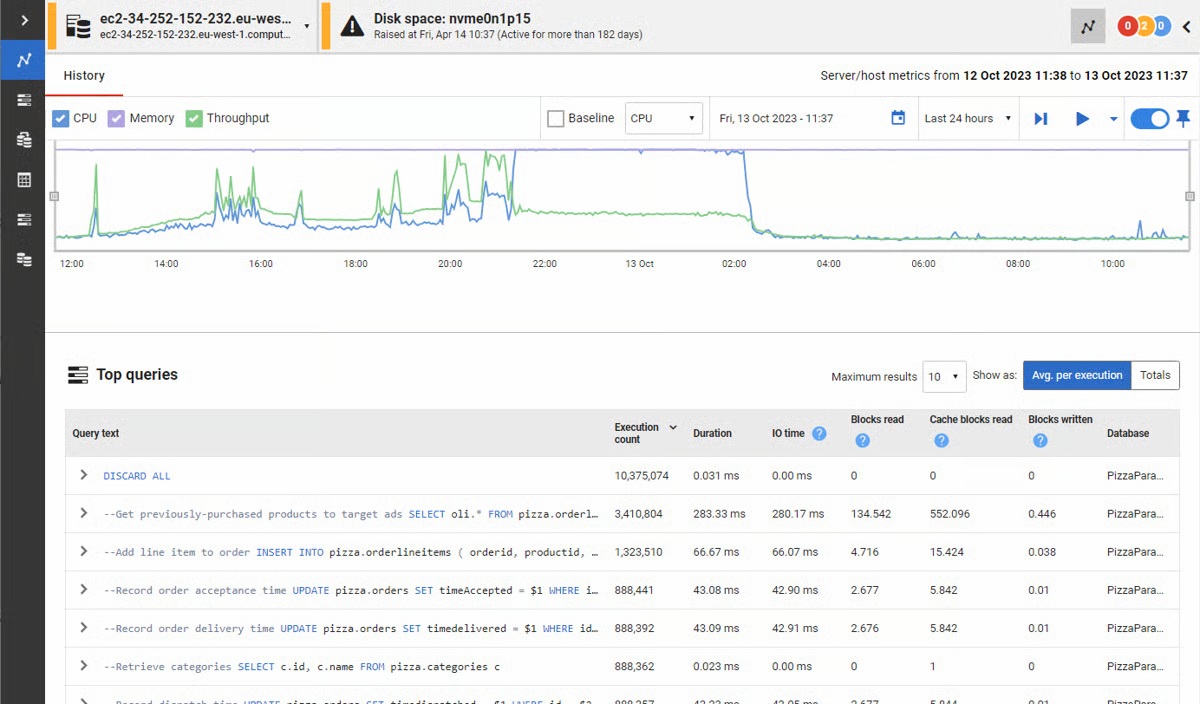
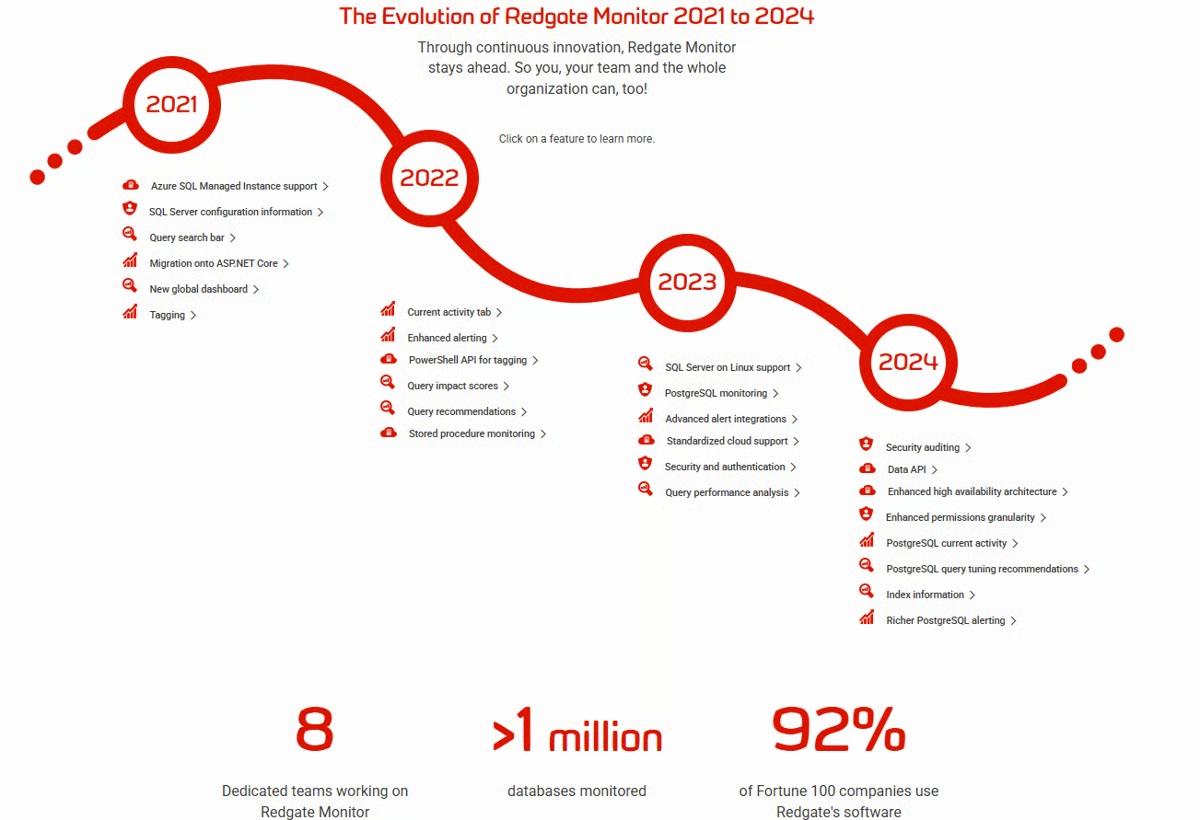
Screenshot of the Redgate Monitor dashboard, monitoring an entire database estate from a single pane of glass.Screenshot of where Redgate Monitor automates time-consuming manual tasks, such as identifying long-running queries or tracking blocked processes. Built-in tips and guidance ensure users get the most out of the information provided.Screenshot of where users can manage an entire environment from a single pane of glass.Screenshot of the dashboard where instant problem diagnosis and customizable alerts appear.Screenshot of the evolution of Redgate Monitor.