TrustRadius: an HG Insights company

Save this comparison

Save this comparison

Add Product

Recommended Comparisons

    Overview
    ProductRatingMost Used ByProduct SummaryStarting Price

    MSP360 RMM

    N/AN/AMSP360 Remote Monitoring and Management. MSP360’s RMM enables the user to manage all aspects of an IT infrastructure within a single dashboard. Features include system resource monitoring, patch management, remote access, and scripting. Licensed per admin with unlimited endpoints.N/A

    Syncro

    Score9.7 out of 10
    N/ASyncro offers an Extended Monitoring and Management (XMM) platform for midsized MSPs and internal IT teams. The platform integrates RMM (endpoint management), professional services automation (PSA), and Microsoft 365 multi-tenant management to help organizations simplify operations, strengthen security, and scale.

    $139

    per month per user

    Pricing
    MSP360 RMMSyncro
    Editions & Modules
    No answers on this topic
    Core
    $139
    per month per user
    Team
    $189
    per month per user
    Offerings
    Pricing Offerings
    MSP360 RMMSyncro
    Free Trial
    YesYes
    Free/Freemium Version
    NoNo
    Premium Consulting/Integration Services
    NoNo
    Entry-level Setup FeeOptionalNo setup fee
    Additional DetailsDiscount available for annual payment.
    More Pricing Information
    Features
    MSP360 RMMSyncro
    Application Performance Management
    Comparison of Application Performance Management features of MSP360 RMM and Syncro
    Feature
    MSP360 RMM
    -
    Ratings
    Syncro
    8.0
    1 Ratings
    9% above category average
    Virtualization monitoring00 Ratings7.01 Ratings
    IT Asset Discovery00 Ratings9.01 Ratings
    Monitoring Tasks
    Comparison of Monitoring Tasks features of MSP360 RMM and Syncro
    Feature
    MSP360 RMM
    -
    Ratings
    Syncro
    6.7
    1 Ratings
    10% below category average
    Remote monitoring00 Ratings9.01 Ratings
    Network device monitoring00 Ratings7.01 Ratings
    Activity Monitoring00 Ratings4.01 Ratings
    Management Tasks
    Comparison of Management Tasks features of MSP360 RMM and Syncro
    Feature
    MSP360 RMM
    -
    Ratings
    Syncro
    9.0
    1 Ratings
    19% above category average
    Patch Management00 Ratings9.01 Ratings
    Policy-based automation00 Ratings9.01 Ratings
    Remote Access
    Comparison of Remote Access features of MSP360 RMM and Syncro
    Feature
    MSP360 RMM
    -
    Ratings
    Syncro
    7.3
    1 Ratings
    7% above category average
    Attended device access00 Ratings8.01 Ratings
    Unattended device access00 Ratings8.01 Ratings
    Multiple concurrent sessions00 Ratings6.01 Ratings
    User Ratings
    MSP360 RMMSyncro
    Likelihood to Recommend
    -
    (0 ratings)
    10.0
    (2 ratings)
    Usability
    -
    (0 ratings)
    9.0
    (1 ratings)
    User Testimonials
    MSP360 RMMSyncro
    Likelihood to Recommend
    MSP360
    No answers on this topic
    SyncroMSP Servably Inc
    No answers on this topic
    Pros
    MSP360
    No answers on this topic
    SyncroMSP Servably Inc
    No answers on this topic
    Cons
    MSP360
    No answers on this topic
    SyncroMSP Servably Inc
    • Better project management
    • Ability to create teams
    Incentivized
    Read full review
    Usability
    MSP360
    No answers on this topic
    SyncroMSP Servably Inc
    Too expensive for what it is and the lack of support and bug fixes is annoying
    Incentivized
    Read full review
    Alternatives Considered
    MSP360
    No answers on this topic
    SyncroMSP Servably Inc
    No answers on this topic
    Return on Investment
    MSP360
    No answers on this topic
    SyncroMSP Servably Inc
    No answers on this topic
    ScreenShots

    MSP360 RMM Screenshots

    Screenshot of the RMM section.Screenshot of the event log tab.Screenshot of the task manager tab.Screenshot of the RMM console.

    Syncro Screenshots

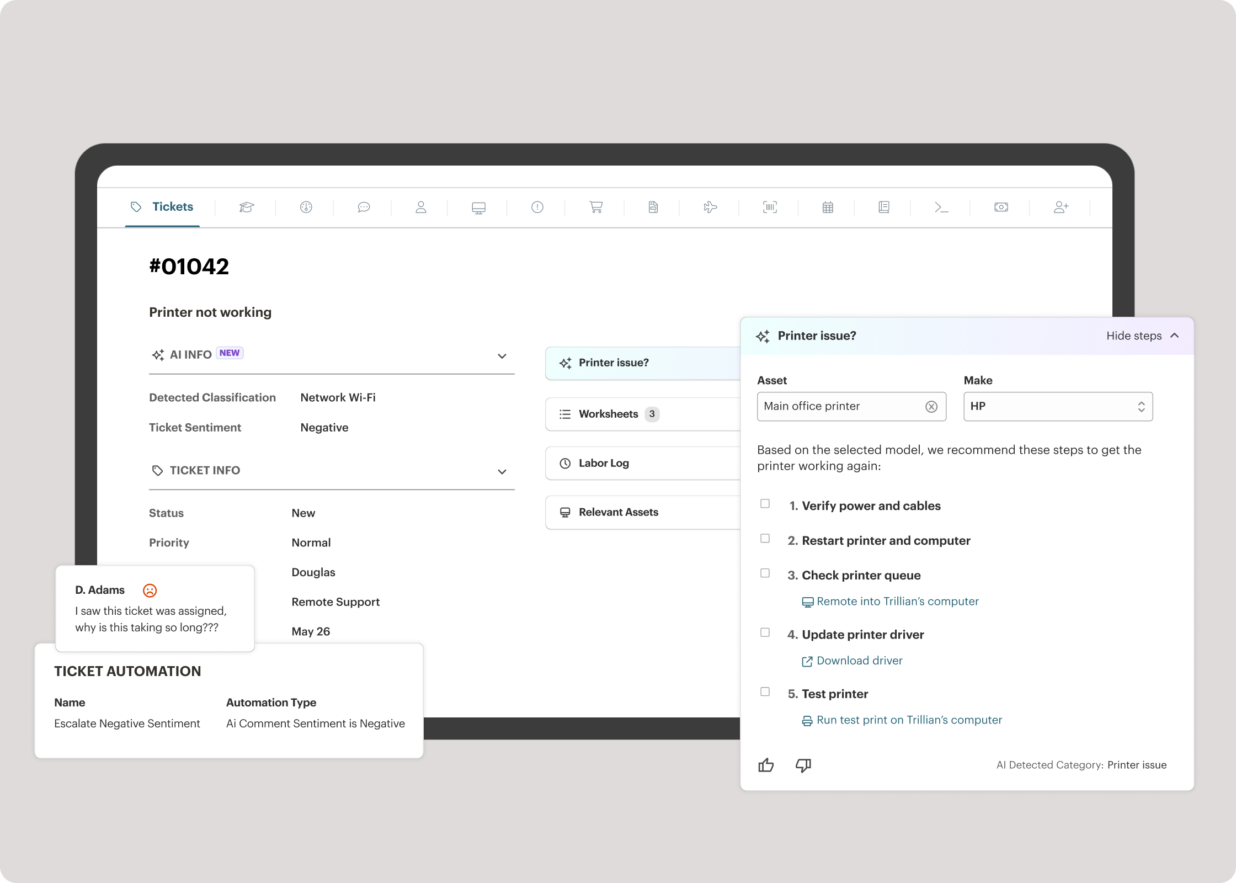
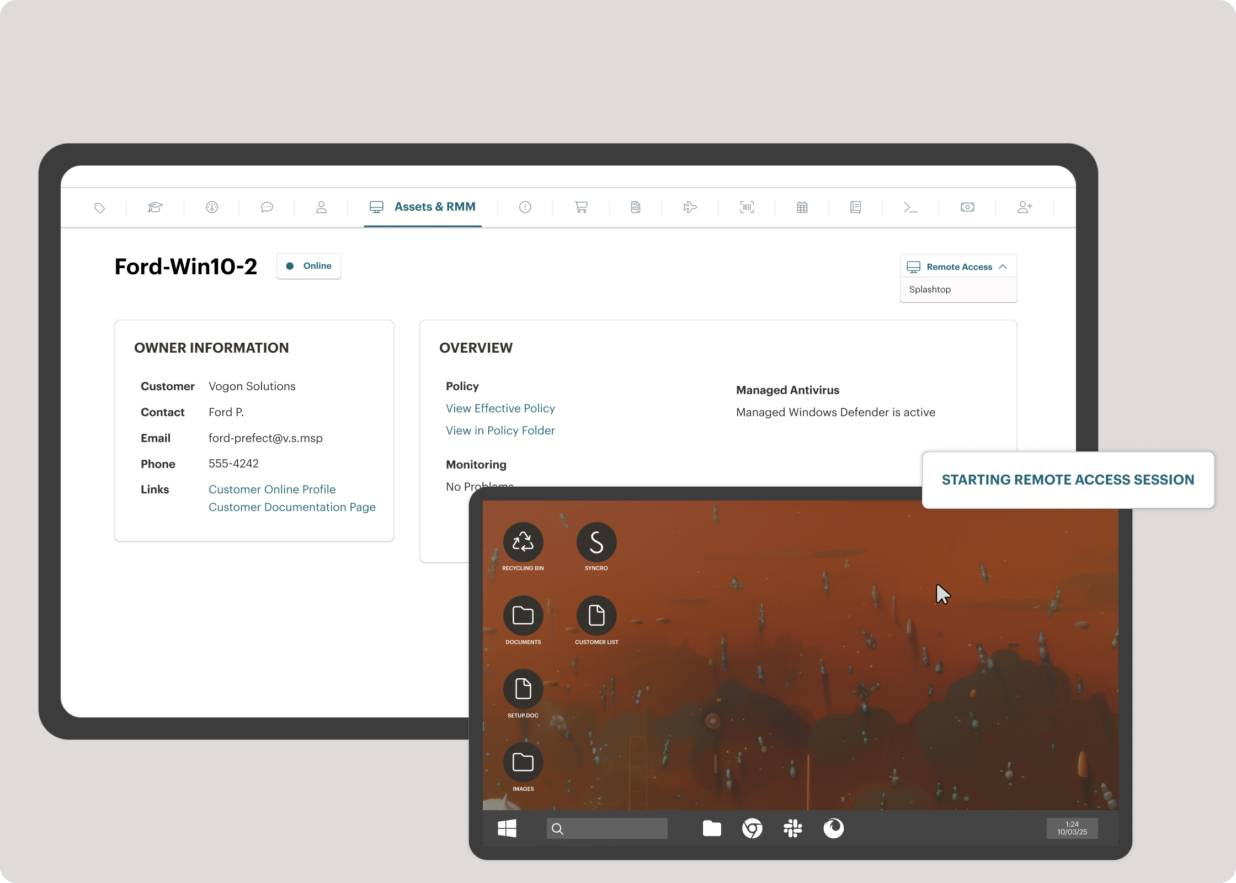
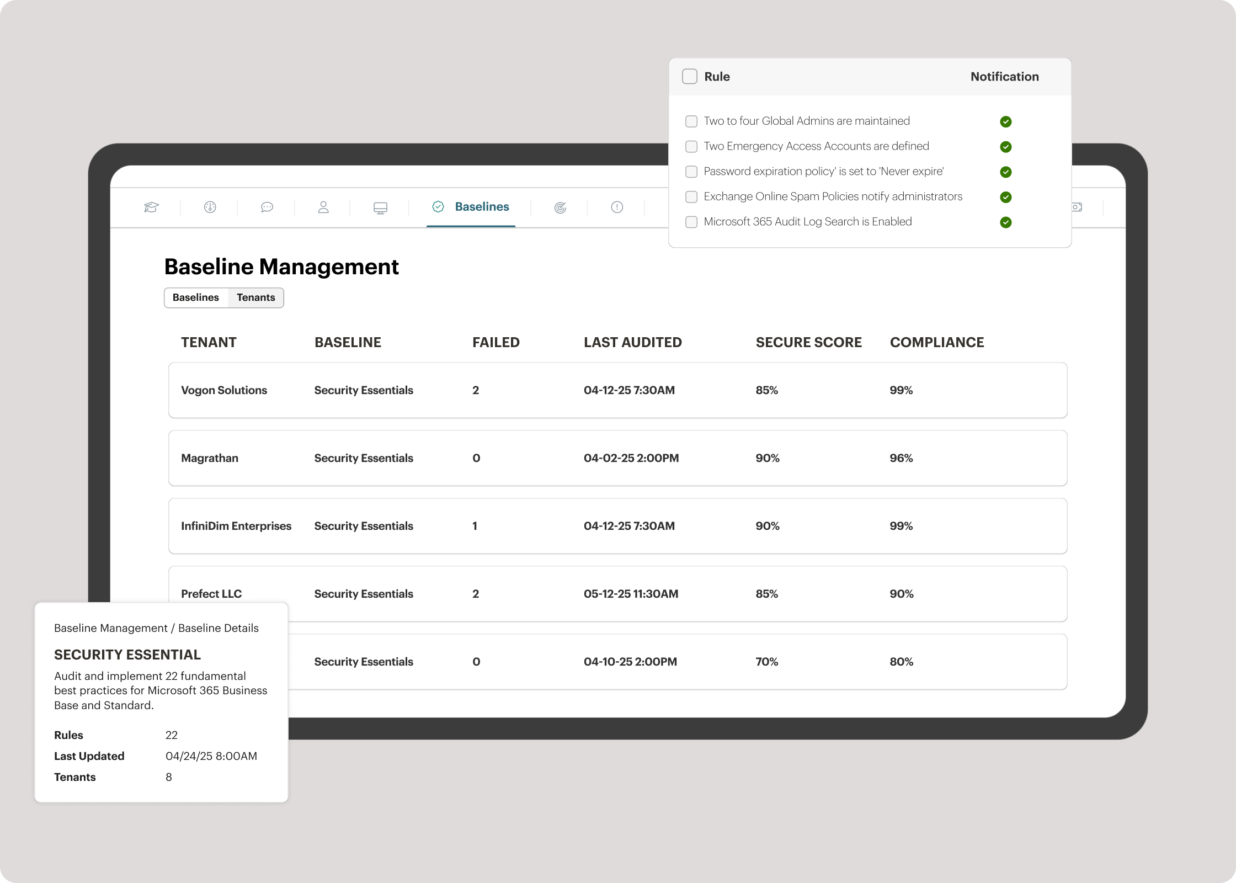
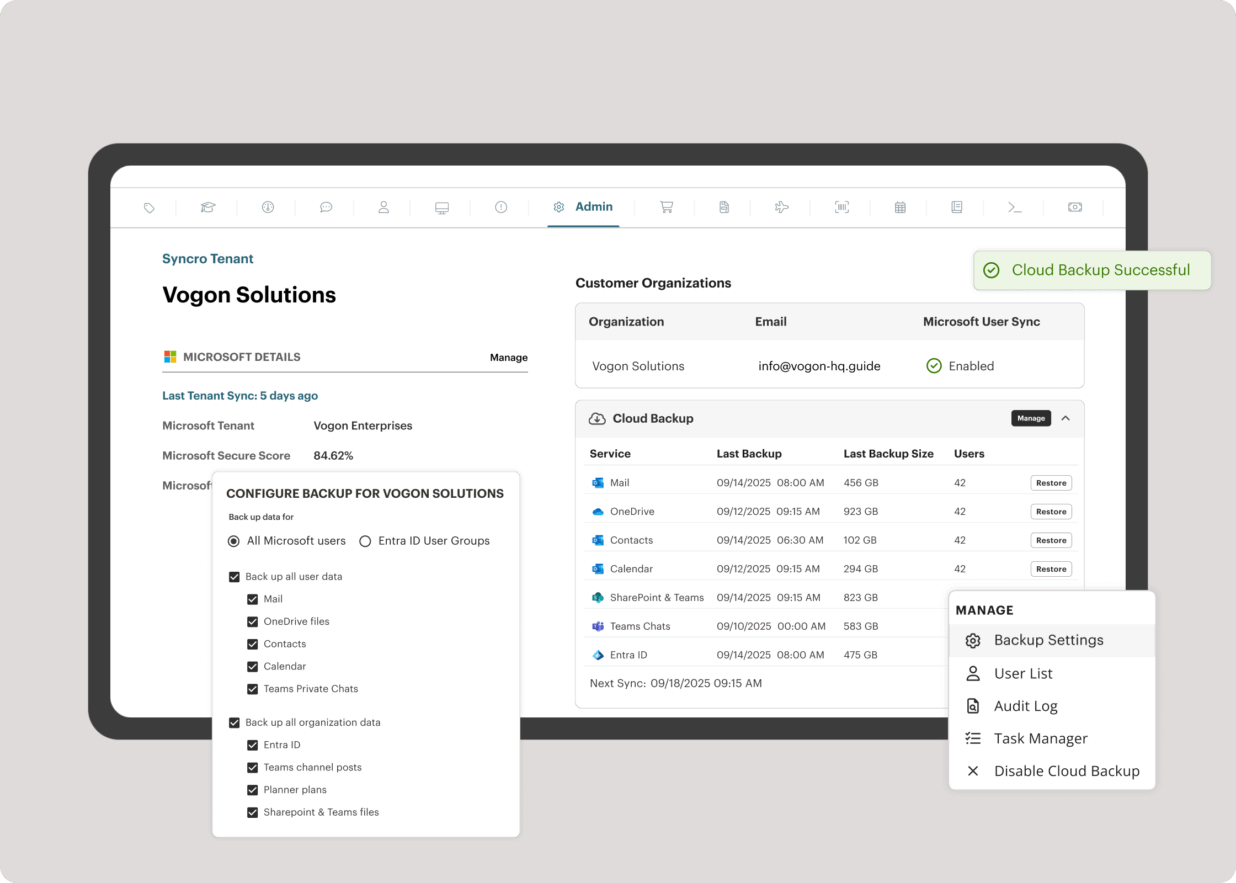
    Screenshot of the interface to monitor unlimited endpoints, run scripts, deploy patches, customize alerts, and proactively address potential issues before they become problems.Screenshot of Syncro’s intelligent Smart Ticket Management, which automatically routes tickets and gets information in front of techs, displays relevant context from prior tickets, and surfaces recommended remediation steps to speed up resolution times.Screenshot of where to securely access endpoints and resolve issues anytime, from anywhere, via Splashtop — included with the Syncro subscription at no extra cost.Screenshot of Syncro automating Entra ID tasks and admin work including user syncs, password resets, and license billing.Screenshot of the interface to benchmark M365 tenants against CIS-aligned best practices — offering guided configuration, centralized visibility, drift detection, and automated alerts to help maintain compliance.Screenshot of Microsoft 365 and Entra ID backup, which helps to safeguard against data loss, reinforce compliance, and ensure business continuity without compromise.