MS SharePoint / SQL refers to Microsoft Sharepoint, a web-based collaborative platform, being used in tandem with Microsoft SQL Server to provide business intelligence analytics and reporting. They can provide BI content such as data connections, reports, scorecards, dashboards, and more.
N/A
OpenText Magellan
Score 9.0 out of 10
N/A
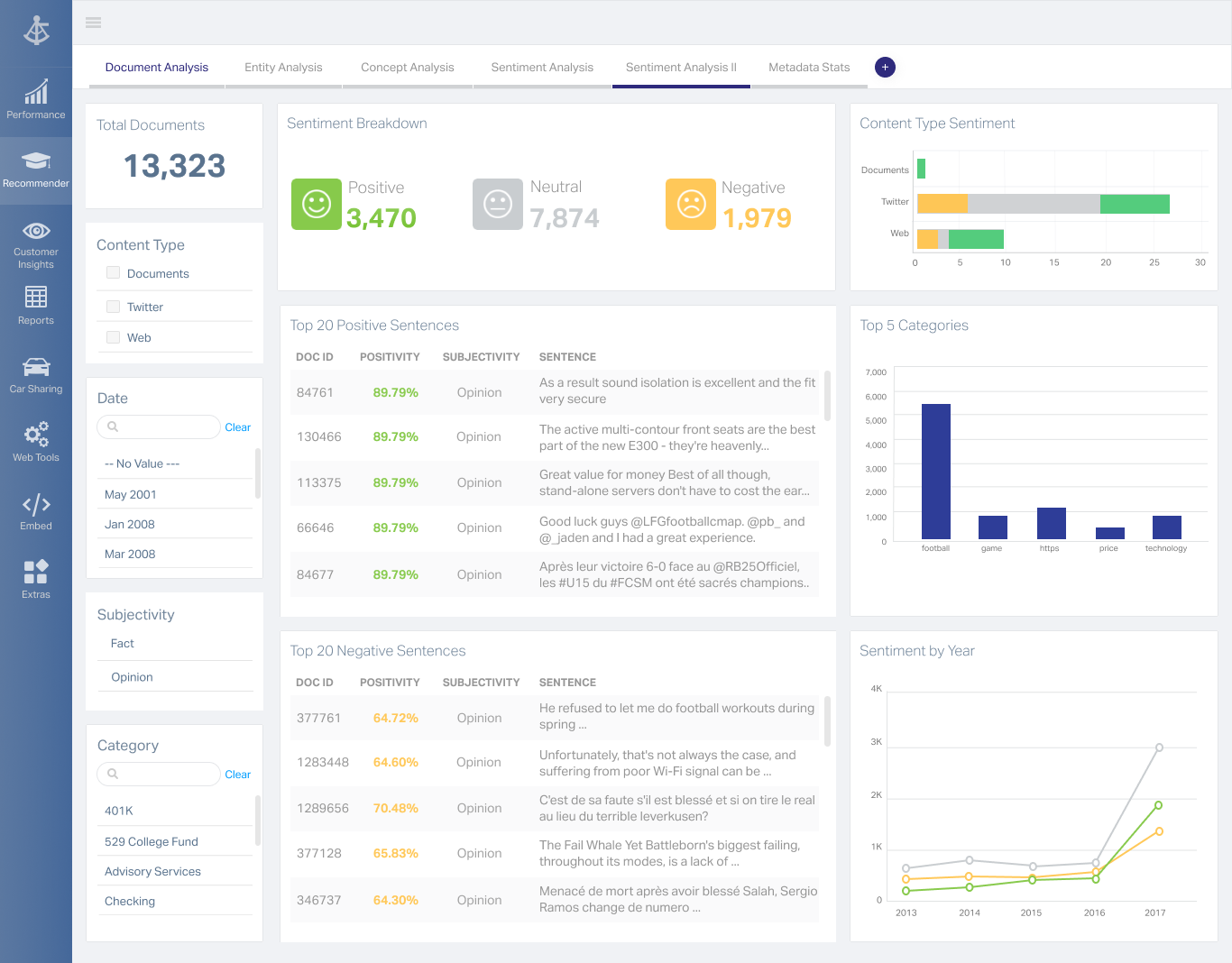
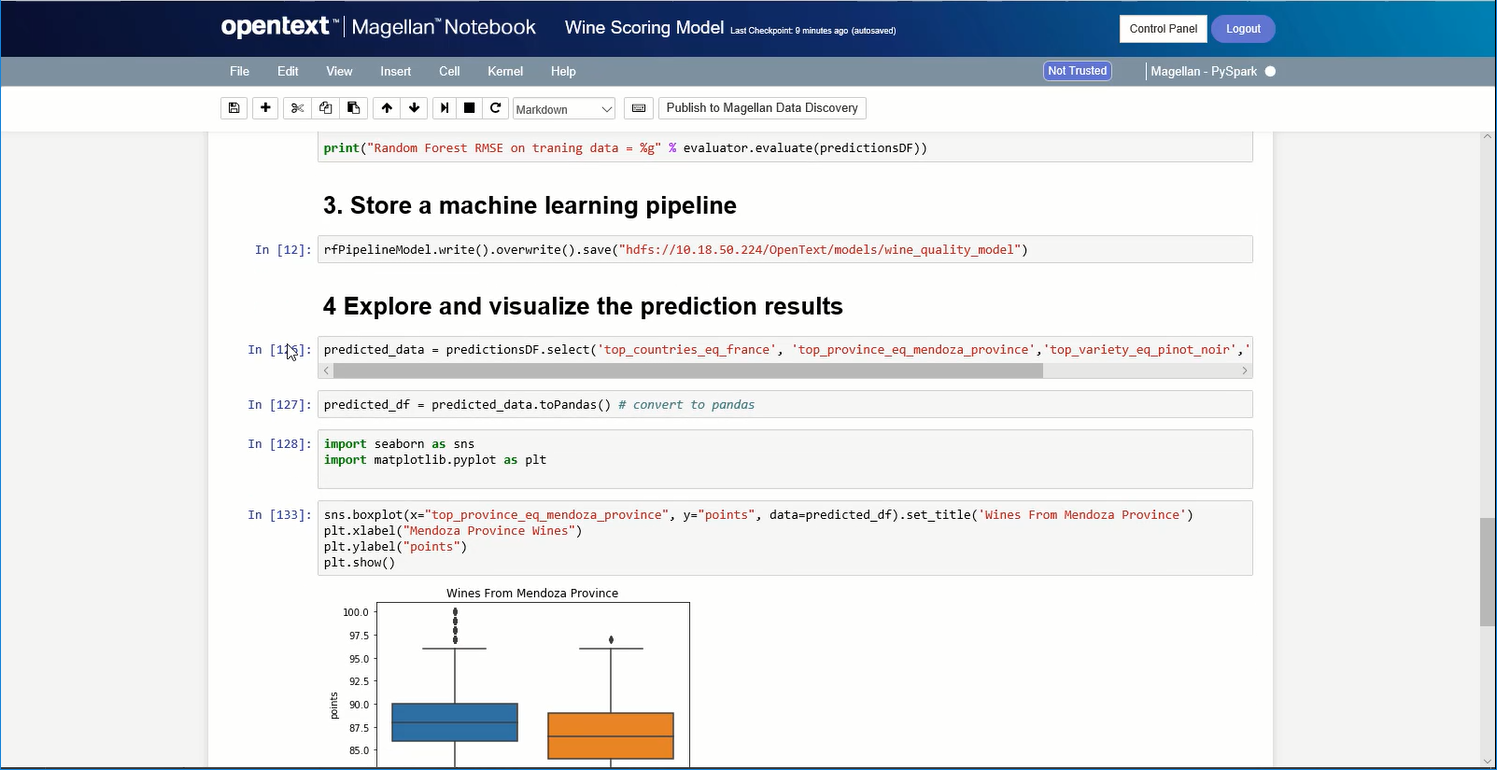
OpenText Magellan Analytics Suite leverages a comprehensive set of data analytics software to identify patterns, relationships and trends through data visualizations and interactive dashboards.
N/A
Pricing
MS SharePoint / SQL
OpenText Magellan
Editions & Modules
No answers on this topic
No answers on this topic
Offerings
Pricing Offerings
MS SharePoint / SQL
OpenText Magellan
Free Trial
No
No
Free/Freemium Version
No
No
Premium Consulting/Integration Services
No
No
Entry-level Setup Fee
No setup fee
No setup fee
Additional Details
—
—
More Pricing Information
Community Pulse
MS SharePoint / SQL
OpenText Magellan
Features
MS SharePoint / SQL
OpenText Magellan
BI Standard Reporting
Comparison of BI Standard Reporting features of Product A and Product B
MS SharePoint / SQL
7.7
Ratings
6% below category average
OpenText Magellan
7.0
Ratings
15% below category average
Pixel Perfect reports
8.70 Ratings
00 Ratings
Customizable dashboards
7.00 Ratings
7.00 Ratings
Report Formatting Templates
7.30 Ratings
7.00 Ratings
Ad-hoc Reporting
Comparison of Ad-hoc Reporting features of Product A and Product B
MS SharePoint / SQL
8.2
Ratings
2% above category average
OpenText Magellan
8.3
Ratings
3% above category average
Drill-down analysis
7.80 Ratings
8.00 Ratings
Formatting capabilities
8.30 Ratings
8.00 Ratings
Integration with R or other statistical packages
8.00 Ratings
9.00 Ratings
Report sharing and collaboration
8.60 Ratings
8.00 Ratings
Report Output and Scheduling
Comparison of Report Output and Scheduling features of Product A and Product B
MS SharePoint / SQL
8.9
Ratings
7% above category average
OpenText Magellan
8.3
Ratings
0% below category average
Publish to Web
8.70 Ratings
8.00 Ratings
Publish to PDF
9.40 Ratings
8.00 Ratings
Report Versioning
8.30 Ratings
9.00 Ratings
Report Delivery Scheduling
9.00 Ratings
8.00 Ratings
Delivery to Remote Servers
9.00 Ratings
00 Ratings
Data Discovery and Visualization
Comparison of Data Discovery and Visualization features of Product A and Product B
As I mentioned in my previous answers, MS SharePoint is very useful as a shared drive for the organization and is very easy to manage. It also helps us import data from SharePoint directly into PowerBI for creating reports. According to my understanding, only share link features should be improved.
It depends on extensibility, set-up, access & style. Actuate performs fairly well, but has performance issues because it sits on top of eclipse, which sits on top of Java. Extensibility usually comes at that price. Set-up is fairly straightforward and it can be secured.
This was a long-term buy-in from a corporate perspective, to remain in the SharePoint space. Migration is certainly possible, which is good for planning and having options further out. At this point, the only planned migration is to eventually move the architecture up to SharePoint/SQL 2013. At that point, we will be able to leverage some greater efficiencies, some enhanced content design and management features, and some more current social features. It is well worth a full consideration in any shop looking at a new implementation of or migration to SharePoint (although you will probably be considering 2013 versions or beyond in those discussions), but the platform should be a strong competitor to any alternatives. Realizing the capability of a fully-branded and customized website was not part of the original choice for the architecture at Lincoln, but seeing it implemented and functioning now with this capacity far beyond original expectations has certainly cemented plans to continue using it.
I am no longer working for the company that was using Actuate but I believe they would continue to use it because the stitching costs would be to high. It would require a complete rewrite of the reports and the never version of Actuate (BIRT) even required an almost complete report rewrite
I gave this rating due to MS SharePoint being a big help with our userbase. We have a lot of users that are just old enough to not have much technical skills or they have been in this industry long enough to where they haven't really needed to utilize much technology. MS SharePoint helped us move beyond that barrier without too many bumps and bruises.
It is quite intuitive to use. It is fit specifically for doing sentiment, emotion, and intention analysis as well as text classification and text summarization. I would have given 10 if it is fit for the purpose of doing image processing and analysis as well. There is a huge market to analyze video and image data.
I've only had to call in to support on one occasion but they were able to work though our issue and find a solution that did fully resolve the issue in a timely manner. I can't always say the same about support from other companies so it was a refreshing change to have support that did help.
At the time of the two large projects, SharePoint was the enterprise solution so we were required to use that. We have since lobbied the enterprise teams to review and consider Atlassian Confluence and were successful. Confluence is cheaper than Sharepoint which is why we wanted to bring that in. The enterprise has now made Confluence an enterprise solution as an alternative to SharePoint. After using both I think SharePoint has many more add-ins than Confluence. It has much more customization ability than Confluence. SharePoint is not good for mobile readiness. Confluence is so there is a difference that might lead you to Confluence over SharePoint. I would also say that SharePoint is very document-centric and that Confluence has better KM than SharePoint does. even with the use of SQL Server. We were told that we could not use Google Drive even though it had features we liked.
It is vastly superior to these in many ways, for complex reporting it is a much more sophisticated solution. Visualizations are very good. Javascript extensibility is very powerful, others don't support this or as well. Pentaho and MS are both OLAP oriented. Pentaho is moving more toward big data, which was not our primary focus. Others are stuck in the Crystal Reports Band metaphor.
Actuate can handle 50 to 60 sub reports inside a report very well.
Dynamically creating the datasource, chart, graph, reports are the main advantages. We can do any level of drilling, and can create a performance matrix dashboard efficiently.