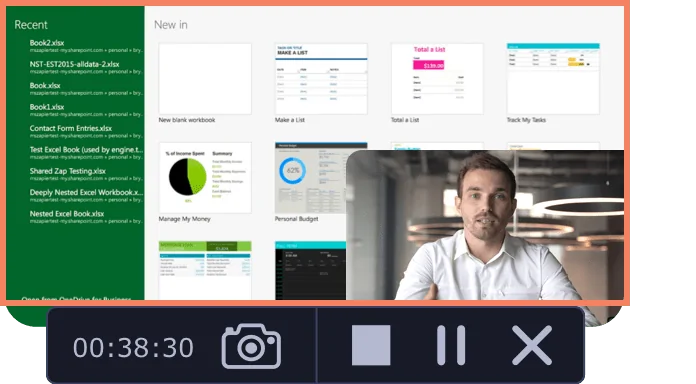
Movavi Screen Recorder lets the user grab any screen video, audio, system sounds and web-cam from a computer with a single button click. Capture webinars, live streams, Skype chats, and anything else. The user can create GIFs from movie scenes and share them with collegues. Carry Out App Reviews and Software Demos Adjust the capture area Add captions and voice-over comments with mic Split audio and video into multiple segments Do video…
$39.95
per user
Snagit
Score 9.3 out of 10
N/A
Snagit is screen capture and recording software from TechSmith, that lets users capture the screen and camera, add additional context, and share images, GIFs, or videos across preferred platforms.
$39
per year per user
Pricing
Movavi Screen Recorder
Snagit
Editions & Modules
Movavi Screen Recorder (lifetime license)
$39.95
per user
Video Suite
$79.95
per user
Screen Recorder + Video Editor Plus
$99.99
per user
No answers on this topic
Offerings
Pricing Offerings
Movavi Screen Recorder
Snagit
Free Trial
Yes
Yes
Free/Freemium Version
No
No
Premium Consulting/Integration Services
No
No
Entry-level Setup Fee
No setup fee
No setup fee
Additional Details
—
One-time license cost
One license per user - install on 2 machines, for work and home use
Compatible with Windows and MacOS
Optional Maintenance renewal - first year included
FREE Upgrade to the next version
Phone, chat and email support
Access to Snagit Certification with 20+ exclusive how-to videos
Enhanced Screencast integration to share content, plus the newest starter Assets for Snagit
It's really convenient to use with defining lots of shortcuts and provides more flexibility to the user. Pricing is also less compared to the other products. Good Support, there is a community available, can reach out them 24x7 to get the solution.
Verified User
Employee
Chose Snagit
After a while my Snagit stopped working and uninstalling and reinstalling wasn't fixing it. I decided to switch from Snagit to Format Factory's "Screen Record" program. I like this program because it does the same thing that Snagit does, and it's also free. My coworkers use …
Let's say you are on a webinar or online meeting and want to take several screen shots of what is on the screen and save all of them. Rather than opening Windows snipping tool (or other free products) and needing to save each one as fast as you can, SnagIt saves all of them and you can go back and delete the ones you don't want. Capture the entire screen quickly or do a region for only a portion of the screen. Very handy. SnagIt also provides easy ways to add your edits to the screen shot in a professional way. Rather than trying to "hand draw" a circle around the item you want to bring attention to, you can use professional tools for circles and rectangles to highlight a specific area for someone to see right away when looking at this screen shot
Being able to take screen captures quickly and with just a keystroke is a prime feature. I took several screenshots just yesterday to show folks, which saved me from taking the time to meet with [...] everyone.
Obviously recording and sharing video is Snagit's strength. It does this as well as any product I have used. It is not an editor but there are a lot of capture features that cover just about any situation.
One great feature that Snagit has is the ability to pull text from a capture. We don't use this a lot but when it is needed it is a huge time saver.
The settings and tools within Snagit are intuitive and easy to find.
I think that the tool is excellent for what it is being used for. I particuarly like the ability to capture content from the screen whilst using the scroll wheel on my mouse. It is very annoying when your try to capture something with grab and you can't scroll which leads to multiple images
It's button centric for easy access to every feature. Everything allows undo! It works like any other standard Windows application. Everyone can be a professional without having to select every feature yourself by using the built in styles with just one click of a button in most cases. Every button is clearly labeled too.
I've actually never had to contact support as the tool is easy to use. One aspect is that they upgrade and send email notifications of the upgrades. They don't charge extra for upgrades and their enhancements fall in line with the way we use the tool. We haven't had to submit any upgrade requests as the tool already does what we need it to do.
It's a simple next next finish install. The SnagIt Library in the user profile should probably be backed up to make sure they have access to their old screen captures. We frequently will go back to previous captures and add context bubbles etc. when software changes to show the "old" vs "new". Also, go to SnagIt's website and download the additional Stamp Sets for the user. These are terrific. I wish there was one download to get them all, but you have to download and install them one set at a time. It's worth it - especially for training how-to's.
PhotoShop is of course a very powerful image editing tool. But, the learning curve is steep and all the tools and settings aren't necessary for our needs. Snagit is a streamlined solution for capturing videos, creating gifs, and editing images. (It also supports capturing screenshots, including scrolling/panoramic ones, but we use a different tool). Snagit's ability to capture images + videos and immediately open the editor to edit those images or videos makes the entire process faster, simpler, and easier. We've raised the possibility as a team of switching to PhotoShop, but for now I prefer using Snagit for our needs.