Motionsoft vs. Omnify

Overview
ProductRatingMost Used ByProduct SummaryStarting Price
Motionsoft
Score 4.6 out of 10
N/A
Offering Software-as-a-Service for the fitness industry, Motionsoft provides software solutions for member-centered businesses and organizations, including fitness clubs, hospital wellness centers, corporate wellness facilities, and universities.N/A
Omnify
Score 9.3 out of 10
N/A
With Omnify’s Membership Management Software, users can streamline aspects of a business - be it bookings for services, membership management, discounts, or automating recurring payments. Omnify’s suite of functions is designed to not only ease administrative operations but also to enhance customer experience and engagement. The vendor boasts over 5000 facilities in 50+ global locations using Omnify to save time and to give their clients the attention they deserve.
$0
Up to 2 members & 100 clients
Pricing
MotionsoftOmnify
Editions & Modules
No answers on this topic
Free
$0.00
Up to 2 members & 100 clients
Growth Pro
$149.00
per month Upto 5 members
Accelerate Pro
$349.00
per month Upto 10 members
Scale Pro
$599.00
per month Upto 10 members
Offerings
Pricing Offerings
MotionsoftOmnify
Free Trial
NoYes
Free/Freemium Version
NoYes
Premium Consulting/Integration Services
NoNo
Entry-level Setup FeeNo setup feeNo setup fee
Additional DetailsDiscount available for annual pricing on commercial plans.
More Pricing Information
Community Pulse
MotionsoftOmnify
Best Alternatives
MotionsoftOmnify
Small Businesses
Kajabi
Kajabi
Score 8.6 out of 10
Kajabi
Kajabi
Score 8.6 out of 10
Medium-sized Companies

No answers on this topic

No answers on this topic

Enterprises

No answers on this topic

No answers on this topic

All AlternativesView all alternativesView all alternatives
User Ratings
MotionsoftOmnify
Likelihood to Recommend
2.0
(0 ratings)
9.3
(0 ratings)
Usability
-
(0 ratings)
8.3
(0 ratings)
Support Rating
-
(0 ratings)
8.3
(0 ratings)
User Testimonials
MotionsoftOmnify
Likelihood to Recommend
MoSo was a fairly outdated software. However, we may have needed to upgrade to the newest version in order to continue with them which may be the reason that my experience, overall, was not a positive one. At the end of the relationship, the MoSo team became unresponsive with regard to questions about what we were being charged for the service and how deposits were being utilized
Read full review
Shailja Rohillah, of Omnify, went above and beyond to respond quickly and did everything she could to accommodate my needs. Even when the exact thing I wanted, was not an option, Shailija not only found a work around but put the time in herself to address my need.
Read full review
Pros
  • Invoices across multiple entities
  • Adds products to invoices easily through the user interface
  • Adds and cancels customer access
Read full review
  • Customer support. Every time I had a question I got prompt, friendly, and knowledgeable help.
  • Ease of set-up. I had no prior experience in the tool and set up our schedule and our users in 1 evening.
  • Pleasant user interface. It was easy to read, easy to customize (even in the "cheap" version), and overall very professional.
  • Rapid development cycles. We seemed to get new and exciting functionality every 1-2 weeks.
Read full review
Cons
  • No ability to load information. Everything had to be done manually
  • Keeping good track of which entities held Accounts Receivable. One entity would be the parent of the customer and AR would appear under their home location
  • Invoicing was very ugly
Read full review
  • We would love to have more specific options for restricting the number of times a client can book a reservation per week.
  • It would be very beneficial for admins to be able to book clients in advance for classes that are not available to the mass clientele yet.
  • We would like to be able to edit client's email addresses. Several of our members have typos in the emails provided, so they aren't receiving confirmation emails and they can't log in, so they have to make new accounts.
Read full review
Usability
No answers on this topic
I'd give it a 10 except it didn't always render well on mobile devices, which caused some frustration for users. Otherwise it was easy to use, easy to manage, easy to make it look like "our" site, and very pleasant.
Read full review
Support Rating
No answers on this topic
Omnify's customer service has been pretty much always on point. Their chat feature is a great way to keep track of past communications and follow up on recurrent issues, and their response time is most of the times very quick.
Read full review
Alternatives Considered
We ended up moving away from MoSo to Sage Intacct, in which we had a much better experience with the invoicing process and the flexibility. I do not recall what other products were evaluated instead of MoSo during the initial buying decision process, but one of the key drivers for purchasing the software was the ability to cross locations
Read full review
I looked at software based systems for access control, etc. none of them could provide all of the features and usability for both the end user and host that Omnify could. Other, similar web/cloud based services are not as flexible or customizable. Omnify knows that everyone's business isn't the same and has a skilled team of customer care folks ready to do whatever is needed to help you succeed.
Read full review
Return on Investment
  • Positive in invoicing one customer across multiple locations
  • Negative Customer Service experience
  • Negative Ability to Scale
Read full review
  • Pricing point at the beginning allowed for growth.
  • Margins started shrinking as pricing went up though.
  • Ability for online booking & payments allows to save on front desk staff.
Read full review
ScreenShots

Omnify Screenshots

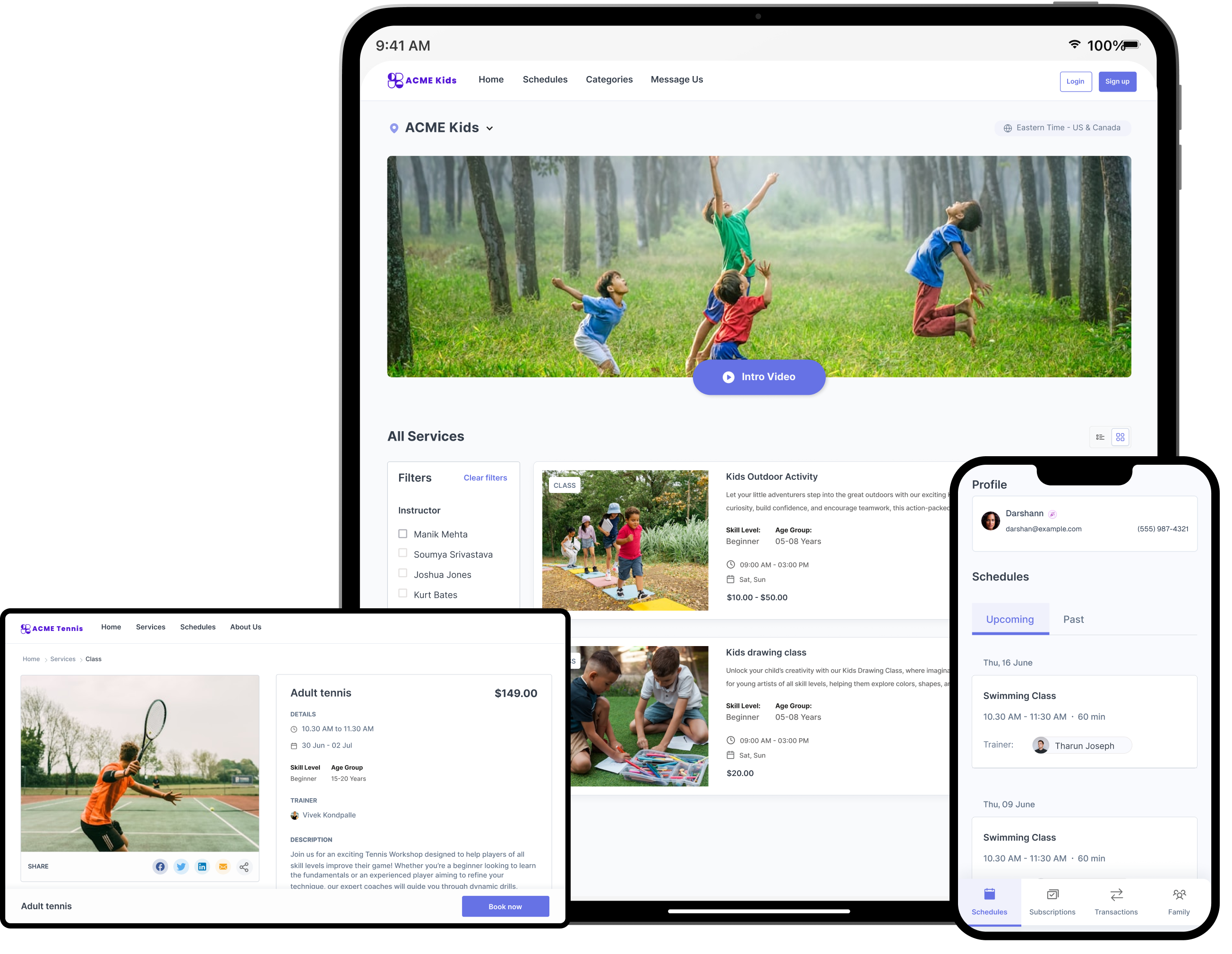
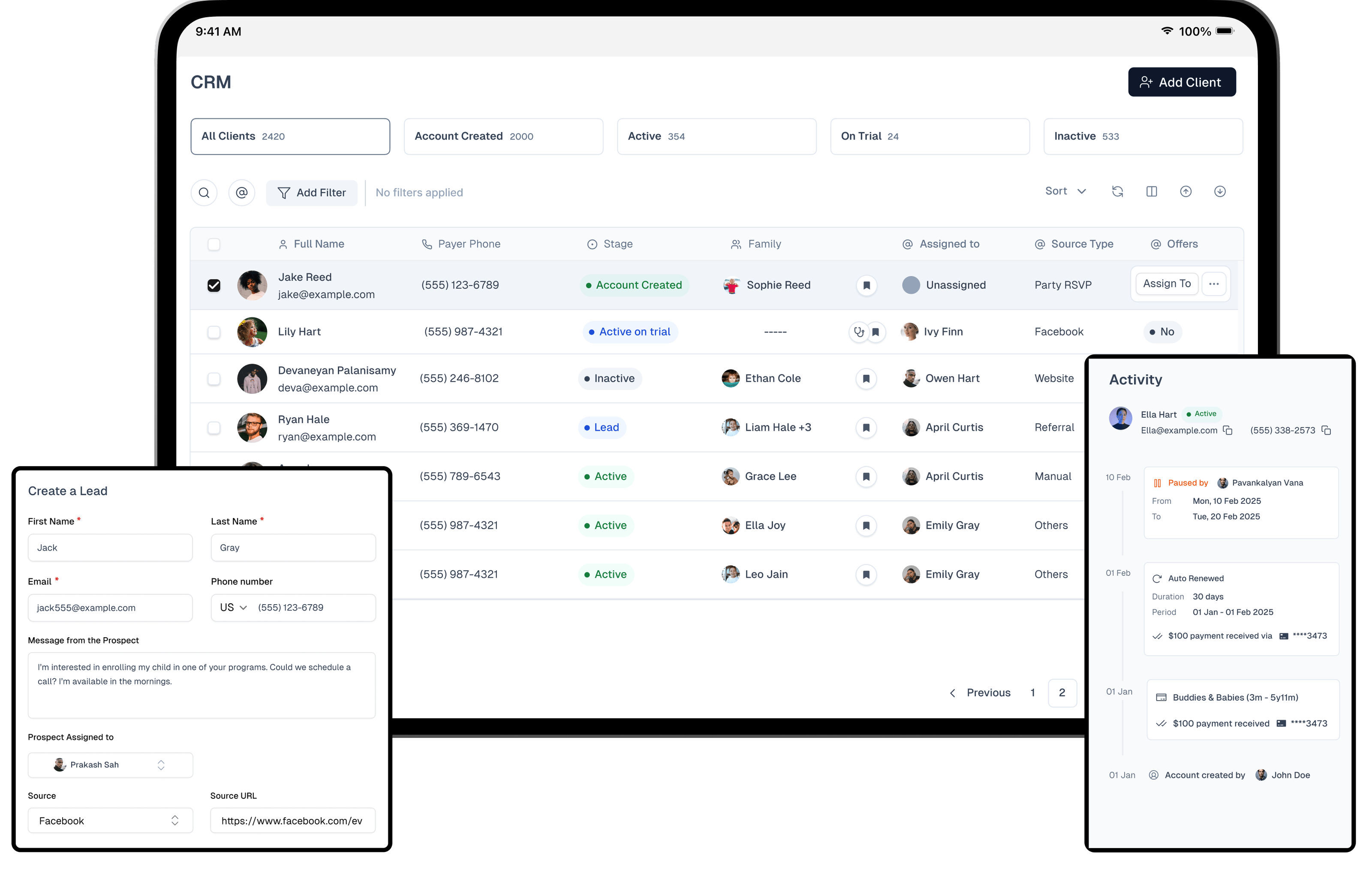
Screenshot of the Omnify service storeScreenshot of the new frontdeskScreenshot of the CRM for service businessesScreenshot of where to automate scheduling and bookingsScreenshot of some mobile views, including client details, subscriptions etc