MonitUp vs. Time Doctor

Overview
ProductRatingMost Used ByProduct SummaryStarting Price
MonitUp
Score 0.0 out of 10
N/A
Employee monitoring platform designed to help businesses with monitoring employee website access, computer performance, and time tracking. Features of the platform include an activity dashboard with an overview of all employees' activity, login and logout tracking, visibility into which websites employees are accessing, a list of all online and offline computers, customization, and user-specific data.
$2
per month per user
Time Doctor
Score 8.8 out of 10
N/A
Time Doctor offers in-depth productivity analytics, giving business owners insight on how to improve performance and scale. Going beyond tracking and monitoring, Time Doctor’s suite of tools put data-driven improvement front and center, helping to ensure that teams of all sizes are actively working on the right things while also offering actionable insights to maximize performance and efficiency. Time Doctor tracks the collective hours a team puts in. But it also provides a…
$7
per month per user
Pricing
MonitUpTime Doctor
Editions & Modules
No answers on this topic
Basic
$7
per month per user
Basic
$7
per month per user
Standard
$14
per month
Standard
$14
per month per user
Premium
$20
per month
Premium
$20
per month per user
Offerings
Pricing Offerings
MonitUpTime Doctor
Free Trial
YesYes
Free/Freemium Version
NoNo
Premium Consulting/Integration Services
NoNo
Entry-level Setup FeeOptional$9.99 per user
Additional Details
More Pricing Information
Community Pulse
MonitUpTime Doctor
Best Alternatives
MonitUpTime Doctor
Small Businesses
Traqq
Traqq
Score 9.1 out of 10
Traqq
Traqq
Score 9.1 out of 10
Medium-sized Companies
ManageEngine ADAudit Plus
Score 9.3 out of 10
TimeClock Plus
TimeClock Plus
Score 9.5 out of 10
Enterprises
ManageEngine ADAudit Plus
Score 9.3 out of 10
Zoho People
Zoho People
Score 8.4 out of 10
All AlternativesView all alternativesView all alternatives
User Ratings
MonitUpTime Doctor
Likelihood to Recommend
-
(0 ratings)
8.0
(54 ratings)
Likelihood to Renew
-
(0 ratings)
10.0
(1 ratings)
Usability
-
(0 ratings)
10.0
(3 ratings)
Support Rating
-
(0 ratings)
5.0
(5 ratings)
Implementation Rating
-
(0 ratings)
10.0
(1 ratings)
User Testimonials
MonitUpTime Doctor
Likelihood to Recommend
MonitUp
No answers on this topic
Time Doctor
Time Doctor is well suited for certain businesses where some or many of the employees are now working remotely due to the pandemic and post-pandemic times. It is a good way for the employer to keep track of activity and (more or less) keep people honest. For businesses and employees where there are a lot of site visits, travel, etc., Time Doctor is a little impractical since it requires the employee to manually enter in whatever time was spent on tasks performed away from the computer. If an employer is hoping to track that activity, they still need to rely on the employees' honor systems to enter in times and tasks.
Read full review
Pros
MonitUp
No answers on this topic
Time Doctor
  • Tracked time both macro (categories) and micro (down to the project and the tasks)
  • Reminded us when we went off task and got lured in via social media
  • Provides us with detailed reports to share with joint venture partners, clients and more
Read full review
Cons
MonitUp
No answers on this topic
Time Doctor
  • One thing I would love to see is integration with my cell phone. Time Doctor already has an app, but I want it to automatically capture the time I spend on my phone with clients. For now I have to manually enter in this time and must note when the call started and when it ended.
  • Integration into Wave apps where I generate my invoices. I'd like to be able to select a project from Time Doctor in my invoice and have it automatically populate the time I spent on it and the dates I worked on the project rather than manually finding and entering this information.
Read full review
Likelihood to Renew
MonitUp
No answers on this topic
Time Doctor
This is user friendly and can be tailored to our business' needs
Read full review
Usability
MonitUp
No answers on this topic
Time Doctor
I use this daily and it is very simple to use. The setup is very easy and customizing the fields is simple enough. Editing it is also very easy to do.
Read full review
Support Rating
MonitUp
No answers on this topic
Time Doctor
The support was terrible! They never responded in sufficient time and their assistance was always super vague. I never felt like they had an actual solution to my concerns. They were nice, but I don't feel like they were trained in their own system. It felt like I was talking to a wall.
Read full review
Implementation Rating
MonitUp
No answers on this topic
Time Doctor
Other than we are happy with the way Time Doctor works for us, no key insights.
Read full review
Alternatives Considered
MonitUp
No answers on this topic
Time Doctor
I still use Rescue Time for different reasons. I review my stats once a week by email. I think it's a totally different product. My egg timer keeps me more on task, but it doesn't record my times
Read full review
Return on Investment
MonitUp
No answers on this topic
Time Doctor
  • It helps me to use my time more effectively.
  • For a small amount each month I believe I get a huge return on investment in form of traceability of my hours spent. The major factor that made me choose Time Doctor was the price and the value. I don't think I would still be interested if it was more expensive.
Read full review
ScreenShots

MonitUp Screenshots

Screenshot of User Dashboard
It gives you information about users, when he turned on his computer, how long he was away from his computer, when he shut down his computer in the evening. You can see the pie chart of the most used applications. The list at the bottom will show you the details of all the transactions of the user in the date range you have specified. In this way, you can have an idea about the efficiency of the user.Screenshot of Dashboard
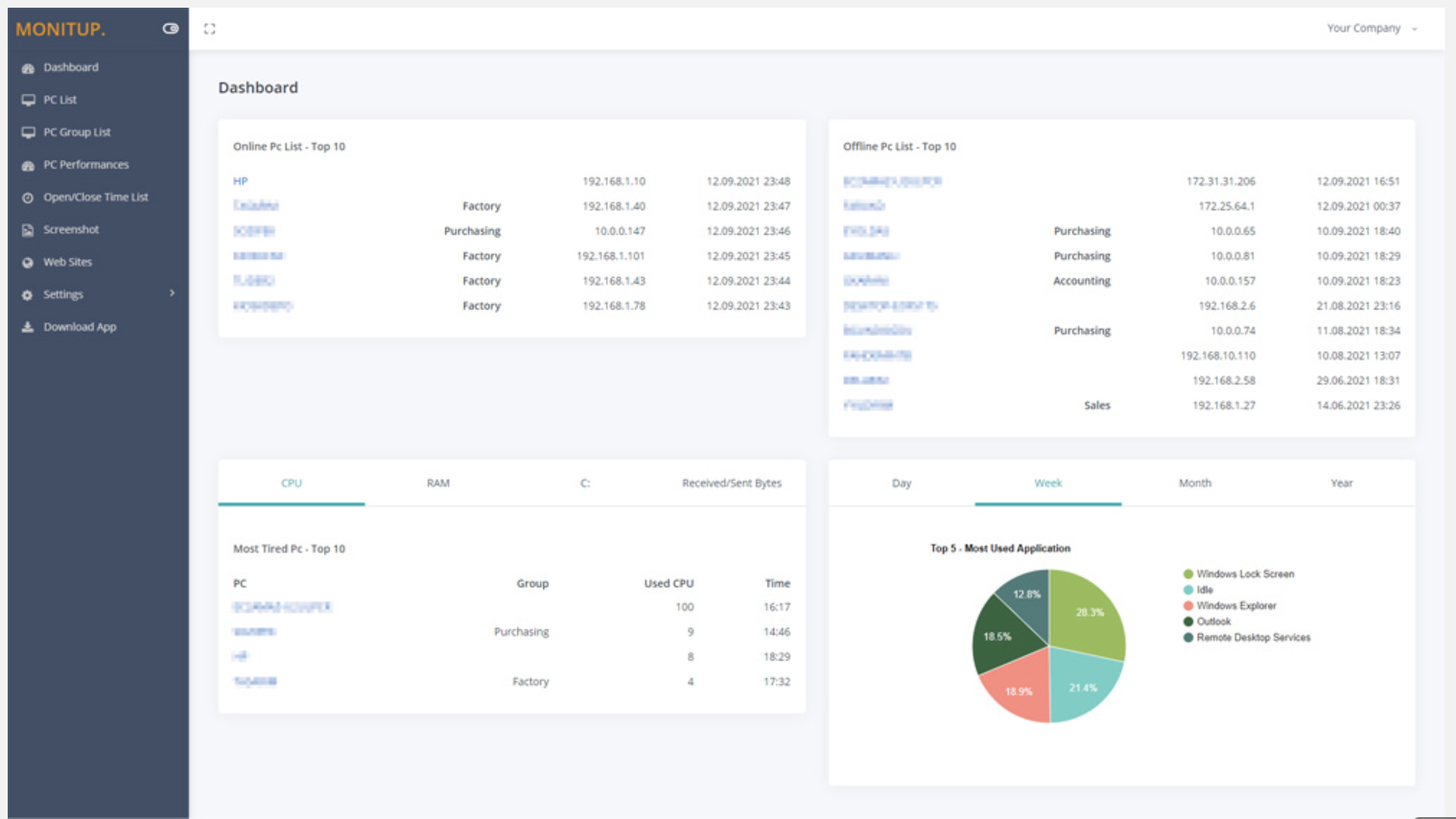
You can see the summary of the movements of the company employees on this screen. Online Computers, Offline Computers, IP Addresses, latest trading hours and pie chart of the most used programs in your company.Screenshot of Employee entrance and exit control
You can see when all employees turned on and off their computers. It helps you to distinguish missing or overwork easily.Screenshot of Websites are under control
You can see which websites employees browse and keep them under control. It is important information to increase employee productivity.Screenshot of Screenshot
Screenshots of the users you specify are taken every 5 minutes. In this way, you will have more data at hand to increase efficiency.Screenshot of Application Categories
All applications are divided into 3 categories. You can set the desired application as Productive, Unproductive Neutral. Thus, you can see the transactions on the graph and instantly analyze the efficiency of the user.

Time Doctor Screenshots

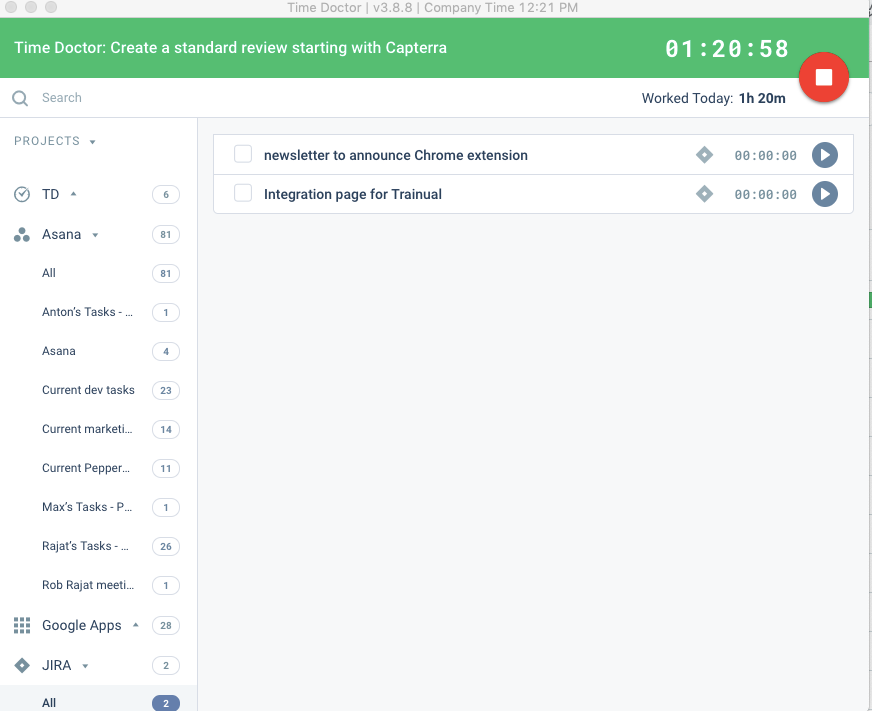
Screenshot of the Time Doctor web app and usage reportScreenshot of a timeline reportScreenshot of Time Doctor's realtime dashboardsScreenshot of an attendance reportScreenshot of a real-time email notificationScreenshot of the interactive desktop app