Mitel MiCollab is a collaboration and conferencing tool for enterprises, from Canadian company Mitel.
N/A
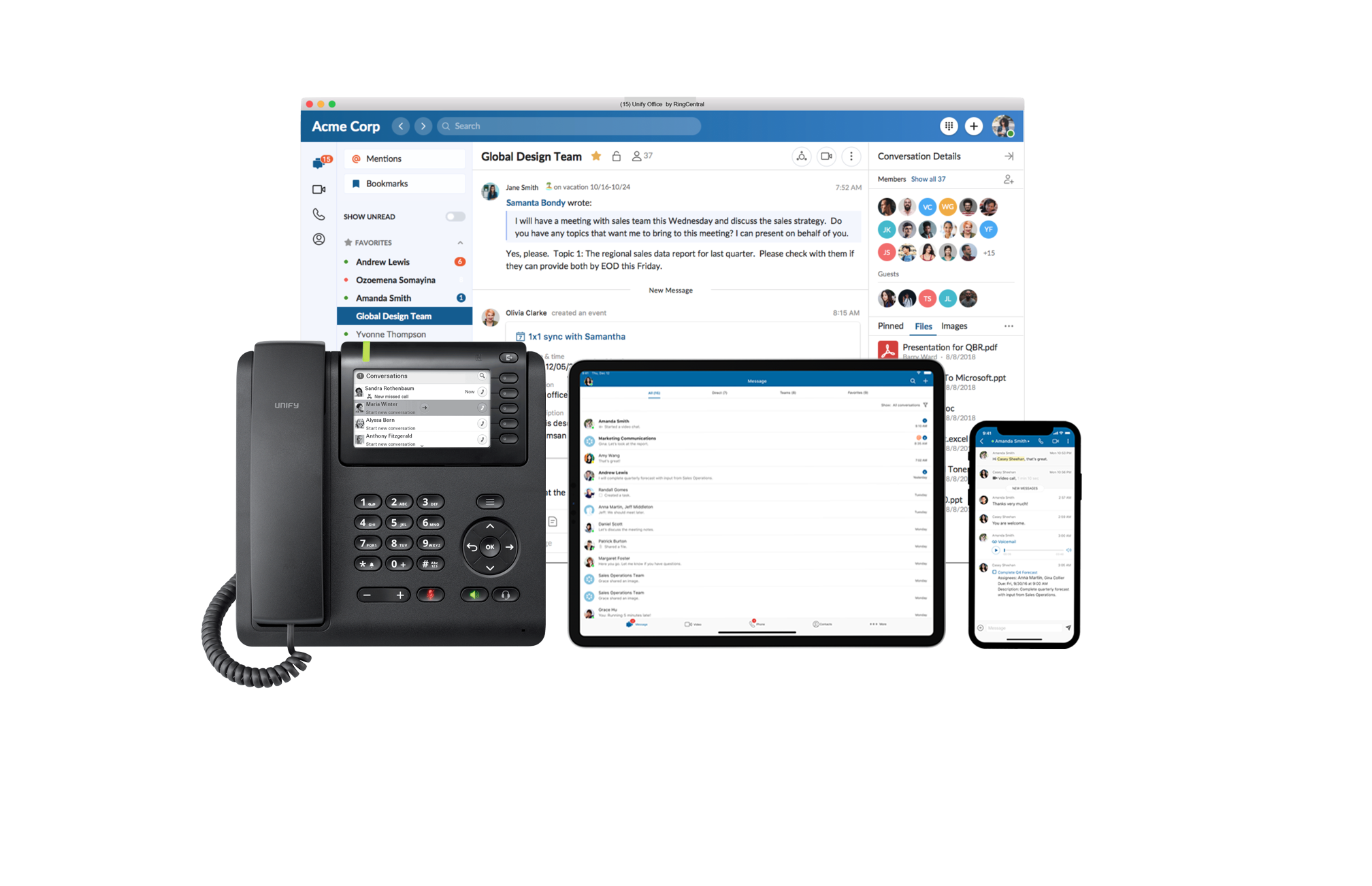
Unify Office by RingCentral, from Atos
Score8 out of 10
N/A
Unify Office is a cloud team collaboration and communications service delivered by Atos Unify in partnership with RingCentral, a market leader in UCaaS.
If you're in an area that has highly trained technicians to support the Mitel MiCollab product - I think your experience will likely be much better than ours. In my opinion, Frontier (and Integra before them) were the worst, and we do not look back on that experience with much happiness.
A de minimis incentive was given to thank the reviewer for their time. The incentive was not used to bias or drive a particular response, nor was the incentive contingent on a positive endorsement. More Info
If you are looking for a tool for Teams to use where they can keep everything together, then this will work really well. A complete package than tools such as WhatsApp or Skype for Business when it comes to documenting handling and more polished than the likes of Slack or HipChat for the team working and communication element.
A de minimis incentive was given to thank the reviewer for their time. The incentive was not used to bias or drive a particular response, nor was the incentive contingent on a positive endorsement. More Info
A de minimis incentive was given to thank the reviewer for their time. The incentive was not used to bias or drive a particular response, nor was the incentive contingent on a positive endorsement. More Info
The mobile use of the platform is very powerful. To be able to answer a video call on your phone and them simply swipe when you get to your desktop to have a seamless transfer is impressive.
The simple interface makes it easy for new users. There is nothing to make them feel overwhelmed.
Keeping all the information in the threads of conversations makes it easy to find. There is also a search tool, so as long as you know what you need, you can look accross all your conversation to find the information you are looking for.
A de minimis incentive was given to thank the reviewer for their time. The incentive was not used to bias or drive a particular response, nor was the incentive contingent on a positive endorsement. More Info
A de minimis incentive was given to thank the reviewer for their time. The incentive was not used to bias or drive a particular response, nor was the incentive contingent on a positive endorsement. More Info
We would like to see the ability to break out to Group video conferencing systems. We understand that this is on its way in a software update in the near future.
A de minimis incentive was given to thank the reviewer for their time. The incentive was not used to bias or drive a particular response, nor was the incentive contingent on a positive endorsement. More Info
It is easy to you for existig Mitel UC users, who are familiar with the Mitel way of things, but for green field enterprises, might be a ramp up period which in most cases would not be worth it as its competitor TEAMS is much easier and intuity to use.
A de minimis incentive was given to thank the reviewer for their time. The incentive was not used to bias or drive a particular response, nor was the incentive contingent on a positive endorsement. More Info
Initially, support from Mitel was fantastic, but recently it has started to lag significantly. Response takes 8 hours, at a minimum, usually requiring a second call to spur a response. Email support is even worse (email in a ticket) - I have had to call in to get things running the 3 times I've tried to email support.
A de minimis incentive was given to thank the reviewer for their time. The incentive was not used to bias or drive a particular response, nor was the incentive contingent on a positive endorsement. More Info
MiCollab was great as a VOIP solution and general team collaboration solution, but it lacked in some areas, such as the mobile app, complex configuration and set up as well as the lack of user customization. Overall, the system is serviceable, but seemed rather vanilla compared to its competitors
A de minimis incentive was given to thank the reviewer for their time. The incentive was not used to bias or drive a particular response, nor was the incentive contingent on a positive endorsement. More Info
Each of the tools above does something well. We have found that the Unify solution simply does a better job of combining all the features of the other services. \easy to start using, while remaining a powerful tool is a tricky task to pull off, but Unify have done this and they have done it well.
A de minimis incentive was given to thank the reviewer for their time. The incentive was not used to bias or drive a particular response, nor was the incentive contingent on a positive endorsement. More Info
This product was competitively priced when originally purchased. We will need to evaluate whether to replace it when it approaches the end of life or simply upgrade it.
Users typically only use the phone system because the collaboration tools have been superseded in functionality by other tools.
A de minimis incentive was given to thank the reviewer for their time. The incentive was not used to bias or drive a particular response, nor was the incentive contingent on a positive endorsement. More Info
A shortening of timescales as information is not stuck on an internal server somewhere - we can include it as part of the thread. This also applies to updates and revisions. You automatically know which the latest revision is, as it is the most recent in the timeline.
The relative cost of implementation is low and there is a wide range of solutions for phones and clients, from software based solutions running on desktop and smartphone or quality hardware to make your desk phone a powerful tool in itself.
A de minimis incentive was given to thank the reviewer for their time. The incentive was not used to bias or drive a particular response, nor was the incentive contingent on a positive endorsement. More Info