MicroStrategy Mobile vs. SAP BusinessObjects Business Intelligence

Overview
ProductRatingMost Used ByProduct SummaryStarting Price
MicroStrategy Mobile
Score 8.0 out of 10
N/A
MicroStrategy Mobile enables users to bring analytics, transactions, mapping, multimedia, and business workflows to life in custom mobile apps, personalized for any industry or any role. Users can convert any information system or web application into a user-friendly, highly-performant native mobile app—optimized for both iOS and Android. Users can scale to the most demanding enterprise needs in terms of user numbers and data volume. With multi-factor and biometric…N/A
SAP BusinessObjects Business Intelligence
Score 6.5 out of 10
N/A
The SAP® BusinessObjects™ Business Intelligence Platform provides users with ad hoc queries, reporting, data visualizations, and analysis tools. Its integrated, unified infrastructure aims to offer scalability from one-to-many tools and interfaces on-premise, in the cloud, or as a hybrid approach.N/A
Pricing
MicroStrategy MobileSAP BusinessObjects Business Intelligence
Editions & Modules
No answers on this topic
Offerings
Pricing Offerings
MicroStrategy MobileSAP BusinessObjects Business Intelligence
Free Trial
NoNo
Free/Freemium Version
NoNo
Premium Consulting/Integration Services
NoNo
Entry-level Setup FeeNo setup feeNo setup fee
Additional Details
More Pricing Information
Community Pulse
MicroStrategy MobileSAP BusinessObjects Business Intelligence
Features
MicroStrategy MobileSAP BusinessObjects Business Intelligence
BI Standard Reporting
Comparison of BI Standard Reporting features of Product A and Product B
MicroStrategy Mobile
-
Ratings
SAP BusinessObjects Business Intelligence
8.1
Ratings
1% below category average
Pixel Perfect reports00 Ratings8.60 Ratings
Customizable dashboards00 Ratings7.70 Ratings
Report Formatting Templates00 Ratings8.20 Ratings
Ad-hoc Reporting
Comparison of Ad-hoc Reporting features of Product A and Product B
MicroStrategy Mobile
-
Ratings
SAP BusinessObjects Business Intelligence
7.8
Ratings
3% below category average
Drill-down analysis00 Ratings7.10 Ratings
Formatting capabilities00 Ratings8.20 Ratings
Integration with R or other statistical packages00 Ratings7.20 Ratings
Report sharing and collaboration00 Ratings8.60 Ratings
Report Output and Scheduling
Comparison of Report Output and Scheduling features of Product A and Product B
MicroStrategy Mobile
-
Ratings
SAP BusinessObjects Business Intelligence
7.8
Ratings
6% below category average
Publish to Web00 Ratings9.00 Ratings
Publish to PDF00 Ratings7.30 Ratings
Report Versioning00 Ratings6.70 Ratings
Report Delivery Scheduling00 Ratings8.40 Ratings
Delivery to Remote Servers00 Ratings7.70 Ratings
Data Discovery and Visualization
Comparison of Data Discovery and Visualization features of Product A and Product B
MicroStrategy Mobile
-
Ratings
SAP BusinessObjects Business Intelligence
7.1
Ratings
12% below category average
Pre-built visualization formats (heatmaps, scatter plots etc.)00 Ratings6.80 Ratings
Location Analytics / Geographic Visualization00 Ratings6.80 Ratings
Predictive Analytics00 Ratings7.80 Ratings
Pattern Recognition and Data Mining00 Ratings7.20 Ratings
Access Control and Security
Comparison of Access Control and Security features of Product A and Product B
MicroStrategy Mobile
-
Ratings
SAP BusinessObjects Business Intelligence
9.2
Ratings
8% above category average
Multi-User Support (named login)00 Ratings9.00 Ratings
Role-Based Security Model00 Ratings9.60 Ratings
Multiple Access Permission Levels (Create, Read, Delete)00 Ratings9.00 Ratings
Report-Level Access Control00 Ratings9.60 Ratings
Single Sign-On (SSO)00 Ratings9.00 Ratings
Mobile Capabilities
Comparison of Mobile Capabilities features of Product A and Product B
MicroStrategy Mobile
-
Ratings
SAP BusinessObjects Business Intelligence
5.8
Ratings
30% below category average
Responsive Design for Web Access00 Ratings6.70 Ratings
Mobile Application00 Ratings3.90 Ratings
Dashboard / Report / Visualization Interactivity on Mobile00 Ratings3.90 Ratings
Application Program Interfaces (APIs) / Embedding
Comparison of Application Program Interfaces (APIs) / Embedding features of Product A and Product B
MicroStrategy Mobile
-
Ratings
SAP BusinessObjects Business Intelligence
7.0
Ratings
11% below category average
REST API00 Ratings6.70 Ratings
Javascript API00 Ratings7.20 Ratings
iFrames00 Ratings7.20 Ratings
Java API00 Ratings7.10 Ratings
Themeable User Interface (UI)00 Ratings7.20 Ratings
Customizable Platform (Open Source)00 Ratings6.70 Ratings
User Ratings
MicroStrategy MobileSAP BusinessObjects Business Intelligence
Likelihood to Recommend
8.4
(0 ratings)
7.7
(0 ratings)
Likelihood to Renew
-
(0 ratings)
8.3
(0 ratings)
Usability
-
(0 ratings)
7.6
(0 ratings)
Availability
-
(0 ratings)
10.0
(0 ratings)
Performance
-
(0 ratings)
9.0
(0 ratings)
Support Rating
-
(0 ratings)
8.6
(0 ratings)
In-Person Training
-
(0 ratings)
10.0
(0 ratings)
Online Training
-
(0 ratings)
9.0
(0 ratings)
Implementation Rating
-
(0 ratings)
9.0
(0 ratings)
Configurability
-
(0 ratings)
9.0
(0 ratings)
Ease of integration
-
(0 ratings)
9.0
(0 ratings)
Product Scalability
-
(0 ratings)
9.0
(0 ratings)
Vendor post-sale
-
(0 ratings)
9.0
(0 ratings)
Vendor pre-sale
-
(0 ratings)
9.0
(0 ratings)
User Testimonials
MicroStrategy MobileSAP BusinessObjects Business Intelligence
Likelihood to Recommend
One of best business intelligence enterprise reporting tools, it has loads of rich features available to the business user with ease of use and advanced analysis in a single end-to-end solution. I like MicroStrategy's simplicity in creating complex multi-pass SQL reports, visualizations over varied data sets, and the breath of areas in which the product can be used. I like mostly everything. I think there are some remaining improvements that could be done in the area of data visualization.
Read full review
The proper management of SAP BusinessObjects Dashboards requires an expert on the team to manage and build reports. If an organization does not have the proper expertise on board to build and deploy reports it will fail. Data analytics, dropping into excel, and broadcasting of information are major bonuses for the use of SAP BusinessObjects Dashboards.
Read full review
Pros
  • Flexibility.
  • Excellent visualization.
  • High definition graphics which are readable for any user.
Read full review
  • This software is easy to initially learn, and very powerful in producing reusable reports.
  • It is much faster than my company's internal manual queries. The ability to build off of a saved query and share queries to other users is a great positive.
  • My favorite part is that you can run queries in the background and it does not interfere with your current work or slow your computer down.
Read full review
Cons
  • More documentation of communication between the layers of the infrastructure so security discussions can better be facilitated.
  • Reloading the data when you reboot the server takes time depending on the infrastructure.
  • It can also be a bit slow due to the amount of data we have, but that's more of a data problem.
  • I have not been able to figure out how I can control table joins within reports, so I have to create free form SQL reports, which is messy to upkeep.
Read full review
  • The installation can be very complex and time-consuming, it requires a lot of planning and foresight as to what role the software will play in the organization.
  • The software has a relatively large learning curve that takes dedicated users months to get comfortable with, the UI is a bit intimidating for new users.
  • SAP could organize their help better, it can be difficult to find dependable solutions to issues via their website and support channels.
Read full review
Likelihood to Renew
No answers on this topic
The institution has decided to move in a different direction, and will be using MSBI for reporting. I have been very happy with the Business Objects suite of tools, and will continue to use them heavily until we make the transition.
Read full review
Usability
No answers on this topic
SAP Business Objects is a great tool for operational reporting. It provides a lot of capabilities for scheduling the reports for end users as well as for Adhoc data analysis by business users. One can easily format a report in SAP BO. The tool is not very difficult to learn for both End users and Developers.
Read full review
Reliability and Availability
No answers on this topic
When we implemented 3.1, we had a tough time managing the system: It took almost a year to stabilize.

With 4.0, we want to roll out to more users, and are holding back because of fears about the performance issue
Read full review
Performance
No answers on this topic
Overall, the tool (Web Intelligence 4.2) is fast and solid. One issue is a dependability on JAVA for a full feature report creation/edit capabilities (as opposed to limited HTML option). Second, planned end of JAVA support by major browsers (Chrome is already not supporting JAVA applet).
Read full review
Support Rating
No answers on this topic
We are getting the BI support from our SAP support company. Although they are good at some basic staff, they are unable to answer our questions for some complex structures. Sometimes we got the feedback that our request was not possible to implement, however later we found there were some methods available.
Read full review
In-Person Training
No answers on this topic
This is more a function of the training I received from the systems experts in my organization, not training from Business Objects/SAP. The training was rushed, without an agenda, and didn’t meet my needs as a user.
Read full review
Online Training
No answers on this topic
I haven't used it or got feedback from the end user.

Content looks to be pretty detailed. Focused on SQL but not BW.
Read full review
Implementation Rating
No answers on this topic
Hire specialists and experienced staff. Mix some beginners so that everyone is not a leader but a learner too. Plan well; architect well; break down implementation in small steps and move towards larger steps. Create a centralized and authorized SAP Business Objects implementation team.
Read full review
Alternatives Considered
MicroStrategy is much better.
Read full review
This has the biggest drawback of handling the large data volume which I feel is needed as this is time-consuming and making decisions at the right time is getting harder and we have decided to move to this platform considering the time taken to process the data.
Read full review
Scalability
No answers on this topic
SAP BusinessObjects Business Intelligence (BI) Platform supports SOA Service Oriented Architecture. You can start/restart/enable/disable all the servers. You can seamless do load balancing and clustering. It supports all leading application and web server. Supports LDAP SSO integration. People who can work on excel with training they can work on SAP Business Objects Web Intelligence, dashboard, Lumira, Information design tool product suite. Tool is very user friendly and easy to learn and implement
Read full review
Return on Investment
No answers on this topic
  • SAP BO BI Platform has a good positive impact on the overall business of any organization. It helps in important decision making, planning, and analyzing the growth of the particular organization
  • Another positive impact is that users get hold of data very easily and in a user-friendly manner. users can even interact with reports to get the meaningful data filtered out of that.
  • The negative impact can be on licensing costs and buying this software box. This in turn will add to the cost of expenses of a particular organization
Read full review
ScreenShots

MicroStrategy Mobile Screenshots

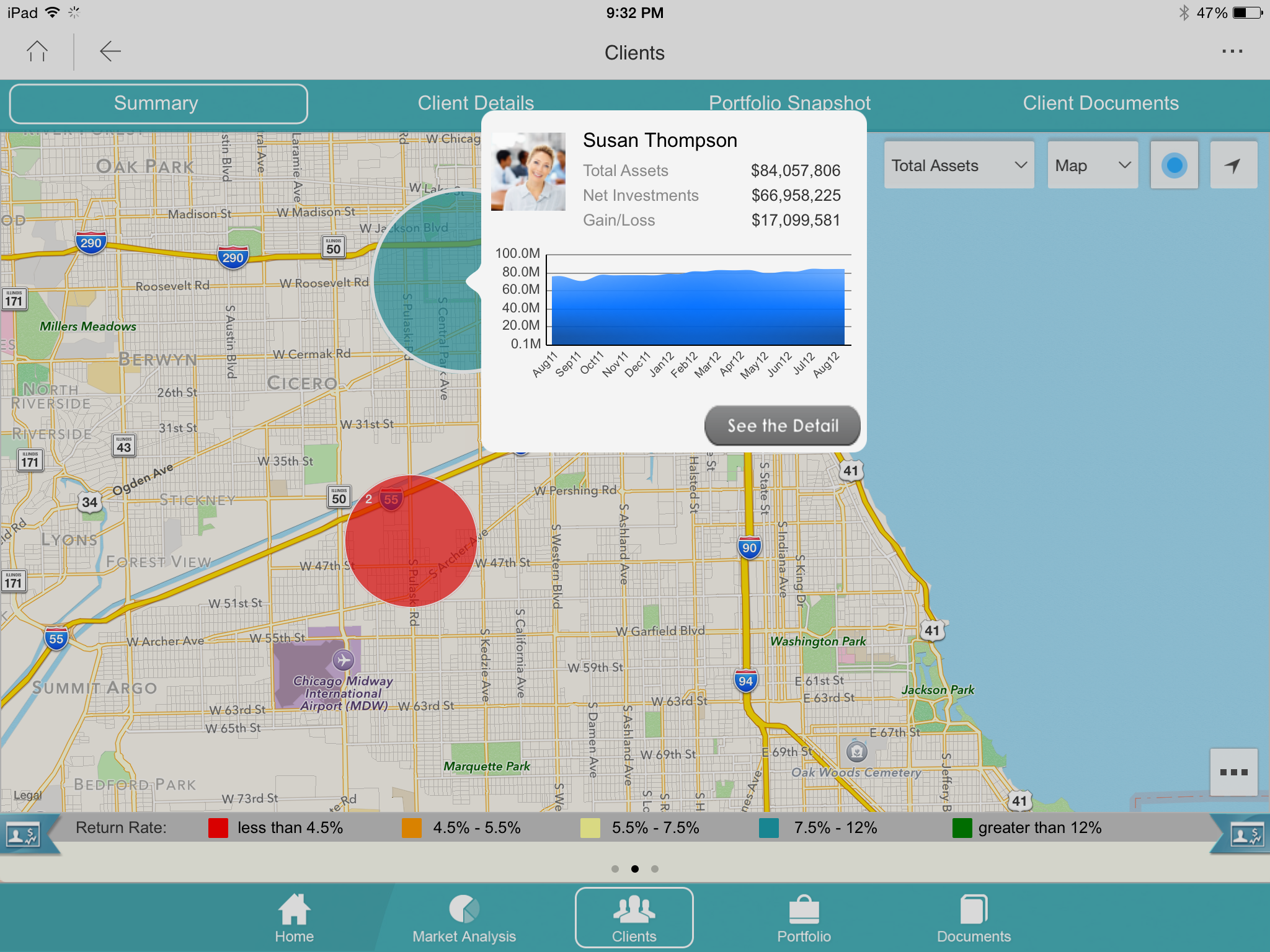
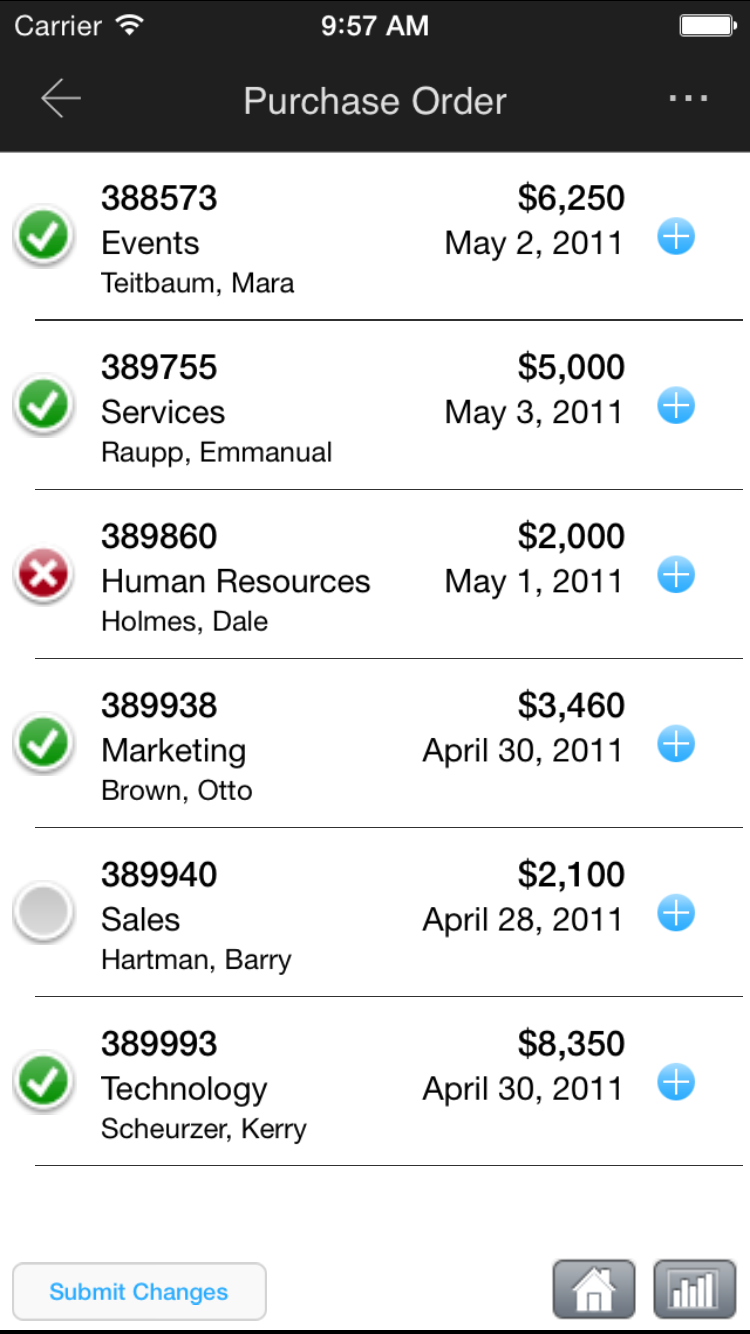
Screenshot of Monitor operational KPIs wherever, wheneverScreenshot of Look up detailed customer information while out in the fieldScreenshot of Log touchpoints or update CRM informationScreenshot of Approve or deny corporate requestsScreenshot of View customer buying trends and capture notesScreenshot of View performance and ranking