Microsoft offers Visual Studio Code, a text editor that supports code editing, debugging, IntelliSense syntax highlighting, and other features.
N/A
SAP Crystal
Score 7.5 out of 10
N/A
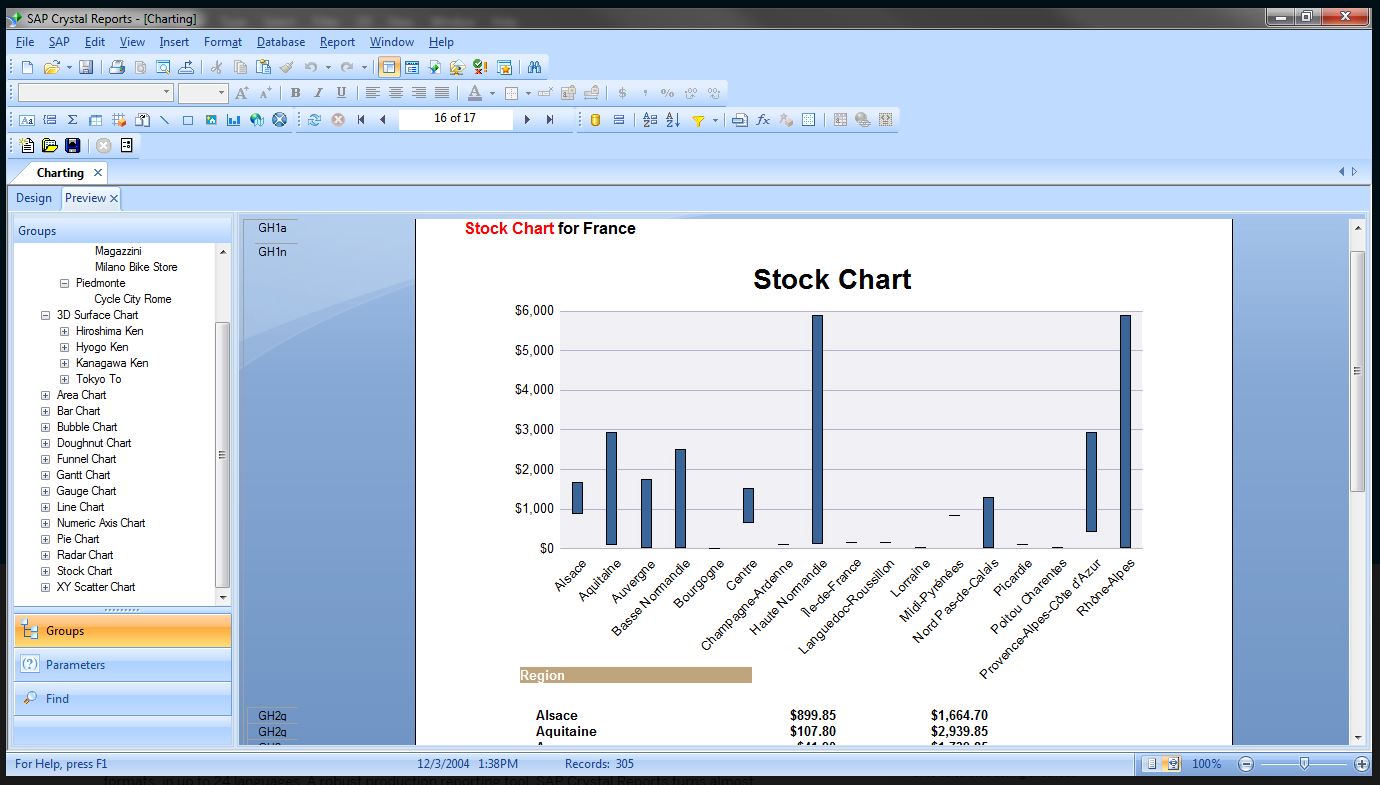
SAP Crystal is an analytics and reporting software solution for SMBs. SAP Crystal comprises Crystal Reports for pixel-perfect reporting, and SAP Crystal Server for automated distribution and self-service access to reports, dashboards and data exploration.
$295
per single user license
Pricing
Microsoft Visual Studio Code
SAP Crystal
Editions & Modules
No answers on this topic
Upgrade Version to SAP Crystal Reports 2020
$295
per single user license
SAP Crystal Reports 2020 64-Bit
$495
per single user license
SAP Crystal Reports 2016 32-Bit
$495
per single user license
SAP Crystal Server 2020 1 NUL
$869
per user license + first year maintenance to be added
SAP Crystal Server 2020 5 CAL
$8,744
5 concurrent users + first year maintenance to be added
Offerings
Pricing Offerings
Microsoft Visual Studio Code
SAP Crystal
Free Trial
No
Yes
Free/Freemium Version
Yes
Yes
Premium Consulting/Integration Services
No
No
Entry-level Setup Fee
No setup fee
Optional
Additional Details
—
* SAP Crystal Reports 2020 Viewer allows you to view static data within a SAP Crystal Reports file.
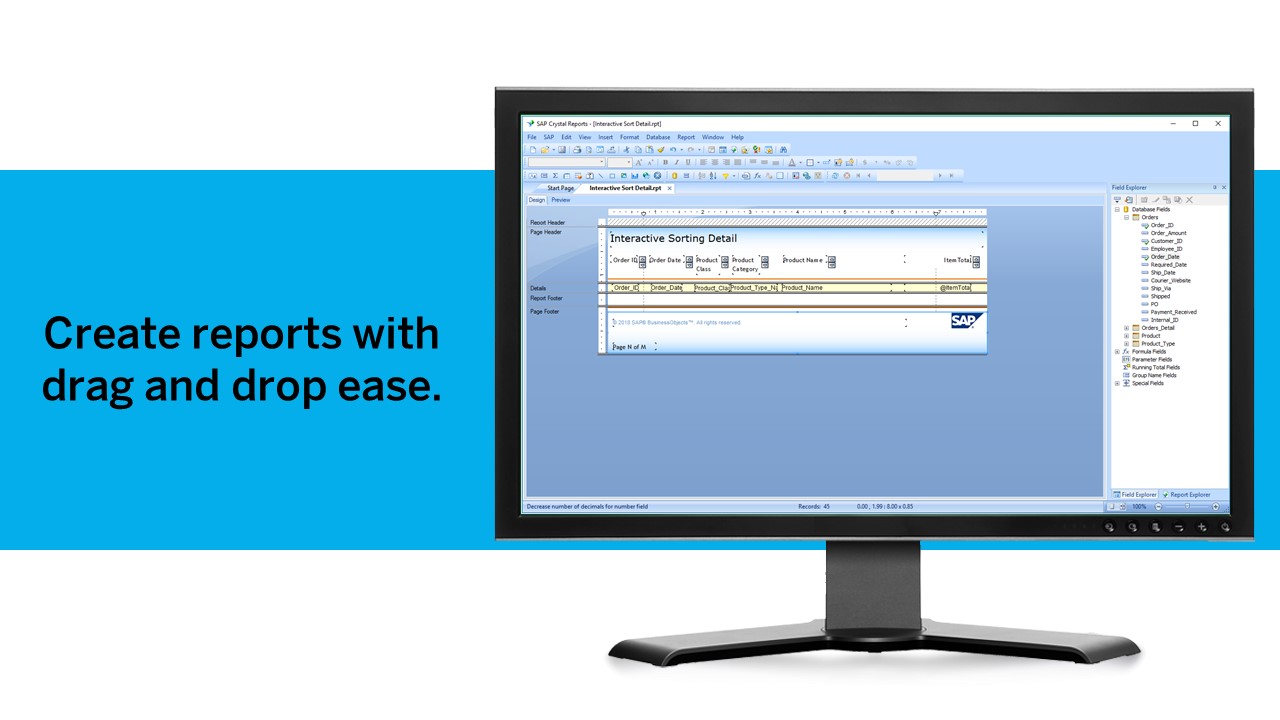
* SAP Crystal Reports 2020 - Full version allows you to create powerful, richly formatted, and dynamic reports from virtually any data source, delivered in dozens of formats, in up to 28 languages. If you already have an older version of Crystal Reports, buy a license for SAP Crystal Reports 2020 - Upgrade at a discounted, upgrade price.
* SAP Crystal Server 2020, 1 NUL includes 1 license of: SAP Crystal Reports 2020 - SAP Crystal Server 2020.
* As an add-on to SAP Crystal Server 2020 1 NUL, SAP Crystal Server 2020 5 CAL allows you to support a wider, intermittent audience of end users, up to five logged on at the same time.
More Pricing Information
Community Pulse
Microsoft Visual Studio Code
SAP Crystal
Features
Microsoft Visual Studio Code
SAP Crystal
BI Standard Reporting
Comparison of BI Standard Reporting features of Product A and Product B
Microsoft Visual Studio Code
-
Ratings
SAP Crystal
9.3
Ratings
13% above category average
Pixel Perfect reports
00 Ratings
8.00 Ratings
Customizable dashboards
00 Ratings
10.00 Ratings
Report Formatting Templates
00 Ratings
10.00 Ratings
Ad-hoc Reporting
Comparison of Ad-hoc Reporting features of Product A and Product B
Microsoft Visual Studio Code
-
Ratings
SAP Crystal
9.6
Ratings
17% above category average
Drill-down analysis
00 Ratings
10.00 Ratings
Formatting capabilities
00 Ratings
10.00 Ratings
Integration with R or other statistical packages
00 Ratings
8.60 Ratings
Report sharing and collaboration
00 Ratings
10.00 Ratings
Report Output and Scheduling
Comparison of Report Output and Scheduling features of Product A and Product B
Microsoft Visual Studio Code
-
Ratings
SAP Crystal
9.4
Ratings
12% above category average
Publish to Web
00 Ratings
9.20 Ratings
Publish to PDF
00 Ratings
10.00 Ratings
Report Versioning
00 Ratings
9.00 Ratings
Report Delivery Scheduling
00 Ratings
9.00 Ratings
Delivery to Remote Servers
00 Ratings
10.00 Ratings
Data Discovery and Visualization
Comparison of Data Discovery and Visualization features of Product A and Product B
If your Source Control Software is Team Foundation Server then skip Visual Studio Code. If you're using GitHub and are creating small projects Visual Studio Code is the way to go. If you need to create a large, enterprise-level application, Visual Studio Code makes it easier to set up interactions between related projects (client & server). If you're interested in getting back to the old way of using the command line to create projects and you know what to enter in the console window then Visual Studio Code is great. Visual Studio Code is a better choice if you don't know the console commands and prefer to make selections from a menu.
Generation of templated reports is the strong suit of SAP Crystal. Allows users to change formats in templates bases on requirement with minimal effort. Automated report delivery requires the user to be aware of sql which cannot be expected from all users. Should support more document export formats and improve the UI for SAP B1 Users
Great visualization for static format & precise tasks: For presentation to senior management /ex-co/vendors where concise decisions need to be made, Crystal is a nice choice to slide data into presentable views.
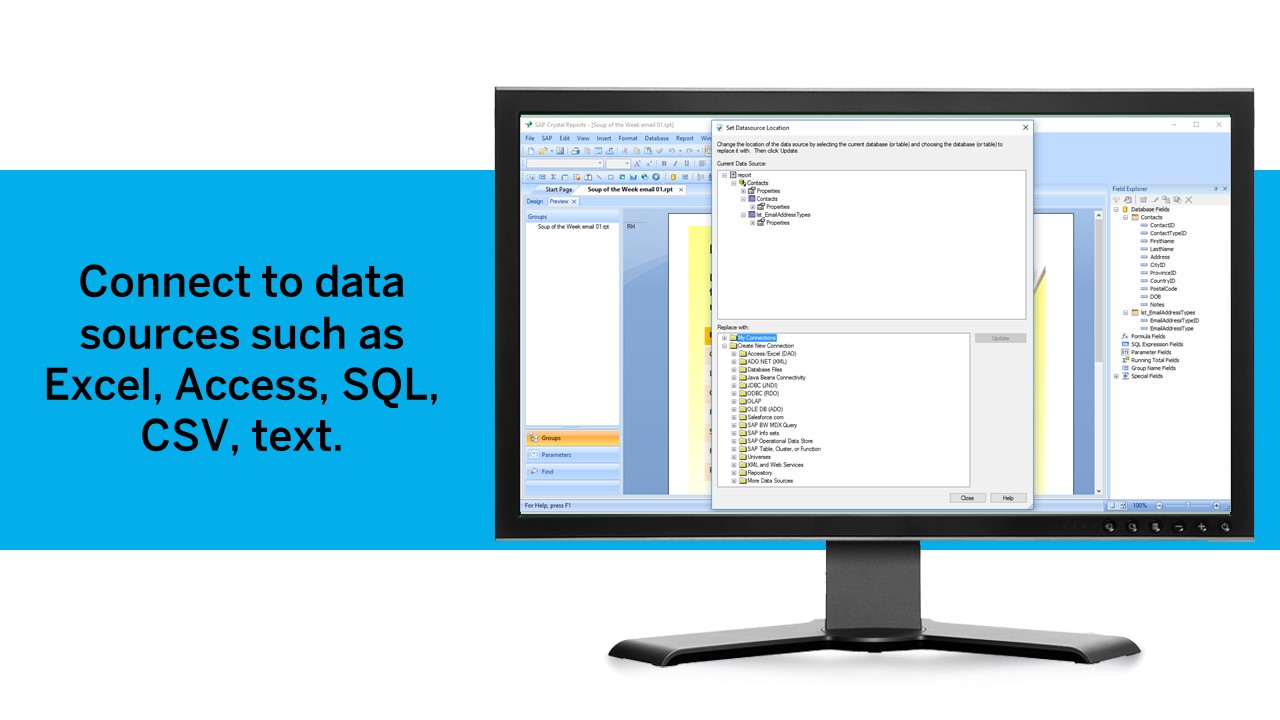
Diverse data source connect: We have used it to write reports using data from DB2, SQL, Progress, Excel spreadsheets, XML data, Access, and Lotus Notes databases. It can also be used to join different database types together in one report.
It uses the "recurring bands" structure for page layout which is efficient and fungible for generating different types of reports. Crystal doesn't require that we set up a metadata layer before creating reports and provides direct access to tables and dimensions.
Unlike for most languages I have used, Ruby and Rails support available for Code users isn't great. The most popular Ruby extension is unofficial, and leaves much to desire. As an example, code navigation even with language server Solargraph installed isn't as good as IntelliJ's RubyMine.
Even there is quite good support for a language or a framework, it is almost never as good as a dedicated IDE for it. In terms of the sheer number of features available, IntelliJ IDEs handily beat Code.
Microsoft has close-sourced some of the extensions it develops for Code itself, e.g. Pylance for Python, and that has not been perceived as a good move for open-source.
Solid tool that provides everything you need to develop most types of applications. The only reason not a 10 is that if you are doing large distributed teams on Enterprise level, Professional does provide more tools to support that and would be worth the cost.
We have been using this product for so many years and it has truly become a cornerstone to our business processes when it comes to developing and distributing information via reports. We currently have over 500 reports developed to date over about 30 systems and that will continue to grow as user needs change.
Looking at our current implementation, Microsoft Visual Studio Code is perfect for writing code and performing debug operations. Integration with SVN repository is easy and changes can be tracked effectively. Microsoft Visual Studio Code supports developers to write code productively using syntax check and easy customization. Microsoft Visual Studio Code also provides support for IntelliSense which prompts suggestions for code completion. It is easy to step through code using interactive debugger to inspect the root cause of error quickly.
Being able to get up and running quickly is a key asset. There's plenty of advanced features to master that are surprisingly difficult in others tools (or just missing from other tools altogether). The UI can feel a bit dated at times but its usability isn't affected. Any issue you have can usually be resolved by searching in the user community
Active development means filing a bug on the GitHub repo typically gets you a response within 4 days. There are plugins for almost everything you need, whether it be linting, Vim emulation, even language servers (which I use to code in Scala). There is well-maintained official documentation. The only thing missing is forums. The closest thing is GitHub issues, which typically has the answers but is hard to sift through -- there are currently 78k issues.
SAP Crystal report is very supportive in daily need of reports or any organization. Basic functionality of operational reports detailing the Sales Order details or PO in a manner which can be used very easily. A readily available solution for delivering any customized need in terms of pixelated reporting can be met easily with the tool
Just like any other implementation: When designing the differing reports, get end users' input, make sure to design the reports so that they display the information that the company requires, in the best and clearest way possible.
Test, test, test, revise when needed, and, particularly, do sufficient training so users are comfortable using Crystal Reports!
All the previously listed are incredible development environments that perfectly fulfill this function, but [Microsoft] Visual Studio Code goes one step ahead by providing flexibility, customization and adaptability to development environments with its own methodology, for all this productivity. of the work team is greatly increased helping to achieve the objectives set in the organization.
For standard pixel perfect reporting, our company still uses Crystal Reports. It allows us to continually provide standard reporting to our clients. For dashboards, we are moving towards Microsoft Power BI. Power BI allows similar collaboration, but generally has better features for dashboards. Power BI also allows us to publish multiple reports and dashboards into a single app for our end users.