TrustRadius: an HG Insights company

Save this comparison

Save this comparison

Add Product

Recommended Comparisons

    Overview
    ProductRatingMost Used ByProduct SummaryStarting Price

    Microsoft System Center

    Score9 out of 10
    N/AMicrosoft System Center Suite is a family of IT management software for network monitoring, updating and patching, endpoint protection with anti-malware, data protection and backup, ITIL- structured IT service management, remote administration and more. It is available in two editions: standard and datacenter. Datacenter provides unlimited virtualization for high density private clouds, while standard is for lightly or non-virtualized private cloud workloads.

    $1,323

    per month

    SolarWinds Kiwi CatTools

    Score8.1 out of 10
    N/ASolarWinds® Kiwi CatTools® is network automation tool designed to manage configurations on network devices such as routers, switches, and firewalls. It helps users work more efficiently by scheduling automatic backup activities and rolling out configuration changes to multiple devices at the same time. With native support for devices from dozens of manufacturers, Kiwi CatTools is designed to simplify network administration, configuration change alerting, and backup management.

    $852

    Per Instance

    Pricing
    Microsoft System CenterSolarWinds Kiwi CatTools
    Editions & Modules
    Standard Edition
    $1323
    Datacenter Edition
    $3607
    One Time Price
    $852
    Per Instance
    Offerings
    Pricing Offerings
    Microsoft System CenterSolarWinds Kiwi CatTools
    Free Trial
    NoYes
    Free/Freemium Version
    NoNo
    Premium Consulting/Integration Services
    NoNo
    Entry-level Setup FeeNo setup feeNo setup fee
    Additional Details
    More Pricing Information
    Community Pulse
    Microsoft System CenterSolarWinds Kiwi CatTools
    Considered Both Products
    Microsoft
    No answer on this topic
    SolarWinds
    No answer on this topic
    Key User Insights
    Would buy again
    100%
    Would buy again
    13 Answers
    No answers on this topic
    Delivers good value for the price
    100%
    Delivers good value for the price
    13 Answers
    No answers on this topic
    Happy with the feature set
    100%
    Happy with the feature set
    13 Answers
    No answers on this topic
    Lived up to sales and marketing promises
    100%
    Lived up to sales and marketing promises
    10 Answers
    No answers on this topic
    Implementation went as expected
    100%
    Implementation went as expected
    10 Answers
    No answers on this topic
    Features
    Microsoft System CenterSolarWinds Kiwi CatTools
    Configuration Management
    Comparison of Configuration Management features of Microsoft System Center and SolarWinds Kiwi CatTools
    Feature
    Microsoft System Center
    -
    Ratings
    SolarWinds Kiwi CatTools
    7.2
    1 Ratings
    11% below category average
    Infrastructure Automation00 Ratings6.01 Ratings
    Automated Provisioning00 Ratings9.01 Ratings
    Parallel Execution00 Ratings5.01 Ratings
    Node Management00 Ratings7.01 Ratings
    Reporting & Logging00 Ratings8.01 Ratings
    Version Control00 Ratings8.01 Ratings
    Best Alternatives
    Microsoft System CenterSolarWinds Kiwi CatTools
    Small Businesses
    No answers on this topic
    Salt
    Score6.2 out of 10
    Medium-sized Companies
    No answers on this topic
    Perforce Puppet
    Score8.9 out of 10
    Enterprises
    No answers on this topic
    AWS Config
    Score7 out of 10
    All AlternativesView all alternativesView all alternatives
    User Ratings
    Microsoft System CenterSolarWinds Kiwi CatTools
    Likelihood to Recommend
    9.0
    (21 ratings)
    8.0
    (2 ratings)
    Usability
    9.0
    (2 ratings)
    7.0
    (2 ratings)
    Support Rating
    8.0
    (1 ratings)
    10.0
    (1 ratings)
    User Testimonials
    Microsoft System CenterSolarWinds Kiwi CatTools
    Likelihood to Recommend
    Microsoft
    For companies with more than 10 Windows devices and needing to standardize the OS, AV, access, share resources, and install software. SCCM is the way to go. This software is unnecessary if the business is all remote users and not in an office-type setting. There are cloud offerings or none to accomplish what a business needs.
    Incentivized
    Read full review
    SolarWinds
    Large-Scale Networks with Thousands of Devices that permit our enterprise with thousands of devices across multiple locations need a highly scalable solution, and A security-focused organization requires real-time monitoring of device configurations to detect and alert on unauthorized changes. and CatTools is lightweight and easy to set up, making it ideal for managing and resetting device configurations in a lab setting.
    Incentivized
    Read full review
    Pros
    Microsoft
    • Allows the grouping of devices by user.
    • Allows controlling updates being deployed to user devices.
    • Allows for the repurposing of machines by being able to load new or updated software on machines that already are in the system.
    • Allows us the ability to wipe a machine clean and restore it back to the configuration that was assigned the machine.
    Incentivized
    Read full review
    SolarWinds
    • Network device backups.
    • Identify configuration changes from prior backup.
    • Automated email notifications.
    Incentivized
    Read full review
    Cons
    Microsoft
    • Needs web based storefront for requesting new software
    • Needs ability to manage the packaging work flow better
    • Sometimes is slow to download and there is no indication the entire catalog is being loaded, resulting in confused users not being able to find common software in the available list.
    Incentivized
    Read full review
    SolarWinds
    • Enhanced Reporting Capabilities.
    • More Intuitive User Interface.
    • Scalability for Large Networks.
    Incentivized
    Read full review
    Usability
    Microsoft
    It is not user-friendly for the most part. With IT infrastructure, sometimes it cannot handle excess requests. Every few months, you will need an upgrade in terms of server resources to keep up with incoming alerts and requests. This does not happen all of the time, but it does happen when there are too many requests.
    Incentivized
    Read full review
    SolarWinds
    CatTools is simple to set up and administer. Anyone who can install a Windows application can quickly set up an automated backup of one or more devices. It does what it was designed to do.
    Incentivized
    Read full review
    Support Rating
    Microsoft
    If I had to dislike something about the system it would be how much it changes once you upgrade. This could be more of a problem of mine since I get used to one way and don't like it when it changes so much. I am enjoying the newest update, but it is a mess when you are actually going through the upgrades.
    Incentivized
    Read full review
    SolarWinds
    The software is easy enough to set up and configure that even after using the product for years, we never had to contact support. We used some open source products before utilizing CatTools and could have used a speed dial to try and figure out the intricacies of the products.
    Incentivized
    Read full review
    Alternatives Considered
    Microsoft
    We previously used a mix of FOG and Clonezilla to image machines. The biggest issues with these products is that changing one piece of the image required you to rebuild the entire image itself. These pieces of software also did not allow you to manage applications and Windows Updates, causing IT to have to constantly touch machines after they were imaged and update or manage them with a much more hands on approach.
    Incentivized
    Read full review
    SolarWinds
    Strengths:Cost-Effectiveness: CatTools is significantly more affordable than enterprise-grade tools like SolarWinds Network Configuration Manager (NCM) or Infoblox NetMRI. It is ideal for small to medium-sized businesses with tight budgets. Ease of Deployment: Kiwi CatTools is lightweight and easier to set up, while enterprise solutions often require substantial infrastructure and longer deployment times. Focus on Essentials: CatTools excels in its core functions, such as automated configuration backups, scheduled tasks, and essential compliance checks.
    Incentivized
    Read full review
    Return on Investment
    Microsoft
    • We have been able to automate our patch management, firmware and other security concerns.
    • We have a standardized "image" ensuring our setup is consistent across the enterprise. This alone has saved us in time to support and time to understand how to use our desktops.
    Incentivized
    Read full review
    SolarWinds
    • Compliance and Risk Reduction.
    • Reduced Downtime.
    • Ease of Deployment and Low Licensing Costs.
    Incentivized
    Read full review
    ScreenShots

    SolarWinds Kiwi CatTools Screenshots

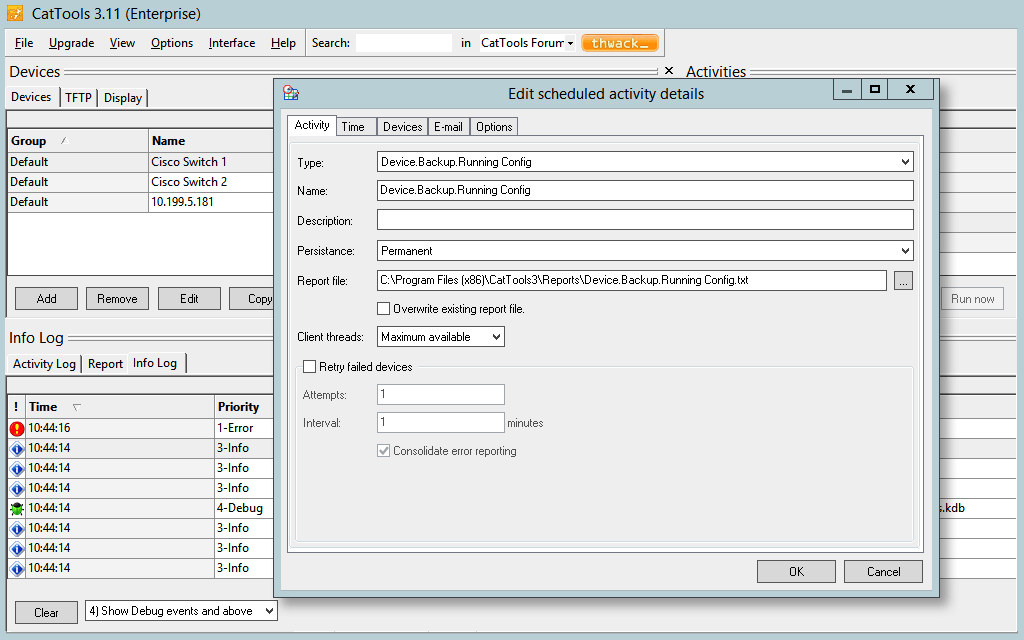
    Screenshot of Schedule automated backups of network device configuration from routers, switches, firewalls, etc.Screenshot of Simultaneously perform or schedule configuration changes across multiple network devices with great ease.Screenshot of Receive real-time alerts when unauthorized configuration changes occur on network devices.Screenshot of Maintain a complete configuration history, and facilitate rollbacks to the last good configuration.Screenshot of Generate configuration and device information reports related to port, MAC, ARP, version details, and more.Screenshot of Get out-of-the-box support for both IPv4 and IPv6 devices from vendors, such as Cisco, HP, Huawei, 3Com and more.