Microsoft Power BI is a visualization and data discovery tool from Microsoft. It allows users to convert data into visuals and graphics, visually explore and analyze data, collaborate on interactive dashboards and reports, and scale across their organization with built-in governance and security.
N/A
Vena
Score 8.7 out of 10
Mid-Size Companies (51-1,000 employees)
Vena Solutions provides a financial process automation solution to automate Corporate Performance Management, accounting and budgeting, Regulatory & Compliance, and other finance-related processes. It is scaled for medium to large-sized organizations.
N/A
Pricing
Microsoft Power BI
Vena
Editions & Modules
No answers on this topic
Professional
N/A
Complete
N/A
Offerings
Pricing Offerings
Microsoft Power BI
Vena
Free Trial
Yes
No
Free/Freemium Version
Yes
No
Premium Consulting/Integration Services
No
No
Entry-level Setup Fee
No setup fee
Optional
Additional Details
—
The Professional Plan is the most flexible way to get started quickly and can be added onto as a company grows. The plan includes: Vena Platform, Customer Success Manager, Standard Support and Customer Portal.
Complete Plan includes everything in Professional, plus: Vena Insights, Premium Support, Sandbox Environment, and Expert Managed Services.
For a limited time, new customers who use Microsoft Dynamics 365 Business Central (Online) as their primary ERP can get a free year of Vena and 40% off implementation costs.
Vena also offers special pricing for not for profit organizations. To learn more, speak to an expert.
More Pricing Information
Community Pulse
Microsoft Power BI
Vena
Features
Microsoft Power BI
Vena
BI Standard Reporting
Comparison of BI Standard Reporting features of Product A and Product B
Microsoft Power BI
8.8
Ratings
8% above category average
Vena
7.1
Ratings
7% below category average
Pixel Perfect reports
8.50 Ratings
6.40 Ratings
Customizable dashboards
10.00 Ratings
7.50 Ratings
Report Formatting Templates
8.00 Ratings
7.40 Ratings
Ad-hoc Reporting
Comparison of Ad-hoc Reporting features of Product A and Product B
Microsoft Power BI
8.2
Ratings
2% above category average
Vena
7.6
Ratings
7% below category average
Drill-down analysis
7.00 Ratings
8.30 Ratings
Formatting capabilities
9.00 Ratings
8.40 Ratings
Integration with R or other statistical packages
8.00 Ratings
5.30 Ratings
Report sharing and collaboration
9.00 Ratings
8.40 Ratings
Report Output and Scheduling
Comparison of Report Output and Scheduling features of Product A and Product B
Microsoft Power BI
8.6
Ratings
3% above category average
Vena
8.3
Ratings
1% above category average
Publish to Web
8.00 Ratings
7.70 Ratings
Publish to PDF
9.00 Ratings
9.10 Ratings
Report Versioning
9.00 Ratings
8.10 Ratings
Report Delivery Scheduling
8.00 Ratings
8.50 Ratings
Delivery to Remote Servers
9.00 Ratings
00 Ratings
Data Discovery and Visualization
Comparison of Data Discovery and Visualization features of Product A and Product B
Microsoft Power BI is great for sales tracking, financial reporting, and real-time operations monitoring. It integrates data from multiple sources, creating interactive dashboards for better decision-making. However, it's less ideal for real-time big data processing, offline access, or when deep customization is needed. It works best for structured reporting but struggles with highly complex data models.
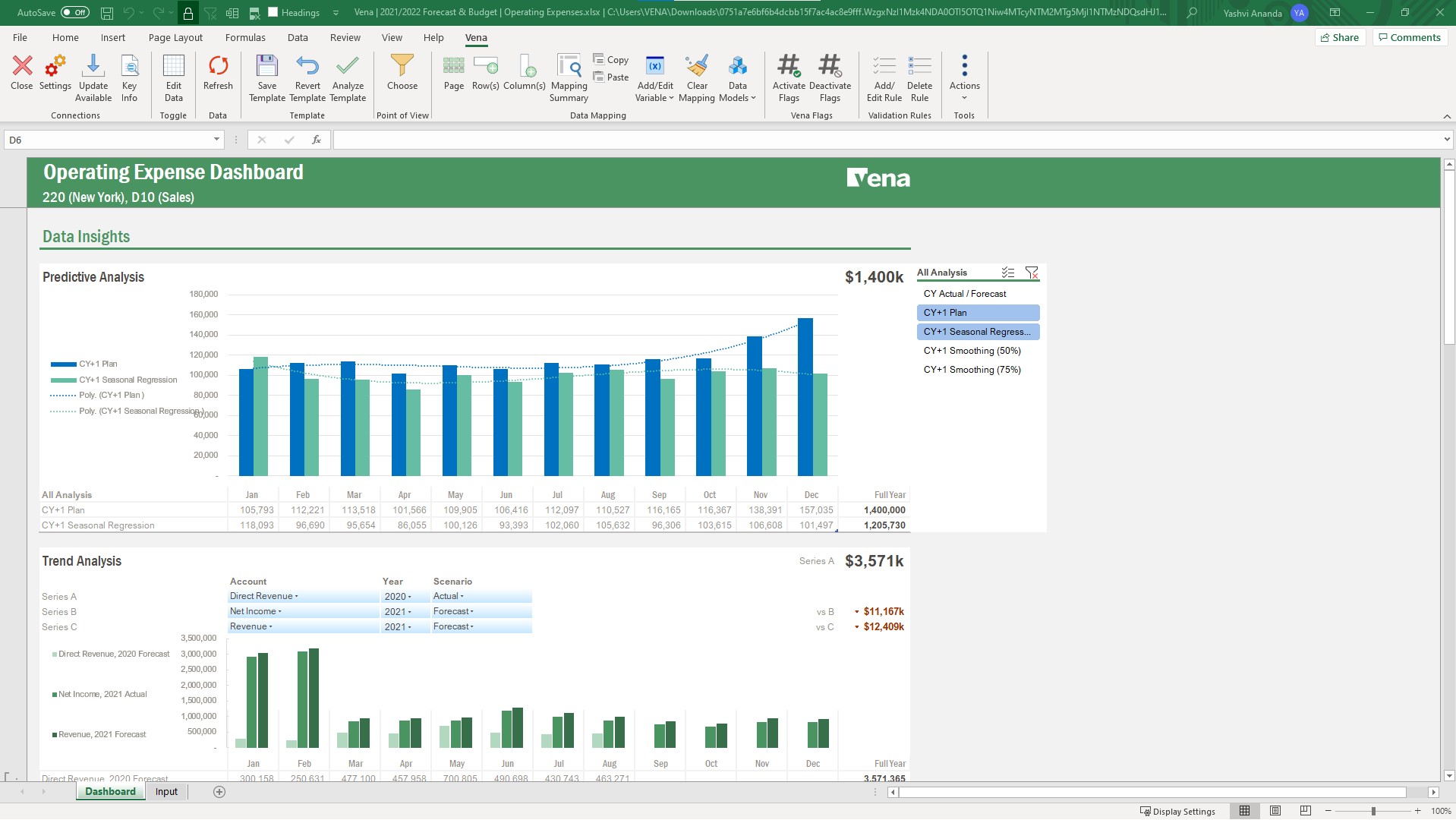
Whether you have processes you are looking to make more efficient or starting from scratch, Vena is a great tool to handle both. When we started with Vena all of reporting was either very manual or frankly nonexistent. Vena was pivotal in bringing us from zero to 10 in a short time. it helped us streamline the process of gathering data to the end reporting
What i like best about Vena is that it is very seamless Excel integration.
Vena fosters collabs across teams, helping multiple members to work together on financial planning in real-time enhancing overall efficiency.
We now also can automate manual processes like budgeting, consolidation of data and reporting saves my valuable time and also reducing the risk of errors.
It could improve the ease of implementation; it could take a long for an inexperienced IT team.
From the ERP system perspective, it can be linked easily, but it has room for improvement when you make core changes and require a Vena specialist again.
Some administrators can get confused while working on Excel implementation; it has complicated technical requirements.
Microsoft Power BI is an excellent and scalable tool. It has a learning curve, but once you get past that, the sky is the limit and you can build from the most simple to the most complex dashboards. I have built everything from simple reports with only a few data points to complex reports with many pages and advanced filtering.
It saves me so much time - to go back I would have to hire multiple people to achieve the same results. It is a cost effective tool for our uses and continues to pay for itself in time savings.
Takes a little bit to get used to it. Not natively intuitive but fairly straight forward to pick up. Also docking it a few points because you can create a really clean, simple UI in Claude very quickly that's faster than building all of this yourself in Microsoft Power BI.
This is split between usability from an end-user perspective and administrative. Administrative - The tool is lacking in a cohesive way to administer the tool, both from more of a back-end perspective (ETL/Integrations, scripting, etc.) as well as from a business administrative (Processes, Models, etc.). On the more back-end IT related aspects, the tool is a mishmash of modules that were clearly developed in stovepipe fashion. Basic feature/functionality aspects such as version control, auto vs manual save, etc. differ between the code preparation components. It is also lacking in any sort of coherent version control. Not all pages display the context information, so extreme caution must be used. There is also no coherent migration strategy. The process and model navigation has been somewhat challenging for our business administrators, often requiring assistance from Vena when creating or altering templates. 2 of 10 End User - This is better. The Excel add-in generally functions well. Creating basic templates is straightforward, and there is a large degree of flexibility when creating reporting templates. Being part of Excel puts many users into a comfort zone. The toggle switch between template and data mode is not well conceived, and the add-in pop-ups occasionally have issues on multi-monitor displays. 6 of 10
Vena has been available and running. There are notifications well ahead of scheduled maintenance and so far, scheduled maintenance has been occurring during off hours and fortunately has not occurred during a time that is crucial for us to be actively using.
Vena Solutions pages load quickly and only a few times does it get a bit slow, only when there are many integrations and the reports are long. But in general it is always fast and honestly I am very satisfied with the speed in the generation of statistical reports and the pages
It is a fantastic tool, you can do almost everything related with data and reports, it is a perfect substitutive of Power Point and Excel with a high evolution and flexibility, and also it is very friendly and easy to share. I think all companies should have Power BI (or other BI tool) in their software package and if they are in the MS Suite, for sure Power BI should be the one due to all the benefits of the MS ecosystem.
From initiate setup to going live, Vena's customer representatives and technicians have proven to be responsive and enthusiastic in getting our company up and running. They have been patient with our questions and frustrations and worked to troubleshoot issues that have come up.
Our initial in person training was a little rough b/c I felt like our trainer wanted to focus on maximizing Vena rather than understanding what we were needing for our organization. He was very responsive and added insights, but could have worked to understand our needs a little better.
The training was structured as a group training to learn the basics of creating a data model and mapping a template. While we had nearly 10 participants, I was the only actual implementer so we probably didn't actually need the training and could have just learned the initial skills from the implementation consultant. Two years later, when we hired a new team member, they completed several modules in Vena Academy (a self paced learning course) which allowed them to get up to speed on the basics with just a bit of supplemental guidance from me as our existing admin.
The Vena consultant had great knowledge of both the Vena solution and Excel and Excel functions. He was able to help suggest ways to build our templates that met our requirements using Excel functions we had not previously considered using. And we have been able to use the Excel information he provided in other ways outside of Vena. He was very patient and flexible as we learned the Vena tool and created templates
All others apps are enablers and Microsoft Power BI is the visual that end user sees which often adds more value to the end user to make strategic decisions from this. All are equally great but Microsoft Power BI is the end result
Vena Solutions stands out due to its familiar Excel-based interface, making it easy for our team to adopt without extensive training. Compared to alternatives like Anaplan and Oracle Hyperion, Vena's strong customer support and efficient automation have significantly reduced our budgeting cycle time. We chose Vena for its seamless integration with our existing systems and substantial time-saving benefits, ultimately enhancing our decision-making process.
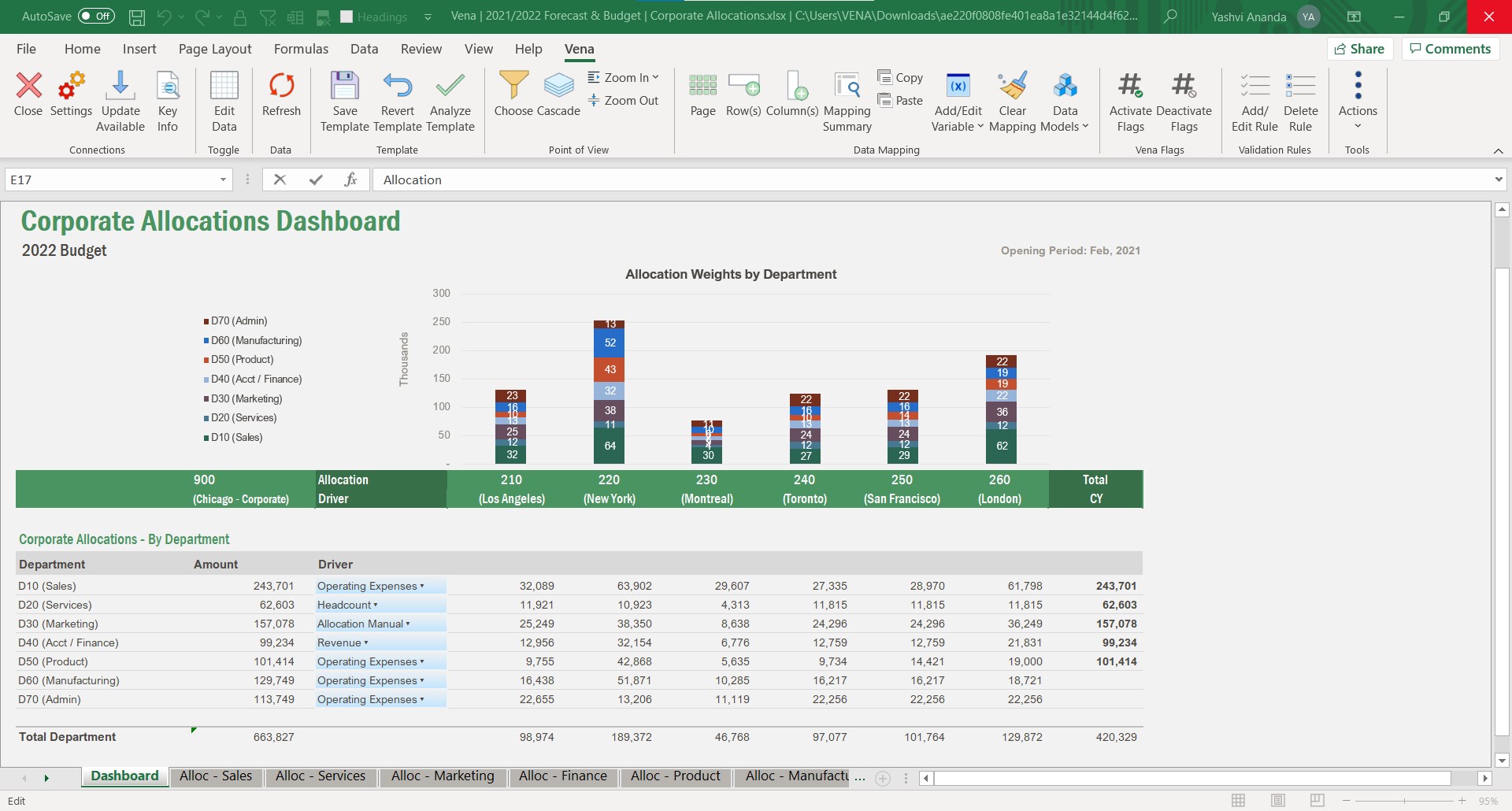
Vena solutios is a software that provides robust tools that help different departments in their statistics and we can visualize a lot of promising and visually attractive data. Vena Solutions' level of scalability is high and sustainable over time thanks to the fabulous technical support that is ready to help us at all times
We're still early in the adoption process at this company, but we've illustrated how bad data keeps us from being more productive. ~25% of a team's work week was dedicated to effectively cleaning up entries, but it was always seen as a normal to them.