Microsoft Power BI vs. Rencore Code (SPCAF)

Overview
ProductRatingMost Used ByProduct SummaryStarting Price
Microsoft Power BI
Score 8.5 out of 10
N/A
Microsoft Power BI is a visualization and data discovery tool from Microsoft. It allows users to convert data into visuals and graphics, visually explore and analyze data, collaborate on interactive dashboards and reports, and scale across their organization with built-in governance and security.N/A
Rencore Code (SPCAF)
Score 8.8 out of 10
Enterprise companies (1,001+ employees)
Many organizations that use Office 365 are exposed to security risks that they are unaware of. As they extend SharePoint to meet their business needs, they build applications using technologies that range from end-user Microsoft Flow to developer-focused SharePoint Framework. Unfortunately, all of these custom applications are capable of circumventing the security measures organizations have in place exposing the organization and its data to security…N/A
Pricing
Microsoft Power BIRencore Code (SPCAF)
Editions & Modules
No answers on this topic
Offerings
Pricing Offerings
Microsoft Power BIRencore Code (SPCAF)
Free Trial
YesYes
Free/Freemium Version
YesNo
Premium Consulting/Integration Services
NoNo
Entry-level Setup FeeNo setup feeOptional
Additional Details
More Pricing Information
Community Pulse
Microsoft Power BIRencore Code (SPCAF)
Features
Microsoft Power BIRencore Code (SPCAF)
BI Standard Reporting
Comparison of BI Standard Reporting features of Product A and Product B
Microsoft Power BI
8.8
Ratings
8% above category average
Rencore Code (SPCAF)
-
Ratings
Pixel Perfect reports8.50 Ratings00 Ratings
Customizable dashboards10.00 Ratings00 Ratings
Report Formatting Templates8.00 Ratings00 Ratings
Ad-hoc Reporting
Comparison of Ad-hoc Reporting features of Product A and Product B
Microsoft Power BI
8.2
Ratings
2% above category average
Rencore Code (SPCAF)
-
Ratings
Drill-down analysis7.00 Ratings00 Ratings
Formatting capabilities9.00 Ratings00 Ratings
Integration with R or other statistical packages8.00 Ratings00 Ratings
Report sharing and collaboration9.00 Ratings00 Ratings
Report Output and Scheduling
Comparison of Report Output and Scheduling features of Product A and Product B
Microsoft Power BI
8.6
Ratings
3% above category average
Rencore Code (SPCAF)
-
Ratings
Publish to Web8.00 Ratings00 Ratings
Publish to PDF9.00 Ratings00 Ratings
Report Versioning9.00 Ratings00 Ratings
Report Delivery Scheduling8.00 Ratings00 Ratings
Delivery to Remote Servers9.00 Ratings00 Ratings
Data Discovery and Visualization
Comparison of Data Discovery and Visualization features of Product A and Product B
Microsoft Power BI
8.7
Ratings
9% above category average
Rencore Code (SPCAF)
-
Ratings
Pre-built visualization formats (heatmaps, scatter plots etc.)9.00 Ratings00 Ratings
Location Analytics / Geographic Visualization8.00 Ratings00 Ratings
Predictive Analytics9.00 Ratings00 Ratings
Pattern Recognition and Data Mining9.00 Ratings00 Ratings
Access Control and Security
Comparison of Access Control and Security features of Product A and Product B
Microsoft Power BI
8.6
Ratings
1% above category average
Rencore Code (SPCAF)
-
Ratings
Multi-User Support (named login)9.00 Ratings00 Ratings
Role-Based Security Model9.00 Ratings00 Ratings
Multiple Access Permission Levels (Create, Read, Delete)10.00 Ratings00 Ratings
Report-Level Access Control7.00 Ratings00 Ratings
Single Sign-On (SSO)8.30 Ratings00 Ratings
Mobile Capabilities
Comparison of Mobile Capabilities features of Product A and Product B
Microsoft Power BI
8.0
Ratings
2% above category average
Rencore Code (SPCAF)
-
Ratings
Responsive Design for Web Access8.00 Ratings00 Ratings
Mobile Application7.70 Ratings00 Ratings
Dashboard / Report / Visualization Interactivity on Mobile7.70 Ratings00 Ratings
Application Program Interfaces (APIs) / Embedding
Comparison of Application Program Interfaces (APIs) / Embedding features of Product A and Product B
Microsoft Power BI
8.4
Ratings
7% above category average
Rencore Code (SPCAF)
-
Ratings
REST API8.00 Ratings00 Ratings
Javascript API9.90 Ratings00 Ratings
iFrames8.00 Ratings00 Ratings
Java API8.00 Ratings00 Ratings
Themeable User Interface (UI)8.10 Ratings00 Ratings
Customizable Platform (Open Source)8.40 Ratings00 Ratings
Best Alternatives
Microsoft Power BIRencore Code (SPCAF)
Small Businesses
BrightGauge
BrightGauge
Score 9.1 out of 10
GitLab
GitLab
Score 8.7 out of 10
Medium-sized Companies
Reveal
Reveal
Score 10.0 out of 10
Veracode
Veracode
Score 8.7 out of 10
Enterprises
Kyvos Semantic Intelligence Layer
Score 9.9 out of 10
Veracode
Veracode
Score 8.7 out of 10
All AlternativesView all alternativesView all alternatives
User Ratings
Microsoft Power BIRencore Code (SPCAF)
Likelihood to Recommend
8.5
(0 ratings)
8.8
(0 ratings)
Likelihood to Renew
9.0
(0 ratings)
-
(0 ratings)
Usability
7.9
(0 ratings)
-
(0 ratings)
Support Rating
10.0
(0 ratings)
9.1
(0 ratings)
Implementation Rating
9.0
(0 ratings)
-
(0 ratings)
User Testimonials
Microsoft Power BIRencore Code (SPCAF)
Likelihood to Recommend
Microsoft Power BI is great for sales tracking, financial reporting, and real-time operations monitoring. It integrates data from multiple sources, creating interactive dashboards for better decision-making. However, it's less ideal for real-time big data processing, offline access, or when deep customization is needed. It works best for structured reporting but struggles with highly complex data models.
Read full review
For Microsoft shops that are doing custom development on the Microsoft cloud platform in Office 365 and Azure, the Rencore toolset is an absolute must, especially if you are involved in converting farm solutions to cloud, or just moving into cloud development for the first time.
Read full review
Pros
  • It is great at taking in large amounts of data and housing it all.
  • Microsoft Power BI is so user friendly and it's dashboards are very easy on the eye.
  • The ease of sharing dashboards makes it great for use across a large company.
Read full review
  • Support - It is very quick relative to other vendors in this space and also very thorough.
  • Product Features - It appears to be the only product in the market that has ALL the pieces for a baseline SPFx project versus no tools or manual activities.
Read full review
Cons
  • It would be easier for users could Microsoft Power BI and Excel used the same programming languages.
  • Would like to see the online version of Microsoft Power BI be as powerful as the desktop version.
  • Publishing a Microsoft Power BI file online and then having to save the file is somewhat redundant.
  • Would like to export each page or chart as an image.
Read full review
  • Rencore's product line is of course still a bit of a niche: SharePoint code quality is not something every organization on the planet is concerned with - although Rencore does much more than that.
  • We feel Rencore's marketing efforts are mainly targeted at technologists. There's a lot of other potential, especially for their platform governance product.
Read full review
Likelihood to Renew
Microsoft Power BI is an excellent and scalable tool. It has a learning curve, but once you get past that, the sky is the limit and you can build from the most simple to the most complex dashboards. I have built everything from simple reports with only a few data points to complex reports with many pages and advanced filtering.
Read full review
No answers on this topic
Usability
Takes a little bit to get used to it. Not natively intuitive but fairly straight forward to pick up. Also docking it a few points because you can create a really clean, simple UI in Claude very quickly that's faster than building all of this yourself in Microsoft Power BI.
Read full review
No answers on this topic
Support Rating
It is a fantastic tool, you can do almost everything related with data and reports, it is a perfect substitutive of Power Point and Excel with a high evolution and flexibility, and also it is very friendly and easy to share. I think all companies should have Power BI (or other BI tool) in their software package and if they are in the MS Suite, for sure Power BI should be the one due to all the benefits of the MS ecosystem.
Read full review
Happy with the fast and meaningful responses.
Read full review
Implementation Rating
It was integrated with our erp easily and was accessible on cloud.
Read full review
No answers on this topic
Alternatives Considered
All others apps are enablers and Microsoft Power BI is the visual that end user sees which often adds more value to the end user to make strategic decisions from this. All are equally great but Microsoft Power BI is the end result
Read full review
I don't know of any products that compete in the space and if there were any, they would not stand a chance against Rencore. Behind any good product is a team of highly skilled individuals, who all have the same goal, who are passionate what they do and lastly, are in it for the betterment of where they started; As Developers themselves. You can't buy that
Read full review
Return on Investment
  • We're still early in the adoption process at this company, but we've illustrated how bad data keeps us from being more productive. ~25% of a team's work week was dedicated to effectively cleaning up entries, but it was always seen as a normal to them.
Read full review
  • Valuable insights into large existing SharePoint customizations that would otherwise would have taken weeks to analyze and assess on quality.
  • Without Rencore's tooling, it would be impossible to track changes to client-side code. For example, we can tell exactly who changed which JavaScript in which webpart in the environment.
  • Transformation tools helped developers migrate their existing code bases to the cloud, while already providing an automatically translated code base to start from.
Read full review
ScreenShots

Microsoft Power BI Screenshots

Screenshot of Microsoft Power BI - Turns insights into impact for business usersScreenshot of Power BI integrates easily with Microsoft 365Screenshot of Microsoft Power BI - AI-Powered CapabilitiesScreenshot of Microsoft Power BI - Copilot can be used to create reportsScreenshot of Microsoft Power BI - Data HubScreenshot of Microsoft Power BI - Scales as organizational needs grow

Rencore Code (SPCAF) Screenshots

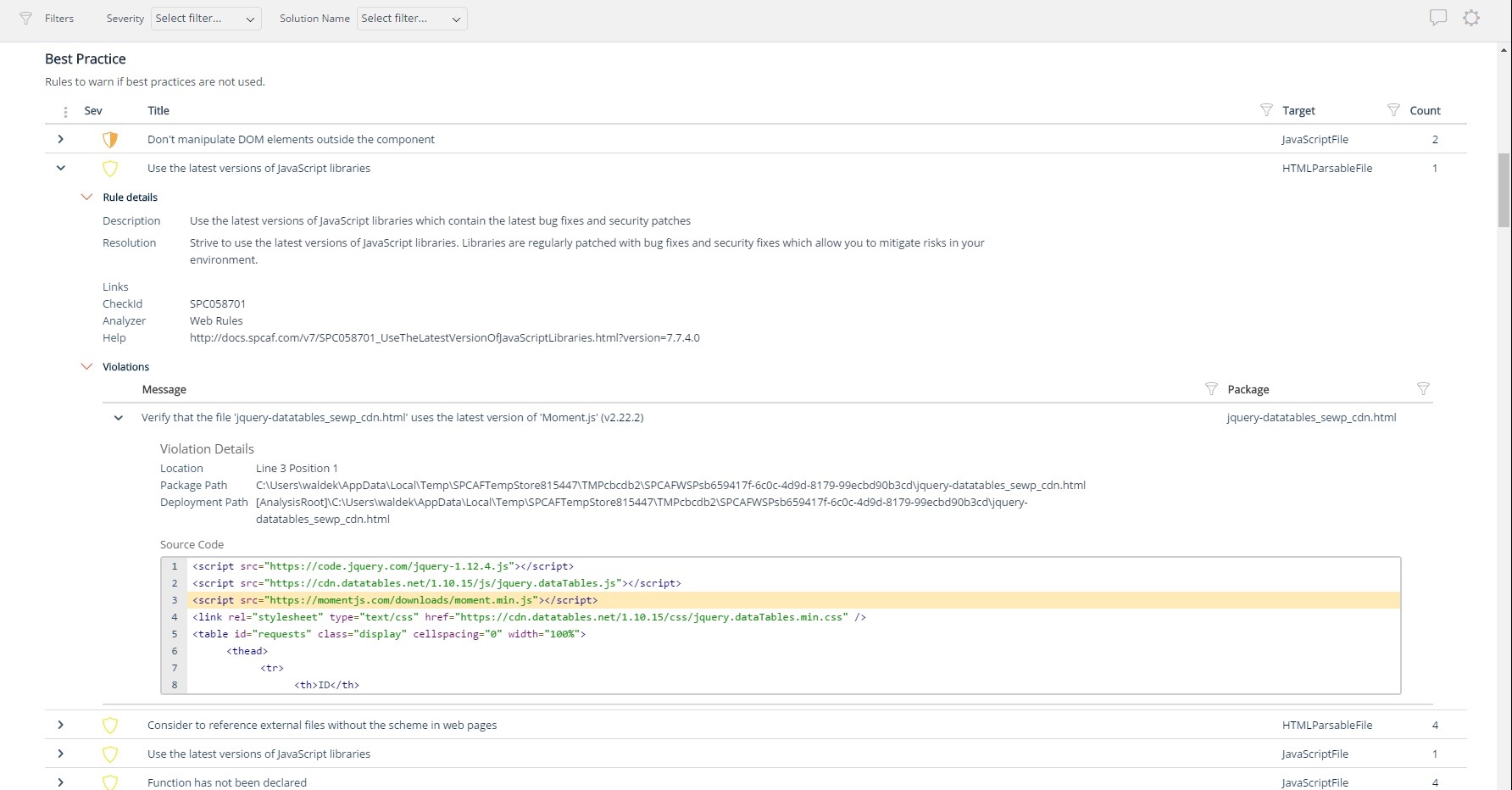
Screenshot of Using third party libraries allows you to build your SharePoint and Office 365 applications faster and focus on functionality specific for your organization. But regularly, security vulnerabilities are discovered in these external dependencies. If left unpatched, they become a security risk for your organization and its data. Rencore automatically warns you when any of the third-party libraries used in your applications has known vulnerabilities that could be exploited to hack your environment.Screenshot of Third-party libraries are regularly updated to improve performance and stability. Many organizations however don’t know when a new version of the library they use in their SharePoint and Office 365 applications is released and they keep using the old versions which exposes them not only to bugs but also to security risks. Rencore automatically warns you when a new version of a library that you use is available allowing you to verify the contents and the impact of the upgrade.Screenshot of Without proper tooling, it’s impossible to successfully enforce an application governance plan in SharePoint and Office 365. The number of ways in which users could possibly extend SharePoint combined with the thousands of pages and hundreds of settings that can be configured, make it impossible to continuously monitor for alignment with the organizational policies. 

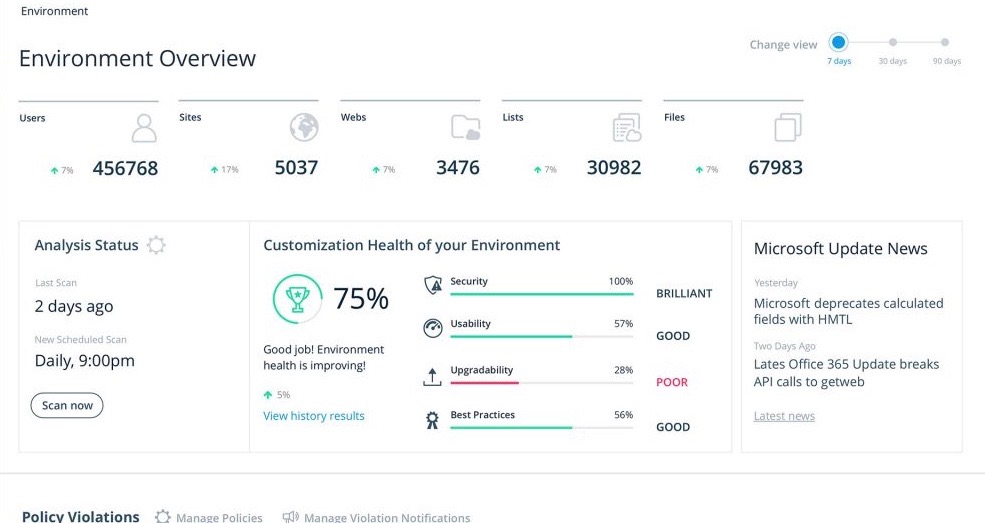
Rencore helps you understand the configuration of your tenant as well as discover the different SharePoint and Office 365 applications used in your organization. With Rencore you will easily understand how these applications are built, which dependencies they have and which possible risks they expose your organization to.Screenshot of Your organization tailors SharePoint and Office 365 to its specific needs to get more value of its investment in the platform. But each organization has different needs and is subject to different laws and regulations. 

Rencore allows you to configure what policies you want to enforce in your tenant. Each violation gets reported so that you can take corrective action and successfully enforce your organization’s application governance plan.Screenshot of As you start discovering issues in your SharePoint and Office 365 environment, you will be taking corrective actions to mitigate the risks. Rencore helps you track these issues and the related tasks so that you can easily follow up on the status of each issue and control that your organization is improving over time.Screenshot of It’s not enough to have your SharePoint and Office 365 applications verified for compliancy with your organization’s policies before using them in production. As your applications evolve, they will require changes and each change exposes you to a number of risks. Rencore helps you track how your applications change over time, even if these applications don’t follow centralized deployment and are managed by power-users. Each change is assessed for potential risks that it could expose your organization to.