
Microsoft Defender for Cloud vs. Coverity Static Analysis (SAST)
| Product | Rating | Most Used By | Product Summary | Starting Price |
|---|---|---|---|---|
 Microsoft Defender for Cloud | Score8.5 out of 10 | N/A | Microsoft Defender for Cloud is a Cloud Security Posture Management (CSPM) and Cloud Workload Protection Platform (CWPP) for Azure, on-premises, and multicloud (Amazon AWS and Google GCP) resources. | N/A |
 Synopsys Coverity | Score8.3 out of 10 | N/A | Synopsys offers the Coverity static application security testing (SAST) solution, to help users build software that’s more secure, higher-quality, and compliant with standards. | N/A |
| Microsoft Defender for Cloud | Synopsys Coverity | |||||||||||||||
|---|---|---|---|---|---|---|---|---|---|---|---|---|---|---|---|---|
| Editions & Modules | No answers on this topic | No answers on this topic | ||||||||||||||
| Offerings |
| |||||||||||||||
| Entry-level Setup Fee | No setup fee | Optional | ||||||||||||||
| Additional Details | — | Contact the Synopsys Software Integrity Group (SIG) Sales team at https://www.synopsys.com/software-integrity/contact-sales.html for more detailed pricing information. | ||||||||||||||
| More Pricing Information | ||||||||||||||||
| Microsoft Defender for Cloud | Synopsys Coverity | |
|---|---|---|
| Considered Both Products | No answer on this topic | No answer on this topic |
| Key User Insights | ||
| Would buy again | ||
98% Would buy again 55 Answers | No answers on this topic | |
| Delivers good value for the price | ||
96% Delivers good value for the price 51 Answers | No answers on this topic | |
| Happy with the feature set | ||
98% Happy with the feature set 55 Answers | No answers on this topic | |
| Lived up to sales and marketing promises | ||
100% Lived up to sales and marketing promises 47 Answers | No answers on this topic | |
| Implementation went as expected | ||
98% Implementation went as expected 49 Answers | No answers on this topic | |
| Microsoft Defender for Cloud | Synopsys Coverity | |
|---|---|---|
| Small Businesses | No answers on this topic | No answers on this topic |
| Medium-sized Companies |  Palo Alto Networks Prisma Cloud Score8.1 out of 10 |  SonarQube Server Score9.6 out of 10 |
| Enterprises | Palo Alto Networks Prisma Cloud Score8.1 out of 10 | SonarQube Server Score9.6 out of 10 |
| All Alternatives | View all alternatives | View all alternatives |
| Microsoft Defender for Cloud | Synopsys Coverity | |
|---|---|---|
| Likelihood to Recommend | 8.1 | 9.0 |
| Likelihood to Renew | 8.9 | - |
| Microsoft Defender for Cloud | Synopsys Coverity | |
|---|---|---|
| Likelihood to Recommend |
|
|
| Pros |
|
|
| Cons |
|
|
| Likelihood to Renew |
| No answers on this topic |
| Usability |
| No answers on this topic |
| Alternatives Considered |
|
|
| Return on Investment |
|
|
| ScreenShots | Microsoft Defender for Cloud Screenshots   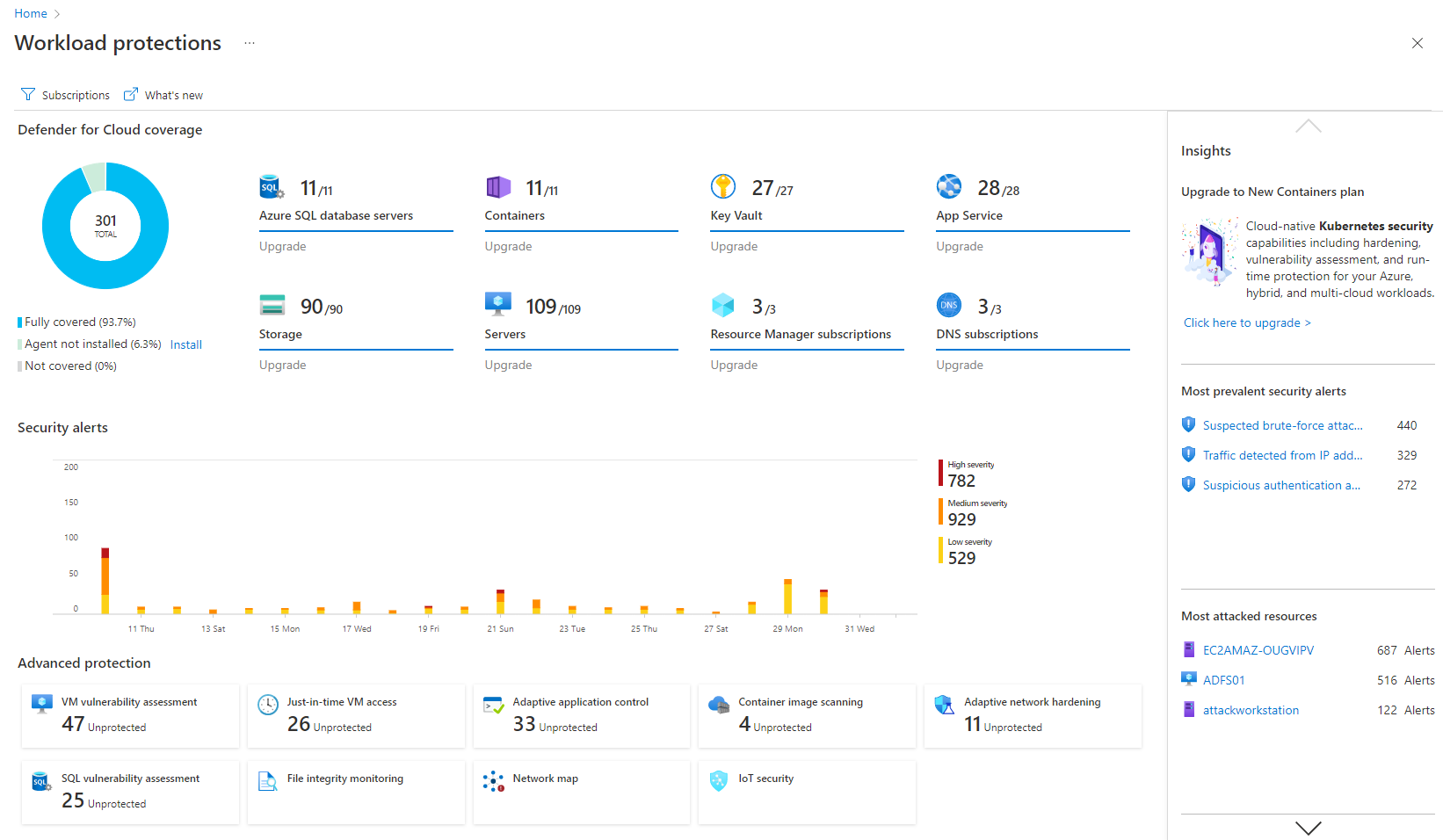   | Synopsys Coverity Screenshots  |

