Microsoft Defender for Cloud vs. Patch My PC Patch Management

Overview
ProductRatingMost Used ByProduct SummaryStarting Price
Microsoft Defender for Cloud
Score 8.5 out of 10
N/A
Microsoft Defender for Cloud is a Cloud Security Posture Management (CSPM) and Cloud Workload Protection Platform (CWPP) for Azure, on-premises, and multicloud (Amazon AWS and Google GCP) resources.N/A
Patch My PC Patch Management
Score 8.1 out of 10
Enterprise companies (1,001+ employees)
Software that extends Microsoft Configuration Manager to deploy and patch third-party applications. It is designed to handle the tedious task of packaging, testing, troubleshooting, and deploying applications in the environment. The software automates the creation and patching of third-party applications. Optionally, users can configure automatic deployment rules for complete automation and control over third-party patch management in the enterprise.
$1
per year per seat
Pricing
Microsoft Defender for CloudPatch My PC Patch Management
Editions & Modules
No answers on this topic
Basic
$1
per year per seat
Enterprise
$2
per year per seat
Intune Essentials
$3.25
per year per seat
Enterprise Plus
$3.50
per year per seat
Offerings
Pricing Offerings
Microsoft Defender for CloudPatch My PC Patch Management
Free Trial
YesYes
Free/Freemium Version
NoNo
Premium Consulting/Integration Services
NoNo
Entry-level Setup FeeNo setup feeNo setup fee
Additional Details
More Pricing Information
Features
Microsoft Defender for CloudPatch My PC Patch Management
Threat Intelligence
Comparison of Threat Intelligence features of Product A and Product B
Microsoft Defender for Cloud
-
Ratings
Patch My PC Patch Management
10.0
Ratings
23% above category average
Vulnerability Classification00 Ratings10.00 Ratings
Vulnerability Management Tools
Comparison of Vulnerability Management Tools features of Product A and Product B
Microsoft Defender for Cloud
-
Ratings
Patch My PC Patch Management
10.0
Ratings
21% above category average
Vulnerability Intelligence00 Ratings10.00 Ratings
Best Alternatives
Microsoft Defender for CloudPatch My PC Patch Management
Small Businesses

No answers on this topic

Action1
Action1
Score 9.5 out of 10
Medium-sized Companies
CrowdStrike Falcon
CrowdStrike Falcon
Score 9.1 out of 10
Action1
Action1
Score 9.5 out of 10
Enterprises
CrowdStrike Falcon
CrowdStrike Falcon
Score 9.1 out of 10
CrowdStrike Falcon
CrowdStrike Falcon
Score 9.1 out of 10
All AlternativesView all alternativesView all alternatives
User Ratings
Microsoft Defender for CloudPatch My PC Patch Management
Likelihood to Recommend
8.1
(0 ratings)
10.0
(0 ratings)
Likelihood to Renew
8.9
(0 ratings)
10.0
(0 ratings)
Implementation Rating
-
(0 ratings)
10.0
(0 ratings)
User Testimonials
Microsoft Defender for CloudPatch My PC Patch Management
Likelihood to Recommend
If you need to proceed with pay as you go service then go ahead with Microsoft Defender for Cloud. This could be expensive in the long run but if the organization usage is slightly less than then this would suite the purpose. Also, it has the latest threat updates, so you're future proof in terms of potential treats.
Read full review
I highly recommend Patch My PC to businesses of all types and sizes. The tool is highly customizable and can meet the needs of any organization. It is easy to implement with Configuration Manager (SCCM) and Intune and can be set up within a matter of minutes.
Read full review
Pros
  • Automation is crucial to managing sprawl and the additional complexity that comes with it. SOC management workbooks and process automation give significant flexibility.
  • The Security posture score and Security Alerts are neatly centralized and offer me crucial information quickly.
  • Defender for Cloud avoids the common compromise of simplicity for completeness (former Azure Security Center). The security warnings and advice go into great detail while remaining current and useful.
Read full review
  • Great customer support
  • Automation of application creation and updates
  • Easy to integrate and manage
Read full review
Cons
  • UI/UX. It can get a little messy when navigating around with all the flyouts in the Azure portal which can be frustrating, particularly when under time pressure.
  • The query languages for the queries and workbooks are another language that needs to be learned - it would be nice to have kept it closer to T-SQL or something like that to minimize the need to learn new syntax.
  • Adding cost estimations to the security recommendations would really improve the experience.
Read full review
  • SAS solution
  • Be able to select a specific application version for deployment
Read full review
Likelihood to Renew
It is a great product that integrates nicely when running an Azure platform and even multi-cloud environment. Not looking for point-solutions but a suite that answers most requirements. It is very comfortable being able to use KQL, workbooks and automation that is native to the azure platform
Read full review
I consider Patch My PC a necessary tool for any environment I manage. I cannot imagine managing an environment without it, as the time and effort it saves is invaluable.
Read full review
Usability
Compliance mapping capabilities of the software and reporting.
Ease in deployment and implementation.
Seamless integration of the software with cloud and other third party applications.
The software ensures quick incident response and avilability of ready to help customer services providers.
User interface of the product is very friendly.
Read full review
No answers on this topic
Implementation Rating
No answers on this topic
The implementation is super easy, specially if you're just Integrating it with Intune.
Read full review
Alternatives Considered
I believe Microsoft Defender for Cloud stacks up well against the other tools we looked at. It is native to the Azure platform and provides the same insights as the other tools. We selected Microsoft Defender for Cloud because it integrates well with the Azure resources and gives the needed insight, security alerts and recommendations.
Read full review
Patch My PC is a tool developed and maintained by experienced systems administrators, who have a deep understanding of the workings of Configuration Manager (SCCM) and Intune. They know what it takes to successfully deploy applications to end-users, making the tool an ideal choice for managing software updates and deployments.
Read full review
Return on Investment
  • Ensuring compliance with data protection regulations can prevent costly fines and legal issues, positively impacting ROI.
  • Effective cloud resource protection can optimize cloud spending and resource utilization, ultimately reducing cloud infrastructure costs.
  • The subscription costs associated with Defender for Cloud can add to an organization's operational expenses, impacting ROI.
  • Smaller organizations may find the feature set and complexity of Defender for Cloud unnecessary, potentially overinvesting in security solutions.
Read full review
  • Saves countless hours on manually packaging applications
  • Saves countless hours on investigating what applications in your environment needs updated
  • saves you 1-3 headcounts in your department
Read full review
ScreenShots

Microsoft Defender for Cloud Screenshots

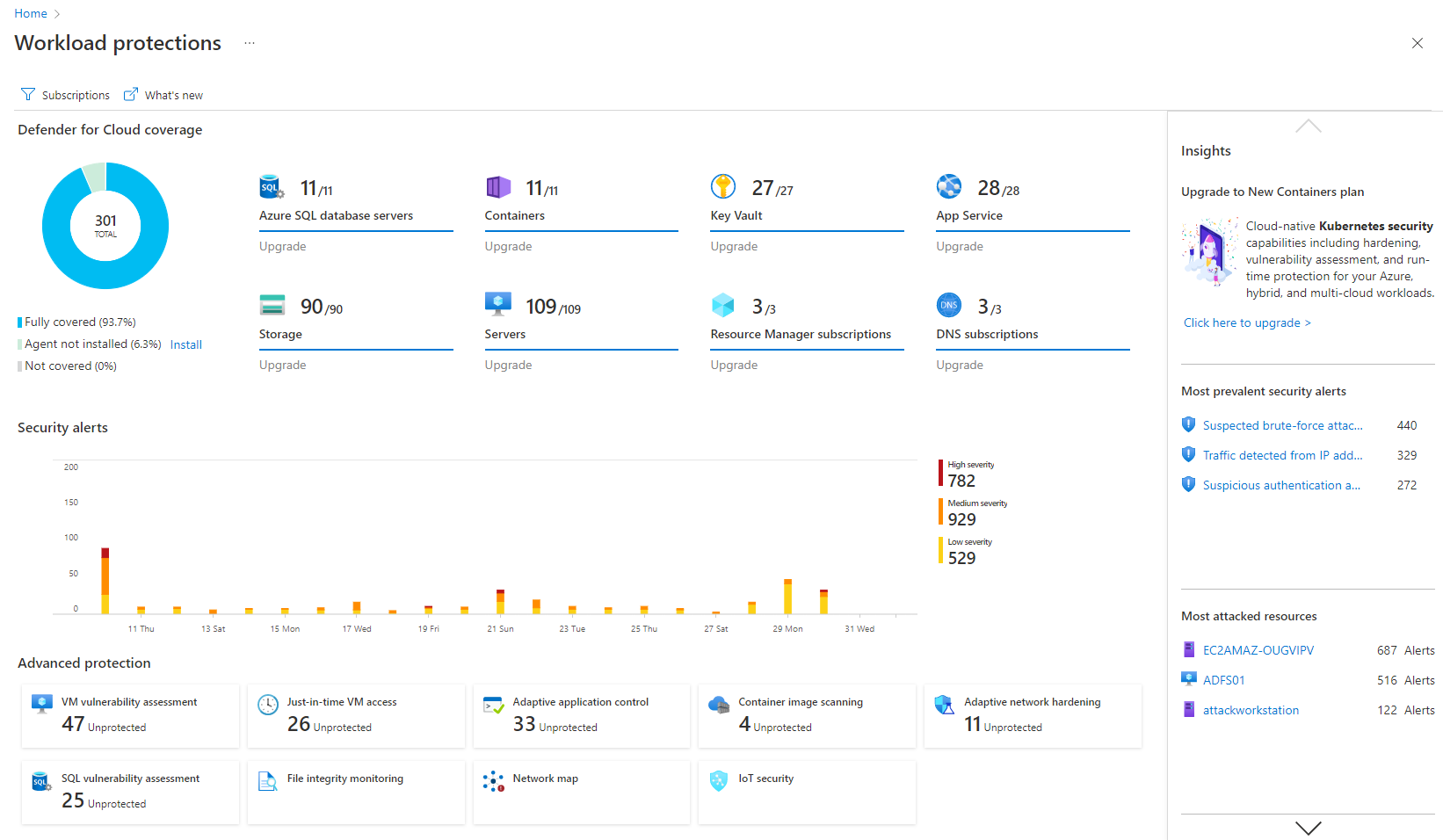
Screenshot of Remediation of critical issues in codeScreenshot of Cloud security benchmark mapped to industry FramworksScreenshot of Prioritization of critical risks with contextual threat analysisScreenshot of Workload protectionScreenshot of Unified DevOps VisibilityScreenshot of Visualizations to improve security posture proactively

Patch My PC Patch Management Screenshots

Screenshot of The general tab is where you can configure the license key and other general settings including the WSUS Code Signing certificate for third-party software updates.Screenshot of You can enable different third-party products to publish to WSUS and sync into Configuration Manager in the updates tab. You can also right-click on all products, vendors, or specific products to enable custom right-click actions.Screenshot of Enable products for application creation and management using the ConfigMgr Apps tab in the Publisher. This feature will automatically package third-party applications and keep them up to date. You can deploy these applications using task sequences or collection deployments in Configuration Manager.Screenshot of The CVE import wizard in the Patch My PC Publisher can evaluate CVE in a file and let you know which ones are either in the Patch My PC catalog or already published to WSUS.Screenshot of The sync schedule controls how often the Publisher will download the catalog and publish new third-party updates and applications to ConfigMgr or Intune.Screenshot of The alerts tab will automatically send you email, Microsoft Teams, or Slack alerts when new updates or applications are created. These alerts will also include details like severity level, classification level, and CVE's.