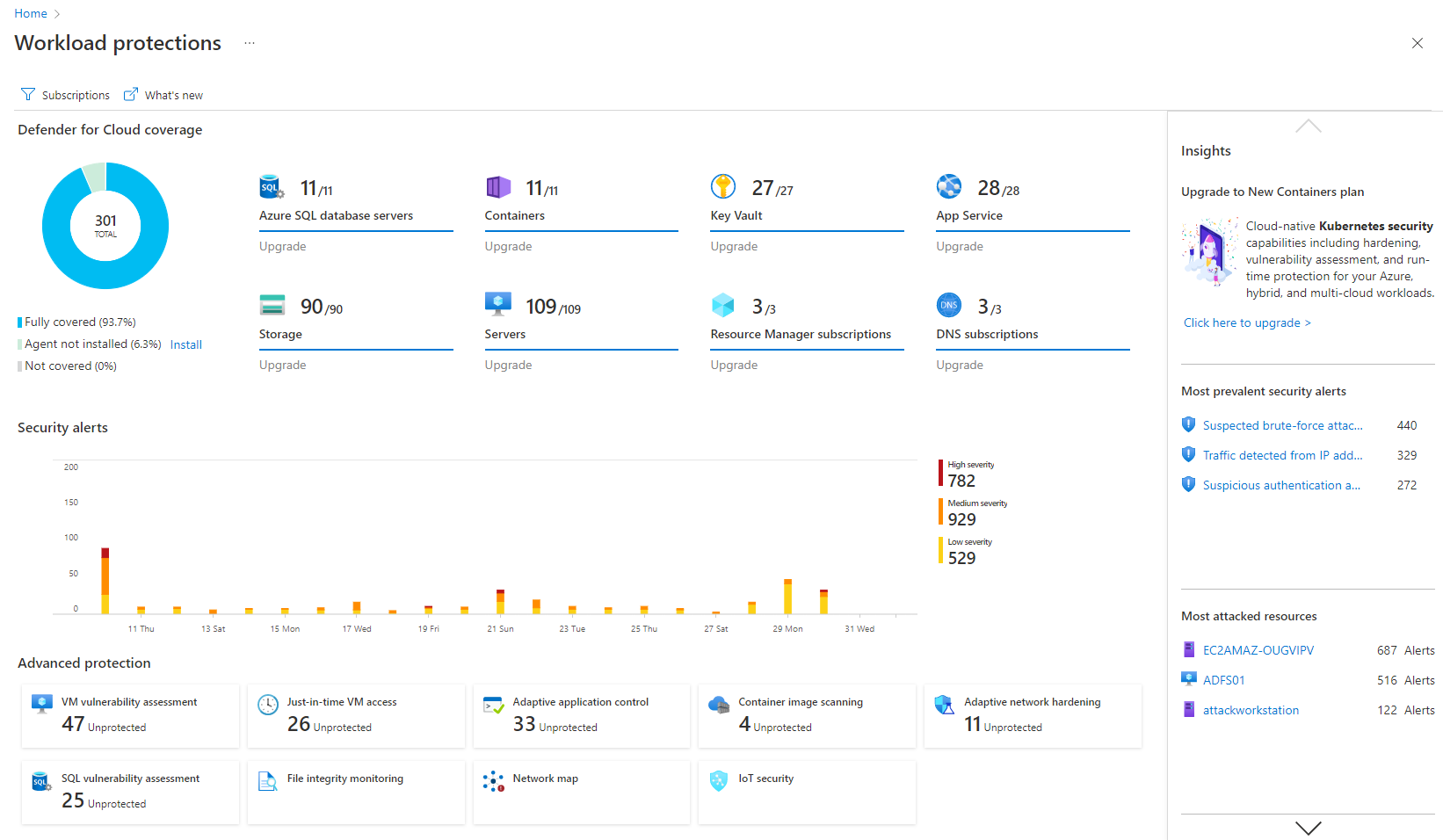
Microsoft Defender for Cloud is a Cloud Security Posture Management (CSPM) and Cloud Workload Protection Platform (CWPP) for Azure, on-premises, and multicloud (Amazon AWS and Google GCP) resources.
N/A
Palo Alto Networks Prisma Cloud
Score 8.1 out of 10
N/A
Prisma Cloud, from Palo Alto Networks (based on technology acquired with Evident.io, or the Evident Security Platform) is presented as a comprehensive Cloud Native Security Platform (CNSP) that delivers full lifecycle security and full stack protection for multi- and hybrid-cloud environments. The solution is dedicated to reducing attack surface and checking for vulnerabilities against known or custom signatures of threats and provides daily risk reports, and also detects what users were…
N/A
Pricing
Microsoft Defender for Cloud
Palo Alto Networks Prisma Cloud
Editions & Modules
No answers on this topic
No answers on this topic
Offerings
Pricing Offerings
Microsoft Defender for Cloud
Palo Alto Networks Prisma Cloud
Free Trial
Yes
No
Free/Freemium Version
No
No
Premium Consulting/Integration Services
No
No
Entry-level Setup Fee
No setup fee
No setup fee
Additional Details
—
—
More Pricing Information
Community Pulse
Microsoft Defender for Cloud
Palo Alto Networks Prisma Cloud
Considered Both Products
Microsoft Defender for Cloud
Verified User
Vice-President
Chose Microsoft Defender for Cloud
Had some coverage gaps and was more expensive compared to native Azure security controls, such as Defender for Cloud.
Microsoft Defender for Cloud is very good at allowing users to see how their Azure environment is secure through the secure score. The recommendations are an excellent source of the controls that should be in place to ensure a secure environment. There needs to be more protection and features for data security.
Finding specific Cloud Vendor specific Cloud resource configuration, tags, network information and etc. is fairly easy to do. Cloud alert capabilities are pretty good and with proper knowledge top notch alerts can be created. Only downside I can think of is ease of use.
detect and respond to security threats in the cloud environment, reducing the risk of data breaches and unauthorized access.
The product assists our organization dealing with sensitive data in achieving and maintaining compliance with data protection rules.
The product provides real-time visibility into the cloud environment, offering insights into ongoing security activities.
It guarantees that security teams can actively handle possible threats by delivering real-time monitoring and notifications, reducing the impact on business operations.
Real-time supports would be much appreciated. At the moment they have a third-party ticketing support tool, which can be replaced with real-time support, which can be provided to the user at the time of the issue.
The user should be provided with all the learning material by the Palo Alto team at the time of license purchase. This would save a lot of users' time, which is taken up by research and finding the correct documents from the website.
Themes can be introduced in the feature set, which would help the user customize the software as per their needs.
It is a great product that integrates nicely when running an Azure platform and even multi-cloud environment. Not looking for point-solutions but a suite that answers most requirements. It is very comfortable being able to use KQL, workbooks and automation that is native to the azure platform
It is no doubts about their functionalities and top-notch security features. The Products do really well in their every feature and gives you complete visibility to your valuable Data at all. The Support for the Palo Alto Networks Prisma Cloud is also one of the plus point where you gain the confidence into the product.
Microsoft Defender for Cloud is definitely the choice with the latest market trend and attacks that are currently happening. Microsoft has been able to safe guard a lot after the recent serious attacks happening globally in the digital world. There is a trust in this software and with the latest updates and machine learning capabilities, Microsoft Defender for Cloud should be the choice.
It simplifies security management and saves time. I'm not sure, but I'm very confident it saved me a couple of paychecks by centralizing the data I need to secure the cloud environment.
I also utilize the inventory overview to monitor my team's activities and verify they are following internal regulations, as well as cost overruns.
The recommendations can be utilized as a valuable instructional tool. I have the team explain why they are receiving them, why they are not following them, and what they are doing differently.