Method:crm is a QuickBooks-integrated, cloud-based CRM platform.
$25
per month per user
ServiceMax
Score7.9 out of 10
N/A
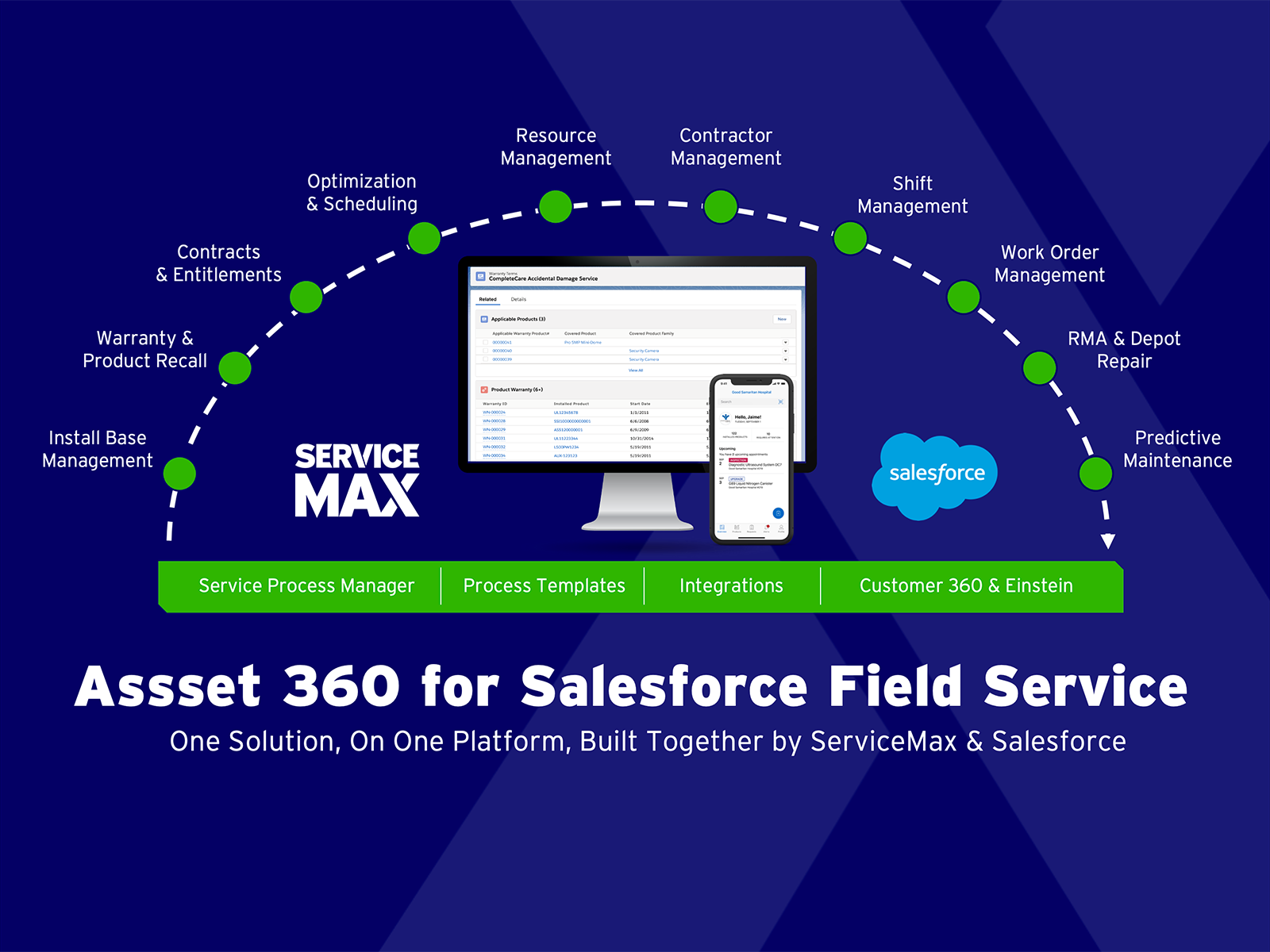
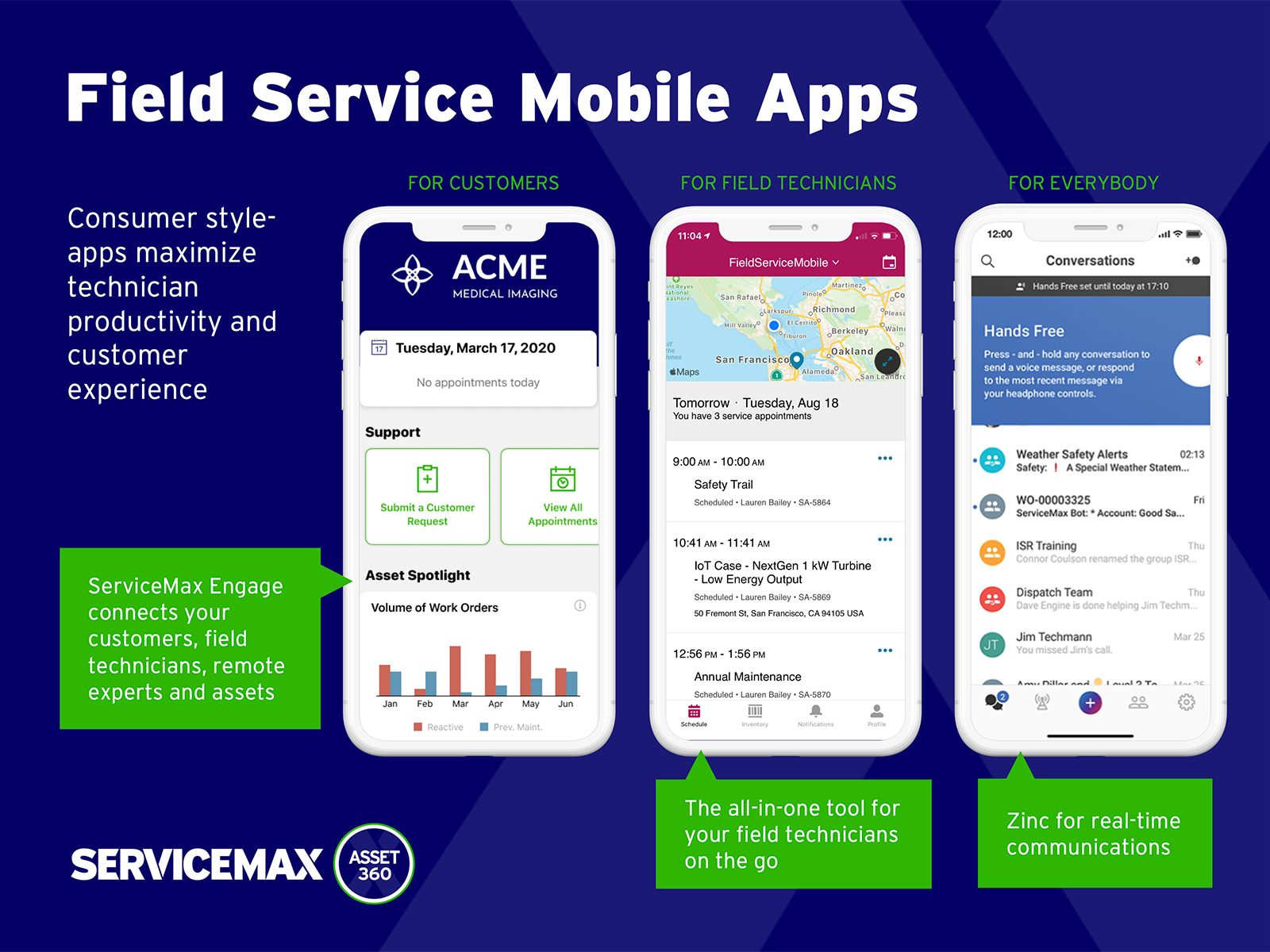
ServiceMax’s mission is to help customers with asset-centric field service management software. ServiceMax’s mobile apps and cloud-based software provide an overview of assets to field service teams. By optimizing field service operations, customers across all industries can better manage the complexities of service, support faster growth and run more profitable, outcome-centric businesses.
Method[:CRM] is well suited when you have a large company that needs to keep track of customers. It also connects with Quickbooks and that has really been nice for our organization. Our company is small so this really helps us stay on track and build our data base of customers.
A de minimis incentive was given to thank the reviewer for their time. The incentive was not used to bias or drive a particular response, nor was the incentive contingent on a positive endorsement. More Info
Small deployments, where you have some specific need for ServiceMax and absolutely need offline capabilities, and are willing to deal with the problems. Otherwise, you may be better off looking at the built-in Work Orders and field service module that Salesforce is now providing. Their app is direct competition for ServiceMax and integrates much better with cases and knowledge articles.
A de minimis incentive was given to thank the reviewer for their time. The incentive was not used to bias or drive a particular response, nor was the incentive contingent on a positive endorsement. More Info
A de minimis incentive was given to thank the reviewer for their time. The incentive was not used to bias or drive a particular response, nor was the incentive contingent on a positive endorsement. More Info
A de minimis incentive was given to thank the reviewer for their time. The incentive was not used to bias or drive a particular response, nor was the incentive contingent on a positive endorsement. More Info
A de minimis incentive was given to thank the reviewer for their time. The incentive was not used to bias or drive a particular response, nor was the incentive contingent on a positive endorsement. More Info
The things Method does well - QuickBooks data integration and extreme customization - it does very, very well. If you are looking for a CRM product or any business process automation software that integrates with QuickBooks, you have to look at Method CRM
Method has a great overall "usability". Once we started using the software; it did not take long before we were able to start editing our own web lead forms, email templates, etc. I think there is a learning curve however the learning curve is not bad. Anyone looking for a cloud CRM should start here
A de minimis incentive was given to thank the reviewer for their time. The incentive was not used to bias or drive a particular response, nor was the incentive contingent on a positive endorsement. More Info
The Customer Support of this app is fantastic. If you ever have any questions they are there to answer you or fix whatever issue that you are having. The FAQ pages are also extremely helpful when you want to learn about the more in-depth qualities this program has to offer.
A de minimis incentive was given to thank the reviewer for their time. The incentive was not used to bias or drive a particular response, nor was the incentive contingent on a positive endorsement. More Info
A de minimis incentive was given to thank the reviewer for their time. The incentive was not used to bias or drive a particular response, nor was the incentive contingent on a positive endorsement. More Info
Be available to learn! There is a huge learning curve to this program. You have to be willing to take it all in. Be available to the Method expert and be patient.
We chose Method:CRM for the QuickBooks integration. It was important for us to have integrations that allowed us to view payments, organize our contacts, and manage our sales force. There were some learning curves, however, such as creating activities, leads, customers and making sure our payments were being logged appropriately. I do wish that payments would be added to the calendar automatically so that the sales rep could view and make a phone call letting them know their invoice is due.
ServiceMax has an offline capability, and also integrates with our Salesforce side of business. At the time, Salesforce did not have a field service application so we could not consider it, but if we could now, we would probably go with that instead. ServiceMax is also expensive. But at the time, ServiceMax was the only offering out there that integrated with Salesforce, had mobile offline capability, and could operate at the scale we needed.
A de minimis incentive was given to thank the reviewer for their time. The incentive was not used to bias or drive a particular response, nor was the incentive contingent on a positive endorsement. More Info
A de minimis incentive was given to thank the reviewer for their time. The incentive was not used to bias or drive a particular response, nor was the incentive contingent on a positive endorsement. More Info
ROI for ServiceMax is mostly dependent on how in depth the organization wants the software. Our ROI is expected within the second year of operation due to the complexity of integration and the initial training requirements for in-house programmers.
Inventory control ROI is expected within year three or four due to the number of technicians and creating the foundation of information to import into ServiceMax. Expectations are the front end programming will be complete and our programmers will be better acquainted with the modules and architecture to make the inventory integration smoother than the initial integration.
Our organization has been working with ServiceMax for ten months and beginning to incorporate the financials to the work orders. This process has not been as seamless as once projected and the root causes are under investigation. It appears the original fields available to track time between employees were not in depth nor segregated sufficiently for granularity.
A de minimis incentive was given to thank the reviewer for their time. The incentive was not used to bias or drive a particular response, nor was the incentive contingent on a positive endorsement. More Info