
MeisterTask vs. Planview PPM Pro
MeisterTask vs. Planview PPM Pro
| Product | Rating | Most Used By | Product Summary | Starting Price |
|---|---|---|---|---|
 MeisterTask | Small Businesses (1-50 employees) | MeisterTask is a task management and collaboration tool that let teams manage tasks in a customizable environment. MeisterTask's project boards adapt to a team’s workflow, and is suitable for managing a variety of tasks from software sprints to editorial calendars. As opposed to only providing a tool that visualizes the work, MeisterTask automates recurring steps in users' workflows to help them work more efficiently and consistently. MeisterTask is developed by… | $16 per month per user | |
 Planview PPM Pro | Enterprise companies (1,001+ employees) | Planview PPM Pro™ centralizes the management of projects and resources, facilitating governance, and providing visibility for improved decision making. Whether users are just getting started or advancing PMO to the next level, Planview PPM Pro is designed to provide the ability to collect, prioritize, and execute projects, enabling PMOs to focus resources on the work that delivers the most value. | N/A |
| MeisterTask | Planview PPM Pro | |||||||||||||||
|---|---|---|---|---|---|---|---|---|---|---|---|---|---|---|---|---|
| Editions & Modules |
| No answers on this topic | ||||||||||||||
| Offerings |
| |||||||||||||||
| Entry-level Setup Fee | No setup fee | Optional | ||||||||||||||
| Additional Details | Discounts are available for education and non-profit organisations. 28% discount for annual pricing. | PPM Pro offers flexible pricing based on user types. | ||||||||||||||
| More Pricing Information | ||||||||||||||||
| MeisterTask | Planview PPM Pro |
|---|
| MeisterTask | Planview PPM Pro | ||||||||||||||||||||||||||||||
|---|---|---|---|---|---|---|---|---|---|---|---|---|---|---|---|---|---|---|---|---|---|---|---|---|---|---|---|---|---|---|---|
| Project Management |
|
| MeisterTask | Planview PPM Pro | |
|---|---|---|
| Small Businesses |  Stackby Score 9.0 out of 10 |  monday.com Score 8.6 out of 10 |
| Medium-sized Companies |  InEight Score 8.3 out of 10 |  Planview AdaptiveWork Score 7.4 out of 10 |
| Enterprises | InEight Score 8.3 out of 10 | Planview AdaptiveWork Score 7.4 out of 10 |
| All Alternatives | View all alternatives | View all alternatives |
| MeisterTask | Planview PPM Pro | |
|---|---|---|
| Likelihood to Recommend | 7.6 (0 ratings) | 8.8 (0 ratings) |
| Likelihood to Renew | - (0 ratings) | 9.0 (0 ratings) |
| Usability | - (0 ratings) | 7.2 (0 ratings) |
| Availability | - (0 ratings) | 9.1 (0 ratings) |
| Performance | - (0 ratings) | 8.2 (0 ratings) |
| Support Rating | 8.9 (0 ratings) | 7.9 (0 ratings) |
| In-Person Training | - (0 ratings) | 10.0 (0 ratings) |
| Implementation Rating | - (0 ratings) | 9.9 (0 ratings) |
| Configurability | - (0 ratings) | 8.2 (0 ratings) |
| Ease of integration | - (0 ratings) | 8.2 (0 ratings) |
| Product Scalability | - (0 ratings) | 8.2 (0 ratings) |
| Vendor post-sale | - (0 ratings) | 8.2 (0 ratings) |
| Vendor pre-sale | - (0 ratings) | 7.3 (0 ratings) |
| MeisterTask | Planview PPM Pro | |
|---|---|---|
| Likelihood to Recommend | 
| 
|
| Pros |
 Stella Olsson Territory Sales Manager |
|
| Cons |
 Tyler Grudowski Product Development Engineer |
|
| Likelihood to Renew | No answers on this topic |
 David Hill Project Coordinator |
| Usability | No answers on this topic |
|
| Reliability and Availability | No answers on this topic |
|
| Performance | No answers on this topic |
|
| Support Rating |
 Robyn Mays Co-Founder |
 Jeremy C. Porter IT BUSINESS SOLUTIONS ANALYST, FUNCTIONAL |
| In-Person Training | No answers on this topic |
|
| Implementation Rating | No answers on this topic |
 Catherine Moreno, PMP Assistant Vice President, Project Management Office Manager |
| Alternatives Considered |
 Daniel Cruz CEO |
|
| Scalability | No answers on this topic |
|
| Return on Investment |
|
|
| ScreenShots | MeisterTask Screenshots 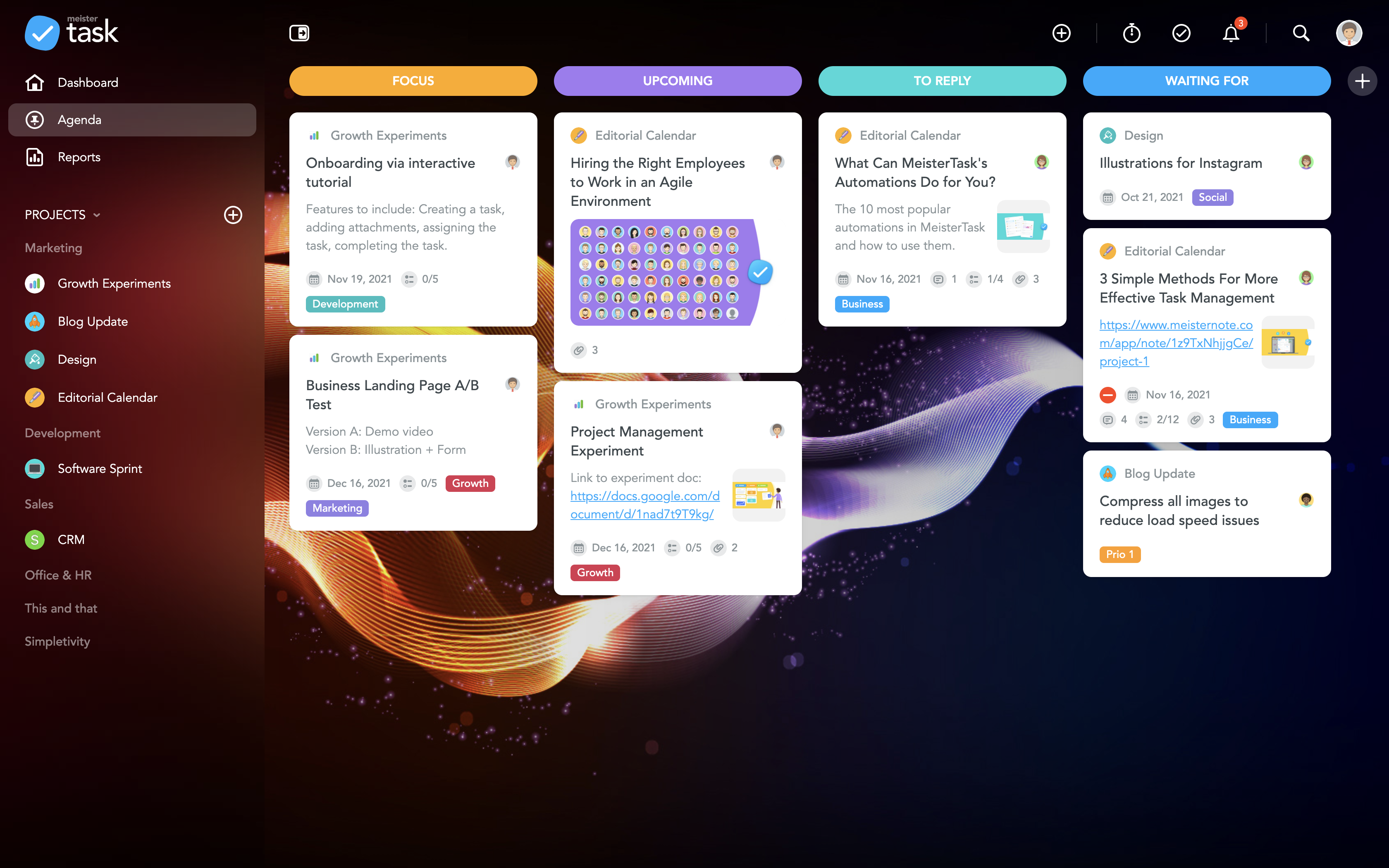     | Planview PPM Pro Screenshots      |