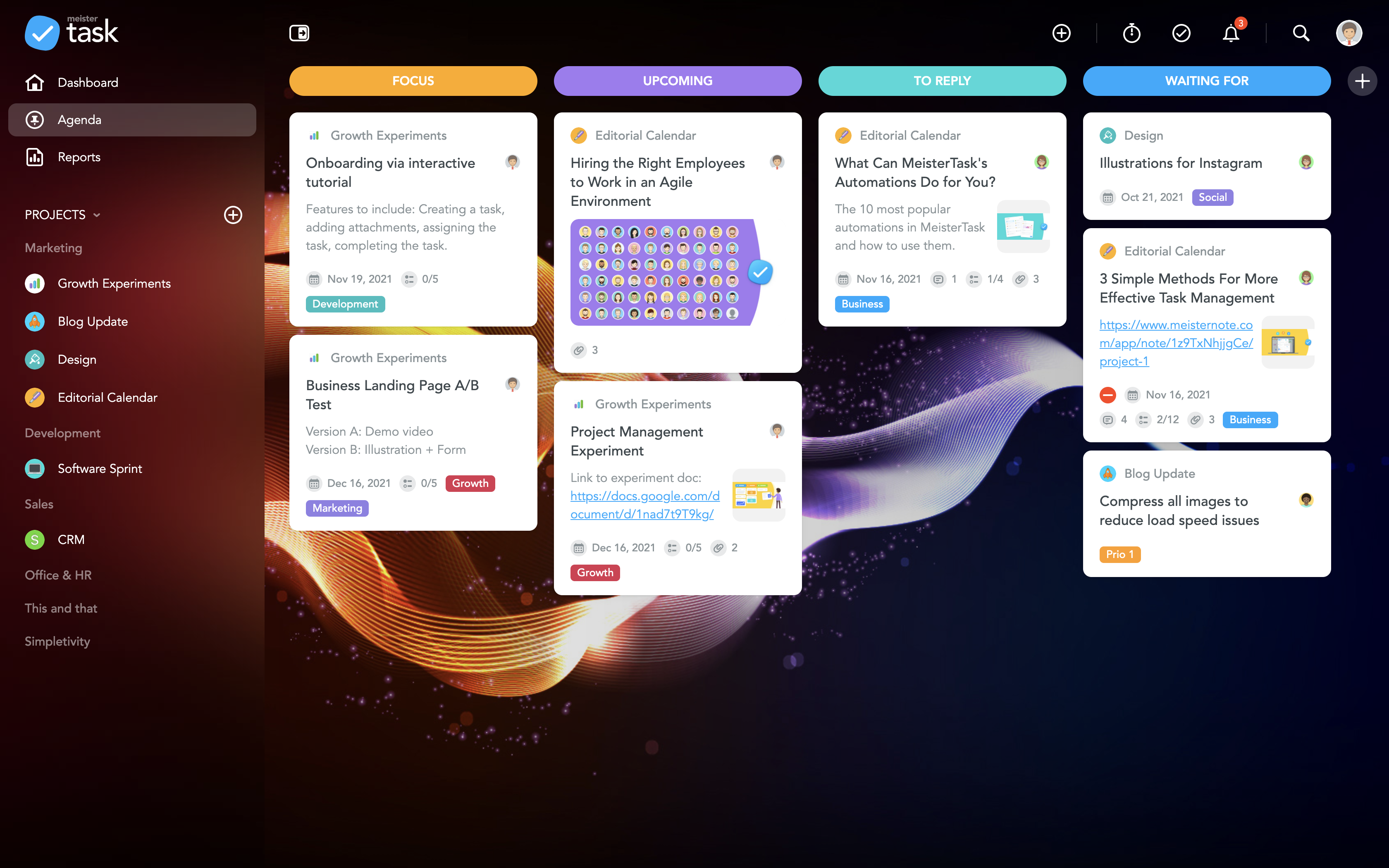
MeisterTask is a task management and collaboration tool that let teams manage tasks in a customizable environment. MeisterTask's project boards adapt to a team’s workflow, and is suitable for managing a variety of tasks from software sprints to editorial calendars. As opposed to only providing a tool that visualizes the work, MeisterTask automates recurring steps in users' workflows to help them work more efficiently and consistently.
MeisterTask is developed by…
$16
per month per user
Microsoft To Do
Score 9.5 out of 10
N/A
Microsoft To Do replaces the former Wunderlist task management tool.
N/A
Pricing
MeisterTask
Microsoft To Do
Editions & Modules
Pro
$16
per month per user
Business
$32
per month per user
Enterprise
Custom
No answers on this topic
Offerings
Pricing Offerings
MeisterTask
Microsoft To Do
Free Trial
No
No
Free/Freemium Version
Yes
No
Premium Consulting/Integration Services
No
No
Entry-level Setup Fee
No setup fee
No setup fee
Additional Details
Discounts are available for education and non-profit organisations. 28% discount for annual pricing.
—
More Pricing Information
Community Pulse
MeisterTask
Microsoft To Do
Features
MeisterTask
Microsoft To Do
Project Management
Comparison of Project Management features of Product A and Product B
MeisterTask
7.8
Ratings
2% above category average
Microsoft To Do
7.0
Ratings
9% below category average
Task Management
8.60 Ratings
8.00 Ratings
Gantt Charts
8.00 Ratings
4.50 Ratings
Scheduling
6.10 Ratings
5.00 Ratings
Workflow Automation
7.20 Ratings
6.40 Ratings
Team Collaboration
8.20 Ratings
7.80 Ratings
Support for Agile Methodology
8.20 Ratings
5.10 Ratings
Email integration
7.00 Ratings
6.00 Ratings
Mobile Access
8.60 Ratings
10.00 Ratings
Timesheet Tracking
8.50 Ratings
6.60 Ratings
Resource Management
00 Ratings
7.00 Ratings
Support for Waterfall Methodology
00 Ratings
6.30 Ratings
Document Management
00 Ratings
6.90 Ratings
Change request and Case Management
00 Ratings
9.00 Ratings
Budget and Expense Management
00 Ratings
9.00 Ratings
Professional Services Automation
Comparison of Professional Services Automation features of Product A and Product B
If you are doing simple tasks, and do not need to see Gantt dependencies, this can work for you. You likely know that other tools seem cumbersome already, and Meistertask is the opposite. If you like mind mapping, try combining this with Mindmeister by thhe same company to integrate your mind maps into actual project plans.
Wunderlist is a fantastic task management system, not the best project management system. For a long time, I tried to use Wunderlist to plan large events with multiple users and it wasn't as effective. But, once we simplified our desired outcome to accomplishing tasks that repeat or are unique to a given work-week, we had much more success. Now my assistant can manage her weekly tasks and give feedback through this app. I can also add tasks, assign them and see what is being accomplished
The learning curve is really short compared to other software that is related to this.
It is very easy to manage several projects at the same time, thus saving time in the work process.
Managing the elements of the list is very comfortable since its interface allows everything to work in an orderly manner based on what I want to put as important for me.
It has versions that are adapted to any type of company or if you want to give a personal use because it also has an option based on what you want to do with MeisterTask.
Smart due dates are the greatest thing about Wunderlist. I can tell it to "print past due reports on Monday" and then set that up as a repeating event.
It's clutter free. When I'm creating or assigning tasks I like to have a distraction free area to think, and the simplicity of Wunderlist gives me that.
The fact that I can look at it on my phone, on the web, and on my PC and it always looks the same is great. I can always tell what I'm doing b/c of their consistent design choices.
I really wish there was a tab to create a Gantt Chart on MeisterTask. This would be extremely helpful to track the progress of a project as a whole.
Some of the controls are not intuitive. For instance, you can select an individual person to see only their respective tasks, which is super helpful. But, to unselect that person and go back to the overview, you have to refresh the page and then hit the back button. This is super inconvenient to do every time.
One other feature I wish was included it a "percentage complete" tracker that showed what percentage is done with each task people are on.
Sub-tasks should have their own separate due dates
The main list needs some more intuitive tools to sort the list in any way I choose
Hovering over links should show a description of how to use it. For example, it would have been nice to know right away that double-clicking on a task is the way to open the details list.
The actual user interface and the way to navigate around the app is very intuitive and easy to learn/use which would make me give it a high ranking, but the syncing issues drop down my rating because there are times where you add an item to the list and then it just disappears. Then when you add it again the sync will happen and now you have duplicates. The other negative with the usability is adding extra information to an item, such as files or comments or assignments. You can do it but it's difficult to tell which items have this information from the main screen. You have to click on them individually.
I have not had an issue where I needed to reach out to Wunderlist, but I know their contact and online chat is easy to access and feel confident that they would be helpful. My only worry is Wunderlist is becoming Microsoft to-do in May 2020, and I believe the app will become worse after that.
MeisterTask is a great app for tracking your to-dos and manage your team. You can track the time you spent on each task and it's a nice design. Good mobile app too, that helps keep everyone informed about the event and the task that need to be done and who is taking care of what task.
It's a small tool compared to bigger project management software, but we found that they work perfectly together. It helps you declutter the larger PM tools, keep your smaller tasks in-line and make sure they get completed. When you're working in a creative agency, ideas and tasks are flying around, so having a tool like this that keeps you accountable and reminds you of your tasks is a must!
We reduced the number of meetings of teams and companies by 5 times because now all participants have access to comments and know at what stage the project is located.
Simple to use common to-do lists allow you to manage the projects of the group and give all its participants a clear idea of who is responsible for each task. There is no need to waste time explaining the business processes and responsibilities of team members
Wunderlist for business stores all group correspondence together with tasks.
This is convenient for all participants and for management because sometimes important moments are lost in other messengers or chats. Now you can do everything in one application. The number of problems with this