Launched in 2013, MEGA is a zero-knowledge cloud storage provider that delivers user-controlled end-to-end encryption, with an emphasis on easy accessibility.
N/A
Tresorit
Score6.2 out of 10
N/A
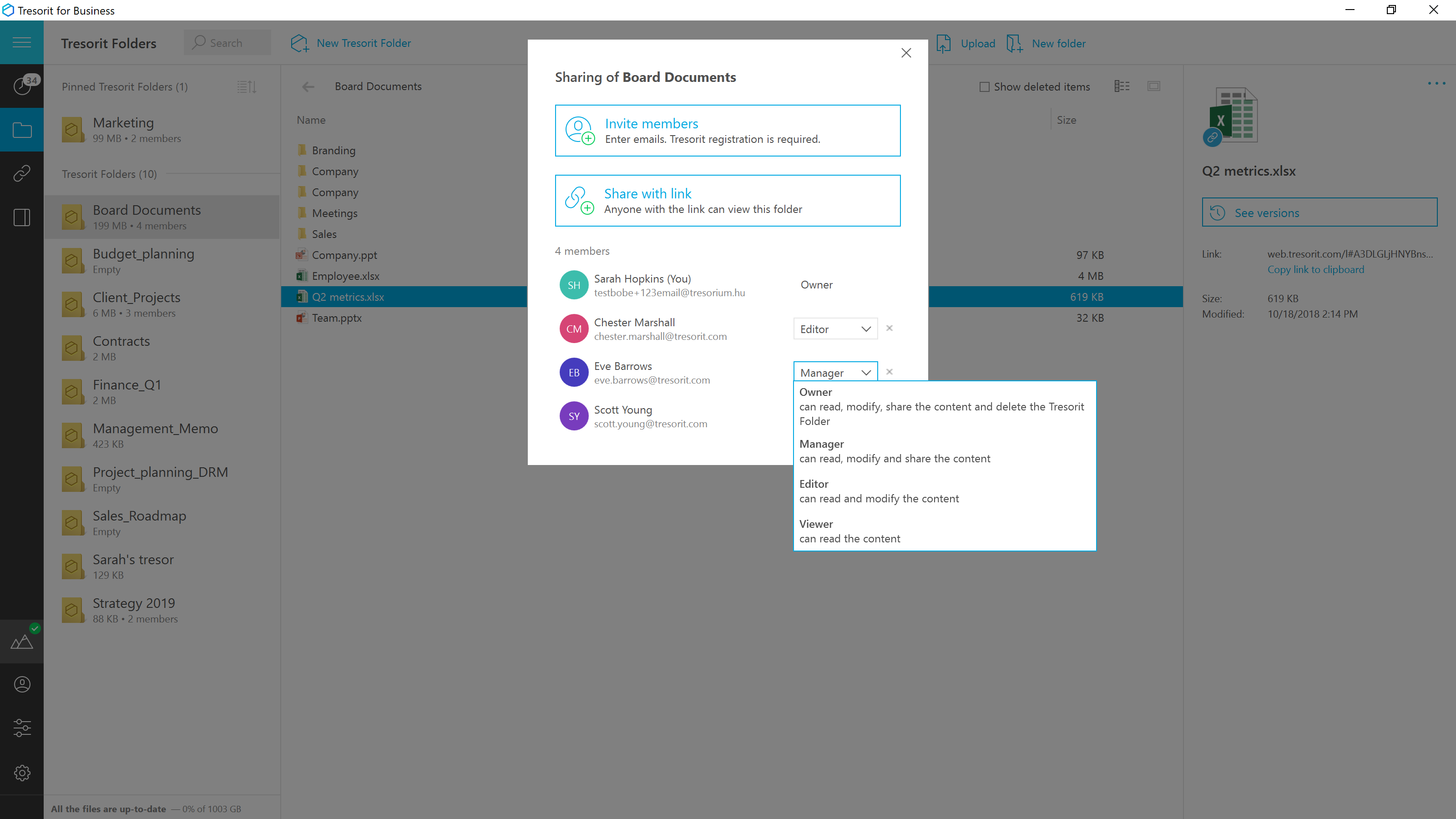
Tresorit offers end-to-end encrypted file
sync & sharing. The vendor promises an ultra-secure place in the cloud to store,
sync and share files easily from anywhere, anytime. The vendor says Tresorit is powered by
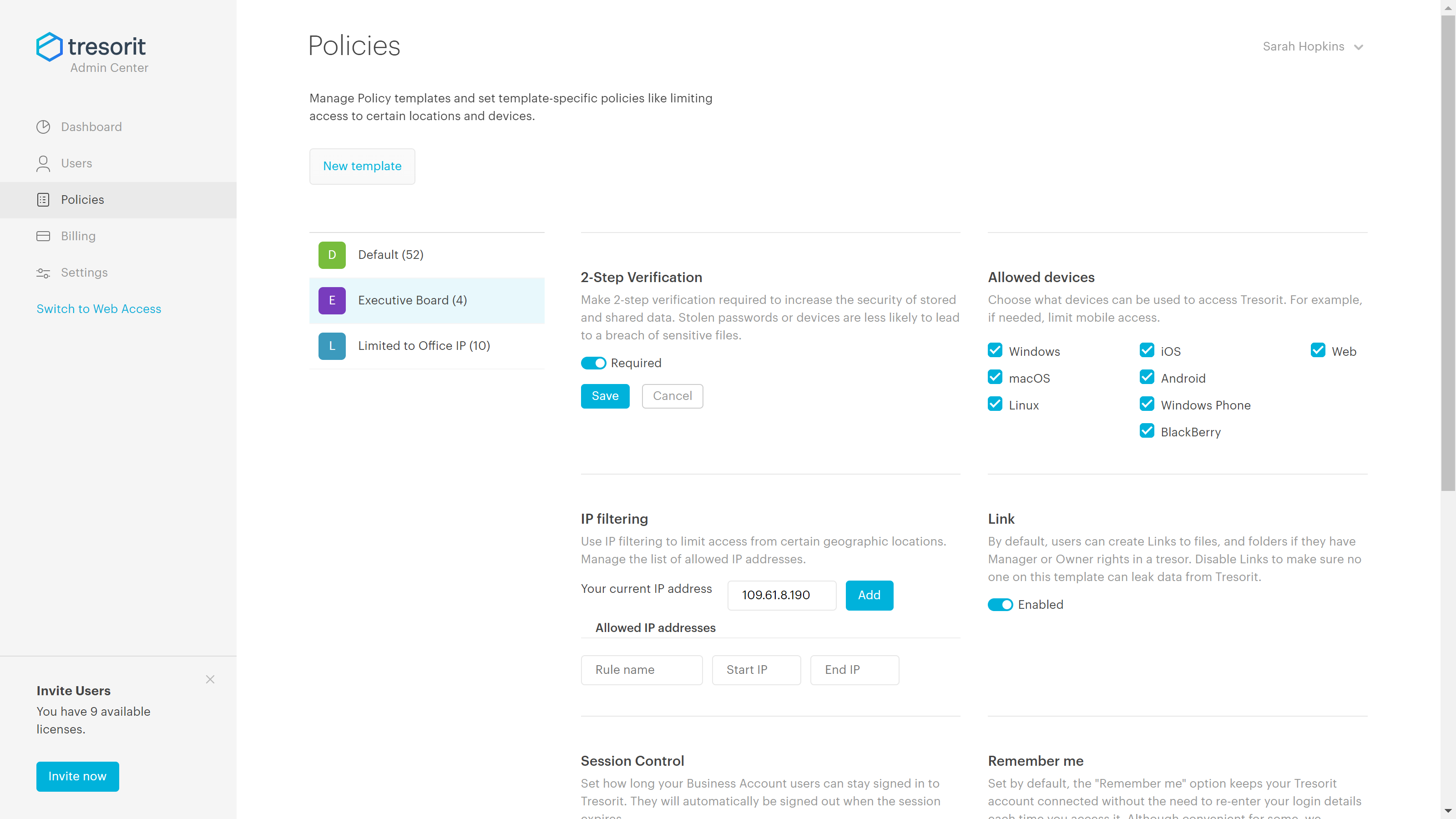
end-to-end encryption and enhanced with a flexible permission system, therefore
it seals your files away from internal data breaches and hackers. All the data
is securely stored according to the GDPR in Europe in Microsoft Azure
datacenters.
Tresorit promises to help secure…
$13.99
per month 1TB of encrypted storage
Pricing
MEGA
Tresorit
Editions & Modules
No answers on this topic
Personal
$13.99
per month 1TB of encrypted storage
Business Standard
$18
per month 1TB of encrypted storage
Business Plus
$24
per month per user (2TB of encrypted storage per user)
Professional
$33.99
per month 4TB of encrypted storage
Enterprise
Custom
Starts from 50 users
Offerings
Pricing Offerings
MEGA
Tresorit
Free Trial
Yes
Yes
Free/Freemium Version
Yes
No
Premium Consulting/Integration Services
No
Yes
Entry-level Setup Fee
No setup fee
No setup fee
Additional Details
—
Discount for annual pricing.
More Pricing Information
Features
MEGA
Tresorit
File Sharing & Management
Comparison of File Sharing & Management features of MEGA and Tresorit
Feature
MEGA
8.7
1 Ratings
3% above category average
Tresorit
4.7
1 Ratings
56% below category average
Versioning
7.01 Ratings
00 Ratings
Video files
10.01 Ratings
2.01 Ratings
Audio files
10.01 Ratings
2.01 Ratings
Document collaboration
7.01 Ratings
2.01 Ratings
Access control
8.01 Ratings
2.01 Ratings
File search
9.01 Ratings
10.01 Ratings
Device sync
10.01 Ratings
10.01 Ratings
Cloud Storage Security & Administration
Comparison of Cloud Storage Security & Administration features of MEGA and Tresorit
Feature
MEGA
8.7
1 Ratings
0% above category average
Tresorit
7.7
1 Ratings
12% below category average
User and role management
9.01 Ratings
9.01 Ratings
File organization
9.01 Ratings
5.01 Ratings
Device management
8.01 Ratings
9.01 Ratings
Cloud Storage Platform
Comparison of Cloud Storage Platform features of MEGA and Tresorit
MEGA is great for storing and syncing files across devices. It has a great web interface, as well as a sync tool for desktop and a mobile app that works very well on iPhone. (I have not used the Android version of the app.) I like the overall usability, as well as some of the features like the QR code and contact list functionality. I like the file versioning and file management features as well. What works less well for me is collaboration with other users, and file sharing among users. I have not been able to find a way to view all files shared with me from other users in the same view as my own files. In fact, when files are shared with me, the only way I have been able to locate them is through Notifications, which is sub-par. I would much prefer to see all shared folders alongside my files, without having to make a copy of the shared folder, thus losing the ability to sync with another user's changes, as well as using up my storage space.
A de minimis incentive was given to thank the reviewer for their time. The incentive was not used to bias or drive a particular response, nor was the incentive contingent on a positive endorsement. More Info
Good scenario: Wanting to have your files stored by an independent group that specializes in secure file storage. The ability to have files stored on servers that are not domestic is a big plus too. We had issues in the past with a solution that went down when the US AWS East Coast servers had an issue; Tresorit is insulated from these problems and appears to handle load balancing as well. Not good scenario: If you want to have outside parties, upload files/share files with you within your Tresorit environment. There is no way of doing this, and this is a real operational problem.
A de minimis incentive was given to thank the reviewer for their time. The incentive was not used to bias or drive a particular response, nor was the incentive contingent on a positive endorsement. More Info
A de minimis incentive was given to thank the reviewer for their time. The incentive was not used to bias or drive a particular response, nor was the incentive contingent on a positive endorsement. More Info
A de minimis incentive was given to thank the reviewer for their time. The incentive was not used to bias or drive a particular response, nor was the incentive contingent on a positive endorsement. More Info
A de minimis incentive was given to thank the reviewer for their time. The incentive was not used to bias or drive a particular response, nor was the incentive contingent on a positive endorsement. More Info
Clean, contemporary UI that is heavily polished and works great. You can tell they did a lot of user testing with this, and have a top notch UI design team that really cares about the customer. A highly user-friendly service across platforms and form factors, I found their web, desktop and mobile apps to all be impeccably designed and consistent.
A de minimis incentive was given to thank the reviewer for their time. The incentive was not used to bias or drive a particular response, nor was the incentive contingent on a positive endorsement. More Info
While I have never contacted customer support, there is a large user community that has posted solutions on third party websites to a number of common questions like how to share files, and how to access files that have been shared with you. When I received a 40 GB shared file, I was not able to find how to access it until I searched on Google to find a solution, which was easy to find. The large user community helps with support tremendously.
A de minimis incentive was given to thank the reviewer for their time. The incentive was not used to bias or drive a particular response, nor was the incentive contingent on a positive endorsement. More Info
Exceptionally responsive. This is something we needed from our storage provider. We are continuously accessing the information, and downtime or technical issues would be and are unacceptable. We have had no downtime issues so far, and Support has been responsive to us whenever needed. Exactly what we needed from their service.
A de minimis incentive was given to thank the reviewer for their time. The incentive was not used to bias or drive a particular response, nor was the incentive contingent on a positive endorsement. More Info
The two apps Google Drive and MEGA provided free cloud storage but Google Drive grants just 15 GB not more as free to try, At that time MEGA granted us 50 GB at the beginning of use, which gave us a chance to use it with high capacity.
A de minimis incentive was given to thank the reviewer for their time. The incentive was not used to bias or drive a particular response, nor was the incentive contingent on a positive endorsement. More Info
Secure and independently operated. We selected Tresorit for its secure file storage capabilities that the other services (except SpiderOak) did not provide. Tresorit is a zero-knowledge system, which gives us a lot of comforts when it comes to secure data storage. SpiderOak was a close alternative, but they have been in continuous development to provide competitive features, and still haven't provided what we needed (SpiderOak has promised features for several years at this point).
A de minimis incentive was given to thank the reviewer for their time. The incentive was not used to bias or drive a particular response, nor was the incentive contingent on a positive endorsement. More Info
A de minimis incentive was given to thank the reviewer for their time. The incentive was not used to bias or drive a particular response, nor was the incentive contingent on a positive endorsement. More Info
A de minimis incentive was given to thank the reviewer for their time. The incentive was not used to bias or drive a particular response, nor was the incentive contingent on a positive endorsement. More Info