McGraw-Hill Connect vs. Synap

Overview
ProductRatingMost Used ByProduct SummaryStarting Price
McGraw-Hill Connect
Score 8.1 out of 10
N/A
McGraw-Hill Connect is an e-learning platform offered by McGraw-Hill Education. Features include course and assignment creation, grading, learning aides, e-books, and student portals.N/A
Synap
Score 0.0 out of 10
N/A
Synap is an online exam and assessment platform designed to provide a seamless experience for both administrators and candidates. It supports a range of assessment formats and offers customisable exam settings to meet the specific needs of educational institutions and organisations. Synap’s integrated proctoring tools help maintain academic integrity through configurable rules and monitoring options. Its analytics dashboards deliver real-time insights into learner…
$179
per month 30 active users
Pricing
McGraw-Hill ConnectSynap
Editions & Modules
No answers on this topic
Standard - per active user
starting at $179
per month 30 active users
Pro - per active user
starting at $455
per month 100 active users
Business - per active user
starting at $1000
per month 100 active users
Business - per assessment
starting at $9600
per year 1000 annual credits
Pro - per assessment
starting at $4200
per year 500 annual credits
Standard - per assessment
starting at $1440
per year 500 annual credits
Offerings
Pricing Offerings
McGraw-Hill ConnectSynap
Free Trial
NoYes
Free/Freemium Version
NoNo
Premium Consulting/Integration Services
NoNo
Entry-level Setup FeeNo setup feeRequired
Additional Details
More Pricing Information
Community Pulse
McGraw-Hill ConnectSynap
Best Alternatives
McGraw-Hill ConnectSynap
Small Businesses
Renaissance Accelerated Reader
Score 9.9 out of 10
Renaissance Accelerated Reader
Score 9.9 out of 10
Medium-sized Companies
Renaissance Accelerated Reader
Score 9.9 out of 10
Renaissance Accelerated Reader
Score 9.9 out of 10
Enterprises
Renaissance Accelerated Reader
Score 9.9 out of 10
Renaissance Accelerated Reader
Score 9.9 out of 10
All AlternativesView all alternativesView all alternatives
User Ratings
McGraw-Hill ConnectSynap
Likelihood to Recommend
8.1
(0 ratings)
-
(0 ratings)
Usability
5.0
(0 ratings)
-
(0 ratings)
Support Rating
2.9
(0 ratings)
-
(0 ratings)
User Testimonials
McGraw-Hill ConnectSynap
Likelihood to Recommend
Content is pretty good, and site is good as standalone tool, but it does not integrate will with any LMS. Grade pass back does not work with Google Classroom or Skyward (unsure about Power School or others) SSO works with Clever, but not Google, so students always have to go through Clever and cannot go directly from Google Classroom to an assignment, even if you posted to Google Classroom through the Connect portal. Problem sets are robust, but difficult to edit and assessments are designed to be web based. Formatting is poor when trying to print assessments that were created online.
Read full review
No answers on this topic
Pros
  • Integration with Canvas is seamless and easy to use.
  • Assignment completion, for students, is straightforward and easy to use.
  • The SmartBook allows students to read as they are tested with questions and this helps them learn the material easily without having first trying to read, memorize a chapter and then answer questions.
Read full review
No answers on this topic
Cons
  • McGraw-Hill Connect could do a better job of staying current and making sure all of its videos and references to real-scenarios are up to date.
  • It can do a better job of immediate explanation or advice when an answer is incorrect.
  • It can improve upon its ability to autosave assignments. If an internet connection gets buggy and kicks the user out of the system, sometimes the assignment progress will be lost. This is because to save the assignment, it takes you out of the assignment and doesn't just autosave.
Read full review
No answers on this topic
Usability
The product will do a majority of what they claim. Your experience will vary depending on how much you love or hate the implementation. The tools are there, but there is a learning curve as people get accommodated to how interaction is expected to be conducted (as opposed to more personal means).
Read full review
No answers on this topic
Support Rating
Personally, I did not encounter McGraw-Hill support. However, I worked with colleagues who needed support and were able to receive in a timely manner. Overall, McGraw Hill Connect is user-friendly (at least from teacher interface) and easy to navigate, which minimizes the need to reach out for support. The help button is useful and provides plenty of immediate support.
Read full review
No answers on this topic
Alternatives Considered
Much of our lecture material comes from McGraw-Hill, so it was an opportunity to marry the learning material to a collaborative system that can make the experience more portable and potentially more affordable for our students. The workings are managed off-site so we do not need to care for it on a daily basis.
Read full review
No answers on this topic
Return on Investment
  • Wasted valuable time trying to figure out the "eBook."
  • Did not receive good value for the money spent.
  • Did not feel as though the company was interested in keeping me satisfied as a customer, or like their customer service was actually interested in solving any problems.
Read full review
No answers on this topic
ScreenShots

Synap Screenshots

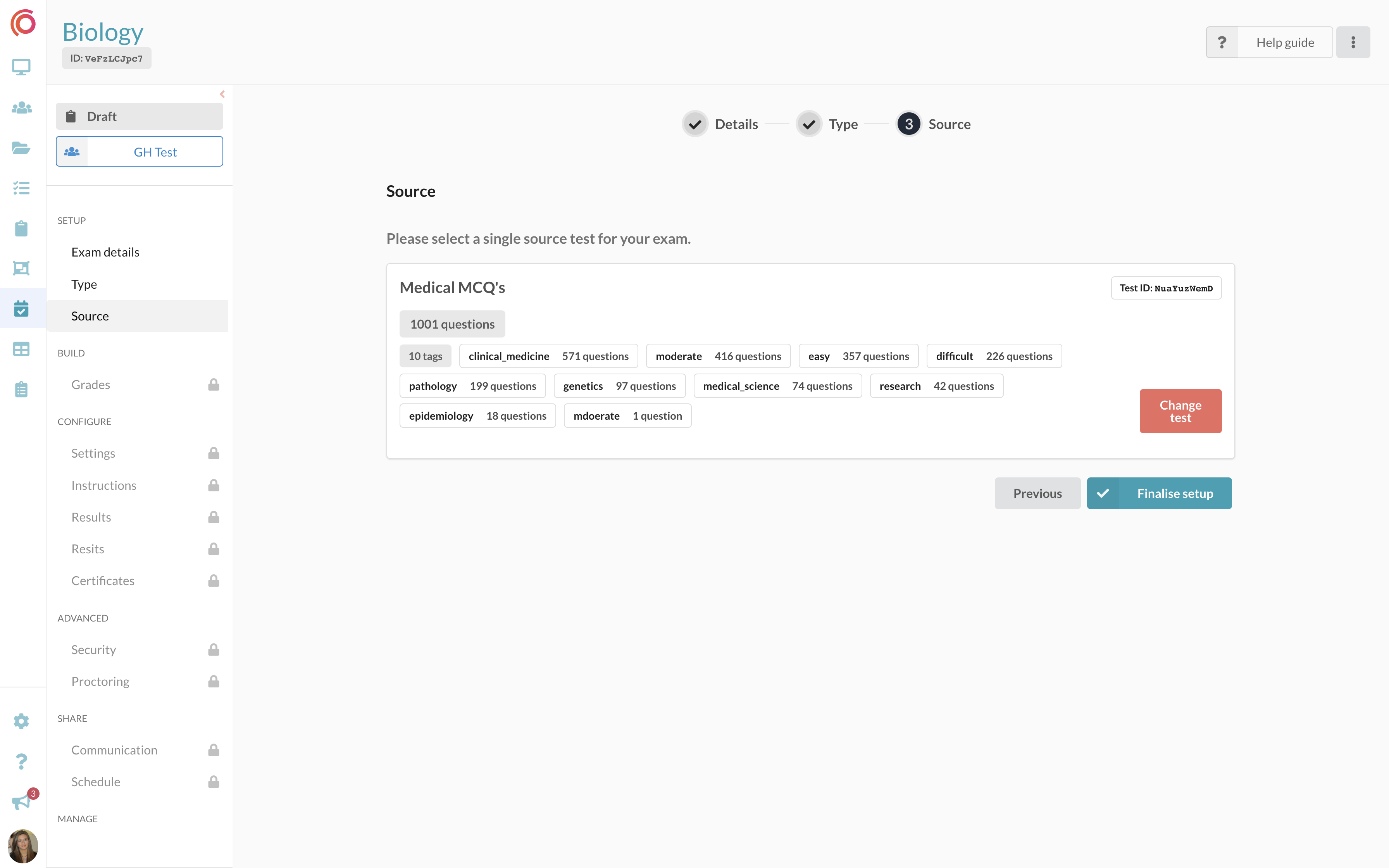
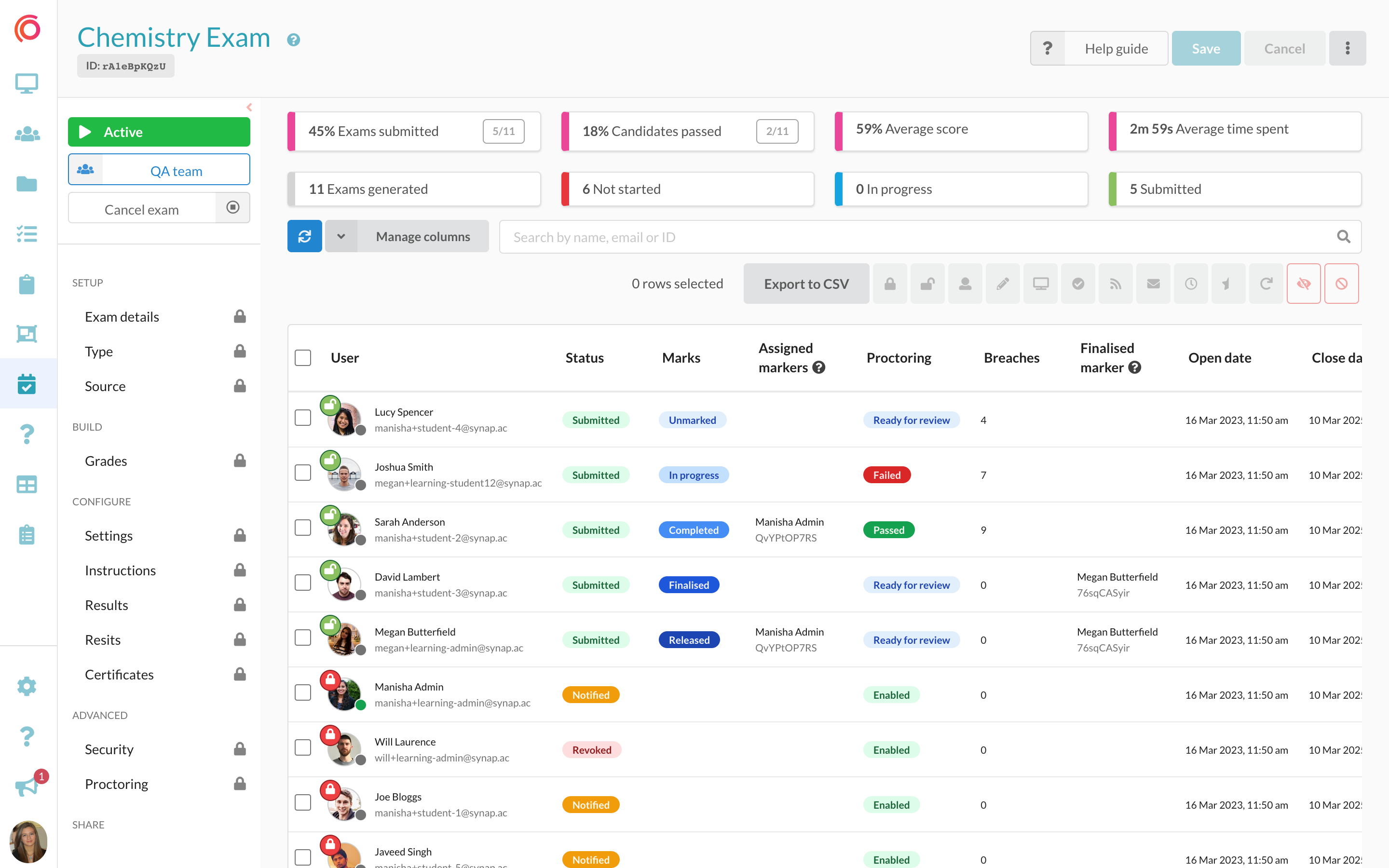
Screenshot of an interface for students taking an exam, featuring an image-based multiple-choice question (MCQ). The UI is designed to improve navigation and readability.Screenshot of question banks that can be imported along with their existing tags for dynamic exam creation. Tags enable users to customise exams based on specific themes or topics.Screenshot of the exam dashboard, where users create, schedule and monitor exam progress, and manage assessments.Screenshot of the exam users table, to manage user exam attempts. Administrators can lock/unlock attempts, assign markers, review proctoring footage, and access the on-platform marking modal.