Maxio helps B2B SaaS companies maximize their revenue operations. The financial operations platform is designed to meet the unique financial challenges of B2B SaaS, including billing, subscription management, revenue & expense recognition, and SaaS metrics & analytics.
$0
30 Day Trial
Salesforce Revenue Cloud
Score 8.8 out of 10
Mid-Size Companies (51-1,000 employees)
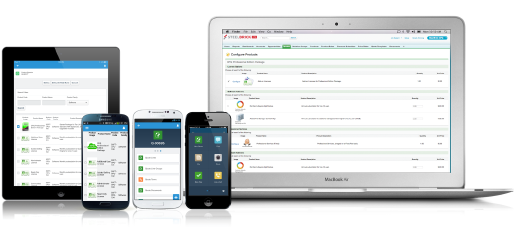
Salesforce Revenue Cloud (formerly Salesforce CPQ or SteelBrick) is built and delivered on the Salesforce Platform and Salesforce1 Mobile App which enables users to create accurate sales quotes quickly and submit error-free orders on the fly from any device.
$30
Per User per Month
Pricing
Maxio
Salesforce Revenue Cloud
Editions & Modules
Build
$0
30 Day Trial
Grow
$599
per month up to $100k in monthly billings
Scale
Custom
Basic
$30
Per User per Month
Professional
$50
Per User per Month
Enterprise
$75
Per User per Month
Offerings
Pricing Offerings
Maxio
Salesforce Revenue Cloud
Free Trial
Yes
Yes
Free/Freemium Version
No
No
Premium Consulting/Integration Services
No
No
Entry-level Setup Fee
No setup fee
Optional
Additional Details
Build Plan - Developer-friendly sandbox where you can try out billing for free for 30 days.
Grow Plan - Complete B2B subscription management platform with billing, revenue recognition, and reporting.
Scale Plan - Tailored solution to support high billing volumes and advanced requirements. Talk with Sales about available volume-based discounts.
—
More Pricing Information
Community Pulse
Maxio
Salesforce Revenue Cloud
Features
Maxio
Salesforce Revenue Cloud
CPQ
Comparison of CPQ features of Product A and Product B
SaaSOptics is awesome for growing companies that want to automate their invoicing. I like that it is also aimed at subscription based sales structures rather than sales that occur at a single point in time (but has the ability to support both). SaaSOptics makes it super easy to keep track of subscriptions, renewals, co-terms, etc. The reporting is a great feature, but we are unable to use most of the reports as we are a cash-based accounting firm. SO caters to accrual accounting and GAAP compliant firms which makes sense as it is the most commonly accepted accounting basis here in the US, but many small SaaS start-ups are still operating on cash basis. We are one of those companies, so we are able to get a ton of use out of the invoicing side of things, a lot of the reports are useless for us. We also wish SO had a commission module since we already integrate our CRM and accounting softwares into it, but that is not a make it or break it for us. We love the time SO has saved us.
CPQ is great if you can devote the time to it to make it perfect for your sales team. It requires a lot of time and energy to build it out and customize, but once that's done it is one of the most powerful tools you will have. Having an expert in CPQ is really helpful as well.
Salesforce CPQ is great for being able to quickly and easily build product bundles in an intuitive and visually appealing way.
The product catalog and ability to easily add fields to product records makes setting up products really simple and adds a lot of value to reporting within Salesforce.
Basic product and configuration rules are very easy to understand and set up.
Our Salesforce is very messy, which tells me it's not super easy to clean up.
I always have a really hard time removing a contacts from an account - it seems like you can't simply remove the relationship so we have lots of people named DO NOT CONTACT or things of that nature.
Sometimes when saving it doesn't seem like things actually save.
They are willing to help with most challenges and are pretty easy to get ahold of by phone. They are limited in their reach, when it comes to bulk cancellations, along with some other bulk edits. It is no fault to them, Chargify is just a system that hasn’t been upgraded much over the years.
There have been some issues with multi-year pricing of certain products and services which we have been assured will be resolved but I guess are still underway, the support team apart from this has not been needed much and in the rare scenarios, it has been needed the resolutions of conflicts has been prompt and quick, so the overall support would have my high regards for being so helpful and customer-oriented so as to assure good performance of their toolset and customer satisfaction.
Maxio (via information we found on their website and in the initial sales call) seemed like the most comprehensive fit at the time and we liked the interface. We eventually found out that there was a massive gap between what was promised us and what was actually delivered. Below is an excerpt to an email that we sent to the technical solutions consultant and sales rep three months after purchase: "I am, however, frustrated that a solution promised in the demo call ended up being a solution that was so cumbersome that 1) no one knew how to implement it except [tech consultant], who I was never able to get ahold of 2) it delayed our launch by two months and resulted in real frustration for my team and thousands of dollars in lost revenue and 3) brought more effort and annoyance to our customers than we were anticipating. I'm bringing this to your attention because I strongly feel that there has been a discrepancy between possible solutions and actual solutions. It is frustrating to make a purchase decision based on features discussed during a demo call, develop a plan of action based on what was discussed, and then have to iterate for months on end. It is also frustrating to hear that something is an "easy" solution by one team member and then hear it is "difficult and not recommended" by another."
This has better product capabilities like Manage Order, Mobile, pricing module, select product offers service channel. What I like best is the integration with Salesforce, the ability to create and connect opportunities and there is a lot of flexibility in this tool. It has a very user-friendly platform & navigation across pages is the best Also I like how fast I can create quotes. I also like how detailed you can get with reporting. Any possible metric we can think of can be tracked, measured, and integrated.
SaaSOptics has helped decrease the time spent on month-end. Their reporting is always accurate and reconciling deferred revenue is no longer a headache.
Increased accuracy in billing which has decreased the amount of invoice inquiries by our clients.
Sped up the quote-to-cash process with Salesforce.com and Stripe integration. Sales orders are processed faster and customers are utilizing "buttons" on invoices to submit payment details.
Increased our ability to stay on top of past due invoices with new collections module.
The metrics in SaaSOptics has improved financial presentations by providing more insight into our business.
Easy access to reporting on closed-won, closed-lost, and open quotes.
Accuracy in data referenced in a quote - it's typically accurate as it is pulled directly from opportunity, looking up to associated subscription start/end dates, etc..
We lose valuable time in creating quotes ourselves. Quotes were requested and created through sales ops previously, sales did not have access to the excel templates used to generate quotes.