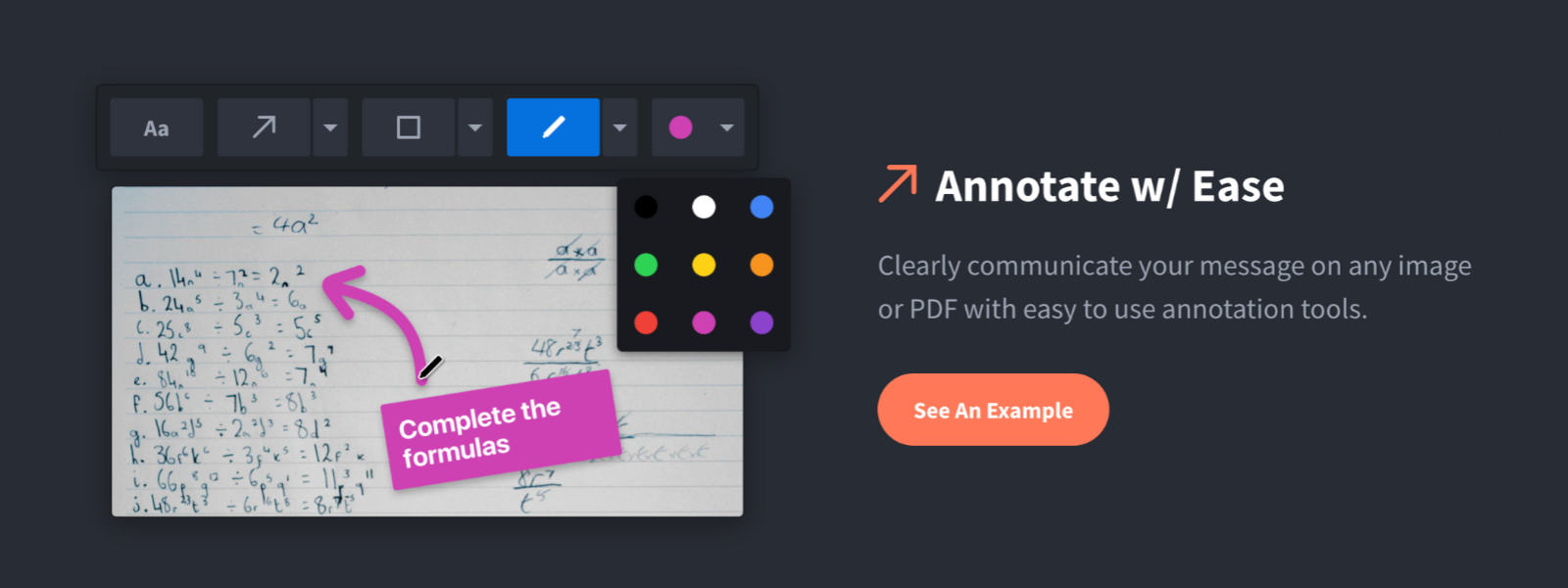
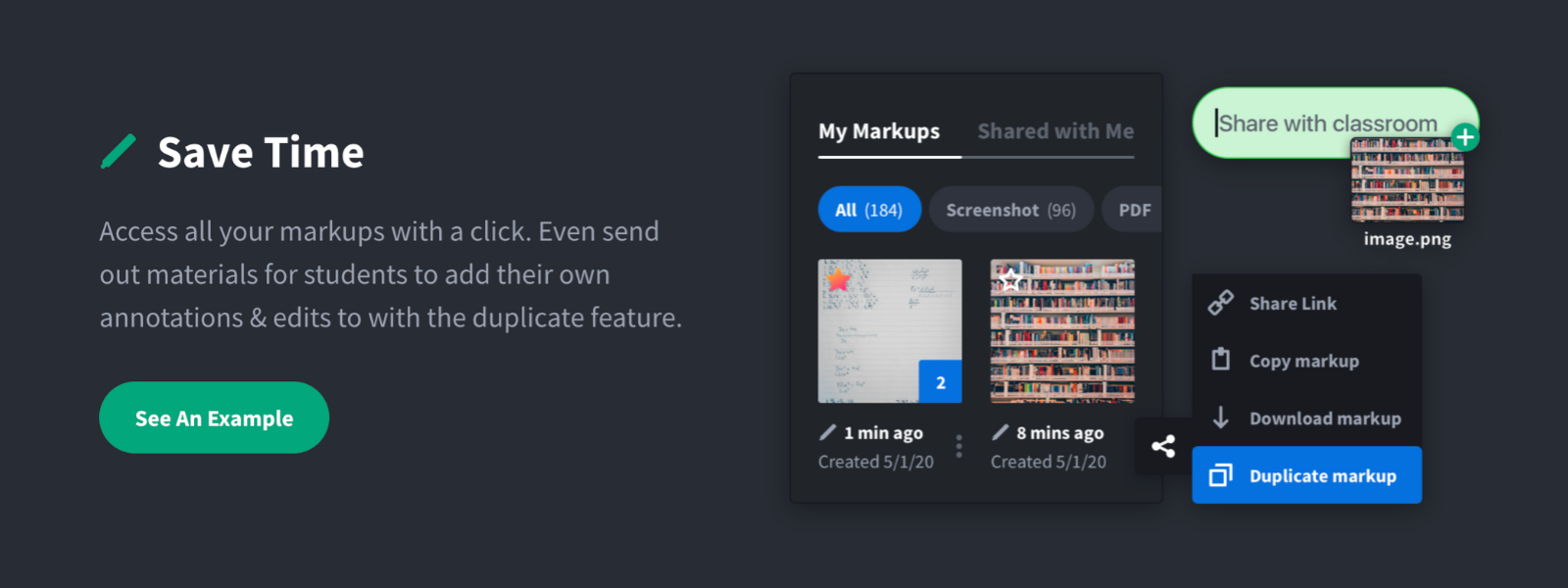
Screenshot, Annotate & Share Markup Hero is an annotation and screenshot tool designed to allow users to capture ideas, communicate clearly, and save time. Features Include: Screenshots Desktop app for Mac, Windows & Linux Works on any device including mobile Chrome extension Annotate screenshots, PDF's, images and URL's Always editable - annotations do not flatten permanently Arrow, text, rectangle, oval,…
$5
all features, unlimited markups, unlimited storage, unlimited bandwidth
Zight
Score9.9 out of 10
Small Businesses (1-50 employees)
Zight (formerly CloudApp) is a solution with a community of over 4M users, offering visual asynchronous communication, eliminating the need to use different applications for screenshots, GIFs, screen recordings, and web recordings.
$0
Pricing
Markup Hero
Zight
Editions & Modules
Superhero
$5/month
all features, unlimited markups, unlimited storage, unlimited bandwidth
Hero
FREE
10 markups per month, 3 days editing history
Free
$0
Team
$8.00
per month per user
Pro
$9.95
per month per user
Enterprise
Contact Sales
Offerings
Pricing Offerings
Markup Hero
Zight
Free Trial
Yes
Yes
Free/Freemium Version
Yes
Yes
Premium Consulting/Integration Services
No
Yes
Entry-level Setup Fee
No setup fee
No setup fee
Additional Details
—
—
More Pricing Information
Community Pulse
Markup Hero
Zight
Considered Both Products
Markup Hero
Verified User
Chose Markup Hero
Snagit is more powerful in some respects, but it's just overwhelming. I have Snagit too, but I only need the extra features like (unlimited colors, 50 different arrow shapes, etc.) like 1% of the time. I'd rather have simplicity and speed.
A de minimis incentive was given to thank the reviewer for their time. The incentive was not used to bias or drive a particular response, nor was the incentive contingent on a positive endorsement. More Info
Verified User
Chose Markup Hero
Markup Hero stands out because it is truly web based and supports PDFs (among a host of other file types). The annotation tools are significantly smoother and always editable. I don't know of any other products that provide a web experience that allows for edits at anytime. …
A de minimis incentive was given to thank the reviewer for their time. The incentive was not used to bias or drive a particular response, nor was the incentive contingent on a positive endorsement. TR verified that a representative sample of customers was invited. More Info
For us, it's sending real estate setup sheets with multiple properties and lots of comments and feedback. It's great for quick feedback and shares. If I need to make a custom graphic tho its not quite powerful enough as Photoshop or other tools. The former is about 90% of my use cases, the latter only 10% so it's still worth it. But I can see they are adding more and more design oriented features so I suspect I won't need Photoshop much longer.
I appreciate when I can take screenshots, and send them to coworkers. When I need to illustrate when something is not working properly, I can easily take a screenshot of the error message, and send it off to IT. This way they are able to resolve the issue much sooner. I will receive website leads, take a screenshot of the lead, and forward it on to the sales team
A de minimis incentive was given to thank the reviewer for their time. The incentive was not used to bias or drive a particular response, nor was the incentive contingent on a positive endorsement. More Info
A de minimis incentive was given to thank the reviewer for their time. The incentive was not used to bias or drive a particular response, nor was the incentive contingent on a positive endorsement. More Info
Can get buggy or slow to load when you have a large library of media saved
The GIF/video capturing can bug sometimes when you are in full-screen mode, but I have a feeling that's connected with going over the limit of the freemium account 😅
In all honesty I don't even have time to look for an alternative to CloudApp at this point in our business. CloudApp works for what we had planned to use it for and unless a competing service that offers the same quality and ease-of-use along with video screen capture comes out I will renew indefinitely.
A de minimis incentive was given to thank the reviewer for their time. The incentive was not used to bias or drive a particular response, nor was the incentive contingent on a positive endorsement. More Info
I would give cloud app a 10 out of 10 if the video screen capture portion of the tool worked flawlessly and the addition of few suggestions like full-page screen grab and the quicker ability to download screenshots or screen videos to my hard drive. I don't mean to repeat a feature request here being that features would heavily improve usability in my particular usage situation.
A de minimis incentive was given to thank the reviewer for their time. The incentive was not used to bias or drive a particular response, nor was the incentive contingent on a positive endorsement. More Info
I would give cloud app a 9/10 score on overall support mostly because I have had very little need of any support at all being that the tool was designed almost to use itself. In my opinion this level of forethought is equal to customer support. As of yet I've only had one real problem with cloud app which was the loss of a 20 minute video screen capture. Unfortunately I have not had the time to contact support about this loss. The only other minor issues that I confronted was within the initial set up which I was able to resolve via their website's support pages.
A de minimis incentive was given to thank the reviewer for their time. The incentive was not used to bias or drive a particular response, nor was the incentive contingent on a positive endorsement. More Info
I was extremely satisfied with how quick and easy the implementation of Cloudapp was on my MacIntosh using MacOS Sierra was, along with how amazingly fast I was able to be up and going with the tool. most often with sass tools we are lucky if we can use 50% of the features without having to have consultations and a ton of back-and-forth email on how to use other features of the product. Cloud app has made it extremely user-friendly with almost no need for customer support. To My business, that equals time savings which as most business owners know, can be far more valuable than a few dollars saved.
A de minimis incentive was given to thank the reviewer for their time. The incentive was not used to bias or drive a particular response, nor was the incentive contingent on a positive endorsement. More Info
Markup Hero stands out because it is truly web based and supports PDFs (among a host of other file types). The annotation tools are significantly smoother and always editable. I don't know of any other products that provide a web experience that allows for edits at anytime. Plus the team is clearly working hard to iterate the product and regularly delivering new features.
I need to point out that I love Snagit. It's a fantastic product, but there are different use-cases. CloudApp for me is about quick and efficient sharing. Snagit doesn't really allow for that. Yes, they have a cloud sharing option, but for the entirety of me using the program, it hasn't worked right. You'll have to try both to see what I mean.
A de minimis incentive was given to thank the reviewer for their time. The incentive was not used to bias or drive a particular response, nor was the incentive contingent on a positive endorsement. More Info
A de minimis incentive was given to thank the reviewer for their time. The incentive was not used to bias or drive a particular response, nor was the incentive contingent on a positive endorsement. More Info