
ManageWP vs. Teachmore
| Product | Rating | Most Used By | Product Summary | Starting Price |
|---|---|---|---|---|
 ManageWP | Score10 out of 10 | N/A | ManageWP is a WordPress management console that allows users to manage multiple WordPress sites with ease. | N/A |
 Teachmore | Score7 out of 10 | N/A | Teachmore provides a place where users can create and sell courses online, with branded mobile apps and a website. It provides a website-building tool to create a custom website even for users who do not have prior knowledge about creating one from scratch. The appearance feature allows users to personalize their courses by setting the content, appearance, tone, and theme. Teachmore aims to be intuitive when it comes to selling and marketing online courses and provides support to users at every… | $2,999 per month |
| ManageWP | Teachmore | |||||||||||||||
|---|---|---|---|---|---|---|---|---|---|---|---|---|---|---|---|---|
| Editions & Modules | No answers on this topic | No answers on this topic | ||||||||||||||
| Offerings |
| |||||||||||||||
| Entry-level Setup Fee | No setup fee | No setup fee | ||||||||||||||
| Additional Details | Starting is easy and free. Premium upgrades are there for those that need more. If you want to free up your time and let ManageWP do the heavy lifting - we are there for you with a number of automations (safe updates, automated backups, scheduled security and performance checks, etc.), site migration tools, website templates and more. Special bundles were built for agencies and companies creating affordable discounts for customers with large number of websites. | The price structure of Teachmore is designed in a way that caters to the requirements of different types of customers. The platform offers its customers a 15- day free trial for any plan they choose. From monthly plans to yearly plans, Teachmore’s pricing options are extremely flexible. In addition, Teachmore also offers different plans for websites, android apps, and iOS apps. What makes the platform stand out from the competitor platforms is that it has no hidden charges. Overall, the pricing structure of Teachmore is quite impressive. | ||||||||||||||
| More Pricing Information | ||||||||||||||||
| ManageWP | Teachmore | |
|---|---|---|
| Considered Both Products | No answer on this topic | No answer on this topic |
| Key User Insights | ||
| Would buy again | ||
100% Would buy again 5 Answers | No answers on this topic | |
| Delivers good value for the price | ||
100% Delivers good value for the price 5 Answers | No answers on this topic | |
| Happy with the feature set | ||
100% Happy with the feature set 5 Answers | No answers on this topic | |
| Lived up to sales and marketing promises | ||
No answers on this topic | No answers on this topic | |
| Implementation went as expected | ||
100% Implementation went as expected 5 Answers | No answers on this topic | |
| ManageWP | Teachmore | |||||||||||||||||||||||||
|---|---|---|---|---|---|---|---|---|---|---|---|---|---|---|---|---|---|---|---|---|---|---|---|---|---|---|
| Security |
| |||||||||||||||||||||||||
| Platform & Infrastructure |
| |||||||||||||||||||||||||
| Web Content Creation |
| |||||||||||||||||||||||||
| Web Content Management |
| |||||||||||||||||||||||||
| ManageWP | Teachmore | |
|---|---|---|
| Small Businesses |  Umbraco CMS Score6.8 out of 10 | Umbraco CMS Score6.8 out of 10 |
| Medium-sized Companies |  Square Online Score7.4 out of 10 | Square Online Score7.4 out of 10 |
| Enterprises |  RWS Tridion Sites Score9 out of 10 | RWS Tridion Sites Score9 out of 10 |
| All Alternatives | View all alternatives | View all alternatives |
| ManageWP | Teachmore | |
|---|---|---|
| Likelihood to Recommend | 9.6 | - |
| ManageWP | Teachmore | |
|---|---|---|
| Likelihood to Recommend |
| No answers on this topic |
| Pros |
| No answers on this topic |
| Cons |
| No answers on this topic |
| Usability |
| No answers on this topic |
| Alternatives Considered |
| No answers on this topic |
| Return on Investment |
| No answers on this topic |
| ScreenShots | ManageWP Screenshots  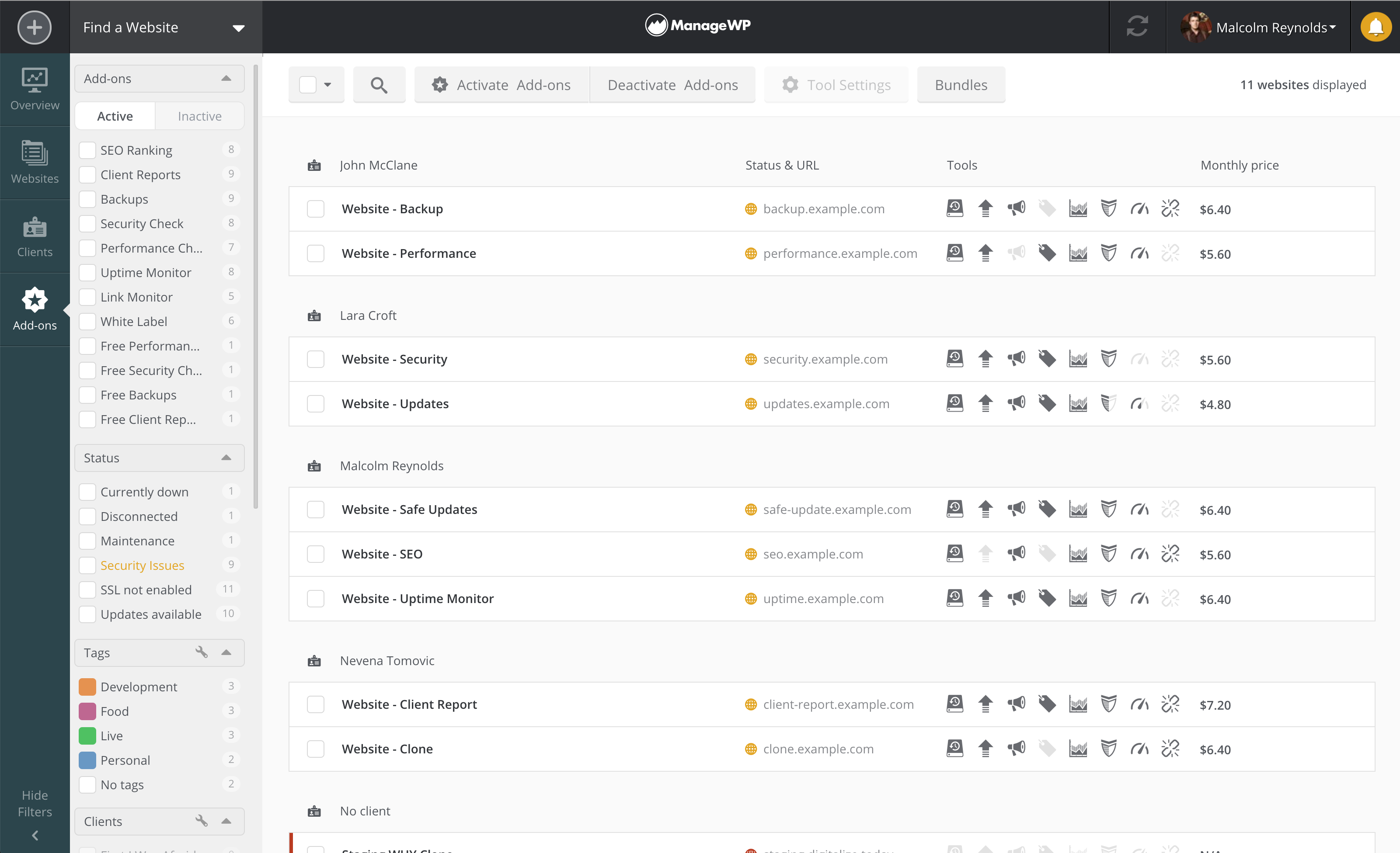 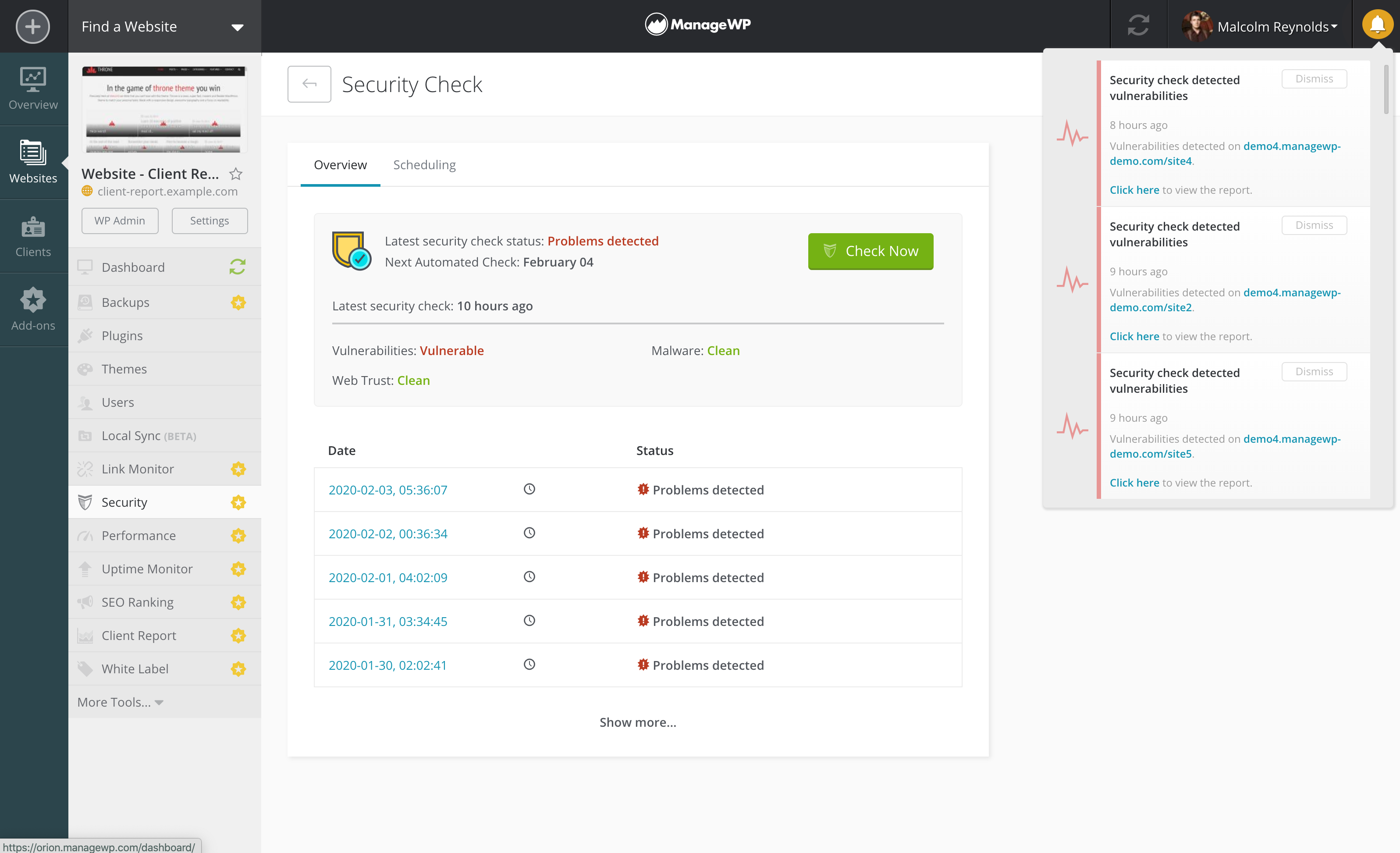 | Teachmore Screenshots      |


