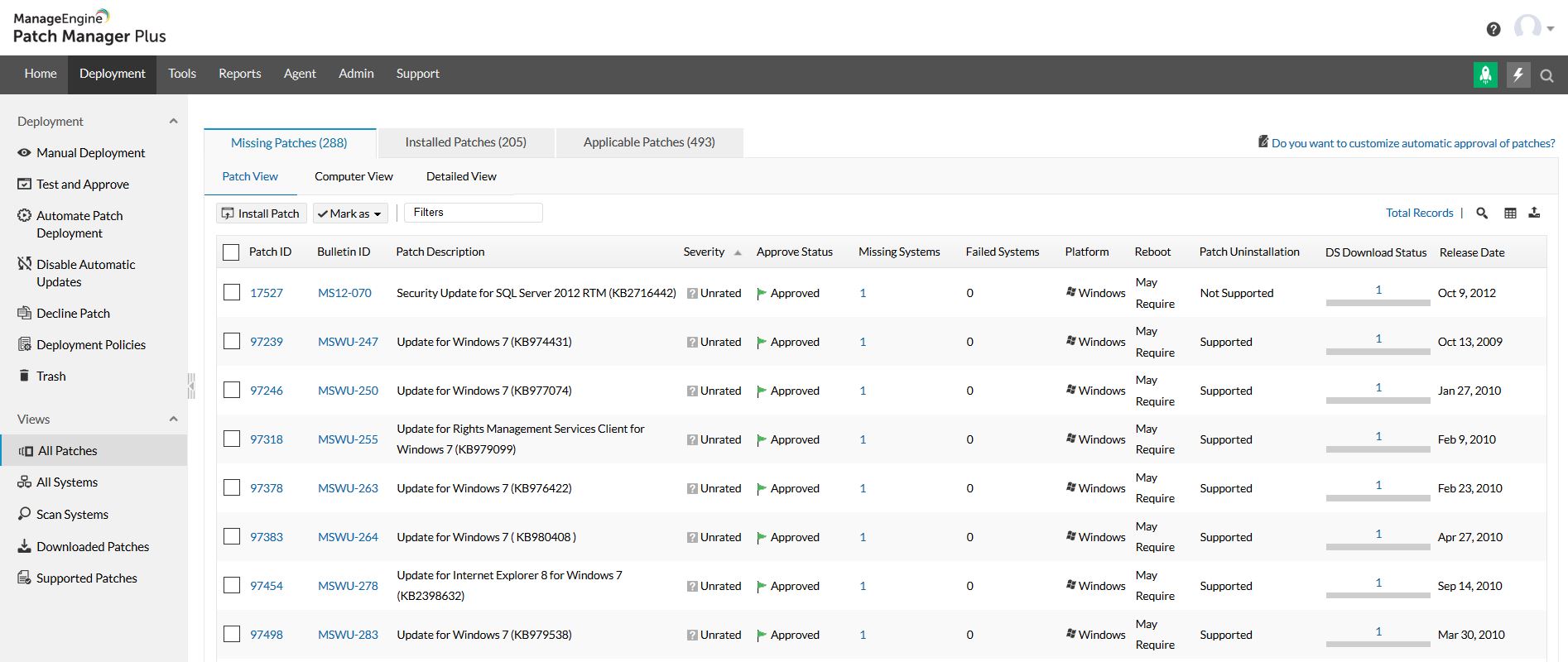
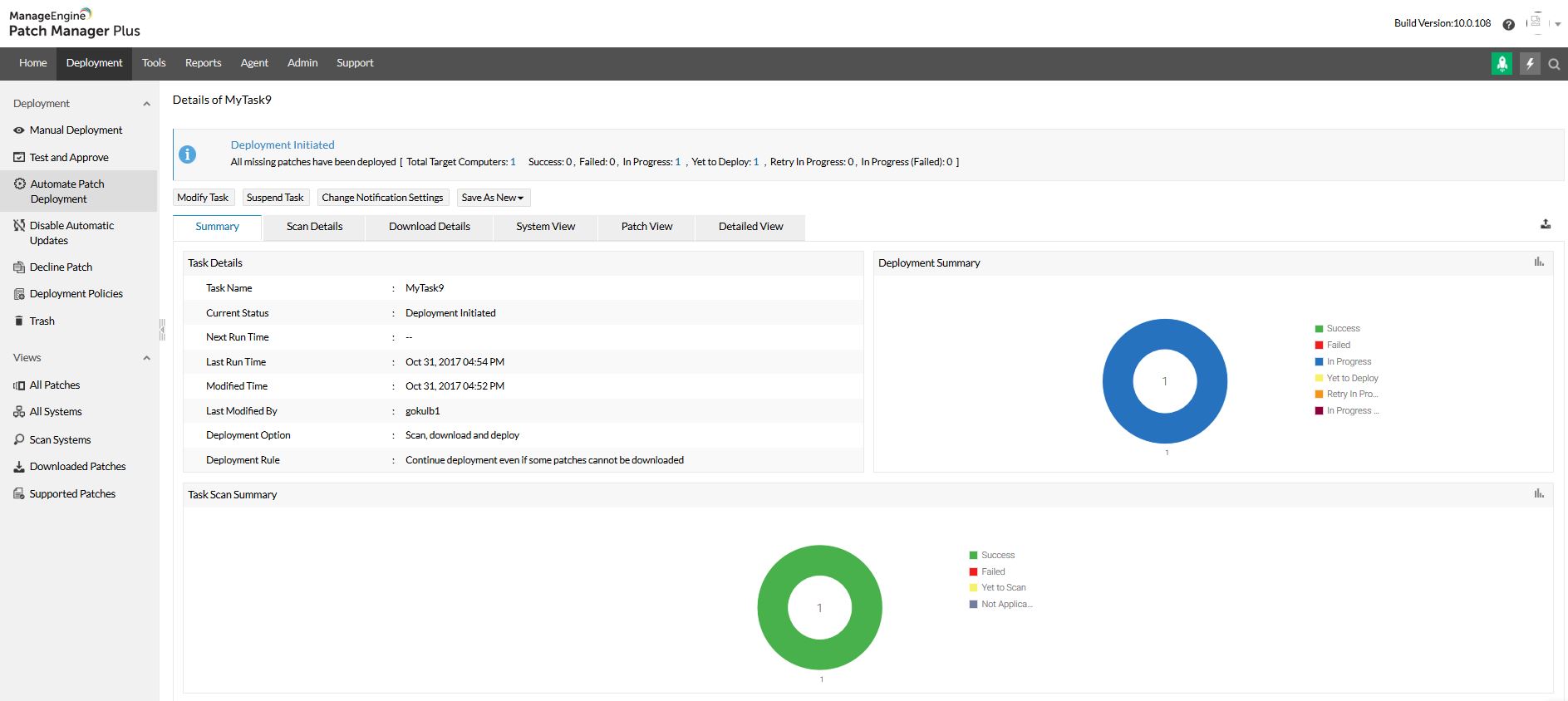
Patch Manager Plus is an automated patch management software that provides enterprises with a single interface for all patch management tasks. The vendor claims it works across platforms, helping users patch Windows, Mac, Linux & 300+ third-party applications. With Automated Patch Deployments, users can automate the entire process of patch management:…
$245
50 endpoints
Trellix ePolicy Orchestrator
Score 6.9 out of 10
N/A
Trellix ePolicy Orchestrator (formerly McAfee ePolicy Orchestrator) software centralizes and streamlines management of endpoint, network, data security, and compliance solutions.
N/A
Pricing
ManageEngine Patch Manager Plus
Trellix ePolicy Orchestrator
Editions & Modules
Professional
$245.00
50 endpoints
Enterprise
$345.00
50 endpoints
Professional
$345.00
50 endpoints
Enterprise
$445.00
50 endpoints
No answers on this topic
Offerings
Pricing Offerings
ManageEngine Patch Manager Plus
Trellix ePolicy Orchestrator
Free Trial
Yes
No
Free/Freemium Version
Yes
No
Premium Consulting/Integration Services
No
No
Entry-level Setup Fee
Optional
No setup fee
Additional Details
—
—
More Pricing Information
Community Pulse
ManageEngine Patch Manager Plus
Trellix ePolicy Orchestrator
Features
ManageEngine Patch Manager Plus
Trellix ePolicy Orchestrator
Threat Intelligence
Comparison of Threat Intelligence features of Product A and Product B
ManageEngine Patch Manager Plus
-
Ratings
Trellix ePolicy Orchestrator
6.6
Ratings
18% below category average
Network Analytics
00 Ratings
5.00 Ratings
Threat Recognition
00 Ratings
6.00 Ratings
Vulnerability Classification
00 Ratings
7.00 Ratings
Automated Alerts and Reporting
00 Ratings
7.00 Ratings
Threat Analysis
00 Ratings
8.00 Ratings
Threat Intelligence Reporting
00 Ratings
7.00 Ratings
Automated Threat Identification
00 Ratings
6.00 Ratings
Vulnerability Management Tools
Comparison of Vulnerability Management Tools features of Product A and Product B
Its a best tool for managing and patching an corporate environment, specially the dashboards and the UI which is relatively easy to adapt for someone without prior knowledge of Patching as well. If a company has Secure Gateway Server, then the remote deployment is a plus, it helps to even remotely deploy patches to the remote employees.
McAffee ePolicy Orchestrator is very well suited in large environments. You can load your updates to the repository and deploy them to every node on your network. It has great reporting and auditing features. You can control your users and groups all from the System Tree. DLP is great for USB devices. You can restrict all the ports on a computer and open them up for a limited time to plug in a device. EPO is to bulky for small networks.
It has a slow mechanism when adding custom threat feeds. For example, if McAfee didn't have a signature or detection about a new virus and we try to add it to our console it is like a really big process in adding that to our available signatures.
Whenever a scan is performed, the system CPU utilization goes up 100 percent.
Installation fails due to difference in timestamp when we try to shuffle between packages.
Very easy to use once you get used to it. It can be a little overwhelming at first since there is so many thing you can do. But as soon as you get use to it, it works like a charm.
The support team at Patch Manager Plus has been awesome. Very responsive and knowledgeable. There are times when there is confusion between different tickets but there is still good service.
McAfee support is definitely GREAT! It is one of the best technical support on a business level. GOLD support is recommended to business. Their website is easy and quick to create a ticket. Their technical team usually responds right away with an email or call. Via call and web they provide a full and complete support until the issue is resolved. The best, most of the time they explain in detail what is the issue, the reason and how to resolve it.
SolarWinds was not selected because it runs on top of SCCM which in itself is problematic and unreliable. We need an application that runs in standalone mode and does not rely on any other application. SolarWinds is also one of the most expensive. Kaseya and GFI LanGuard are overkill as they contain functionality that we do not need or already have. GFI LanGuard for instance does security auditing the same as Qualys that we already have. Kaseya is a full management and automation solution.
McAfee ePolicy Orchestrator really seemed to have all the best pieces in one platform and the network admin and asst. network admin both had previous experience with the product. The others tend to focus more on singular aspects, whereas McAfee ePolicy Orchestrator has data loss prevention, encryption, anti-virus and other functionality and the excel on each of those points equally.
As with most things the price of products goes up and more-so if your business is growing.
We've been able to provide auditors with tangible evidence that our network is protected because of the reporting McAfee ePO provides. Auditors like McAfee because it's been around almost forever and is a mature product.
Being a mature product, though, it's very much set in the way it does things and as such there's not a whole lot of innovation.