ManageEngine Patch Manager Plus vs. Tenable Vulnerability Management

Overview
ProductRatingMost Used ByProduct SummaryStarting Price
ManageEngine Patch Manager Plus
Score 9.0 out of 10
N/A
Patch Manager Plus is an automated patch management software that provides enterprises with a single interface for all patch management tasks. The vendor claims it works across platforms, helping users patch Windows, Mac, Linux & 300+ third-party applications. With Automated Patch Deployments, users can automate the entire process of patch management:…
$245
50 endpoints
Tenable Vulnerability Management
Score 9.5 out of 10
N/A
Vulnerability management specialist Tenable offers their cloud application and container security platform Tenable Web App Scanning (formerly Tenable.io), a vulnerability management tool that emphasizes visibility of web applications, automatic scanning, and a unified view of cloud infrastructure and possible inconsistencies indicating a vulnerability.N/A
Pricing
ManageEngine Patch Manager PlusTenable Vulnerability Management
Editions & Modules
Professional
$245.00
50 endpoints
Enterprise
$345.00
50 endpoints
Professional
$345.00
50 endpoints
Enterprise
$445.00
50 endpoints
No answers on this topic
Offerings
Pricing Offerings
ManageEngine Patch Manager PlusTenable Vulnerability Management
Free Trial
YesNo
Free/Freemium Version
YesNo
Premium Consulting/Integration Services
NoNo
Entry-level Setup FeeOptionalNo setup fee
Additional Details
More Pricing Information
Community Pulse
ManageEngine Patch Manager PlusTenable Vulnerability Management
Features
ManageEngine Patch Manager PlusTenable Vulnerability Management
Threat Intelligence
Comparison of Threat Intelligence features of Product A and Product B
ManageEngine Patch Manager Plus
-
Ratings
Tenable Vulnerability Management
8.4
Ratings
6% above category average
Network Analytics00 Ratings10.00 Ratings
Threat Recognition00 Ratings10.00 Ratings
Vulnerability Classification00 Ratings10.00 Ratings
Automated Alerts and Reporting00 Ratings4.00 Ratings
Threat Analysis00 Ratings10.00 Ratings
Threat Intelligence Reporting00 Ratings5.00 Ratings
Automated Threat Identification00 Ratings10.00 Ratings
Vulnerability Management Tools
Comparison of Vulnerability Management Tools features of Product A and Product B
ManageEngine Patch Manager Plus
-
Ratings
Tenable Vulnerability Management
8.8
Ratings
8% above category average
IT Asset Realization00 Ratings8.00 Ratings
Authentication00 Ratings10.00 Ratings
Configuration Monitoring00 Ratings8.00 Ratings
Web Scanning00 Ratings8.00 Ratings
Vulnerability Intelligence00 Ratings10.00 Ratings
Best Alternatives
ManageEngine Patch Manager PlusTenable Vulnerability Management
Small Businesses
Action1
Action1
Score 9.5 out of 10
Action1
Action1
Score 9.5 out of 10
Medium-sized Companies
Action1
Action1
Score 9.5 out of 10
Action1
Action1
Score 9.5 out of 10
Enterprises
CrowdStrike Falcon
CrowdStrike Falcon
Score 9.1 out of 10
CrowdStrike Falcon
CrowdStrike Falcon
Score 9.1 out of 10
All AlternativesView all alternativesView all alternatives
User Ratings
ManageEngine Patch Manager PlusTenable Vulnerability Management
Likelihood to Recommend
7.1
(0 ratings)
10.0
(0 ratings)
Likelihood to Renew
-
(0 ratings)
9.0
(0 ratings)
Usability
-
(0 ratings)
8.0
(0 ratings)
Support Rating
9.0
(0 ratings)
8.8
(0 ratings)
User Testimonials
ManageEngine Patch Manager PlusTenable Vulnerability Management
Likelihood to Recommend
Its a best tool for managing and patching an corporate environment, specially the dashboards and the UI which is relatively easy to adapt for someone without prior knowledge of Patching as well. If a company has Secure Gateway Server, then the remote deployment is a plus, it helps to even remotely deploy patches to the remote employees.
Read full review
Tenable.io is a cost effective Internal and External scanner. The Internal scanner came with a .ova, so it was very simple and quick to deploy it into our ESXi environment. It has a cloud-based dashboard for management and the internal scanner is configured to auto-update from Tenable.io. The license came with 4 External PCI scans (with remediation) a year.
Read full review
Pros
  • All the patches are tested before delivered to us.
  • It's on cloud so we does not need to maintain Hardware and Network.
  • It also upgrades the hardware drivers & BIOS. But for BIOS only we use monthly updates no automatic policy just push to target computers.
Read full review
  • Wide range of capabilities that can be customized to fit each user's environment and needs
  • Provides high-quality data and insights into detected vulnerabilities
  • Great customer support
Read full review
Cons
  • If this tool can fetch serial numbers of the devices on which this is deployed
  • This tool should collect all application installed at client machine which is not available as of now.
  • Intergate more application which can be patch using this tool.
Read full review
  • Configuration is not always intuitive, but the comprehensive training and documentation comes to the rescue.
  • The mix of classic and beta UIs currently is confusing and we find the classic UI is actually better.
Read full review
Likelihood to Renew
No answers on this topic
We like to renew tenable each year we have had it so far.
Read full review
Usability
Very easy to use once you get used to it. It can be a little overwhelming at first since there is so many thing you can do. But as soon as you get use to it, it works like a charm.
Read full review
Overall it is good, it took a little while to understand it and figure things out but once you have a good grasp on it then, it is very good.
Read full review
Support Rating
The support team at Patch Manager Plus has been awesome. Very responsive and knowledgeable. There are times when there is confusion between different tickets but there is still good service.
Read full review
Support is usually really great at walking you through any steps you need to take when you get stuck on something. There are a few false positives and errors that have come up over the years that required their help to get through. Unfortunately, the steps required to diagnose some problems are more tedious than I think should be necessary. (IE: SQL instances can throw errors that clog up your logs because one plugin affects it in a certain way. The process to diagnose this is to watch timestamps of plugins in a log while monitoring the SQL logs at the same time and using your best guess as to what is causing it.)
Read full review
Alternatives Considered
SolarWinds was not selected because it runs on top of
SCCM which in itself is problematic and unreliable. We need an application that
runs in standalone mode and does not rely on any other application. SolarWinds
is also one of the most expensive. Kaseya and GFI LanGuard are overkill as they contain
functionality that we do not need or already have. GFI LanGuard for instance
does security auditing the same as Qualys that we already have. Kaseya is a full
management and automation solution.
Read full review
I think Tenable and Qualys have a lot of similarities, I continue to go back to Tenable because of my familiarity and comfort level with it. I've also used a company called SecurityMetrics which has vulnerability scanning included but it is not as comprehensive as Tenable.
Read full review
Return on Investment
  • The tool is cheap compared to any quotes we asked for other suppliers
  • It helps us to accomplish remediation from the vulnerabilities reported by our vulnerability management software
  • It helps us to achieve our infosec goals of risk in our environment
Read full review
  • We're able to mitigate over 90% of our vulnerability risk without too much effort. It helps find where automated patching fails and we can plan a fix from the findings.
  • A side effect of our scanning reveals new devices on our network that aren't cleared to be.
Read full review
ScreenShots

ManageEngine Patch Manager Plus Screenshots
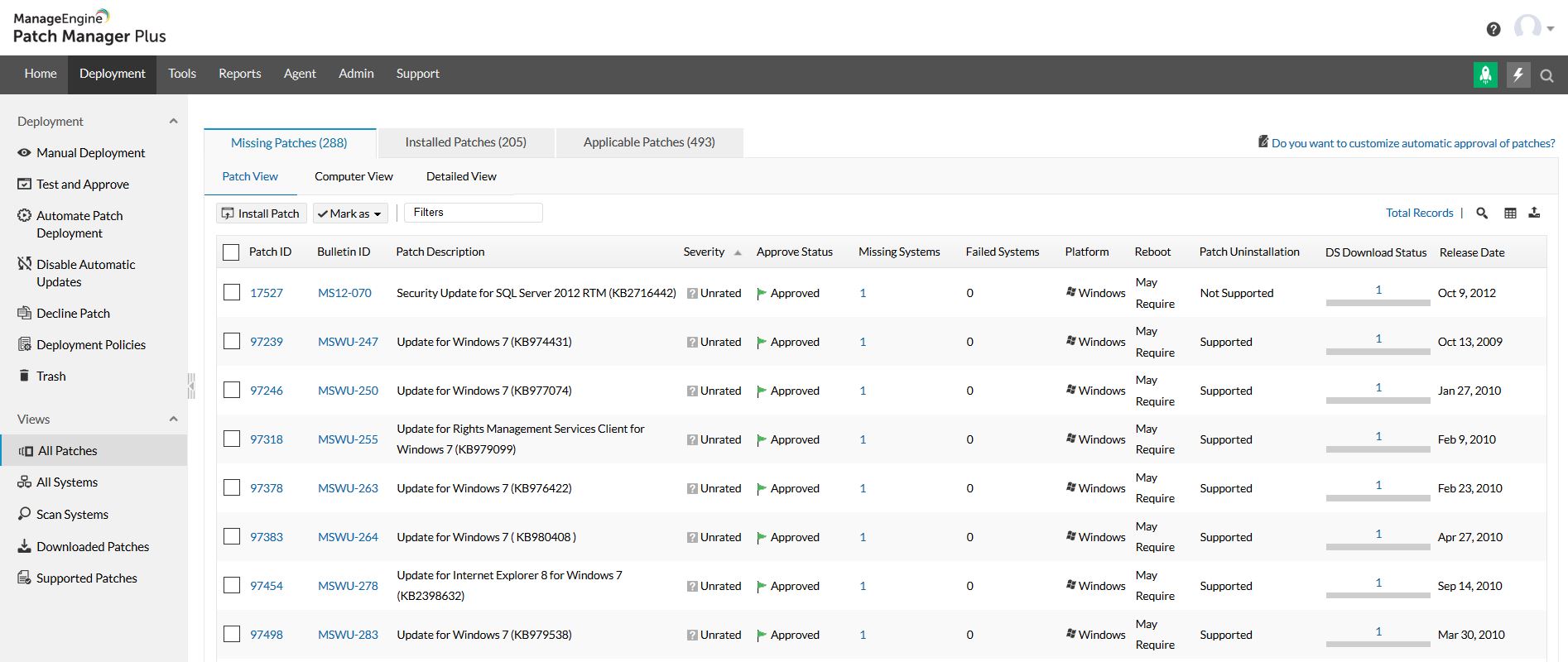
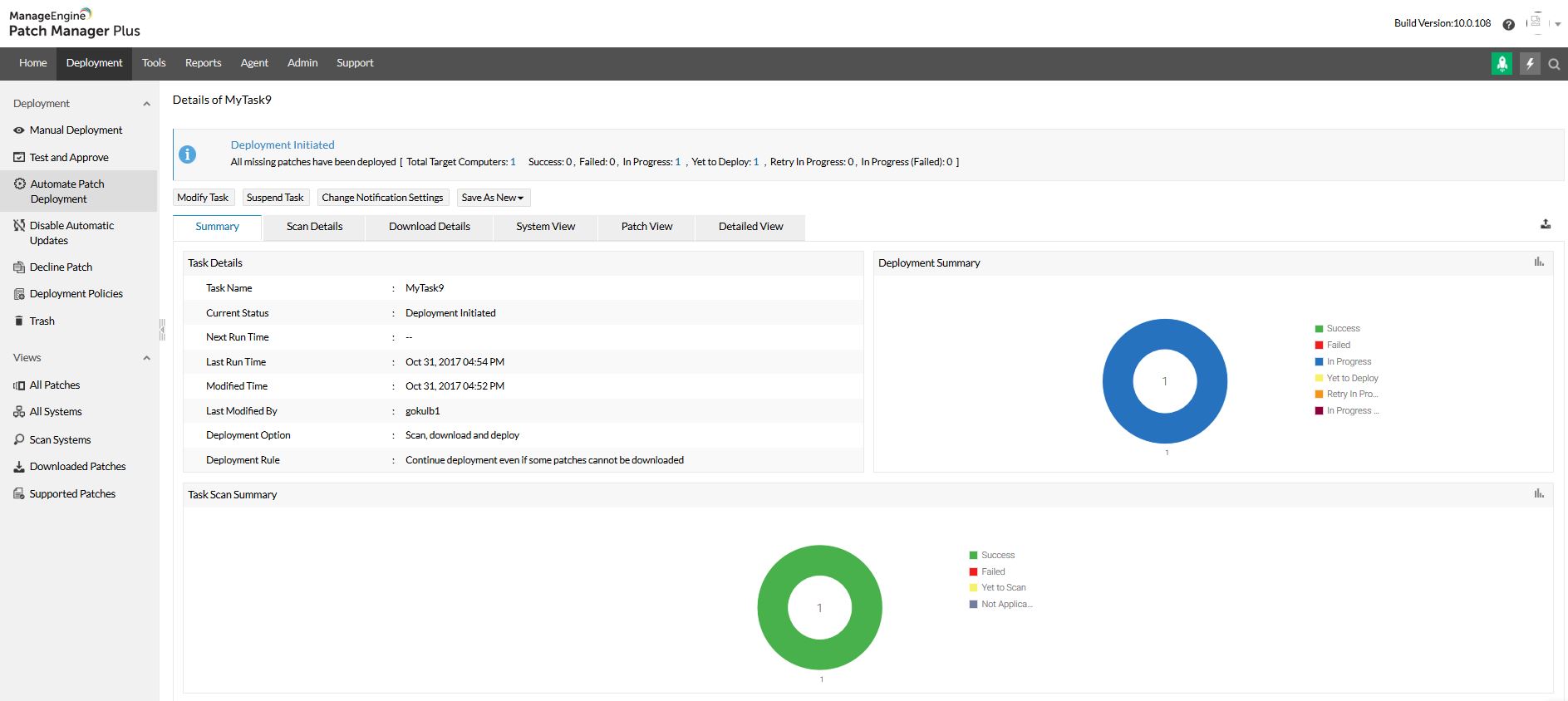
Screenshot of Home view and security news feedScreenshot of All patches viewScreenshot of All systems viewScreenshot of Automated patch deploymentScreenshot of Scope of managementScreenshot of Configurations