TrustRadius: an HG Insights company

ManageEngine Patch Manager Plus vs. Microsoft System Center Endpoint Protection

Save this comparison

Save this comparison

Add Product

Recommended Comparisons

    Overview
    ProductRatingMost Used ByProduct SummaryStarting Price

    ManageEngine Patch Manager Plus

    Score9 out of 10
    N/APatch Manager Plus is an automated patch management software that provides enterprises with a single interface for all patch management tasks. The vendor claims it works across platforms, helping users patch Windows, Mac, Linux & 300+ third-party applications. With Automated Patch Deployments, users can automate the entire process of patch management:…

    $245

    50 endpoints

    Microsoft System Center Endpoint Protection

    Score7.5 out of 10
    N/AMicrosoft System Center Endpoint Protection is a malware, spyware, antivirus and endpoint protection application available formerly with System Center Configuration Manager (SCCM), which later became Microsoft Endpoint Manager. It is a legacy product, with older versions reaching end of support, and is not available as a standalone product.N/A
    Pricing
    ManageEngine Patch Manager PlusMicrosoft System Center Endpoint Protection
    Editions & Modules
    Professional
    $245.00
    50 endpoints
    Enterprise
    $345.00
    50 endpoints
    Professional
    $345.00
    50 endpoints
    Enterprise
    $445.00
    50 endpoints
    No answers on this topic
    Offerings
    Pricing Offerings
    ManageEngine Patch Manager PlusMicrosoft System Center Endpoint Protection
    Free Trial
    YesNo
    Free/Freemium Version
    YesNo
    Premium Consulting/Integration Services
    YesNo
    Entry-level Setup FeeOptionalNo setup fee
    Additional Details——
    More Pricing Information
    Community Pulse
    ManageEngine Patch Manager PlusMicrosoft System Center Endpoint Protection
    Considered Both Products
    ManageEngine, A Div of Zoho Corporation Pvt Ltd
    No answer on this topic
    Microsoft
    No answer on this topic
    Key User Insights
    Would buy again
    91%
    Would buy again
    10 Answers
    No answers on this topic
    Delivers good value for the price
    100%
    Delivers good value for the price
    11 Answers
    No answers on this topic
    Happy with the feature set
    100%
    Happy with the feature set
    11 Answers
    No answers on this topic
    Lived up to sales and marketing promises
    100%
    Lived up to sales and marketing promises
    10 Answers
    No answers on this topic
    Implementation went as expected
    91%
    Implementation went as expected
    10 Answers
    No answers on this topic
    Features
    ManageEngine Patch Manager PlusMicrosoft System Center Endpoint Protection
    Endpoint Security
    Comparison of Endpoint Security features of ManageEngine Patch Manager Plus and Microsoft System Center Endpoint Protection
    Feature
    ManageEngine Patch Manager Plus
    -
    Ratings
    Microsoft System Center Endpoint Protection
    7.9
    2 Ratings
    8% below category average
    Anti-Exploit Technology00 Ratings7.02 Ratings
    Endpoint Detection and Response (EDR)00 Ratings8.52 Ratings
    Centralized Management00 Ratings8.01 Ratings
    Hybrid Deployment Support00 Ratings6.01 Ratings
    Infection Remediation00 Ratings9.52 Ratings
    Vulnerability Management00 Ratings8.02 Ratings
    Malware Detection00 Ratings8.52 Ratings
    Best Alternatives
    ManageEngine Patch Manager PlusMicrosoft System Center Endpoint Protection
    Small Businesses
    No answers on this topic
    Acronis Cyber Protect Cloud
    Score9.1 out of 10
    Medium-sized Companies
    Tenable Nessus
    Score8.8 out of 10
    Watchguard Endpoint Security
    Score8.8 out of 10
    Enterprises
    Tenable Vulnerability Management
    Score9.6 out of 10
    ESET PROTECT
    Score9.1 out of 10
    All AlternativesView all alternativesView all alternatives
    User Ratings
    ManageEngine Patch Manager PlusMicrosoft System Center Endpoint Protection
    Likelihood to Recommend
    7.1
    (6 ratings)
    10.0
    (2 ratings)
    Support Rating
    9.0
    (1 ratings)
    7.6
    (2 ratings)
    User Testimonials
    ManageEngine Patch Manager PlusMicrosoft System Center Endpoint Protection
    Likelihood to Recommend
    ManageEngine, A Div of Zoho Corporation Pvt Ltd
    If you are managing a very large number of computers, I would say 1000+, the standard patching tools provided by Microsoft will fail to do their job properly. This is where you will benefit from ManageEngine PATCH MANAGER Plus, being agent-based it is fast, easy to manage, and reliable. If you require functionality more than just patching, like security auditing, you have to look elsewhere.
    Incentivized
    Read full review
    Microsoft
    If an organization is all Windows-based Active Directory systems, then System Center Endpoint Protection is worth deploying and using. If it's a hybrid of operating systems, then an alternative solution is best.
    Incentivized
    Read full review
    Pros
    ManageEngine, A Div of Zoho Corporation Pvt Ltd
    • All the patches are tested before delivered to us.
    • It's on cloud so we does not need to maintain Hardware and Network.
    • It also upgrades the hardware drivers & BIOS. But for BIOS only we use monthly updates no automatic policy just push to target computers.
    Incentivized
    Read full review
    Microsoft
    • It is easy to use and configure. This is a benefit, not just for the IT/Admin team, but also for the end-user, as they can easily set how and when to run scans.
    • It is good a identifying threats and removing these threats. When looking for a product such as this, it is important to really look at these two areas to really see how the software will work in a real-world environment. SCEP is one such product that does really well at both of these things.
    Incentivized
    Read full review
    Cons
    ManageEngine, A Div of Zoho Corporation Pvt Ltd
    • If this tool can fetch serial numbers of the devices on which this is deployed
    • This tool should collect all application installed at client machine which is not available as of now.
    • Intergate more application which can be patch using this tool.
    Incentivized
    Read full review
    Microsoft
    • Not so much a limitation on the software itself, but the fact that is primarily only "signature" based, it cannot detect threats that have mutated.
    • This software provides virtually no protection against zero-day threats.
    • The System Center Endpoint Protection does not offer protections based on behavioral analysis.
    Incentivized
    Read full review
    Usability
    ManageEngine, A Div of Zoho Corporation Pvt Ltd
    The overall usability for the application is great precisely for the ease of use the application provides, if i would go in a different organisation, i would suggest implementing ManageEngine Patch Manager Plus or Endpoint Central due to its features, and productivity.
    Incentivized
    Read full review
    Microsoft
    It is integrated with Windows and SCCM, making it easy to use, license, manage, and update. Additionally, it is straightforward to diagnose when virus and ransomware alerts are detected on endpoints. IT Service Desk management is also easy.
    Incentivized
    Read full review
    Support Rating
    ManageEngine, A Div of Zoho Corporation Pvt Ltd
    The support team at Patch Manager Plus has been awesome. Very responsive and knowledgeable. There are times when there is confusion between different tickets but there is still good service.
    Incentivized
    Read full review
    Microsoft
    Support is pretty good overall. Since it's a Microsoft product, there are a number of different options for either end-users or IT Admins to get help with this product. This includes phone support, email, web KB articles, community forums, etc. This support is also available 24/7, which can't be said the same for every AV product out there. Also, organizations can opt to buy into Enterprise support, which gives the added benefit of faster response times, training by the vendor, etc.
    Incentivized
    Read full review
    Alternatives Considered
    ManageEngine, A Div of Zoho Corporation Pvt Ltd
    We were talking to Action1 and Adaptiva about their solutions of patch management. The main factor of choosing ManageEngine was pricing, which was considerably lower compared to these tools. Also, for Action1, it didn't featured some important features (like Linux patching), and it looked like a solution that is getting started in the market, even being more expensive than Patch Manager Plus.
    Incentivized
    Read full review
    Microsoft
    Microsoft System Center Endpoint Protection was the logical choice for our organization since we were utilizing so many other Microsoft solutions. We have since realized the need for more advanced threat protections and primarily use SCEP as an additional level of protection. Our primary protection is being provided by Carbon Black because of it's advanced heuristics and behavioral analysis capabilities
    Incentivized
    Read full review
    Return on Investment
    ManageEngine, A Div of Zoho Corporation Pvt Ltd
    • It has saved engineers so much time when monitoring patching out of hours.
    • We no longer need to log into each individual server to patch it if it's failed, it can all be done from inside ManageEngine Patch Manager Plus itself.
    Incentivized
    Read full review
    Microsoft
    • The Windows 11 version of SCEP is significantly better than the Windows 10 and older iterations, and it has saved us from virus issues in the past.
    • This is faster and less work to deploy to a pc when we build and deploy them.
    • No extra admin and costs for AV licensing in our case, which makes renewal times easier on IT Management.
    Incentivized
    Read full review
    ScreenShots

    ManageEngine Patch Manager Plus Screenshots
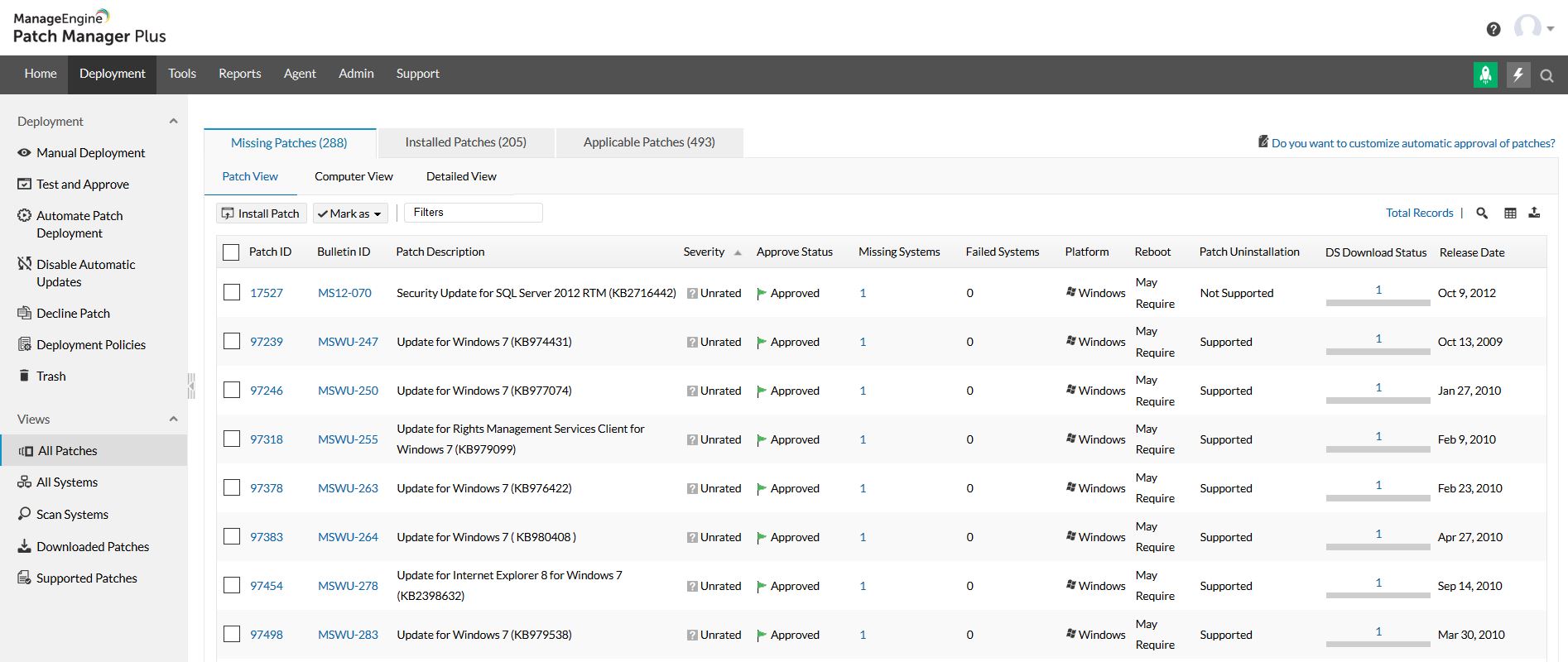
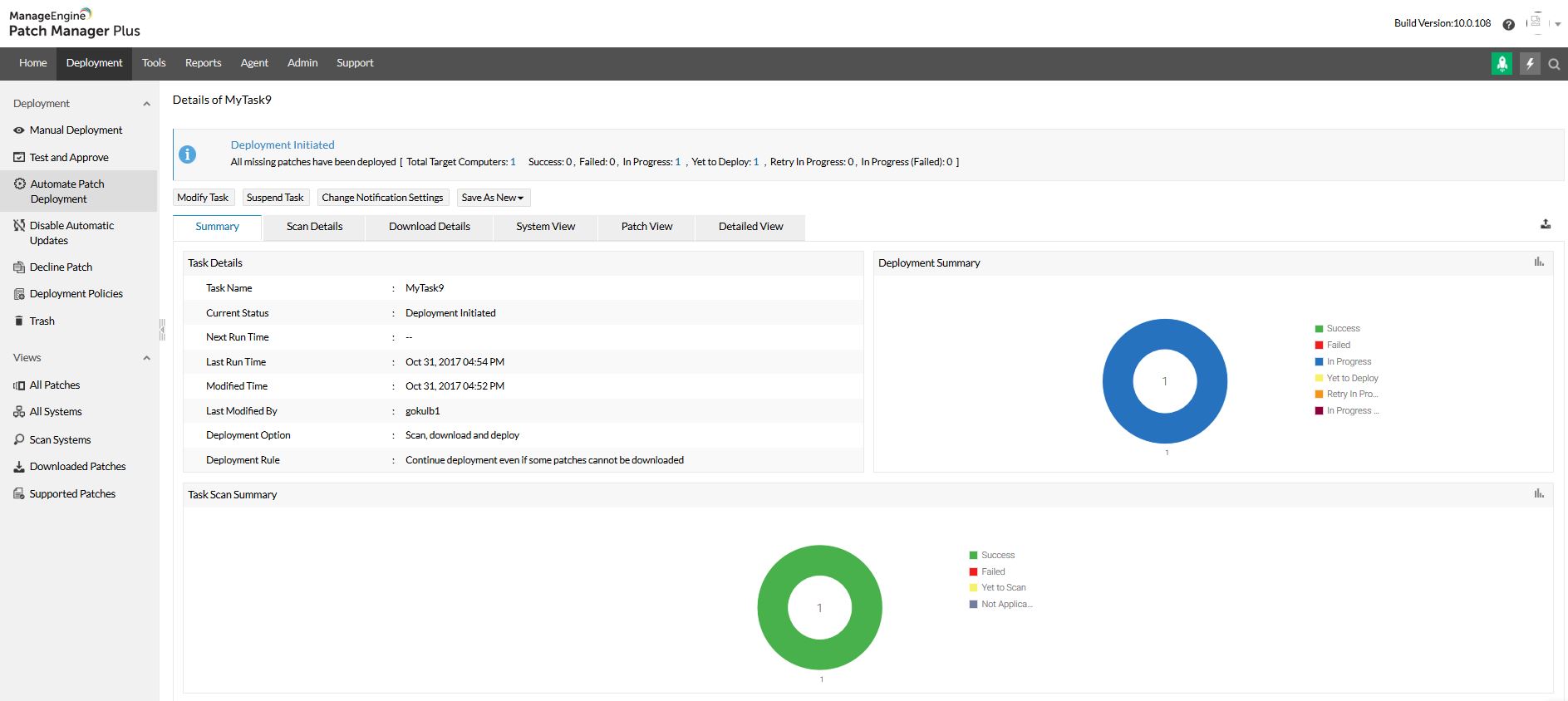
    Screenshot of Home view and security news feedScreenshot of All patches viewScreenshot of All systems viewScreenshot of Automated patch deploymentScreenshot of Scope of managementScreenshot of Configurations