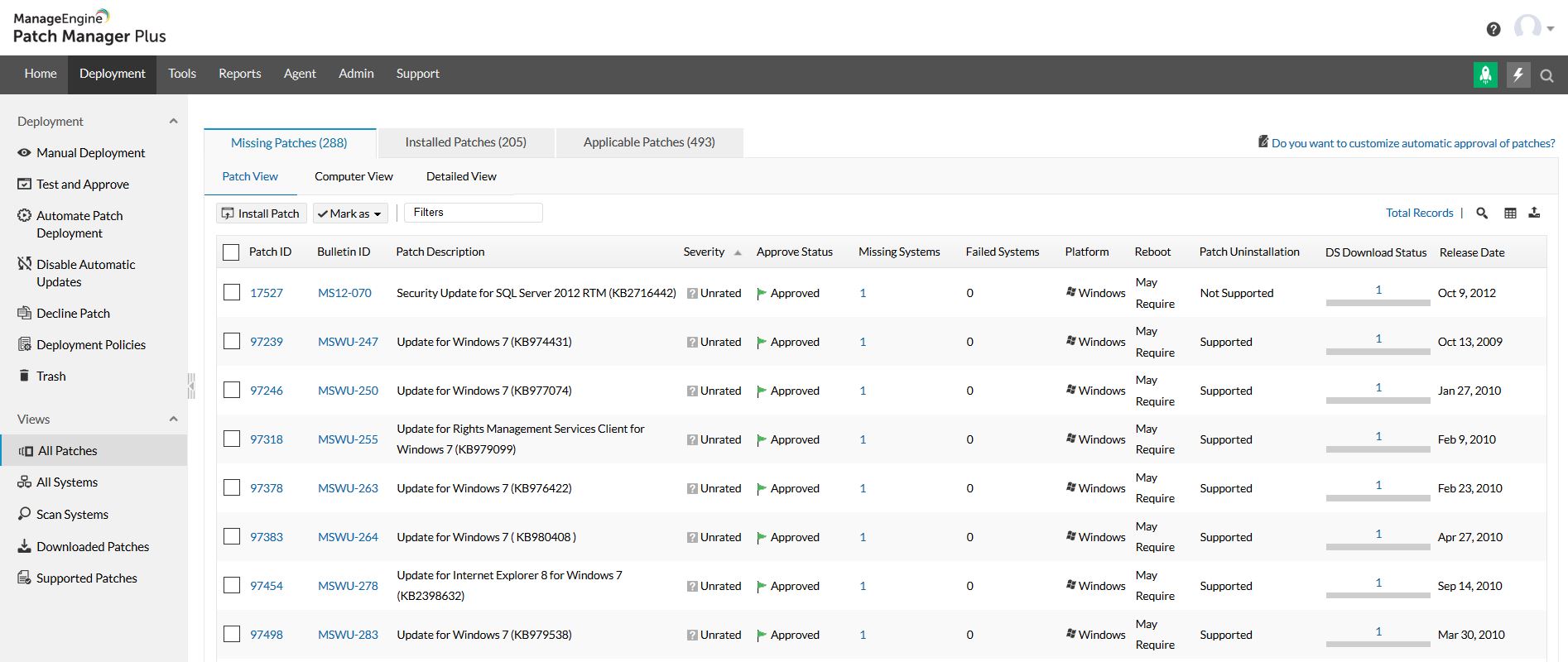
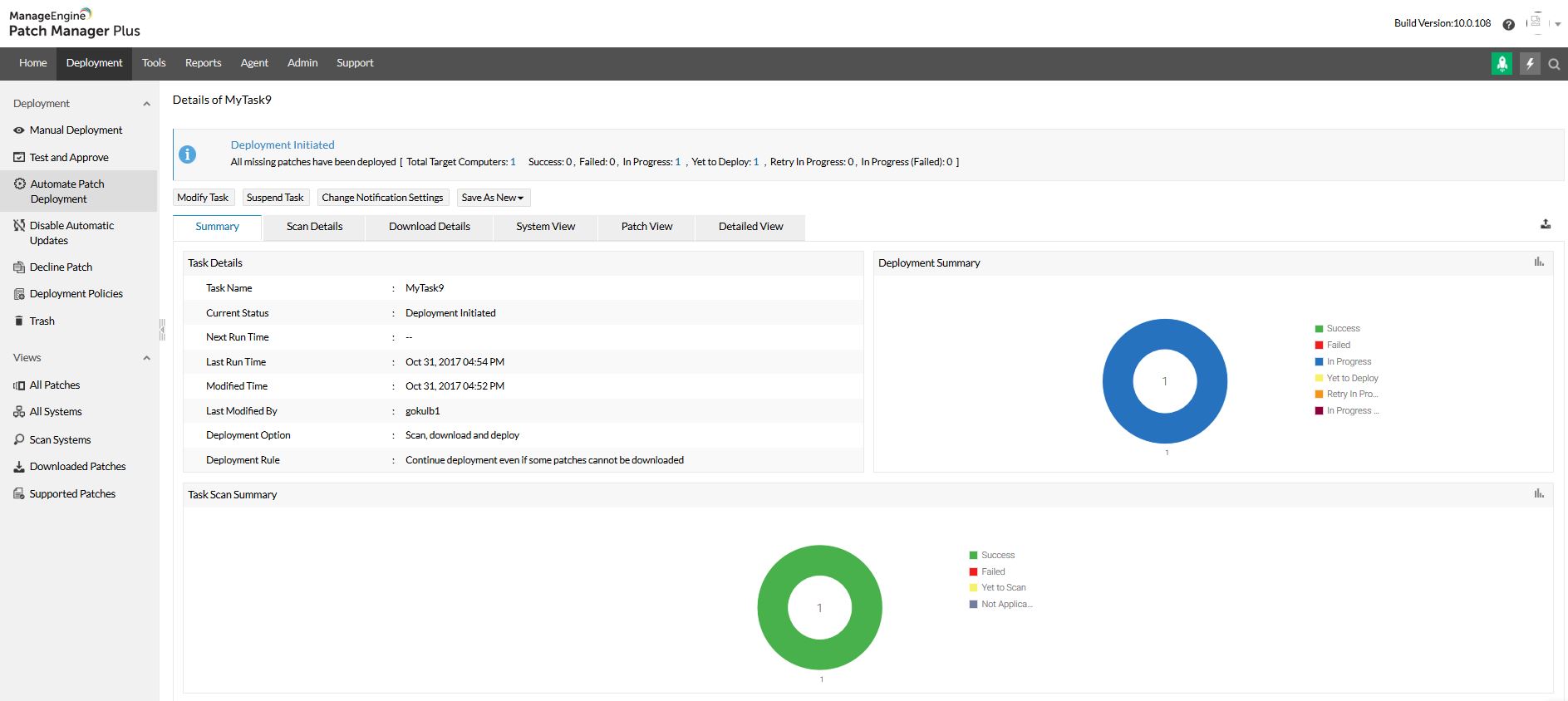
Patch Manager Plus is an automated patch management software that provides enterprises with a single interface for all patch management tasks. The vendor claims it works across platforms, helping users patch Windows, Mac, Linux & 300+ third-party applications. With Automated Patch Deployments, users can automate the entire process of patch management:…
$245
50 endpoints
Microsoft Defender for Cloud
Score8.5 out of 10
N/A
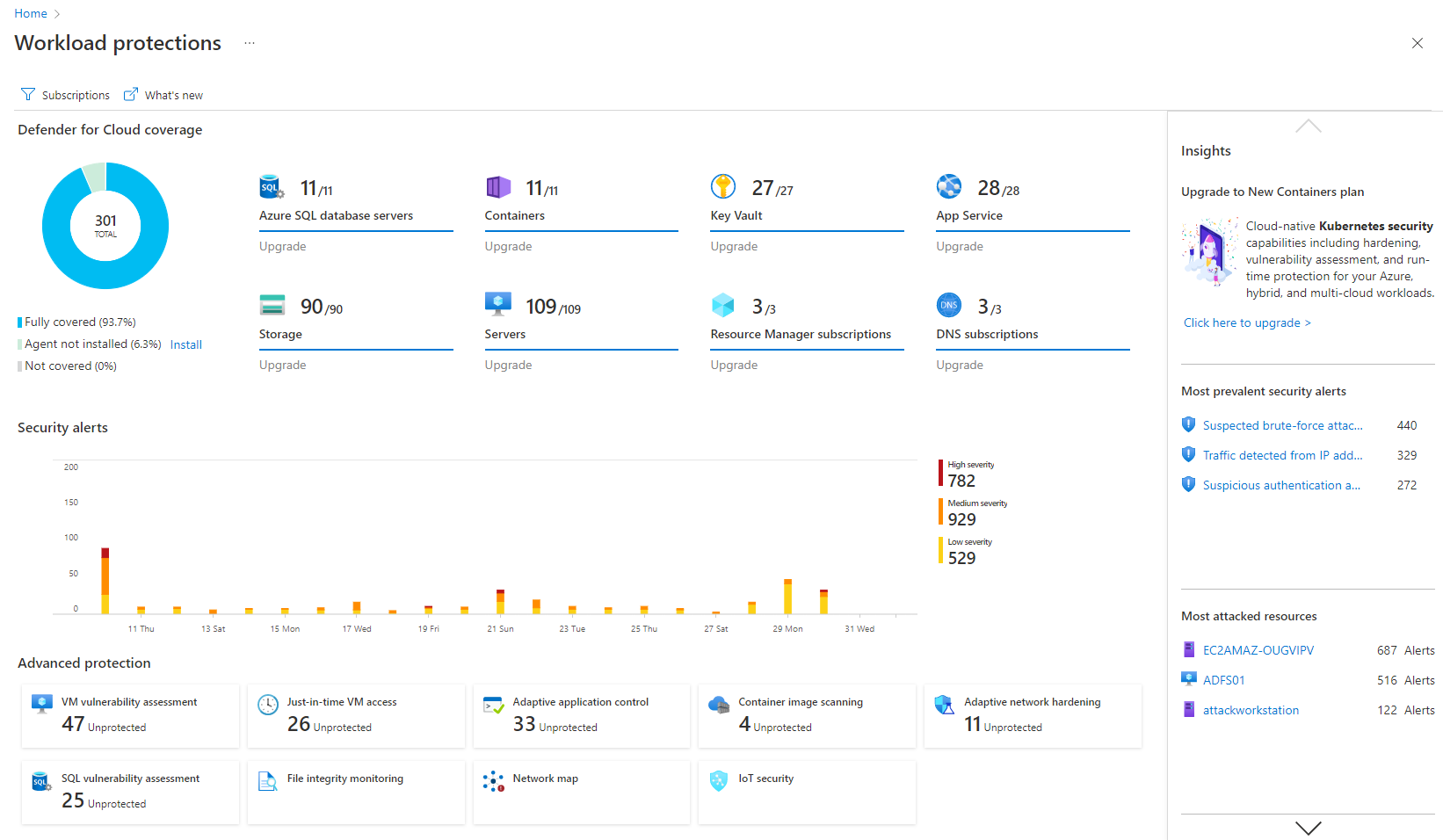
Microsoft Defender for Cloud is a Cloud Security Posture Management (CSPM) and Cloud Workload Protection Platform (CWPP) for Azure, on-premises, and multicloud (Amazon AWS and Google GCP) resources.
If you are managing a very large number of computers, I would say 1000+, the standard patching tools provided by Microsoft will fail to do their job properly. This is where you will benefit from ManageEngine PATCH MANAGER Plus, being agent-based it is fast, easy to manage, and reliable. If you require functionality more than just patching, like security auditing, you have to look elsewhere.
A de minimis incentive was given to thank the reviewer for their time. The incentive was not used to bias or drive a particular response, nor was the incentive contingent on a positive endorsement. More Info
Microsoft Defender for Cloud is very good at allowing users to see how their Azure environment is secure through the secure score. The recommendations are an excellent source of the controls that should be in place to ensure a secure environment. There needs to be more protection and features for data security.
A de minimis incentive was given to thank the reviewer for their time. The incentive was not used to bias or drive a particular response, nor was the incentive contingent on a positive endorsement. TR verified that a representative sample of customers was invited. More Info
A de minimis incentive was given to thank the reviewer for their time. The incentive was not used to bias or drive a particular response, nor was the incentive contingent on a positive endorsement. More Info
detect and respond to security threats in the cloud environment, reducing the risk of data breaches and unauthorized access.
The product assists our organization dealing with sensitive data in achieving and maintaining compliance with data protection rules.
The product provides real-time visibility into the cloud environment, offering insights into ongoing security activities.
It guarantees that security teams can actively handle possible threats by delivering real-time monitoring and notifications, reducing the impact on business operations.
A de minimis incentive was given to thank the reviewer for their time. The incentive was not used to bias or drive a particular response, nor was the incentive contingent on a positive endorsement. More Info
A de minimis incentive was given to thank the reviewer for their time. The incentive was not used to bias or drive a particular response, nor was the incentive contingent on a positive endorsement. More Info
It is a great product that integrates nicely when running an Azure platform and even multi-cloud environment. Not looking for point-solutions but a suite that answers most requirements. It is very comfortable being able to use KQL, workbooks and automation that is native to the azure platform
The overall usability for the application is great precisely for the ease of use the application provides, if i would go in a different organisation, i would suggest implementing ManageEngine Patch Manager Plus or Endpoint Central due to its features, and productivity.
A de minimis incentive was given to thank the reviewer for their time. The incentive was not used to bias or drive a particular response, nor was the incentive contingent on a positive endorsement. TR verified that a representative sample of customers was invited. More Info
The support team at Patch Manager Plus has been awesome. Very responsive and knowledgeable. There are times when there is confusion between different tickets but there is still good service.
A de minimis incentive was given to thank the reviewer for their time. The incentive was not used to bias or drive a particular response, nor was the incentive contingent on a positive endorsement. More Info
We were talking to Action1 and Adaptiva about their solutions of patch management. The main factor of choosing ManageEngine was pricing, which was considerably lower compared to these tools. Also, for Action1, it didn't featured some important features (like Linux patching), and it looked like a solution that is getting started in the market, even being more expensive than Patch Manager Plus.
A de minimis incentive was given to thank the reviewer for their time. The incentive was not used to bias or drive a particular response, nor was the incentive contingent on a positive endorsement. More Info
Microsoft Defender for Cloud is definitely the choice with the latest market trend and attacks that are currently happening. Microsoft has been able to safe guard a lot after the recent serious attacks happening globally in the digital world. There is a trust in this software and with the latest updates and machine learning capabilities, Microsoft Defender for Cloud should be the choice.
A de minimis incentive was given to thank the reviewer for their time. The incentive was not used to bias or drive a particular response, nor was the incentive contingent on a positive endorsement. More Info
It has saved engineers so much time when monitoring patching out of hours.
We no longer need to log into each individual server to patch it if it's failed, it can all be done from inside ManageEngine Patch Manager Plus itself.
A de minimis incentive was given to thank the reviewer for their time. The incentive was not used to bias or drive a particular response, nor was the incentive contingent on a positive endorsement. More Info
It simplifies security management and saves time. I'm not sure, but I'm very confident it saved me a couple of paychecks by centralizing the data I need to secure the cloud environment.
I also utilize the inventory overview to monitor my team's activities and verify they are following internal regulations, as well as cost overruns.
The recommendations can be utilized as a valuable instructional tool. I have the team explain why they are receiving them, why they are not following them, and what they are doing differently.
A de minimis incentive was given to thank the reviewer for their time. The incentive was not used to bias or drive a particular response, nor was the incentive contingent on a positive endorsement. More Info