ManageEngine NetFlow Analyzer vs. Plixer Scrutinizer

Overview
ProductRatingMost Used ByProduct SummaryStarting Price
ManageEngine NetFlow Analyzer
Score 8.7 out of 10
N/A
NetFlow Analyzer is a complete bandwidth monitoring tool that utilizes flow technology to monitor and analyze network bandwidth usage. It helps users identify and avoid bandwidth delays and bottlenecks with customized reports, and set threshold-based email and SMS alerts to help understand the severity of an issue. This analytics tool detects, diagnoses, and troubleshoots network anomalies and zero-day intrusions, and plans future bandwidth needs based on application growth to…N/A
Plixer Scrutinizer
Score 6.0 out of 10
N/A
Plixer is a developer of network management software with a focus on network traffic analysis, network security, threat detection and network optimization, headquartered in Kennebunk, Maine. Plixer Scrutinizer collects, analyzes, visualizes, and reports on data from every network conversation and digital transaction to deliver security and network intelligence.N/A
Pricing
ManageEngine NetFlow AnalyzerPlixer Scrutinizer
Editions & Modules
No answers on this topic
Offerings
Pricing Offerings
ManageEngine NetFlow AnalyzerPlixer Scrutinizer
Free Trial
YesNo
Free/Freemium Version
YesNo
Premium Consulting/Integration Services
NoNo
Entry-level Setup Fee$595 per installationNo setup fee
Additional Details
More Pricing Information
Community Pulse
ManageEngine NetFlow AnalyzerPlixer Scrutinizer
User Ratings
ManageEngine NetFlow AnalyzerPlixer Scrutinizer
Likelihood to Recommend
9.1
(0 ratings)
7.0
(0 ratings)
Usability
8.0
(0 ratings)
-
(0 ratings)
Support Rating
10.0
(0 ratings)
7.0
(0 ratings)
User Testimonials
ManageEngine NetFlow AnalyzerPlixer Scrutinizer
Likelihood to Recommend
If you need to monitor traffic, this is a good choice of application for the price. It does that very well. If you need to take a deep deep dive into the traffic, you will have to use something else but that is just standard with network troubleshooting... it takes multiple applications to get a complete picture... or a lot of money on 1 application. Beyond that, this application does what it is designed to do and does it very well. So to answer this question directly, this application is well suited for time when you need a high-level view of traffic and not suited well for times when you need to see more detailed information of what exactly is being sent.
Read full review
If you need a network security forensic tool, this is a great fit. Scrutinizer collects everything you have configured as a target without losing data. If you need an in-depth analysis of your network flows, as in who is doing what with what this is a good fit. Scrutinizer translates a massive about of data into readable tables and reports.
Read full review
Pros
  • Network Bandwidth Utilization
  • Aid in performance troubleshooting
  • Reporting
Read full review
  • Once configured, Scrutinizer gives an accurate overview of network activity.
  • Scrutinizer is able to collect flows from a variety of devices, you are not limited to Cisco.
  • DSCP based reporting, which is helpful when attempting to determine how good your wireless network is from a QoS perspective.
Read full review
Cons
  • The interface could stand to flow a little better. It is functional, but there is room for improvement.
  • The dashboard creation process is just incomplete. For example, it would be nice to be able to add in a widget for IP groups.
Read full review
  • The free version has some limitations that make an accurate evaluation difficult, every day at midnight the data is flushed and you start over.
  • If you are purchasing the appliance, you won't have admin access to it.
  • Reporting could use some polished graphics and advance filtering features.
Read full review
Usability
Because the dashboard is visually appealing and offers a wide range of functionality and users can create tailored reports.
Read full review
No answers on this topic
Support Rating
The support is always on point, fast, reliable, and their employees go above and beyond to help when we need it. I have yet to call them on any product we use and not get the issue resolved in a fast and timely manner. Also, they are also very pleasant while on the phone and/or in teh email chain. Overall I just couldn't ask for better.
Read full review
Support is support, they are either there or they are not. Scrutinizer support has been there every time I've needed them. They rely a bit too much on email correspondence, sometimes I want a voice to tell me what to do, and fast
Read full review
Alternatives Considered
Each of these solutions does what they aim to do. Based off of cost and need, ManageEngine fit better with our organization. We already use multiple ManageEngine products so bundling was a no brainer.
Read full review
Scrutinizer is a faster and simpler deployment while still delivering the tools and reports needed to gain accurate view traffic and network usage. Its cheaper than most alternatives and daily use is focused on understanding data, not making config changes so you can understand data. Risk reduction and elimination is the primary focus, Scrutinizer helps you do that.
Read full review
Return on Investment
  • Lot of positive impacts
  • Low Budget
  • Great results
Read full review
  • Scrutinizer is a great tool, extremely easy to implement, it lets you see your NetFlow without a large outlay.
  • WAN traffic monitoring gives you the ability to accurately predict the necessary bandwidth volume, you can now stop over buying.
Read full review
ScreenShots

ManageEngine NetFlow Analyzer Screenshots

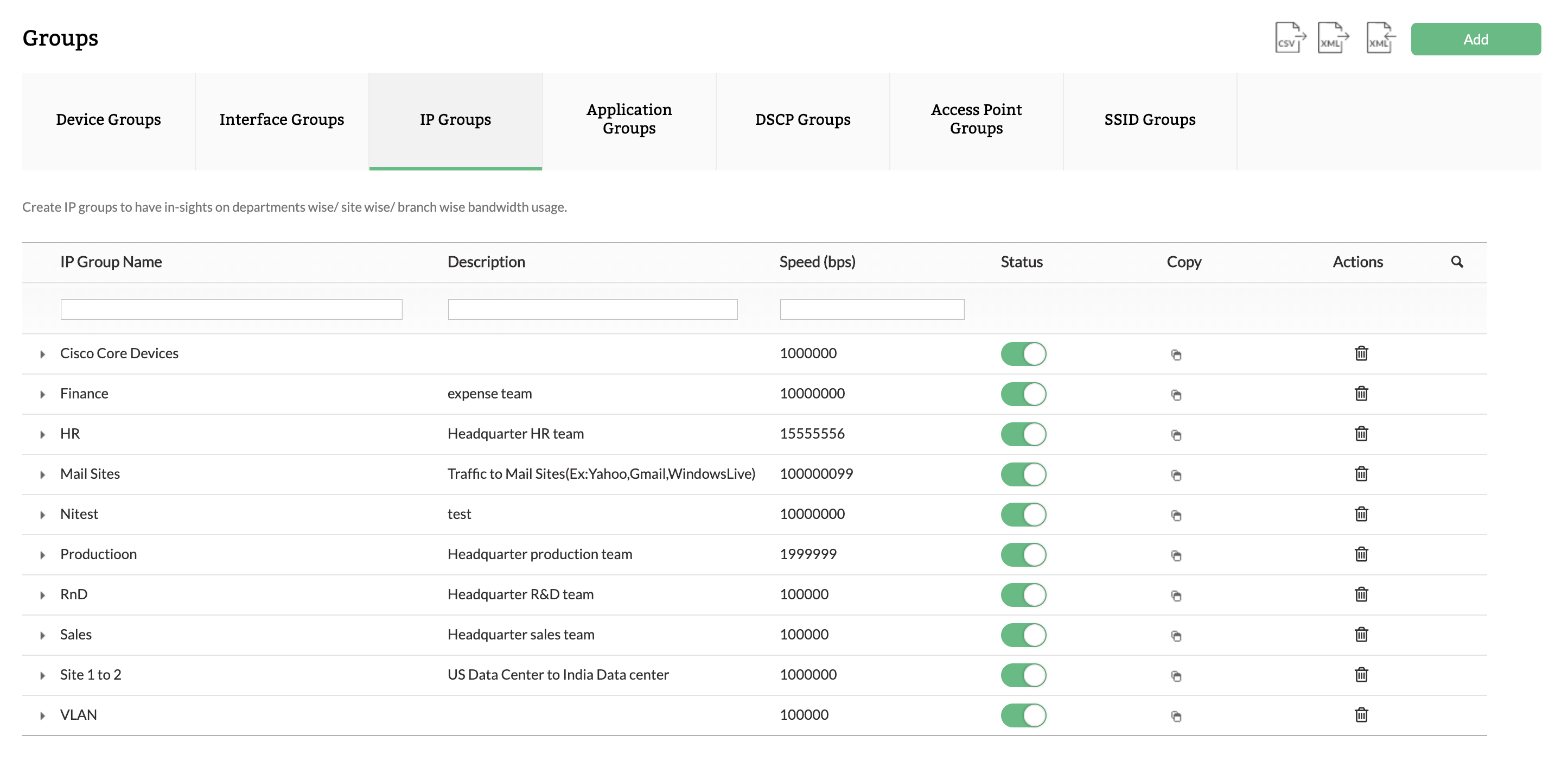
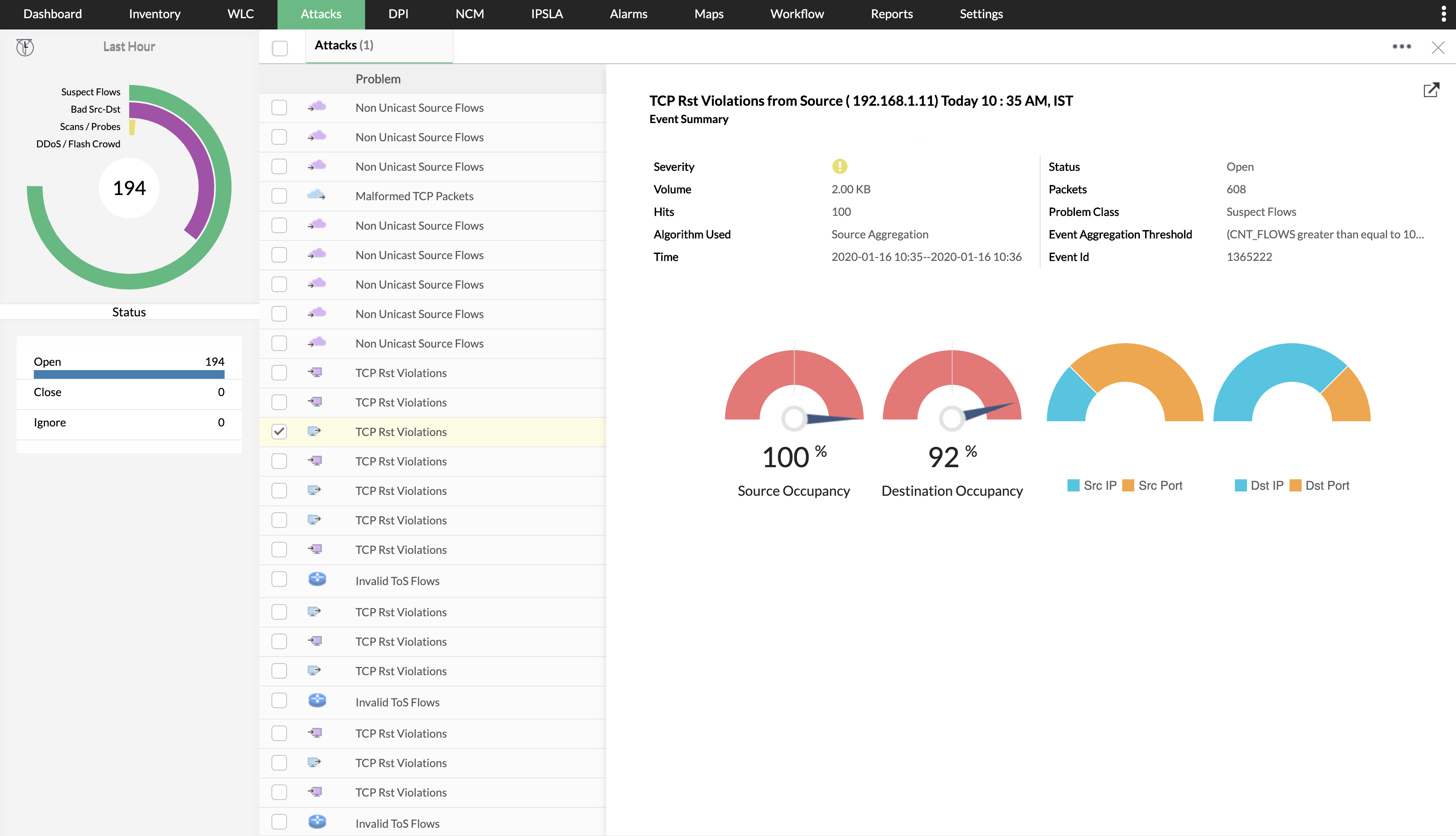
Screenshot of NetFlow Analyzer Dashboard overviewScreenshot of Drill-down to device and interface detailsScreenshot of Create logical groups for department-wise monitoringScreenshot of Track top conversations in your networkScreenshot of Identify security threatsScreenshot of Bandwidth trends forecasting and capacity planning