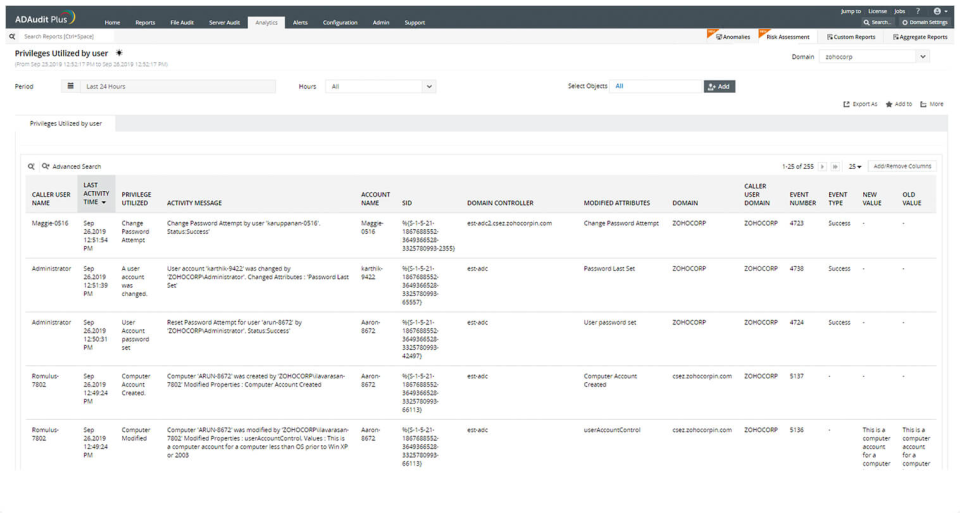
ADAudit Plus offers real-time monitoring,
user and entity behaviour analytics, and change audit reports that helps users keep AD and IT infrastructure secure and compliant. Track all changes to Windows AD objects including users, groups,
computers, GPOs, and OUs. Achieve hybrid AD monitoring with a single, correlated view of all
the activities happening across both on-premises AD and Azure AD. Monitor every user's logon and logoff activity, including…
$595
per year
PRTG
Score 8.9 out of 10
N/A
PRTG Network Monitor is the flagship offering from German software company Paessler, for monitoring local and wide area networks (LANs & WANs), servers, websites, apps, and more.
$2,149
per year
Pricing
ManageEngine ADAudit Plus
PRTG Network Monitor
Editions & Modules
Standard
$595
per year
Professional
$945
per year
PRTG 500
$2,149
per year
Hosted 500
$2,149
per year
PRTG 1,000
$3,899
per year
Hosted 1000
$3,899
per year
PRTG 2,500
$8,099
per year
Hosted 2500
$8,099
per year
PRTG 5,000
$14,199
per year
Hosted 5000
$14,199
per year
PRTG 10000
$17,899
per year
PRTG Enterprise
Custom Pricing
subscription license
Offerings
Pricing Offerings
ManageEngine ADAudit Plus
PRTG
Free Trial
Yes
Yes
Free/Freemium Version
No
No
Premium Consulting/Integration Services
No
No
Entry-level Setup Fee
No setup fee
No setup fee
Additional Details
Pricing is dependent on the number of domain controllers and starts at $595/year for the Standard edition, and $945/year for the Professional edition.
—
More Pricing Information
Community Pulse
ManageEngine ADAudit Plus
PRTG Network Monitor
Features
ManageEngine ADAudit Plus
PRTG Network Monitor
Monitoring Tasks
Comparison of Monitoring Tasks features of Product A and Product B
ManageEngine ADAudit Plus
7.0
Ratings
10% below category average
PRTG Network Monitor
-
Ratings
Remote monitoring
6.60 Ratings
00 Ratings
Network device monitoring
4.30 Ratings
00 Ratings
Multiple Server Monitoring
8.60 Ratings
00 Ratings
Multi-device monitoring
8.50 Ratings
00 Ratings
Automated alerts and notifications
7.10 Ratings
00 Ratings
Management Tasks
Comparison of Management Tasks features of Product A and Product B
ManageEngine ADAudit Plus
8.3
Ratings
12% above category average
PRTG Network Monitor
-
Ratings
Service configuration management
7.00 Ratings
00 Ratings
Software and hardware inventory
10.00 Ratings
00 Ratings
Policy-based automation
7.90 Ratings
00 Ratings
Reporting
Comparison of Reporting features of Product A and Product B
ManageEngine ADAudit Plus
8.1
Ratings
7% above category average
PRTG Network Monitor
-
Ratings
Performance data reports
8.00 Ratings
00 Ratings
Customizable reporting
7.50 Ratings
00 Ratings
Data visualization
8.40 Ratings
00 Ratings
Risk analysis
8.40 Ratings
00 Ratings
Security
Comparison of Security features of Product A and Product B
ManageEngine ADAudit Plus
6.4
Ratings
3% above category average
PRTG Network Monitor
-
Ratings
Data backup and recovery
5.00 Ratings
00 Ratings
Antivirus and malware management
6.00 Ratings
00 Ratings
Administrator access control
8.10 Ratings
00 Ratings
Network Performance Monitoring
Comparison of Network Performance Monitoring features of Product A and Product B
ManageEngine is mostly a "check the box" solution for SIEM systems. We needed something that satisfied our customer and was cost-effective. I would highly rate the system on "worth what paid for". Support is eager to please and prompt. My only issue is that it's mostly based outside the US with helpful, but non-native speakers so it's hard to understand them. I wish they would spring for better help "phone lines" so I'm not dealing with difficult to understand and unclear speakers.
It is well suited for an environment that deploys networking equipment and is needing monitoring 24/7. It works well to deliver real time data and alerts that are suited for taking action and notifying groups of members. It is less appropriate for use cases that involve only a few devices that don’t have dedicated teams looking for problems or uptime.
Logons - reports are very clean and concise and accurate
Account Lockouts - very challenging to do without ManageEngine ADAudit Plus. The tool allows us to easily locate the device or, at the very least, point us in the right direction!
AD change management - IT admins should consider this a necessity, and ManageEngine ADAudit Plus facilitates this seamlessly
Very, very configurable. You can create all kinds of monitors for all kinds of things. Plus it has loads of suggestions out of the box. It can get complicated but monitoring is complicated. Pretty decent interface and good support - active community.
I really liked how easy it was to add alerts by SMS. So easy to setup.
I like their sizing models (for purchase). We're actually small enough that we are free. But it's not free as in stripped down - it's free because we don't use many "sensors" and don't honestly have the need.
In earlier releases there were quite a few bugs and performance issues. These have since been resolved.
When integrated with the Log360 Suite, it can be confusing on whether EventLog Analyzer or ADAudit Plus are "managing"/"Ingesting" the data from a given endpoint.
Licensing on a per entity basis can be cumbersome for devices which have a ton of monitoring points like network switches\routers. Each sensor may count against a license, which could be a lot of you were monitoring every TX\RX of an SFP for example
A better method to easily template\copy monitors across devices
The navigation in the web GUI could be a little more straightforward in terms of the hierarchy
It works great for everything we need and use. Any issues in the software are pretty easy to resolve with tech support. And they are very responsive to resolving issues. Even ones where a fix/patch are required. At present, the software does everything we need it to for compliance, audit, and account review.
I would renew it because the platform has brought us many technical and economic benefits that make the cost-benefit ratio very good. Additionally, to do so does not require large investments in training, licensing or infrastructure, and at the administration level, extensive knowledge is not required to be able to bear it.
ADAudit with its cloud and on prem install option allows any organization to get in on AD report management. Whether you need to report internally only for for external audit controls its a great tool with flexibility to handle most any user or group report capability. Since this also includes m365 integration it enables IT pros to administer usage, license, cost control and permission access to most anything in Microsoft's portfolio. Its a great tool all around for AD integrated access needs.
The tool is very intuitive to use and it is Windows-based (everybody knows how to use Windows) so it's easy to get into. Every time is setup in a hierarchy so if you have a good initial hierarchy design, it will really reduce administrative effort down the road.
The attention to cases or situations with the tool has been exceptional. being able to count on the manufacturer either by mail, call or chat. generate cases directly from the application allows you to have personalized support in order to solve problems that has been able to appear.
I am giving this a 6 simply because I have never had to contact support. The online documentation is adequate for most things, and the user-maintained knowledgebase is excellent. The few times I have run into issues that were not easily resolvable with intuitive UI, I was able to find the answers that I needed either in the PRTG-provided documentation, the knowledgebase, or with a quick online web search.
The remote setup team helped when i needed it and setup weas very straight forward and easy. The advanced setup for an external db and customizations for our latest version AD environment went pretty easy once they found documentation on customization.
It's very important that de project's teams have different member of the TI. We have learned too late the importa of Security Analyst at the design architecture moment. We have to rebuild part of the implementation for made this big mistake.
In terms of features, ADAudit Plus offers a comprehensive set of features for monitoring and auditing Active Directory, including real-time alerts, detailed reports, and user behavior analytics. The platform also offers support for multiple platforms, including Windows, UNIX, and Linux, as well as integration with other ManageEngine tools.
When I evaluated Centreon back in 2014, it felt overly complex compared to PRTG Network Monitor. Centreon's configuration required deeper technical expertise, involving manual setup and extensive scripting. The interface seemed less intuitive and demanded more time to manage and maintain. In contrast, PRTG Network Monitor offered simpler sensor-based monitoring and a more user-friendly interface, which ultimately influenced my choice.
The visibility of changes made in AD are very helpfull. We had an admin that made a change in a GPO that causes some strange behaviour in our environment. Normally that would take days to find, especially because the admin was a few days out of office and couldnt tell us the change he made. But after looking into our alerts we found very fast the specific change that was made to a GPO that pointed us in the right direction to solve the problem within 30 minutes.
No more ghost accounts and password never expires in our AD, the security level is therefore much higher then it was before. And we need less manhour to maintain that.
Before ADAuditplus we had several hundred accounts with password never expires and at least 15 changes on that item every week. Since we have ADaudtiplus we have no accounts with password never expires and we only see modifications on that item sometimes when a new IT employee starts within our group. IT crew learns fast what to do and especially what NOT to do in our environment to keep things secure.
Before ADAuditPlus I wrote PowerShell scripts to create reports for management, since ADAuditplus the reports are build automatically every month and send to management.
PRTG has definitely had a positive impact on the business as monitoring can all be done from a central location and is easily accessible by all the relevant stakeholders.
It can easily give us stats on up time etc which is used for statistics and SLA monitoring etc - this provides customers with detailed information which we wouldn't' otherwise be able to provide.
For the price, I think it is the best product available on the market