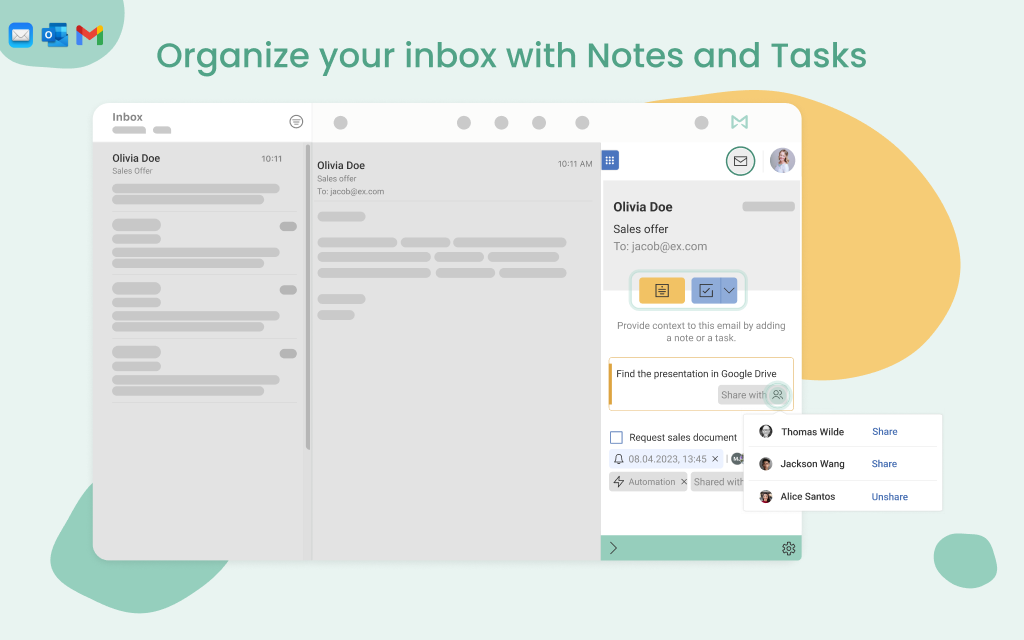
Mailbutler is an email extension designed to help professionals and teams manage their emails better and improve customer relations.
$4.95
Superhuman
Score8.3 out of 10
N/A
Superhuman for Business is an email management solution that helps to enhance team collaboration and help users maintain focus. Some features include timed sent, Unsend, conversation snooze, support for offline actions, Gmail shortcuts, etc.
$30
per month per user
Pricing
Mailbutler
Superhuman
Editions & Modules
Tracking
$4.95
Professional
$8.95
per month
Professional+
$14.95
per month
Business
$32.95
per month
Starter
$30
per month per user
Business
$40
per month per user
Enterprise
Contact for pricing
Offerings
Pricing Offerings
Mailbutler
Superhuman
Free Trial
Yes
No
Free/Freemium Version
No
No
Premium Consulting/Integration Services
No
No
Entry-level Setup Fee
No setup fee
No setup fee
Additional Details
—
Up to 18% discount for annual billing on Starter and Business plans.
Mailbutler is well suited to people who predominantly use their Mac for email. It adds a rich feature set to macOS Mail's native features. Mailbutler is less useful to people who frequently process email on iOS/iPadOS. Only a limited subset of Mailbutler's functionality is available on iOS/iPadOS as Apple doesn't currently provide a way for third parties to extend the iOS/iPadOS Mail app.
Help with filtering email to primary/important, to tasks, and calendar events, and be way better at managing your inbox, especially around following-up on unresponsive emails. Huge for salespeople or people who receive a massive number of emails daily
A de minimis incentive was given to thank the reviewer for their time. The incentive was not used to bias or drive a particular response, nor was the incentive contingent on a positive endorsement. More Info
A de minimis incentive was given to thank the reviewer for their time. The incentive was not used to bias or drive a particular response, nor was the incentive contingent on a positive endorsement. More Info
A de minimis incentive was given to thank the reviewer for their time. The incentive was not used to bias or drive a particular response, nor was the incentive contingent on a positive endorsement. More Info
Mailbutler occasionally conflicts with other macOS Mail plug-ins. Though, in most (if not all) cases the issue tends to be with other plugins.
The Mail app for iOS/iPadOS doesn't support plugins, making it necessary to use Mailbutler's own app to access a limited subset of the functionality on macOS/iPadOS.
A de minimis incentive was given to thank the reviewer for their time. The incentive was not used to bias or drive a particular response, nor was the incentive contingent on a positive endorsement. More Info
I'm not aware of any other products that provide the same functionality within the macOS Mail client. There are some third-party email apps for macOS and iOS/iPadOS that have some of Mailbutler's features, but my preference is to stay with Apple's Mail client, partially for security reasons.
A de minimis incentive was given to thank the reviewer for their time. The incentive was not used to bias or drive a particular response, nor was the incentive contingent on a positive endorsement. More Info
A de minimis incentive was given to thank the reviewer for their time. The incentive was not used to bias or drive a particular response, nor was the incentive contingent on a positive endorsement. More Info
A de minimis incentive was given to thank the reviewer for their time. The incentive was not used to bias or drive a particular response, nor was the incentive contingent on a positive endorsement. More Info