Mail Merge Toolkit vs. Sendwithus

Overview
ProductRatingMost Used ByProduct SummaryStarting Price
Mail Merge Toolkit
Score 7.0 out of 10
N/A
N/AN/A
Sendwithus
Score 8.0 out of 10
Small Businesses (1-50 employees)
Sendwithus is a communications platform built around advanced email content management. The platform aims to simplify email creation with a robust API, an intuitive visual editor, and built-in device testing, allowing for collaborative email strategy and execution. The cloud-based product offers a centralized hub for email content creation, approval, and publishing. The goal is to empower marketers and product managers to efficiently create and test meaningful, dynamic communications…
$0
per month
Pricing
Mail Merge ToolkitSendwithus
Editions & Modules
No answers on this topic
Free Trial
$0.00
per month
Lite
$150.00
per month
Enterprise
varies
Offerings
Pricing Offerings
Mail Merge ToolkitSendwithus
Free Trial
YesYes
Free/Freemium Version
NoNo
Premium Consulting/Integration Services
NoNo
Entry-level Setup FeeNo setup feeNo setup fee
Additional DetailsOur GDPR-compliant Enterprise platform, Dyspatch, allows global organizations to centralize security, compliance, and reputation management while streamlining collaborative creation, revision, and approval workflows.
More Pricing Information
Community Pulse
Mail Merge ToolkitSendwithus
User Ratings
Mail Merge ToolkitSendwithus
Likelihood to Recommend
-
(0 ratings)
8.0
(0 ratings)
User Testimonials
Mail Merge ToolkitSendwithus
Likelihood to Recommend
No answers on this topic
In my opinion, this software works very well in newsletter campaigns. I regularly use this software for sending newsletters on various events in my organization and this software gives me satisfactory results. Sometimes when I used its API functionality, it didn't work well so I stopped it. I create my email templates in the Email Editor and send them to my contacts. That's the easiest process I follow.
Read full review
Pros
No answers on this topic
  • Creating a user account on this tool is very easy, and it offers a very easy user interface.
  • Its email constructor is very easy to operate. Users can easily create and edit their emails through this constructor. It also shows a preview of the constructed template before sending it to customers.
  • Its drip campaign feature is very good for great results on your campaigns.
Read full review
Cons
No answers on this topic
  • Sometimes search feature doesn't work well. We have to find email templates manually.
  • Email creation via HTML is slightly complicated.
  • The reporting feature is not very comprehensive.
Read full review
Alternatives Considered
No answers on this topic
Its user interface is quite impressive. And its drip email feature gives us the maximum outcome on our promotional campaigns. It also helps us to reduce unsubscribe rate on our email campaigns. I also find some templates on this tool very much relatable to the kind of information I share with my clients so I don't need to alter those templates much.
Read full review
Return on Investment
No answers on this topic
  • Can handle large scale volumes
  • No API limits
Read full review
ScreenShots

Sendwithus Screenshots

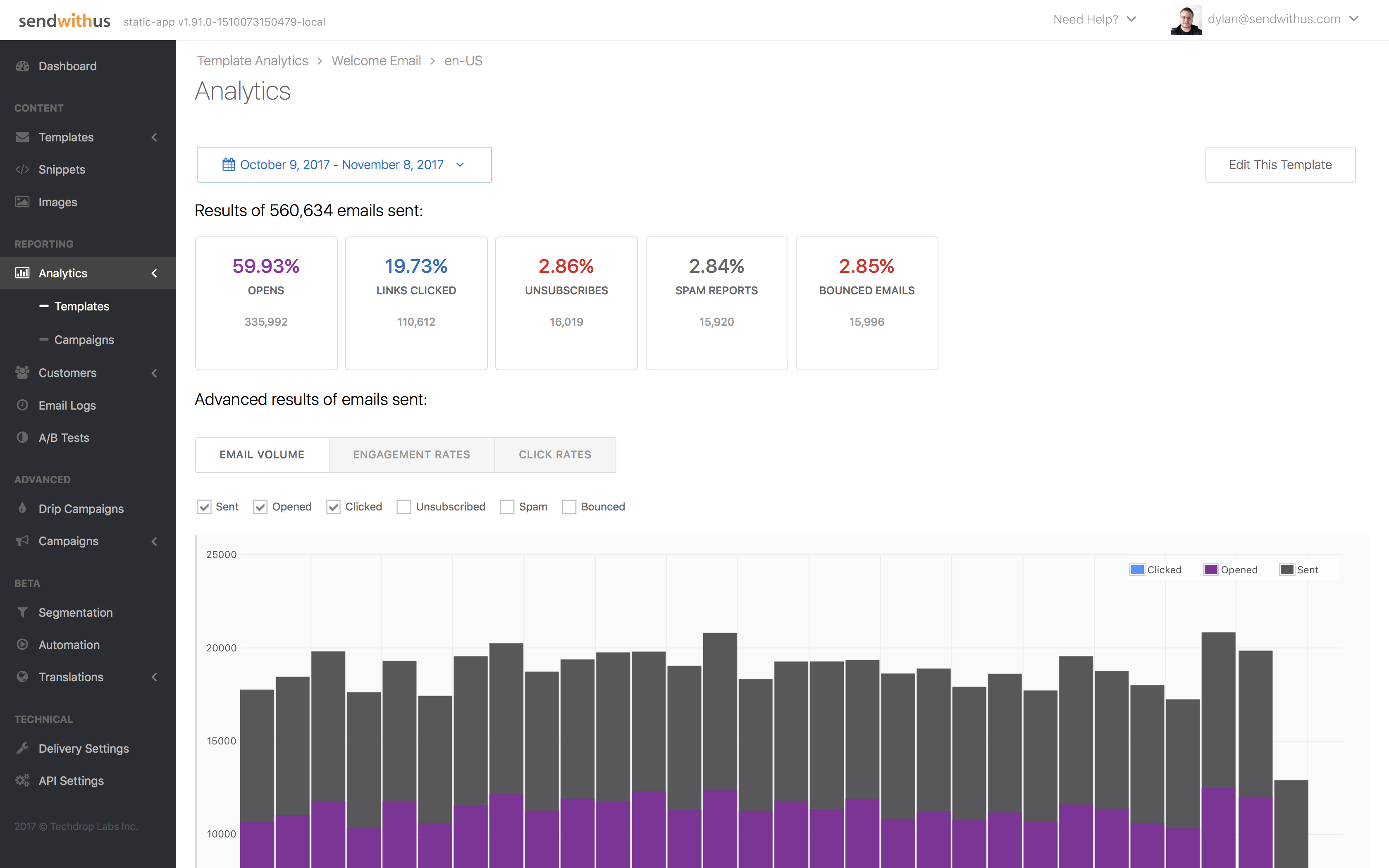
Screenshot of Set up and track results for A/B and multivariate tests.Screenshot of Track key analytics directly within the Sendwithus application, while deploying with your existing ESP.Screenshot of Dive deeper into specific metrics for a predefined or custom time-frame.Screenshot of Easily create, edit, and schedule campaigns directly within the app.Screenshot of Easily access and organize your templates all in one place.Screenshot of Intuitive, visual editor with built-in device testing and reusable code-snippets for common elements like headers, footers, and CTAs.