Mad Mimi is an email marketing solution targeted at SMBs, designed to be intuitive and straightforward. It was acquired by GoDaddy in August 2014 to expand their small business support offerings.
$10
per month
MailUp
Score6 out of 10
N/A
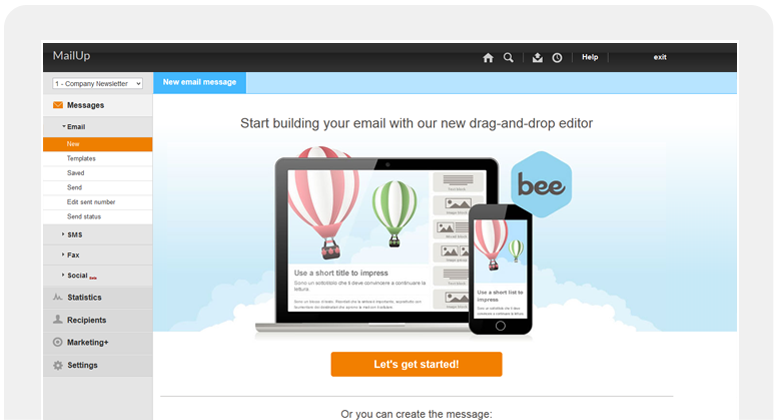
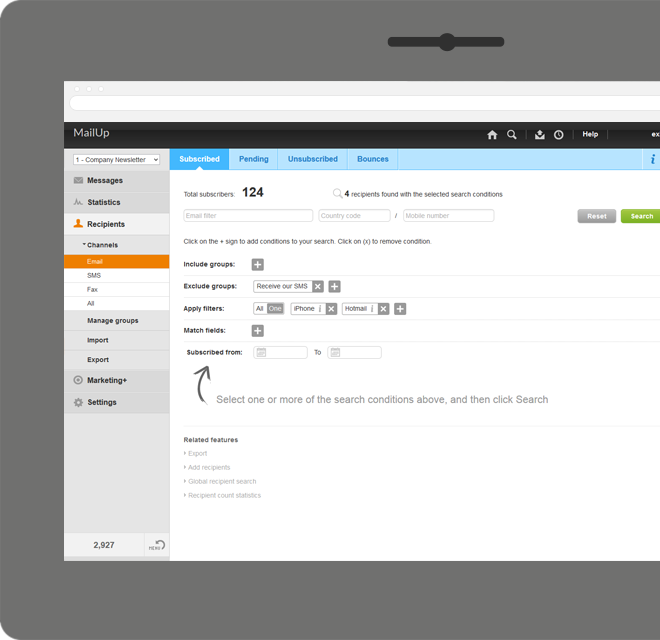
MailUp is the eponymous email & SMS platform from the Italian company that was founded in 2002 that now has a modest but respectable presence across the western world with a diverse customer base (Yamaha, Amnesty International, Korean Air, etc.). Mailup's platform combines email marketing, with transactional email and SMS features, and offers SMTP relay and plugins for ecommerce, CRM and CMS systems.
Their unusual pricing scheme is tiered just on subscribers but on volume of sends and that…
N/A
Pricing
Mad Mimi
MailUp
Editions & Modules
Basic
$10.00
per month
Pro
$42.00
per month
Silver
$199.00
per month
Gold
$1049.00
per month
No answers on this topic
Offerings
Pricing Offerings
Mad Mimi
MailUp
Free Trial
No
Yes
Free/Freemium Version
No
No
Premium Consulting/Integration Services
No
Yes
Entry-level Setup Fee
No setup fee
Optional
Additional Details
—
—
More Pricing Information
Features
Mad Mimi
MailUp
Email & Online Marketing
Comparison of Email & Online Marketing features of Mad Mimi and MailUp
Feature
Mad Mimi
8.2
9 Ratings
3% above category average
MailUp
9.5
1 Ratings
18% above category average
WYSIWYG email editor
9.98 Ratings
10.01 Ratings
Dynamic content
7.06 Ratings
10.01 Ratings
Ability to test dynamic content
5.06 Ratings
8.01 Ratings
Landing pages
8.05 Ratings
00 Ratings
A/B testing
10.01 Ratings
00 Ratings
Mobile optimization
7.07 Ratings
10.01 Ratings
Email deliverability reporting
9.09 Ratings
00 Ratings
List management
10.09 Ratings
00 Ratings
Triggered drip sequences
8.15 Ratings
00 Ratings
Reporting & Analytics
Comparison of Reporting & Analytics features of Mad Mimi and MailUp
Feature
Mad Mimi
10.0
8 Ratings
26% above category average
MailUp
-
Ratings
Dashboards
10.07 Ratings
00 Ratings
Standard reports
10.08 Ratings
00 Ratings
Custom reports
10.06 Ratings
00 Ratings
Pre-Send Testing
Comparison of Pre-Send Testing features of Mad Mimi and MailUp
Mad Mimi is perfect for scheduling remainder emails. For instance, if you need to remind a client about a pending order next week, you can schedule the remainder email today and it will be sent exactly the date and time you want it to even if you are out of office. If you need to contact thousands of people at a time, Mad Mimi can be used to send the emails all at once to all of them, especially for marketing purposes and newsletter purposes.
A de minimis incentive was given to thank the reviewer for their time. The incentive was not used to bias or drive a particular response, nor was the incentive contingent on a positive endorsement. More Info
A de minimis incentive was given to thank the reviewer for their time. The incentive was not used to bias or drive a particular response, nor was the incentive contingent on a positive endorsement. More Info
I've been on the free plan for years and it has suited me very well. It's reliable and has all the core features I need at the moment. Considering how all the online tools can add up, this is right for my business.
Mad Mimi has a super-simple interface, and it's drag and drop, so I don't have to spend a lot of time designing each email. Although you can customize with your logo and colors.
There are several free add-ons, which allow for a limited amount of automation. I would recommend taking advantage of the RSS feed, webform, and drip campaign features.
You can segment your list into as many groups as you like, which makes for more effective email marketing.
A de minimis incentive was given to thank the reviewer for their time. The incentive was not used to bias or drive a particular response, nor was the incentive contingent on a positive endorsement. More Info
A de minimis incentive was given to thank the reviewer for their time. The incentive was not used to bias or drive a particular response, nor was the incentive contingent on a positive endorsement. More Info
The ease on adding links, such as unsubscribe links, is not as easy as it is with other email service providers. Creating simple tags that take the place of a link could help a lot, especially for those not as familiar with HTML.
Perhaps a way of archiving old emails, or hiding them from the past emails area. It can look a bit cluttered, and can be confusing in some circumstances.
Providing some learning material, or at least a more thorough overview of email marketing, and the user interface would be of great use to beginners.
A de minimis incentive was given to thank the reviewer for their time. The incentive was not used to bias or drive a particular response, nor was the incentive contingent on a positive endorsement. More Info
Pretty simple, I know I'm getting what I pay for and a little more. Although simple and easy for the new user; a more seasoned marketer can still get the most from MadMimi. Especially if the primary purpose is to generate strong brand loyalty with effective communication that integrates your various outlets: MadMimi makes it easy for your customer to pick-up what the business owner wants to relay.
A de minimis incentive was given to thank the reviewer for their time. The incentive was not used to bias or drive a particular response, nor was the incentive contingent on a positive endorsement. More Info
A de minimis incentive was given to thank the reviewer for their time. The incentive was not used to bias or drive a particular response, nor was the incentive contingent on a positive endorsement. More Info
Constant Contact is the Goliath of the industry and to us, it was unnecessarily complex and expensive. We chose Mad Mimi, after looking at several other new offerings and we've been extremely satisfied with our choice of Mad Mimi.
A de minimis incentive was given to thank the reviewer for their time. The incentive was not used to bias or drive a particular response, nor was the incentive contingent on a positive endorsement. More Info
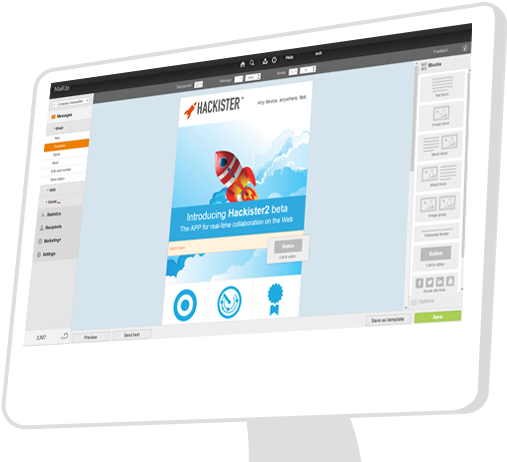
Mailup has hands down the best editor for creating responsive emails, I've tried almost everything out there and this is the best, I recommend this to colleagues all the time!
A de minimis incentive was given to thank the reviewer for their time. The incentive was not used to bias or drive a particular response, nor was the incentive contingent on a positive endorsement. More Info
I've spent 3 years creating blog posts, and it is only now encompassing the breath that allows me to draw upon this pieces as a reusable resource, but now this is happening.
I preferred the Mad Mimi platform to Mail Chimp, and I suspect it continues to offer advantages. I felt Mad Mimi did themselves a disservice by failing to support their free subscriber service to the same extent that Mail Chimp does. When one's mail list gets sufficiently large, then it does pay to pay them, but not in the context I was using it.
It seems that Mad Mimi is targeting direct marketing purposes, as this is a use where ROI is more easily measured.
A de minimis incentive was given to thank the reviewer for their time. The incentive was not used to bias or drive a particular response, nor was the incentive contingent on a positive endorsement. More Info
A de minimis incentive was given to thank the reviewer for their time. The incentive was not used to bias or drive a particular response, nor was the incentive contingent on a positive endorsement. More Info