M-Files is a platform for knowledge work automation. M-Files helps knowledge workers to find information faster, work smarter, and achieve more. M-Files features a metadata-driven architecture, embedded workflow engine, and advanced artificial intelligence that enable customers to eliminate information chaos, improve process efficiency, and automate security and compliance. By embedding automation and GenAI into its core, M-Files' platform not only increases efficiencies…
N/A
NetDocuments
Score 10.0 out of 10
N/A
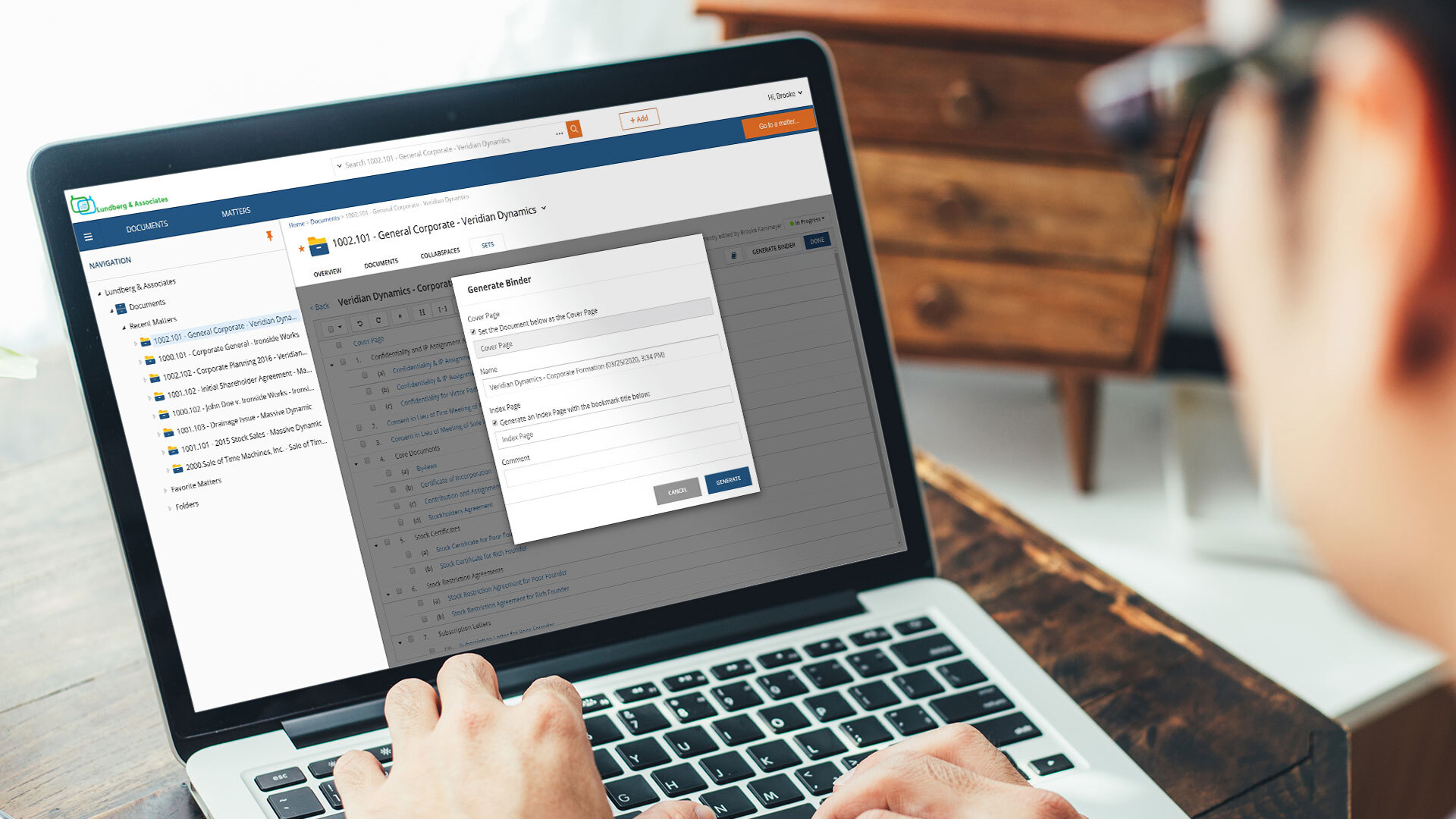
NetDocuments is a document management solution from the company of the same name in Lehi, Utah.
M‑Files is great for companies with multiple locations. Drive letters can become cumbersome to use and collaborate with colleagues and M‑Files fills that gap. The check out/check in system is great and allows only one editor at a time. This can be good and bad depending on the situation.
NetDocuments positioned itself to work in the legal industry, and it has done a very good job. It's kept pace with the challenges presented by the law and it's grown in its offerings. Any organization that must balance mobility and security would benefit from the use of NetDocuments as a platform.
File Organization. Netdocuments is a great tool to neatly organize your virtual files and separate them by workspaces (matters). Each workspace contains folders (document types) that can be customized according to users' needs and preference.
Searching your data base. All the documents and emails saved in Netdocuments are searchable. The search feature works great.
Cloud based document management system. Simply put, Netdocuments can be accessed from ANY web-enabled device. This is becoming more and more important in the age of satellite offices, working on-the-go, and telecommuting.
Disaster preparedness. Should something happen to your office, your documents are safe, secure and accessible.
Seamless integration with Microsoft Applications. Netdocuments provides users with Microsoft applications integrations that can be easily installed on each individual machine.
Support. There is an extensive on-line help library which provides incredibly helpful articles with step-by-step instructions. If you cannot find solution on-line, telephone support is staffed by courteous and knowledgeable people.
Security. This is especially important for a law firm. A designated administrator can put in force workspace, folder, document, or profile-based security.
More user friendly customization options that do not require knowledge of coding/scripting. For example, prompting the creation of a new document from a template in a workflow.
When using the 'insert property' feature in a Word doc, I would love to convert dates from a mm/dd/yy format to be written out (such as September 21, 2018). Or possibly even just to pull the year or the month from a selected date to insert into a document.
I've often wished that I could find more detailed tutorials online for some features.
In my opinion, VERY Expensive. You can not find documents without OCR. OCR doubles your storage cost as they save the OCRd document as a second version.
In my experience, very annoying latency, even when trying to preview documents. As a result, folks in my office often try to save locally as opposed to storing in the cloud.
I orginally signed up for NDMax. However, it would only process one document at a time. I am not a transactional firm, so, in my opinion, this was essentially worthless.
M-files meets our almost all needs, we dont have other option to replace m-files. it saves lots, like Hardware because of Vault Feature means we can create many vaults (mini-servers) in m-files in other solutions we need more hardware for more installations.
It is a powerful system that can locate content fast and effectively. The system takes quite some time to setup initially. It can be hard for M-Files support to know how businesses operate and how they want to use the system in a way that works for them. The customization makes it great for companies to cater to their own needs. Once the system is set up in a way that makes sense for the business, the user experience is positive. There is room for improvement in the notifications, workflow, and support areas.
The product is simple to learn and adheres to well-known web user protocols. The NetDocuments team spends a lot of time talking to customers regarding how to improve their interface, and are pretty quick about implementing good ideas. The system is reliable and repeatable, and similar functions are laid out consistently and in formats that users are used to.
I noticed some lagging with the integration with Microsoft Office but not so much that I would not use it. It has gotten better with updates. to be fair the issues were when Office 2013 first came out.
NetDocuments is a performant web app. It is reliable and provides all the functionality of a sophisticated document management system. It also can serve, through its APIs, as a base system for other applications, which enhances its value. Other vendors find the company easy to work with, and it consistently seems to be the first to offer new features and technologies to its customers.
Usually when I need help from them I got support and it was very good and focused to solve my problem. I didn't have so many problems, but when used it worked. I just would like to have a support in my native language, but I can understand that sometimes is hard for the companies.
I've never had to contact support, but I won't give it a ten. We've had a few hiccups along the way, but nothing that couldn't be fixed within 24 hours.
The key insight is that the most important thing is to have a open mind. The application is easy to use, but if you have a company with different views and it is not aligned could be a huge problem. So the company transformation is required together with the application. Ensure to use as much as possible the capabilities of the application helps to have best ROI.
I've compared recently with Box, but they still predicate their storage on WHERE instead of WHAT, which means if it isn't in a specific folder, you won't find it. Some documents may relate to multiple projects. In M-Files instead of putting a copy of a file in many folders (thus having many copies) you can build out the relationships, so there is only 1 copy of a document which prevents multiple "originals" from being developed separately.
WatchDox and WorldDox both provided what looked like similar features but too much of the technical requirements fall on the customer and they, at the time of my evaluation, were not true cloud products. They were client \ server-based product hosted in the cloud. If you do not know the difference, research until you do. iManger is a viable alternative if you are just not able to get the internet speed you need for NetDocuments. But heads up it is not the Swiss Army knife for security features like NetDocuments.
The price we pay for M-Files is about one third less than the price that we were paying our previous vendor plus we have a custom-built amazing dependable system with great support.
From a compliance and legal standpoint, our policies are always available to end users including easy access to previous versions.