Lyssna vs. UXArmy

Overview
ProductRatingMost Used ByProduct SummaryStarting Price
Lyssna
Score 7.5 out of 10
N/A
Lyssna (formerly UsabilityHub) is a user research platform used to test digital products with real users and gain insights into their audience. Its tools and features help Lyssna to optimize users' designs and create more engaging user-friendly experiences. Lyssna is a research platform, offering a broad range of testing features including: Five Second Testing - Used to quickly test the effectiveness of landing pages, messaging and designs by showing users a…
$0
3 seats included
UXArmy
Score 0.0 out of 10
N/A
UXArmy is a user research platform. From ideation, testing prototypes to refining fully launched products, UXArmy gives teams access to critical insights, empowering designers, product managers and marketers to validate, optimize, and iterate. Whether it’s unmoderated tests or moderated interviews and focus groups, UXArmy can be used to watch real users engage with a product and messaging, revealing emotional insights in addition to stats. With screen and video…
$0
per month
Pricing
LyssnaUXArmy
Editions & Modules
Free
$0
3 seats included
Basic
$89
per month 3 seats included, maximum 10 seats
Pro
$199
per month 3 seats included, maximum 15 seats
Enterprise
Contact Sales
custom seats
Starter
$0
per month
Essential
$99
per month
Organization
Custom
per year
Offerings
Pricing Offerings
LyssnaUXArmy
Free Trial
YesNo
Free/Freemium Version
YesYes
Premium Consulting/Integration Services
NoNo
Entry-level Setup FeeNo setup feeOptional
Additional DetailsDiscount available for annual plan. Panel responses are priced seperately.UXArmy panel participants are only available as an add on for paid plans
More Pricing Information
Community Pulse
LyssnaUXArmy
Best Alternatives
LyssnaUXArmy
Small Businesses
Smartlook
Smartlook
Score 8.2 out of 10
Smartlook
Smartlook
Score 8.2 out of 10
Medium-sized Companies
Optimal
Optimal
Score 9.0 out of 10
Optimal
Optimal
Score 9.0 out of 10
Enterprises
Optimal
Optimal
Score 9.0 out of 10
Optimal
Optimal
Score 9.0 out of 10
All AlternativesView all alternativesView all alternatives
User Ratings
LyssnaUXArmy
Likelihood to Recommend
8.0
(0 ratings)
-
(0 ratings)
Usability
7.0
(0 ratings)
-
(0 ratings)
User Testimonials
LyssnaUXArmy
Likelihood to Recommend
I think it's well suited to any scenario where something requires feedback, whether it's exploratory feedback of current designs or validation that a new design solves a problem & additional feedback can be gathered to make it even better. I'd recommend UsabilityHub to anybody who isn't 100% sure on a design, and if they are, they need to use it to confirm that certainty.
Read full review
No answers on this topic
Pros
  • Very fast - you can have responses in minutes.
  • Very easy and straightforward to use. The interface is clear and intuitive.
  • They offer suggestions for questions that are effective, which is very helpful for a first time user.
Read full review
No answers on this topic
Cons
  • More targeted screening
  • A portal of all opportunities rather than email invites
Read full review
No answers on this topic
Usability
Due to its simplicity and design it is really easy to navigate. You can clearly understand which sections you have completed and which are still left to be done. It is also really easy to change ordering of content etc, which I have found hasn’t been an option in other tools which means it is a really lengthy task of rewriting all of the tasks or questions to get them in the correct order that is desired.
Read full review
No answers on this topic
Alternatives Considered
Maze has a more comprehensive reporting presentation compared to Usabilityhub. Maze's interface is clean and modern but it lacks a simple intuitive testing set found in UsabilityHub. The terminology of a Maze is slightly confusing, flow tests are integrated with only Figma, Xd, Invision, Sketch, and Marvel prototypes. The final test interface shown to users is confusing and could have been simpler like UsabilityHub.
Read full review
No answers on this topic
Return on Investment
  • Positive - It would give us responses significantly faster than testing out a concept on a live site
  • Positive - It allowed us to reach a wider audience for our tests (beyond our website traffic)
  • Positive - The quick turnaround time and quality of feedback encouraged other internal units to want to test more as they saw the return quickly.
Read full review
No answers on this topic
ScreenShots

Lyssna Screenshots

Screenshot of Screenshot of Screenshot of Screenshot of Screenshot of Screenshot of

UXArmy Screenshots

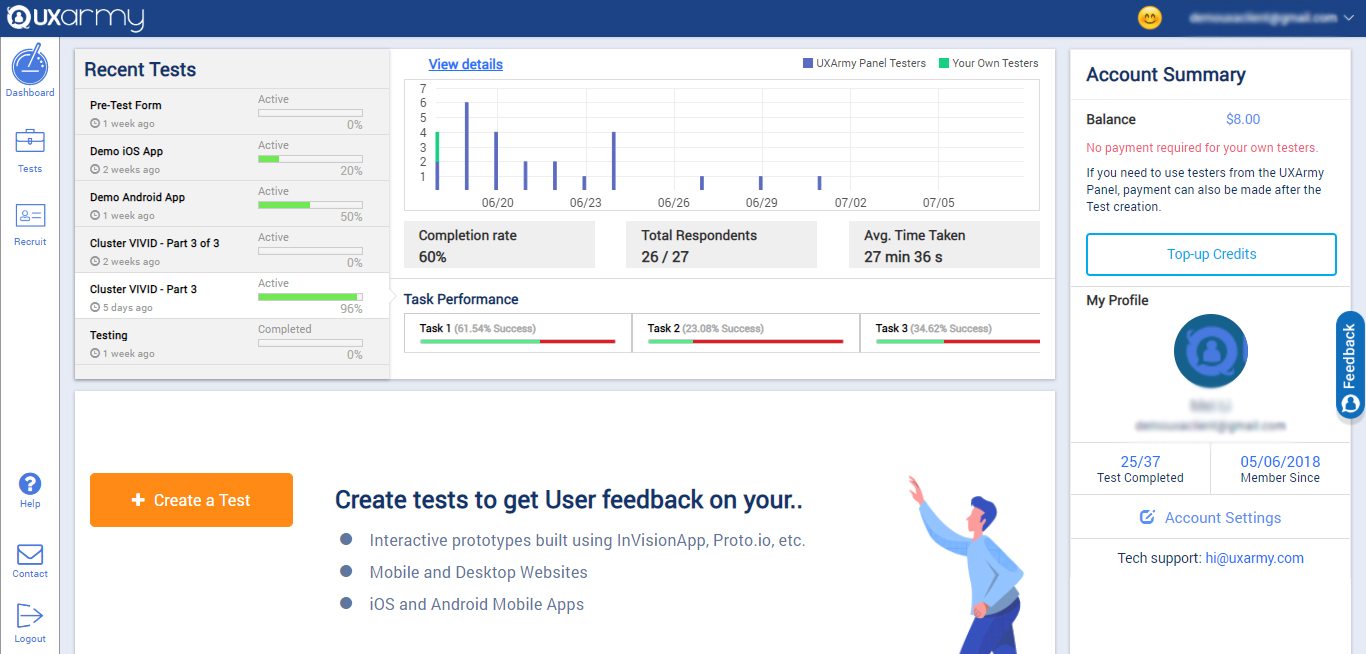
Screenshot of the client dashboard where clients can create tests for their prototypes, websites, mobile Apps, Mobile websites, web apps. They can check the overall progress of every test and they can also navigate to each test and see their progress and details as well.

They can check their account summary, top-up their account (via both PayPal and Debit/Credit cards) with credits to use in recruiting UserAdvocates to take the test.

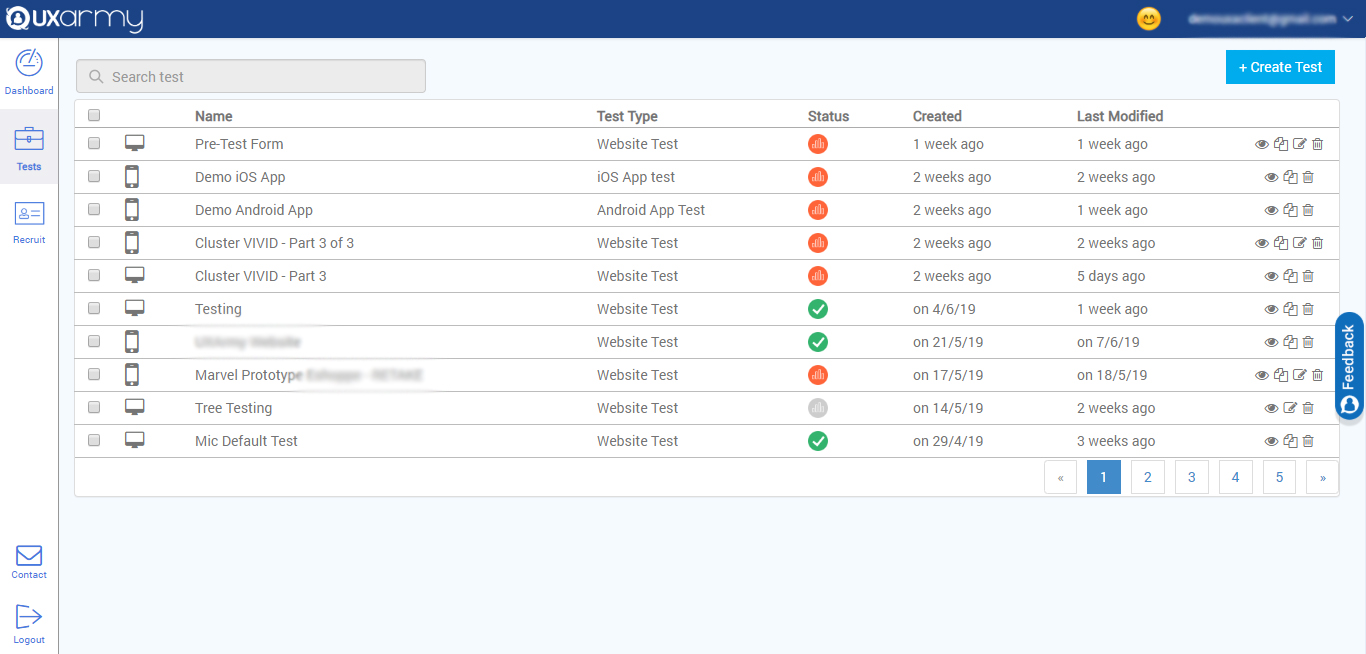
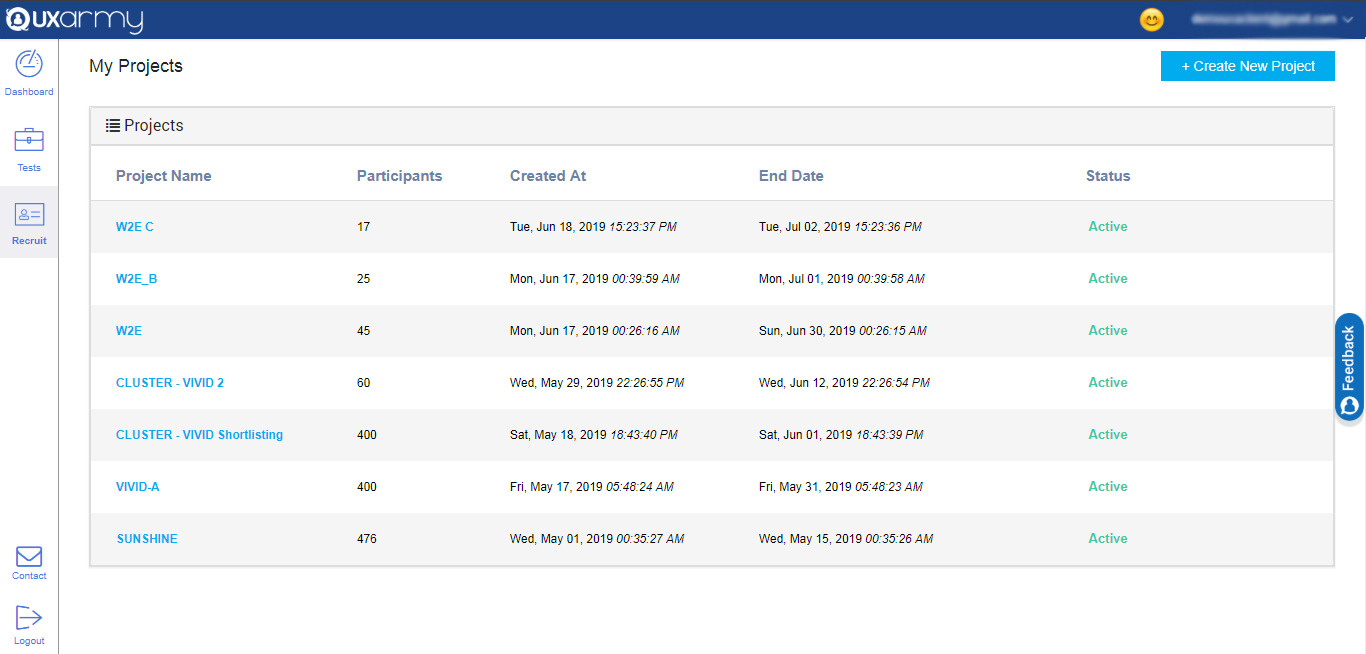
They can also navigate to account settings from the dashboard.Screenshot of a section that displays all the tests and any test can be selected to see the details of the response of the test. A new test can be created from here too by clicking on the "create test" button in the upper right corner of the screen.Screenshot of an example of the 2 ways to recruit for a test:

1. Up to 10  team members can take tests for free.

2. Testers can be recruited from the UXArmy's pool of testers from all around the world with a detailed demographic and behavioral filters like the country they live in or what language they speak, the mobile device they use, what gender they are, what shows they watch on TV, etc.