Lyssna (formerly UsabilityHub) is a user research platform used to test digital products with real users and gain insights into their audience. Its tools and features help Lyssna to optimize users' designs and create more engaging user-friendly experiences. Lyssna is a research platform, offering a broad range of testing features including: Five Second Testing - Used to quickly test the effectiveness of landing pages, messaging and designs by showing users a…
$0
per month per seat
Optimizely Web Experimentation
Score8.7 out of 10
N/A
Whether launching a first test or scaling a sophisticated experimentation program, Optimizely Web Experimentation aims to deliver the insights needed to craft high-performing digital experiences that drive engagement, increase conversions, and accelerate growth.
N/A
Pricing
Lyssna
Optimizely Web Experimentation
Editions & Modules
Free
$0
3 seats included
Basic
$89
per month 3 seats included, maximum 10 seats
Pro
$199
per month 3 seats included, maximum 15 seats
Enterprise
Contact Sales
custom seats
No answers on this topic
Offerings
Pricing Offerings
Lyssna
Optimizely Web Experimentation
Free Trial
Yes
Yes
Free/Freemium Version
Yes
No
Premium Consulting/Integration Services
No
Yes
Entry-level Setup Fee
No setup fee
Optional
Additional Details
Discount available for annual plan. Panel responses are priced seperately.
UsabilityHub is well suited for remote unmoderated testing. Responses are captured very quickly and live updates allow the user to keep track of how the test is performing. The types of testing that make the most sense to use on UsabilityHub are preference test, first click test, navigational, and design surveys. It is less appropriate for one-on-one testing and lengthy questionnaires.
A de minimis incentive was given to thank the reviewer for their time. The incentive was not used to bias or drive a particular response, nor was the incentive contingent on a positive endorsement. More Info
I think it can serve the whole spectrum of experiences from people who are just getting used to web experimentation. It's really easy to pick up and use. If you're more experienced then it works well because it just gets out of the way and lets you really focus on the experimentation side of things. So yeah, strongly recommend. I think it is well suited both to small businesses and large enterprises as well. I think it's got a really low barrier to entry. It's very easy to integrate on your website and get results quickly. Likewise, if you are a big business, it's incrementally adoptable, so you can start out with one component of optimizing and you can build there and start to build in things like data CMS to augment experimentation as well. So it's got a really strong a pathway to grow your MarTech platform if you're a small company or a big company.
A de minimis incentive was given to thank the reviewer for their time. The incentive was not used to bias or drive a particular response, nor was the incentive contingent on a positive endorsement. More Info
A de minimis incentive was given to thank the reviewer for their time. The incentive was not used to bias or drive a particular response, nor was the incentive contingent on a positive endorsement. More Info
The Platform contains drag-and-drop editor options for creating variations, which ease the A/B tests process, as it does not require any coding or development resources.
Establishing it is so simple that even a non-technical person can do it perfectly.
It provides real-time results and analytics with robust dashboard access through which you can quickly analyze how different variations perform. With this, your team can easily make data-driven decisions Fastly.
A de minimis incentive was given to thank the reviewer for their time. The incentive was not used to bias or drive a particular response, nor was the incentive contingent on a positive endorsement. TR verified that a representative sample of customers was invited. More Info
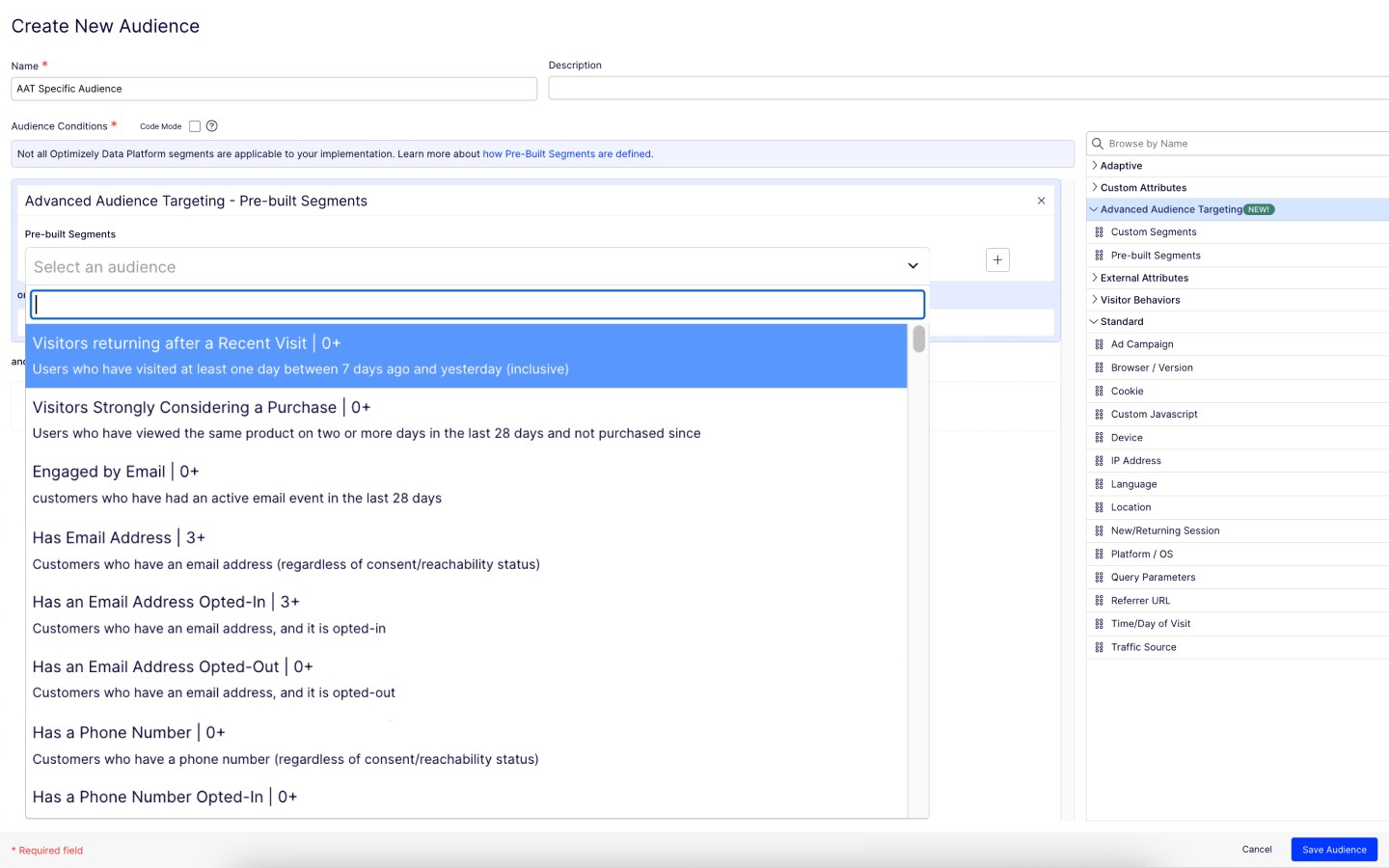
Add additional demographic sorting options for the audience to better meet the needs of B2B users - for example include industry type, functional area, etc.
A de minimis incentive was given to thank the reviewer for their time. The incentive was not used to bias or drive a particular response, nor was the incentive contingent on a positive endorsement. More Info
A de minimis incentive was given to thank the reviewer for their time. The incentive was not used to bias or drive a particular response, nor was the incentive contingent on a positive endorsement. More Info
I rated this question because at this stage, Optimizely does most everything we need so I don't foresee a need to migrate to a new tool. We have the infrastructure already in place and it is a sizeable lift to pivot to another tool with no guarantee that it will work as good or even better than Optimizely
A de minimis incentive was given to thank the reviewer for their time. The incentive was not used to bias or drive a particular response, nor was the incentive contingent on a positive endorsement. TR verified that a representative sample of customers was invited. More Info
Due to its simplicity and design it is really easy to navigate. You can clearly understand which sections you have completed and which are still left to be done. It is also really easy to change ordering of content etc, which I have found hasn’t been an option in other tools which means it is a really lengthy task of rewriting all of the tasks or questions to get them in the correct order that is desired.
A de minimis incentive was given to thank the reviewer for their time. The incentive was not used to bias or drive a particular response, nor was the incentive contingent on a positive endorsement. More Info
Optimizely Web Experimentation's visual editor is handy for non-technical or quick iterative testing. When it comes to content changes it's as easy as going into wordpress, clicking around, and then seeing your changes live--what you see is what you get. The preview and approval process for sharing built experiments is also handy for sharing experiments across teams for QA purposes or otherwise.
A de minimis incentive was given to thank the reviewer for their time. The incentive was not used to bias or drive a particular response, nor was the incentive contingent on a positive endorsement. More Info
I would rate Optimizely Web Experimentation's availability as a 10 out of 10. The software is reliable and does not experience any application errors or unplanned outages. Additionally, the customer service and technical support teams are always available to help with any issues or questions.
A de minimis incentive was given to thank the reviewer for their time. The incentive was not used to bias or drive a particular response, nor was the incentive contingent on a positive endorsement. More Info
I would rate Optimizely Web Experimentation's performance as a 9 out of 10. Pages load quickly, reports are complete in a reasonable time frame, and the software does not slow down any other software or systems that it integrates with. Additionally, the customer service and technical support teams are always available to help with any issues or questions.
A de minimis incentive was given to thank the reviewer for their time. The incentive was not used to bias or drive a particular response, nor was the incentive contingent on a positive endorsement. More Info
They always are quick to respond, and are so friendly and helpful. They always answer the phone right away. And [they are] always willing to not only help you with your problem, but if you need ideas they have suggestions as well.
The tool itself is not very difficult to use so training was not very useful in my opinion. It did not also account for success events more complex than a click (which my company being ecommerce is looking to examine more than a mere click).
In retrospect: - I think I should have stressed more demo's / workshopping with the Optimizely team at the start. I felt too confident during demo stages, and when came time to actually start, I was a bit lost. (The answer is likely I should have had them on-hand for our first install.. they offered but I thought I was OK.) - Really getting an understanding / asking them prior to install of how to make it really work for checkout pages / one that uses dynamic content or user interaction to determine what the UI does. Could have saved some time by addressing this at the beginning, as some things we needed to create on our site for Optimizely to "use" as a trigger for the variation test. - Having a number of planned/hoped-for tests already in-hand before working with Optimizely team. Sharing those thoughts with them would likely have started conversations on additional things we needed to do to make them work (rather than figuring that out during the actual builds). Since I had development time available, I could have added more things to the baseline installation since my developers were already "looking under the hood" of the site.
UsabilityHub provides very fast, short responses to specific questions about a static image of a website. This is useful for checking what is most prominent on a page, what they would click on, what they see/read within the first 5 seconds of landing etc. WhatUsersDo is a broader tool, that records the screen and audio as a user navigates the website. You can set tasks and ask questions, but it much more about the user journey experience and their opinion, rather than testing a particular feature. Feedback also takes a bit longer. Hotjar is a combination of both, its a screen recording which helps you to see where users click and move to, but there is no audio or text feedback, just heatmaps/click maps for watching user behaviour.
A de minimis incentive was given to thank the reviewer for their time. The incentive was not used to bias or drive a particular response, nor was the incentive contingent on a positive endorsement. More Info
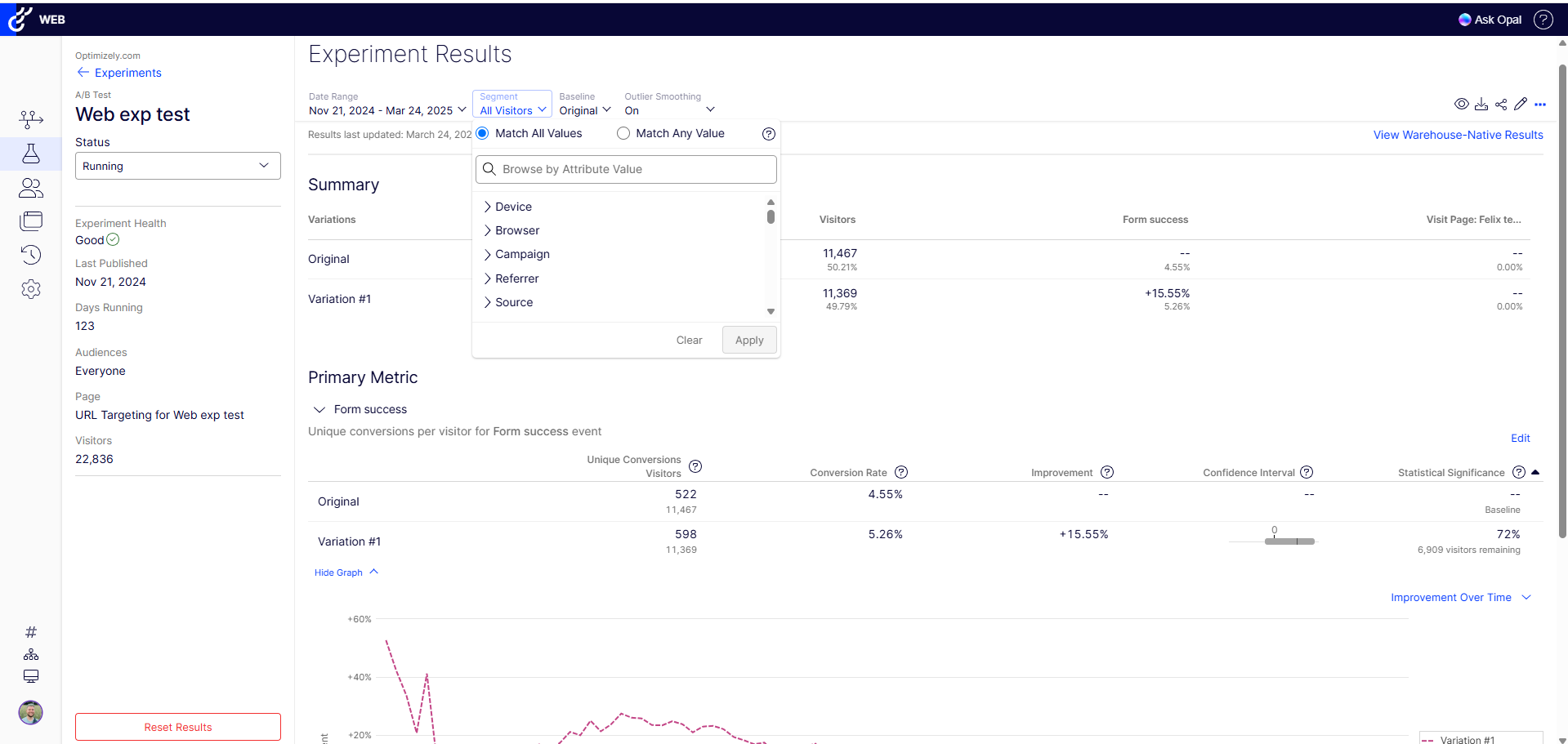
The ability to do A/B testing in Optimizely along with the associated statistical modelling and audience segmentation means it is a much better solution than using something like Google Analytics were a lot more effort is required to identify and isolate the specific data you need to confidently make changes
A de minimis incentive was given to thank the reviewer for their time. The incentive was not used to bias or drive a particular response, nor was the incentive contingent on a positive endorsement. More Info
We can use it flexibly across lines of business and have it in use across two departments. We have different use cases and slightly different outcomes, but can unify our results based on impact to the bottom line. Finally, we can generate value from anywhere in the org for any stakeholders as needed.
A de minimis incentive was given to thank the reviewer for their time. The incentive was not used to bias or drive a particular response, nor was the incentive contingent on a positive endorsement. TR verified that a representative sample of customers was invited. More Info
A de minimis incentive was given to thank the reviewer for their time. The incentive was not used to bias or drive a particular response, nor was the incentive contingent on a positive endorsement. More Info
We're able to share definitive annualized revenue projections with our team, showing what would happen if we put a test into Production
Showing the results of a test on a new page or feature prior to full implementation on a site saves developer time (if a test proves the new element doesn't deliver a significant improvement.
Making a change via the WYSIWYG interface allows us to see multiple changes without developer intervention.
A de minimis incentive was given to thank the reviewer for their time. The incentive was not used to bias or drive a particular response, nor was the incentive contingent on a positive endorsement. TR verified that a representative sample of customers was invited. More Info