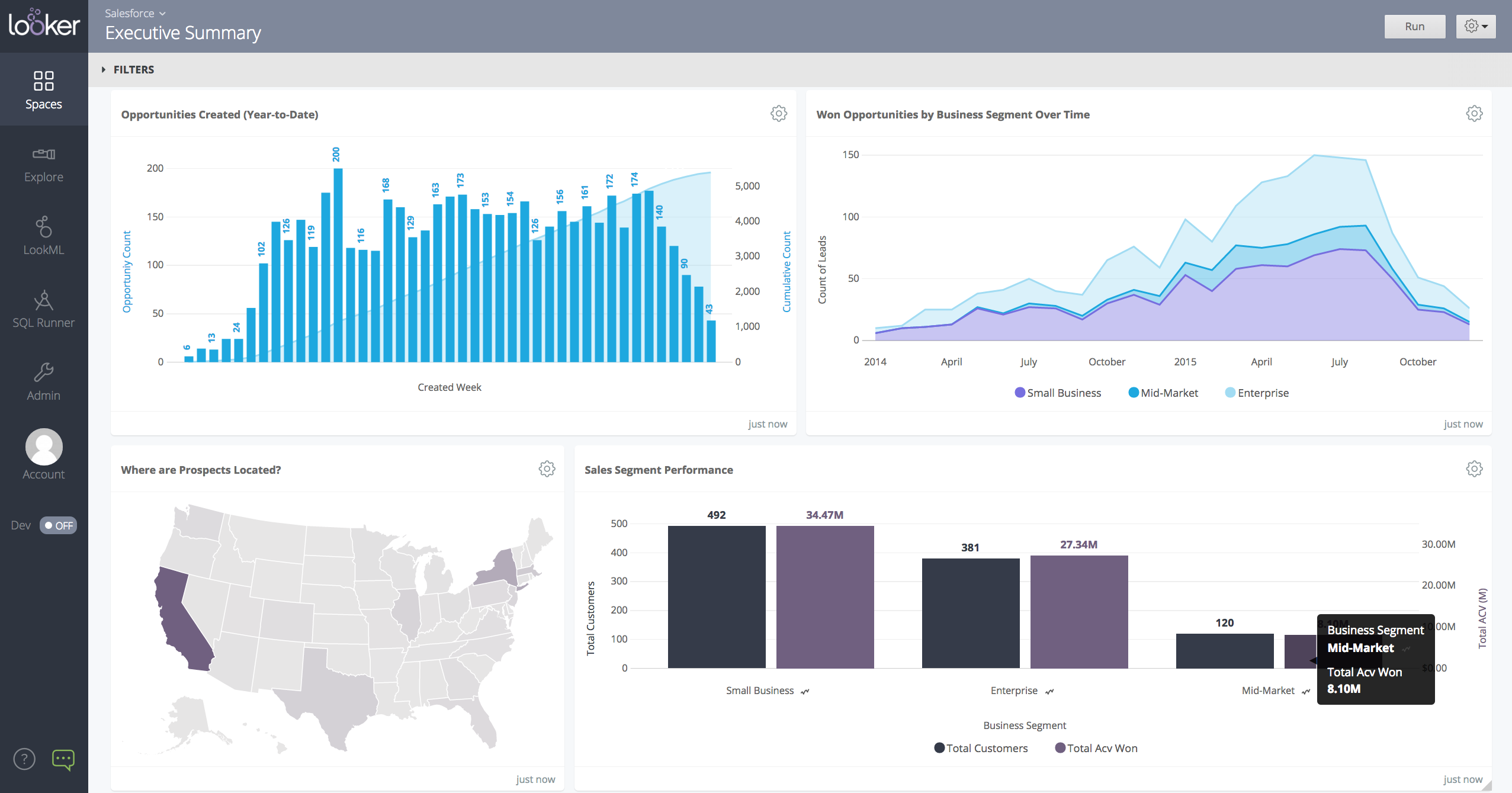
Looker is a BI application with an analytics-oriented application server that sits on top of relational data stores. It includes an end-user interface for exploring data, a reusable development paradigm for data discovery, and an API for supporting data in other systems.
N/A
Middesk
Score 8.9 out of 10
N/A
Middesk is a business intelligence (BI) software used to onboarded clients working in three primary verticals — Fintech, Credit Reporting, and Business Marketplaces.
N/A
Pricing
Looker
Middesk
Editions & Modules
No answers on this topic
No answers on this topic
Offerings
Pricing Offerings
Looker
Middesk
Free Trial
Yes
No
Free/Freemium Version
No
Yes
Premium Consulting/Integration Services
No
No
Entry-level Setup Fee
Required
No setup fee
Additional Details
Must contact sales team for pricing.
Users may also pay per use if they are expecting a lower volume of usage.
More Pricing Information
Community Pulse
Looker
Middesk
Features
Looker
Middesk
BI Standard Reporting
Comparison of BI Standard Reporting features of Product A and Product B
Looker
8.4
Ratings
3% above category average
Middesk
7.7
Ratings
6% below category average
Pixel Perfect reports
8.00 Ratings
8.00 Ratings
Customizable dashboards
9.00 Ratings
7.00 Ratings
Report Formatting Templates
8.30 Ratings
8.00 Ratings
Ad-hoc Reporting
Comparison of Ad-hoc Reporting features of Product A and Product B
Looker
8.5
Ratings
5% above category average
Middesk
8.0
Ratings
1% below category average
Drill-down analysis
8.20 Ratings
8.00 Ratings
Formatting capabilities
7.80 Ratings
8.00 Ratings
Integration with R or other statistical packages
8.80 Ratings
8.00 Ratings
Report sharing and collaboration
9.20 Ratings
8.00 Ratings
Report Output and Scheduling
Comparison of Report Output and Scheduling features of Product A and Product B
Looker
8.8
Ratings
6% above category average
Middesk
6.4
Ratings
26% below category average
Publish to Web
8.40 Ratings
7.00 Ratings
Publish to PDF
9.10 Ratings
5.00 Ratings
Report Versioning
8.60 Ratings
5.00 Ratings
Report Delivery Scheduling
9.20 Ratings
8.00 Ratings
Delivery to Remote Servers
00 Ratings
7.00 Ratings
Data Discovery and Visualization
Comparison of Data Discovery and Visualization features of Product A and Product B
When you need to create a centralised dashboard for multiple stakeholders that blends cross-channel reporting. As an SEO agency reporting for clients - Looker is a great solution. It's less appropriate depending on the intended users. For instance, in my experience Looker reports have been under-utilised because they're not accessed regularly, provide too much noise or often simple PDF reports are preferred
Middesk is an excellent and vital tool for any business needing to set up operations in a new state. The process the seamless and easy. For businesses looking to transfer administration of existing state accounts, the process is a little more clunky. Either way, Middesk saves a ton of time and brainpower needed to maintain registrations with state agencies.
We are very haooy with Looker, it provides us with all the funciomalities we need for both the day to day oerformance tracking and longer periods reporting. It is easy to use for account managers, configurable and customizable for soecialists and what is most imoortant, our clinets generally really love it
Looker is relatively easy to use, even as it is set up. The customers for the front-end only have issues with the initial setup for looker ml creations. Other "looks" are relatively easy to set up, depending on the ETL and the data which is coming into Looker on a regular basis.
UI is not as intuitive as other systems we use. For states that require income tax withholding, some of them require registration with multiple agencies - the UI doesn't easily tell you which login credentials are tied to which agency.
Somehow resources heavy, both on server and client. I recommned at least 50Mbs data rate and high performance desktop comouter to be abke to run comolex tasks and configure larger amount of data. On the other hand, the client does not need to worry when viewing, the performance is usually ok
Never had to work with support for issues. Any questions we had, they would respond promptly and clearly. The one-time setup was easy, by reading documentation. If the feature is not supported, they will add a feature request. In this case, LDAP support was requested over OKTA. They are looking into it.
The user experience of this tool must be rearchitected. I am able to observe a lot of lag in the process when initiated. There are sometimes when the tool's navigation becomes difficult. The time taken at times is large to process a request and this can also be highly improved in the future.
In my opinion, Looker is no Power BI. It is good, but I think Power BI is amazing. That said, in my experience, Power BI is nowhere near as easy to setup and report on Google services as Looker is. We plan to continue using Power BI for c-suite and corporate reporting, especially for internal databases, but will gladly use Looker for our marketing information for AdWords, Analytics, Search Console, and YouTube.
It provides higher quality. Although the price is very costly compared to its competitors, the result after usage is exceptional. Although this product has less marketing, it is able to be reached a large number of people. The navigation is slightly better than the other competitor tools. User experience is another important reason it attracts people.
Other than some people not liking the numbers, I don't see any negative impacts; we haven't experienced that.
The reports help us unravel the story of our users and how they are sifting through our pages.
Our clients enjoy seeing the numbers to understand better what stands out on their sites.
The reports have helped us see what campaigns are working and where we need to tweak things.
The reports have enabled us to have better conversations with stakeholders about how their web pages should be modified, edited, etc., to reflect the data.