Lookback vs. UXArmy

Overview
ProductRatingMost Used ByProduct SummaryStarting Price
Lookback
Score 7.8 out of 10
N/A
Lookback is a UX research platform for mobile & desktop moderated and unmoderated research, from the company of the same name in Palo Alto.N/A
UXArmy
Score 0.0 out of 10
N/A
UXArmy is a user research platform. From ideation, testing prototypes to refining fully launched products, UXArmy gives teams access to critical insights, empowering designers, product managers and marketers to validate, optimize, and iterate. Whether it’s unmoderated tests or moderated interviews and focus groups, UXArmy can be used to watch real users engage with a product and messaging, revealing emotional insights in addition to stats. With screen and video…
$0
per month
Pricing
LookbackUXArmy
Editions & Modules
No answers on this topic
Starter
$0
per month
Essential
$99
per month
Organization
Custom
per year
Offerings
Pricing Offerings
LookbackUXArmy
Free Trial
NoNo
Free/Freemium Version
NoYes
Premium Consulting/Integration Services
NoNo
Entry-level Setup FeeNo setup feeOptional
Additional DetailsUXArmy panel participants are only available as an add on for paid plans
More Pricing Information
Community Pulse
LookbackUXArmy
Best Alternatives
LookbackUXArmy
Small Businesses
Smartlook
Smartlook
Score 8.2 out of 10
Smartlook
Smartlook
Score 8.2 out of 10
Medium-sized Companies
Optimal
Optimal
Score 9.0 out of 10
Optimal
Optimal
Score 9.0 out of 10
Enterprises
Optimal
Optimal
Score 9.0 out of 10
Optimal
Optimal
Score 9.0 out of 10
All AlternativesView all alternativesView all alternatives
User Ratings
LookbackUXArmy
Likelihood to Recommend
9.0
(0 ratings)
-
(0 ratings)
Usability
8.0
(0 ratings)
-
(0 ratings)
User Testimonials
LookbackUXArmy
Likelihood to Recommend
Using Lookback for a variety of types of User Interviews and user testing sessions is very valuable. it allows you to organize your interviews in a way thats really team accessible. Making highlight reels that you can share with the rest of the team to show video insights from real customers is really powerful.
Read full review
No answers on this topic
Pros
  • Organization of user interviews
  • Sharing of interviews across the team
  • Creating highlights of insights
Read full review
No answers on this topic
Cons
  • Unmoderated interviews is still under cooked as a feature
  • The process of how participants have to download an app to start an interview is a large friction point for us
Read full review
No answers on this topic
Usability
Once you understand how the interface works, it works great, but there is a learning curve
Read full review
No answers on this topic
Alternatives Considered
Zoom was way more expensive and it o is designed to other things apart from just running qualitative interviews. It also requires a different kind of approval and different approval processes to go through when trying to get it simply for qualitative research purposes.
Lookback records, scribes, helps observe and provides a sentiment check as well in the price that it does
Read full review
No answers on this topic
Return on Investment
  • It allows stakeholder engagement and that’sa huge plus especially if it’s happening discretely in the background and theyre not interrupting the interview
Read full review
No answers on this topic
ScreenShots

UXArmy Screenshots

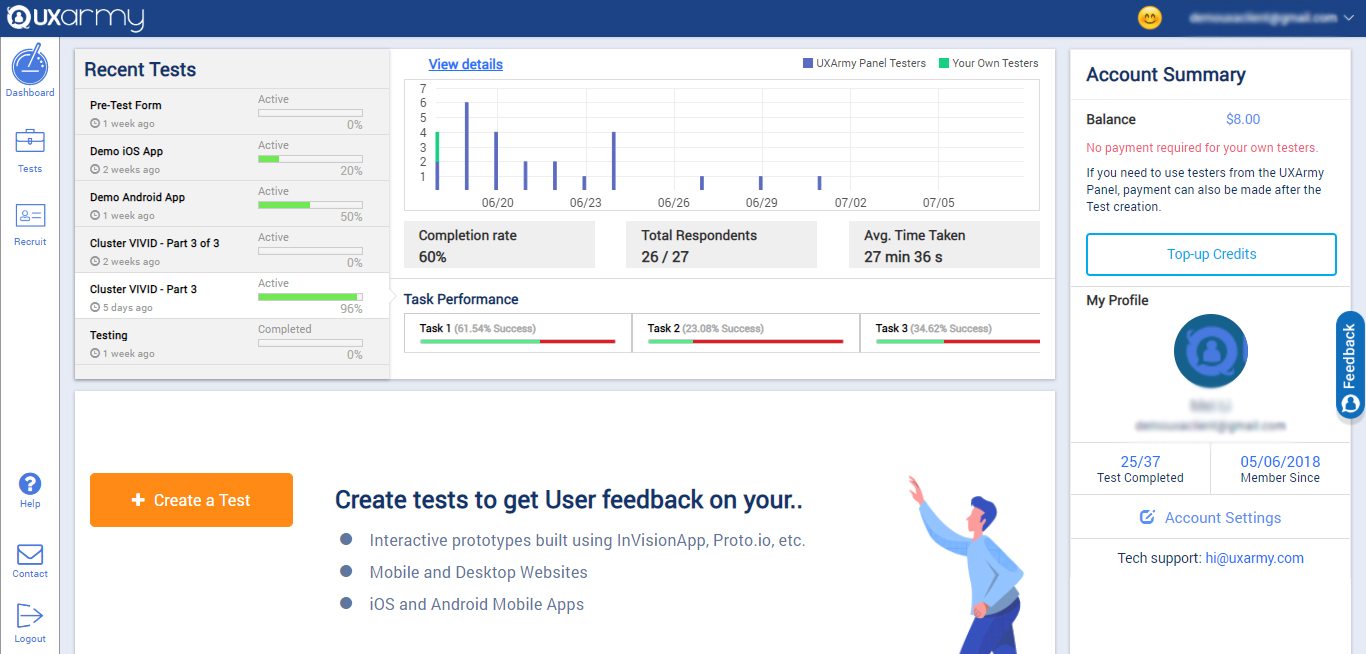
Screenshot of the client dashboard where clients can create tests for their prototypes, websites, mobile Apps, Mobile websites, web apps. They can check the overall progress of every test and they can also navigate to each test and see their progress and details as well.

They can check their account summary, top-up their account (via both PayPal and Debit/Credit cards) with credits to use in recruiting UserAdvocates to take the test.

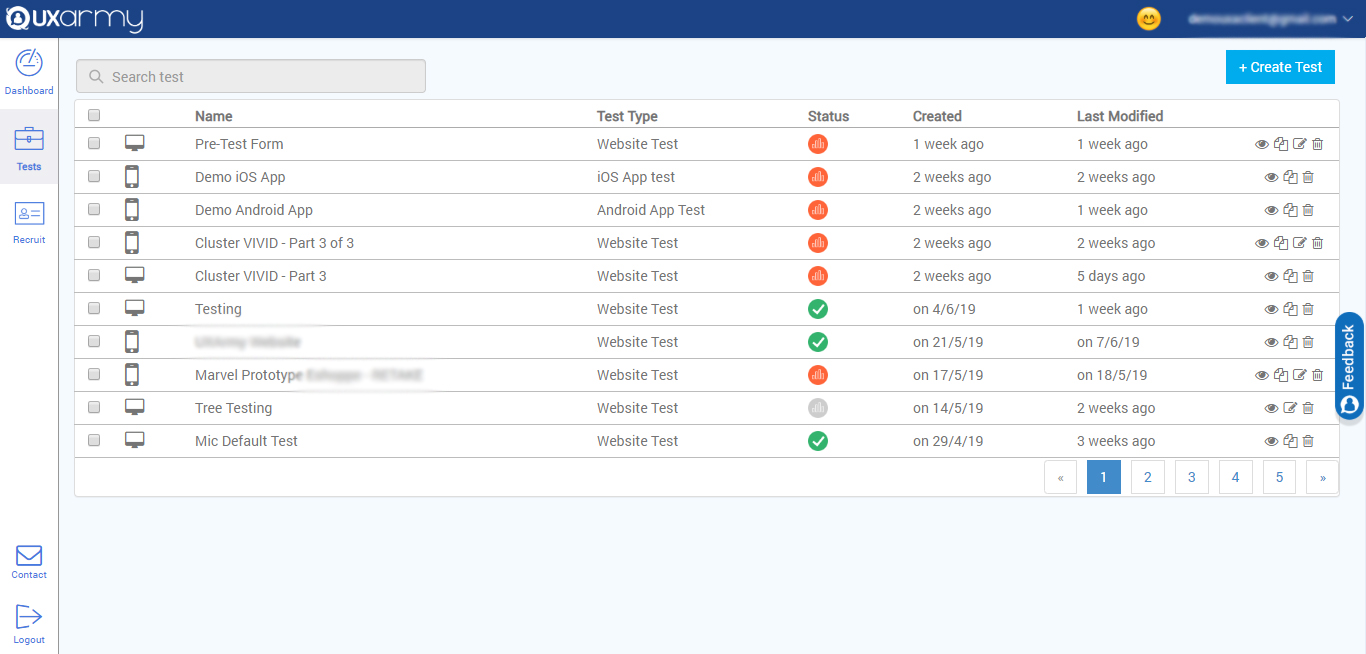
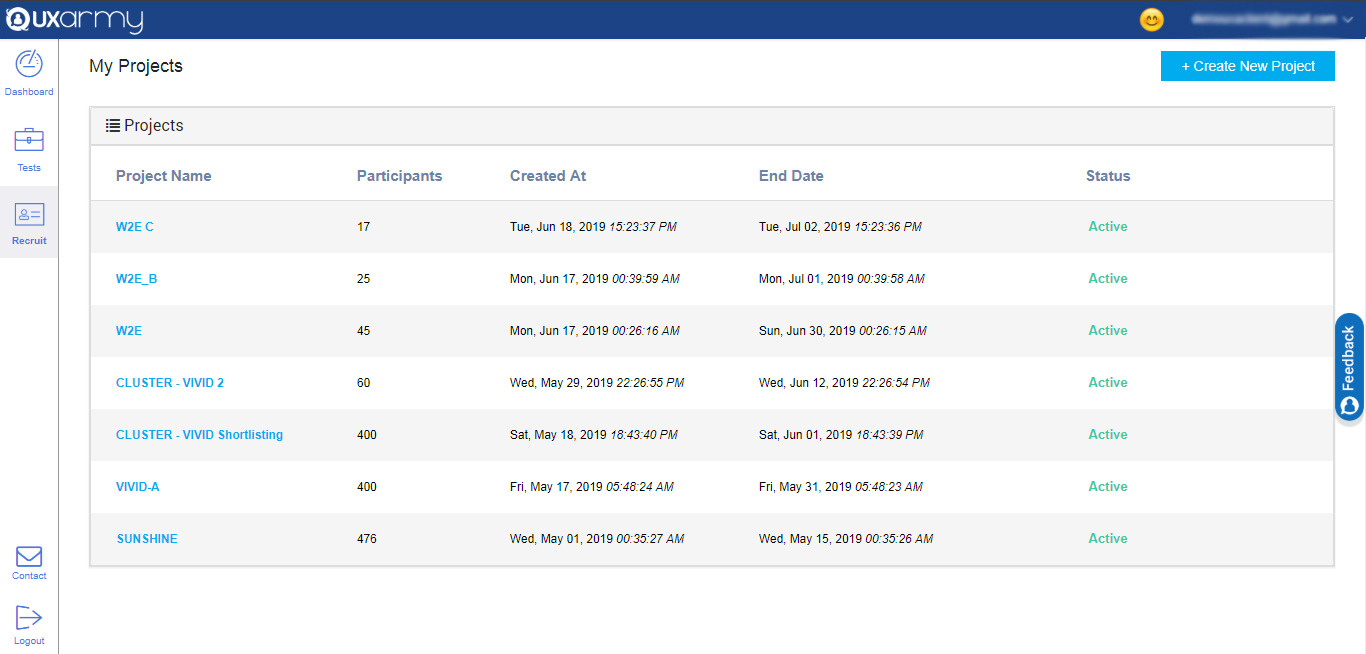
They can also navigate to account settings from the dashboard.Screenshot of a section that displays all the tests and any test can be selected to see the details of the response of the test. A new test can be created from here too by clicking on the "create test" button in the upper right corner of the screen.Screenshot of an example of the 2 ways to recruit for a test:

1. Up to 10  team members can take tests for free.

2. Testers can be recruited from the UXArmy's pool of testers from all around the world with a detailed demographic and behavioral filters like the country they live in or what language they speak, the mobile device they use, what gender they are, what shows they watch on TV, etc.