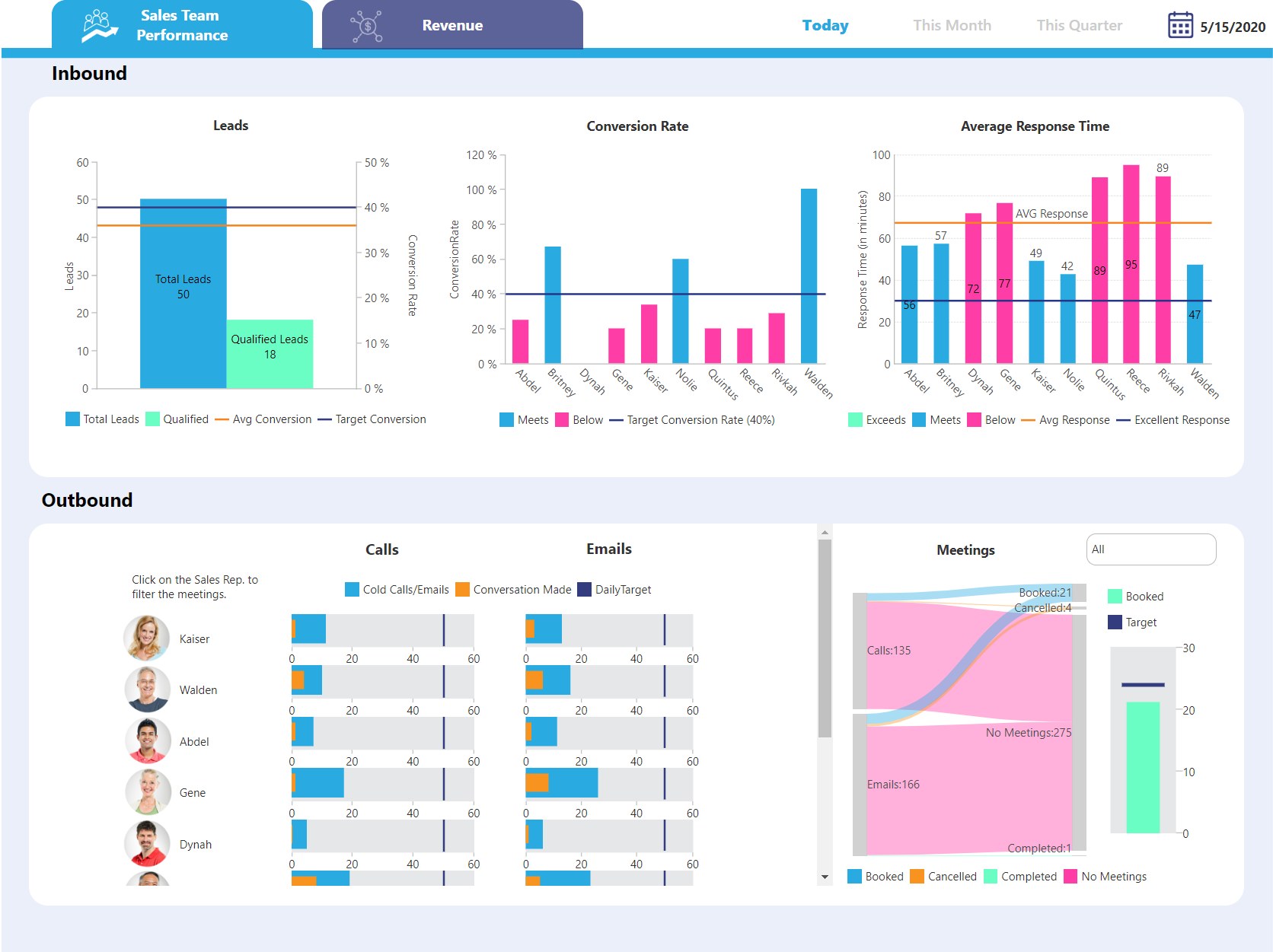
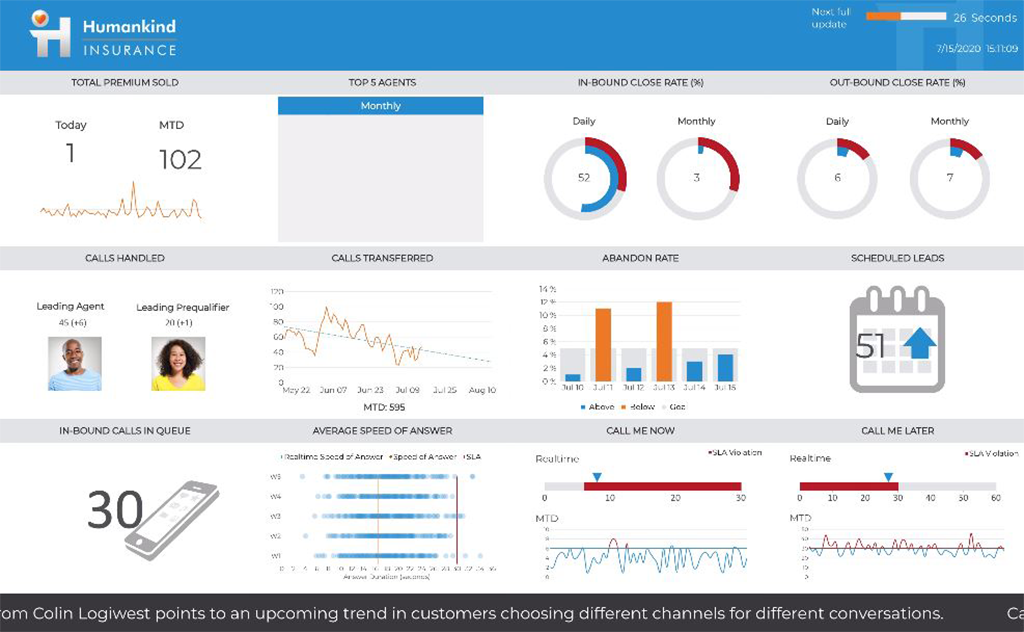
Logi Symphony is a business intelligence and data visualization software that includes customizable dashboards, reporting, and visual data analytics. It can be integrated into users’ existing business applications and its visualization and reporting tools can be customized.
N/A
Tableau Public
Score 9.7 out of 10
N/A
Tableau Public is a free edition of the Desktop product. With this edition, data can only be published to the Tableau public website and does not allow work to be saved or exported locally.
N/A
Pricing
Logi Symphony
Tableau Public
Editions & Modules
No answers on this topic
No answers on this topic
Offerings
Pricing Offerings
Logi Symphony
Tableau Public
Free Trial
Yes
No
Free/Freemium Version
No
Yes
Premium Consulting/Integration Services
No
No
Entry-level Setup Fee
No setup fee
No setup fee
Additional Details
—
—
More Pricing Information
Community Pulse
Logi Symphony
Tableau Public
Features
Logi Symphony
Tableau Public
BI Standard Reporting
Comparison of BI Standard Reporting features of Product A and Product B
Logi Symphony
8.4
Ratings
3% above category average
Tableau Public
9.8
Ratings
15% above category average
Pixel Perfect reports
8.40 Ratings
9.70 Ratings
Customizable dashboards
8.60 Ratings
10.00 Ratings
Report Formatting Templates
8.10 Ratings
9.70 Ratings
Ad-hoc Reporting
Comparison of Ad-hoc Reporting features of Product A and Product B
Logi Symphony
8.1
Ratings
1% above category average
Tableau Public
9.7
Ratings
19% above category average
Drill-down analysis
7.90 Ratings
9.80 Ratings
Formatting capabilities
8.20 Ratings
9.70 Ratings
Integration with R or other statistical packages
7.60 Ratings
9.50 Ratings
Report sharing and collaboration
8.60 Ratings
9.80 Ratings
Report Output and Scheduling
Comparison of Report Output and Scheduling features of Product A and Product B
Logi Symphony
7.9
Ratings
5% below category average
Tableau Public
9.5
Ratings
12% above category average
Publish to Web
8.40 Ratings
10.00 Ratings
Publish to PDF
7.80 Ratings
10.00 Ratings
Report Versioning
7.80 Ratings
9.80 Ratings
Report Delivery Scheduling
8.30 Ratings
9.60 Ratings
Delivery to Remote Servers
7.20 Ratings
8.10 Ratings
Data Discovery and Visualization
Comparison of Data Discovery and Visualization features of Product A and Product B
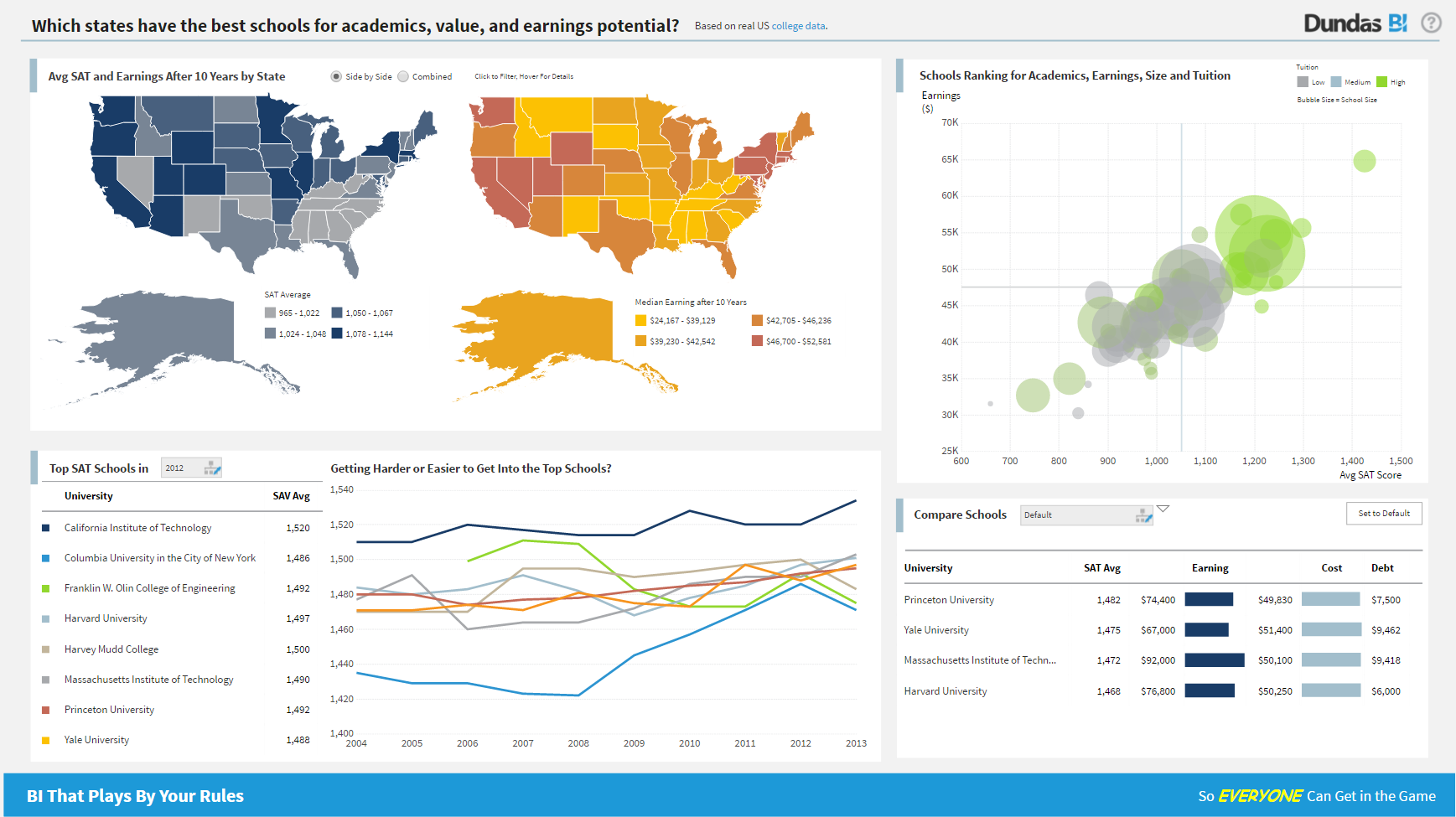
Considering it's price point in the market, Dundas BI offers a lot of functionality. They are constantly adding features and bug fixes which is great, but also means there are always updates to take if you want everything to work as expected. The standard user interface is pretty easy to understand, but it takes a while for developers and power users to become independent of documentation.
Tableau Public is great, especially if you're new to the platform or considering implementing it within an organization. The Public version has most of the capabilities of the full version, with extensive community documentation to troubleshoot issues you may run into. Additionally, there are many resources to check out Public workbooks from other users and communities: a GREAT learning resource to figure out new, innovative ways to visualize and present data. It is perfect for evaluating public datasets, for doing exploratory data analysis, or contributing to cross-organizational or extracurricular projects that may benefit from more sophisticated data analysis and exploration. Tableau Public, because it stores to the cloud and has limitations on connectivity (ie, cannot connect to SQL servers) is not suited for confidential, financial, PII, etc., data, and care should be taken to avoid including sensitive data in any of the Tableau Public workbooks used by an individual or organization.
Project organization from Development to Production, you get a production and development license but I think the best way to do it is with DEV and Prod project in the Production box. Use the development box for testing updates and really crazy things. With the Dev and Prod projects on the same box, you just publish from Dev to Prod and you are done. Users only have access to the Prod projects so no one can mess up what you are working on.
Security - If you have a hierarchy (subsidiaries, divisions, department, teams) and you want each group to see only their data, then Security hierarchies are for you!
Dependent filters! What's this you ask? Here is an example of how it can be used, in your company you have departments and who works for what department is in your database. You make a dashboard that has a department filter (only show these departments), a managers filter, and employee filter. Not every manager or employee is in multiple departments usually only one. With dependent filters you can say that the manager and employee filter are dependent on what is selected in the departments filter so when you go to filter them they only show the managers or employees that are part of that department, and you can even it do so employees are not only dependent on department but on manager as well. Then it gets even better as it can be done in reverse as well so when you select a manager then go to the department it only shows the departments he works for (there are better situations where this is more useful).
It is scriptable! From calculate columns, null replacements, button actions, load actions, hover over events there a way to do what you want.
They are constantly improving and listens to your suggestions.
Tableau Public can work with data that are differently formatted, such as MS Excel, .txt file, Google Sheets, not sure about MS Access.
GUI interface of Tableau Public is not that hard to start working on; Also, it can generate codes for the operations and so it is relatively easy to visualize and correct mistakes.
Lots of Tableau Public users upload their work to the online community, users can easily find very good figures/graphs that are similar to their problems and so they can use these figures/graphs as templates to modify and make their own ones.
Not too many cons for how we use the application. It really is easy and powerful. Very powerful.
Licensing is one thing that could be looked into. It is simple, but a little confusing. For example, if I get a license today, but a new release comes out tomorrow, it seems that the license doesn't work with the new release. Maybe that is by design, but it would be nice to clearly understand.
The biggest drawback to the Public version of Tableau is that any data used in the program is 'public' and therefore not secure: workbooks are saved to the cloud, rather than locally
Tableau Public limits data ingestion to 10 million rows per source
Limited connections - can't connect to SQL databases to ingest data (must be through CSV, Access, TDE, or text files)
It's free, right? I'll keep using the free version. So the real question to ask is this? Will I pay $999 for the Personal version or $1,999 for the Professional? Yikes! That is a big stretch. I'm not sure about that. The product comparison chart is at: http://www.tableausoftware.com/public/comparison
We are still in the implementation phase, but so far we are finding it to be easy to use and learn. The eLearning courses that they have made available for free, as well as User Forums and other training videos have made even difficult concepts easier to understand.
Tableau public is a great training tool to understand the basics of Tableau before buying it. A great tool to extend Excel's visualization and to publish data for others. Not useful for anything you need secure. No ability to access databases. Static information only.
We have bi-weekly calls with our Success Manager, as well as access to support as needed. Any question that I have had, multiple people have been willing and able to jump on a call to talk me through it, or send an email with the solution
Start at the end and work backward. Identify the business case / issue and questions the end users have, then identify the data needed, and where to get it.
We have tested Tableau prior to Dundas BI and though Tableau is a great package in itself, Dundas BI is much more cost-effective for our needs and requirements and hence zeroed in on Dundas BI. We have also tried microstrategy but it has a very dated UI and doesn't suit our needs in today's more modern world
Tableau public is Free and no subscription is required whereas Tableau Desktop is a paid subscription. if there is no private or confidential data it's easy to Tableau public and share reports with people. Tableau public has same features and options same as desktop. its easy for students or beginners to signup and start learning/build reports.